📘 Sách hướng dẫn ESi Controls • PDF trực tuyến miễn phí
ESi Controls logo

Sổ tay hướng dẫn sử dụng và hướng dẫn điều khiển ESi

ESi Controls designs and manufactures energy-efficient heating controls, including programmable thermostats, zone valves, and smart heating systems for UK homes.

Mẹo: hãy ghi đầy đủ số hiệu mẫu được in trên nhãn ESi Controls của bạn để có kết quả chính xác nhất.

Giới thiệu về hướng dẫn sử dụng ESi Controls trên Manuals.plus

ESi Controls is a UK-based manufacturer dedicated to developing energy-efficient heating control products for residential and commercial use. Their comprehensive range includes programmable room thermostats, wireless time clocks, motorized zone valves, and cylinder thermostats. ESi focuses on simplicity and compliance, offering products that meet current building regulations while remaining easy to install and operate for homeowners.

With a strong emphasis on reducing energy consumption, ESi Controls also offers smart home solutions, such as the ESi Centro app and Alexa-compatible thermostats, allowing users to manage their heating remotely. Whether for new installations or retrofits, their products are designed to provide reliable comfort and control.

Sổ tay hướng dẫn sử dụng ESi Controls

Hướng dẫn mới nhất từ manuals+ được tuyển chọn cho thương hiệu này.

ESi Controls Domestic EV Charger Instructions

Ngày 7 tháng 2026 năm XNUMX
ESi Controls Domestic EV Charger Instructions STORAGE AND MAINTENANCE GUIDES STORAGE GUIDE – Domestic EV Charger Proper storage of your EV charger ensures its longevity and safe operation. Follow these…

Hướng dẫn sử dụng Bộ điều nhiệt phòng lập trình cảm ứng ESRTP4 của ESI Controls

Ngày 10 tháng 2025 năm XNUMX
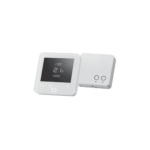
Thông số kỹ thuật của Bộ điều nhiệt phòng có thể lập trình cảm ứng ESRTP4 của ESI Controls Sản phẩm: Bộ điều nhiệt thông minh Khả năng tương thích: Hoạt động với Alexa Skills Kết nối: Hỗ trợ Wi-Fi Giới thiệu Bộ điều nhiệt phòng có thể lập trình kết hợp bộ hẹn giờ và bộ điều nhiệt trong…

Hướng dẫn sử dụng Gói điều khiển kết hợp CPC2ZP6C ESI Controls

Ngày 3 tháng 2024 năm XNUMX
Bộ điều khiển kết hợp ESI Controls CPC2ZP6C BỘ ĐIỀU KHIỂN NHIỆT ĐỘ PHÒNG CÓ THỂ LẬP TRÌNH Bộ điều nhiệt phòng có thể lập trình là gì? Bộ điều nhiệt phòng có thể lập trình kết hợp bộ hẹn giờ và bộ điều nhiệt trong một thiết bị bằng cách cho phép bạn…

ESi Controls 4 Hướng dẫn ghép nối bộ thu RF

Ngày 16 tháng 2024 năm XNUMX
Hướng dẫn ghép nối bộ thu RF của ESi Controls 4 Nếu bộ thu RF và bộ điều nhiệt phòng bị mất kết nối RF, hãy làm theo hướng dẫn bên dưới. Trên bộ thu RF, nhấn và giữ…

Quick Homeowner Guide to Combi Controls Pack CPC2ZP6C

hướng dẫn
A homeowner's guide to the ESI Controls Combi Controls Pack CPC2ZP6C, detailing the Programmable Room Thermostat (ESRTP6C) and Plug Fit Motorised Zone Valves, including features, operation, and maintenance requirements.

ESRTP4RFW RF Programmable Room Thermostat User Instructions

Hướng dẫn sử dụng
User instructions for the ESi ESRTP4RFW RF Programmable Room Thermostat, detailing features like Chronoproportional Control (TPI), Delayed Start, Optimum Start, RF pairing, Wi-Fi connectivity, and programming options for energy saving.…

ESi Controls support FAQ

Những câu hỏi thường gặp về hướng dẫn sử dụng, đăng ký và hỗ trợ cho thương hiệu này.

  • How do I pair my ESi wireless thermostat receiver?

    To pair (or re-pair) the RF receiver, press and hold the M/A button on the receiver until the manual light flashes green. Then, follow the specific button combination for your thermostat model (often involving holding the 'A', 'H', and '+' buttons) until the receiver light stops flashing.

  • Làm cách nào để đăng ký sản phẩm của tôi để được bảo hành mở rộng?

    You can register your ESi Controls product online at the official warranty page within 30 days of purchase to extend your warranty from the standard 1 year to 3 years.

  • How do I connect my ESi thermostat to Alexa?

    First, ensure you have the ESi Centro app installed and your thermostat paired with the Wi-Fi Hub. Then, in the Alexa app, search for the 'ESi Centro' skill, enable it, and link your account to discover your device.