1. Giới thiệu
The DNT Optics Zulus 4K 3-24X Digital Day Night Vision Scope is an advanced optical system designed for versatile use in various lighting conditions. Featuring a Sony 4K STARVIS 2 CMOS sensor, a 50mm f/1.8 ED glass lens, and an integrated laser rangefinder with DNT Ballistic Engine, this scope delivers high-resolution imaging and precise targeting capabilities for both day and night operations.
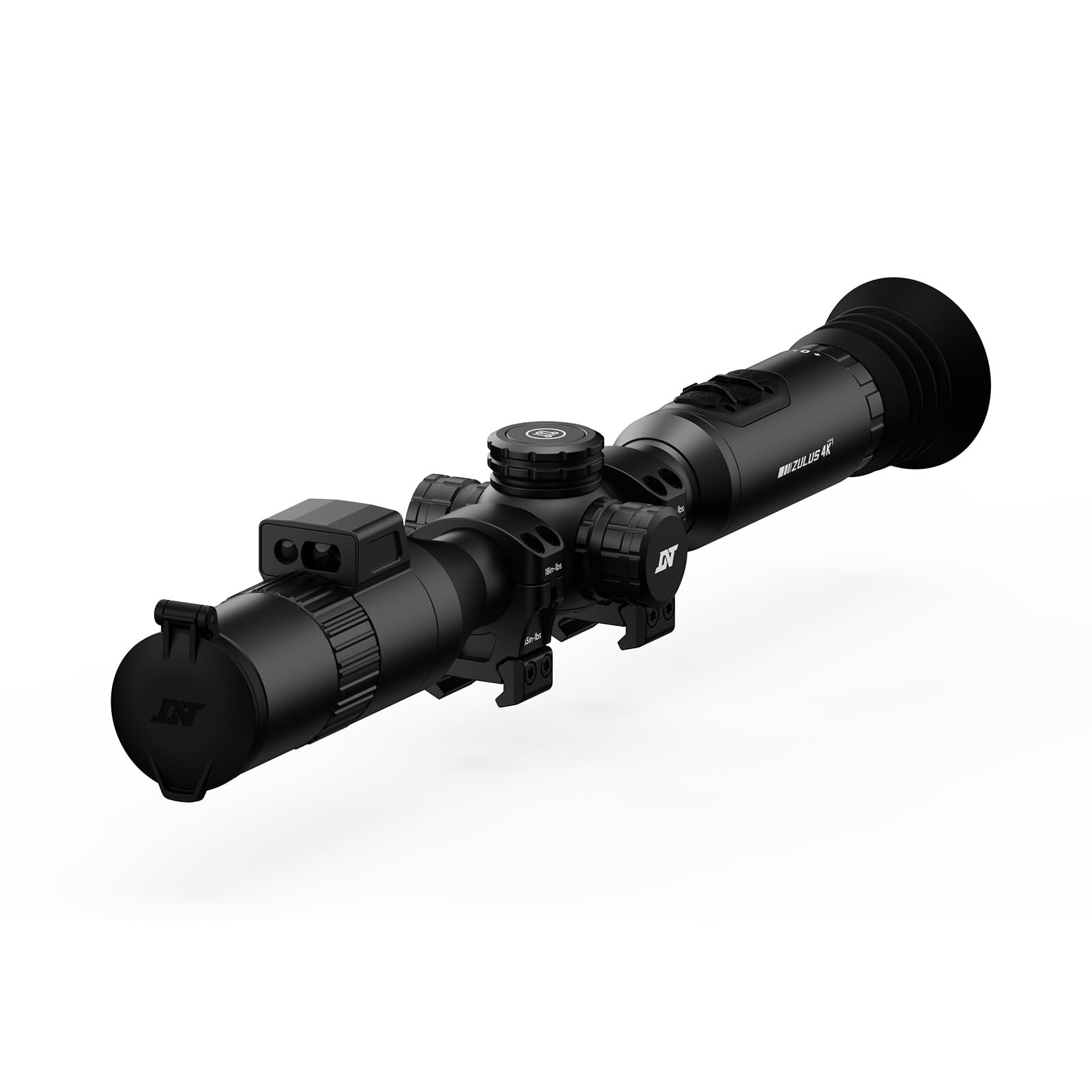
Image: The DNT Optics Zulus 4K Digital Day Night Vision Scope, showcasinVới thiết kế màu đen bóng bẩy.
2. Nội dung gói hàng
Upon opening your DNT Optics Zulus 4K package, ensure all items listed below are present and in good condition. If any items are missing or damaged, please contact DNT Optics customer support.
- Zulus 4K Digital Day Night Vision Scope (x1)
- 30mm Scope Rings (x2)
- Sunshade (x1)
- Flip Up Cover (x1)
- Eye Cup (x1)
- Khăn lau ống kính (x1)
- Hướng dẫn sử dụng (x1)
- Hướng dẫn Bắt đầu Nhanh (x1)
- Data Cable (USB-C) (x1)
- 21700 Battery Pack (x1)
Video: An unboxing video demonstrating the contents of the DNT Optics Zulus 4K package, including the scope, accessories, and documentation.
3. Thiết lập
3.1. Lắp đặt pin
- Locate the battery compartment cap, typically on the side or top of the scope.
- Vặn nắp ngược chiều kim đồng hồ.
- Insert the provided 21700 flat-top battery, ensuring correct polarity.
- Screw the cap back on clockwise until secure.
3.2. Lắp đặt kính ngắm
The Zulus 4K is designed to fit standard 30mm mounting setups. Use the included 30mm scope rings for installation.
- Attach the scope rings to your rifle's Picatinny rail or compatible mounting system.
- Place the Zulus 4K scope into the rings, ensuring proper eye relief and alignment.
- Secure the top halves of the scope rings, tightening screws evenly to the manufacturer's recommended torque specifications (35 in-lbs indicated on rings).

Image: The DNT Optics Zulus 4K Digital Day Night Vision Scope securely mounted on a rifle, ready for use.
3.3. Attaching Sunshade and Eye Cup
- Tấm che nắng: Thread the sunshade onto the objective lens (front) of the scope.
- Cúp mắt: Thread the eye cup onto the eyepiece (rear) of the scope.
- Ensure both accessories are securely attached to prevent accidental detachment during use.

Image: The DNT Optics Zulus 4K scope with its sunshade and eye cup attached, enhancing usability and protection.
4. Hoạt động
4.1. Powering On/Off & Standby
- Bật/Tắt nguồn: Long press the Power button to turn the unit on or off.
- Chế độ chờ: Short press the Power button to enter or exit standby mode, conserving battery life when not actively in use.
4.2. Chế độ Ngày và Đêm
The Zulus 4K offers seamless transition between day and night vision modes.
- Chế độ chuyển đổi: Long press the Day/Night button to switch between day and night vision modes.
- Điều chỉnh độ sáng: Short press the Day/Night button to adjust screen brightness levels.

Image: Visual representation of the Zulus 4K's performance, showcasing clear imaging in both bright daylight and low-light moonlight conditions.
4.3. Magnification and Digital Zoom
The scope features 3-24x magnification with up to 6x lossless digital zoom for precise targeting.
- Điều chỉnh độ phóng đại: Rotate the Magnification Ring to zoom in or out.
- 4K-30FPS Mode: Provides over 8 million pixels for detailed viewing with 3-24x zoom.
- 1080P-60FPS Mode: Offers smooth, high-speed footage with 3-12x zoom for tracking fast-moving targets.
4.4. Laser Rangefinder and Ballistic Engine
The integrated Laser Rangefinder (LRF) provides instant, precise ranging from 5 to 1300 yards. The DNT Ballistic Engine resolves complex trajectories and projects the ballistic solution directly into your view.
- Activating LRF: Short press the Ranging button to activate the laser rangefinder and display distance.
- Ballistic Solution: With ballistic data synced via the DNT App, the scope will display the holdover point on the reticle.

Image: A hunter using the DNT Optics Zulus 4K, highlighting the active laser rangefinder beam for precise distance measurement.
4.5. Recording and Picture-in-Picture (PIP)
- Ghi thủ công: Short press the Record button to start/end video recording.
- Recoil Activated Recording (RAV): Long press the Record button to activate RAV. The scope will automatically record video when recoil is detected.
- Hình trong hình: Access PIP settings via the menu to display a magnified view in a smaller window on the screen.
4.6. Điều hướng Menu và Cài đặt
- Truy cập Menu: Long press the Menu button to enter the settings menu.
- Điều hướng: Use the Magnification Ring to scroll through menu options.
- Chọn/Xác nhận: Short press the Menu button to select an option.
- Ra: Long press the Menu button to exit the menu.
- Reticle Settings: Customize reticle type and color within the menu.
- Zeroing chuyên nghiệpfiles: Set and save multiple zeroing profiles for different firearms or ammunition types.
5. Bảo trì
5.1. Vệ sinh ống kính
Regularly clean the lenses to ensure optimal image clarity.
- Use the provided lens cleaning cloth or a soft, lint-free cloth.
- Gently wipe the lens surfaces to remove dust and smudges. Avoid abrasive materials or harsh chemicals.
5.2. Bảo vệ môi trường
The Zulus 4K is built for durability in challenging conditions.
- Xếp hạng IP67: The scope is IP67 waterproof and dustproof, providing protection against immersion in water up to 1 meter for 30 minutes and complete dust ingress.
- Recoil Rating: Recoil-rated up to .50 BMG, ensuring robust performance with high-caliber firearms.
KHAI THÁC. Xử lý sự cố
If you encounter issues with your DNT Optics Zulus 4K, refer to the following common troubleshooting steps:
| Vấn đề | Nguyên nhân có thể | Giải pháp |
|---|---|---|
| Thiết bị không bật nguồn | Low or depleted battery; Incorrect battery installation | Charge the battery using the provided USB-C cable. Ensure the battery is inserted with correct polarity. |
| Chất lượng hình ảnh kém | Dirty lenses; Incorrect focus; Extreme environmental conditions | Clean lenses with the provided cloth. Adjust the focus ring. Ensure proper day/night mode is selected for current lighting. |
| Laser Rangefinder not working | Obstruction in front of LRF; Out of range; Software glitch | Ensure LRF is clear of obstructions. Confirm target is within 5-1300 yard range. Restart the device. |
| DNT App connectivity issues | Wi-Fi disabled on scope or phone; Incorrect password | Ensure Wi-Fi is enabled on both devices. Verify the correct Wi-Fi password. Restart both devices. |
7. Thông số kỹ thuật
- Cảm biến: Sony 1/1.8" 4K STARVIS 2 CMOS
- Ống kính: 50mm f/1.8 ED (Extra-low Dispersion) glass
- Độ phóng đại: 3-24 lần
- Thu phóng kỹ thuật số: Up to 6x lossless
- Độ phân giải video: 4K-30FPS, 1080P-60FPS
- Bộ nhớ trong: 64GB
- Ắc quy: Replaceable 21700 flat-top battery (up to 6 hours operation)
- Laser Rangefinder Range: 5-1300 yard
- Đường kính ống: 30mm
- Cân nặng: 24.3 Ounce
- Đánh giá chống thấm nước / chống bụi: IP67
- Recoil Rating: Up to .50 BMG
- Độ thoải mái cho mắt: 65mm (2.6")
- Thiết bị tương thích: Súng trường, súng săn
8. Bảo hành & Hỗ trợ
8.1. Thông tin bảo hành
The DNT Optics Zulus 4K comes with a Bảo hành 2 năm của nhà sản xuấtBảo hành này bao gồm các lỗi về vật liệu và tay nghề trong điều kiện sử dụng bình thường. Vui lòng giữ lại hóa đơn mua hàng để yêu cầu bảo hành.
8.2. Hỗ trợ khách hàng
For technical assistance, warranty claims, or general inquiries, please contact DNT Optics customer support. You can also utilize the DNT App to sync ballistic data, view live video feeds, manage your album, and share your adventures.
- DNT App: Available for download on your smartphone.
- Tài nguyên trực tuyến: Visit the official DNT Optics webTrang web này cung cấp các câu hỏi thường gặp, hướng dẫn sử dụng được cập nhật và thông tin liên hệ hỗ trợ.

Image: A smartphone displaying the DNT App interface, connected to the Zulus 4K scope for enhanced control and data management.


