1. Giới thiệu
The Strong 4G LTE N300 WiFi Router provides high-speed internet access using a 4G SIM card, offering reliable Cat4 LTE speeds up to 150 Mbps and stable N300 Mbps Wi-Fi coverage. This device is designed for easy setup and use, supporting up to 32 devices simultaneously, making it suitable for both home and small office environments where wired broadband may not be available.
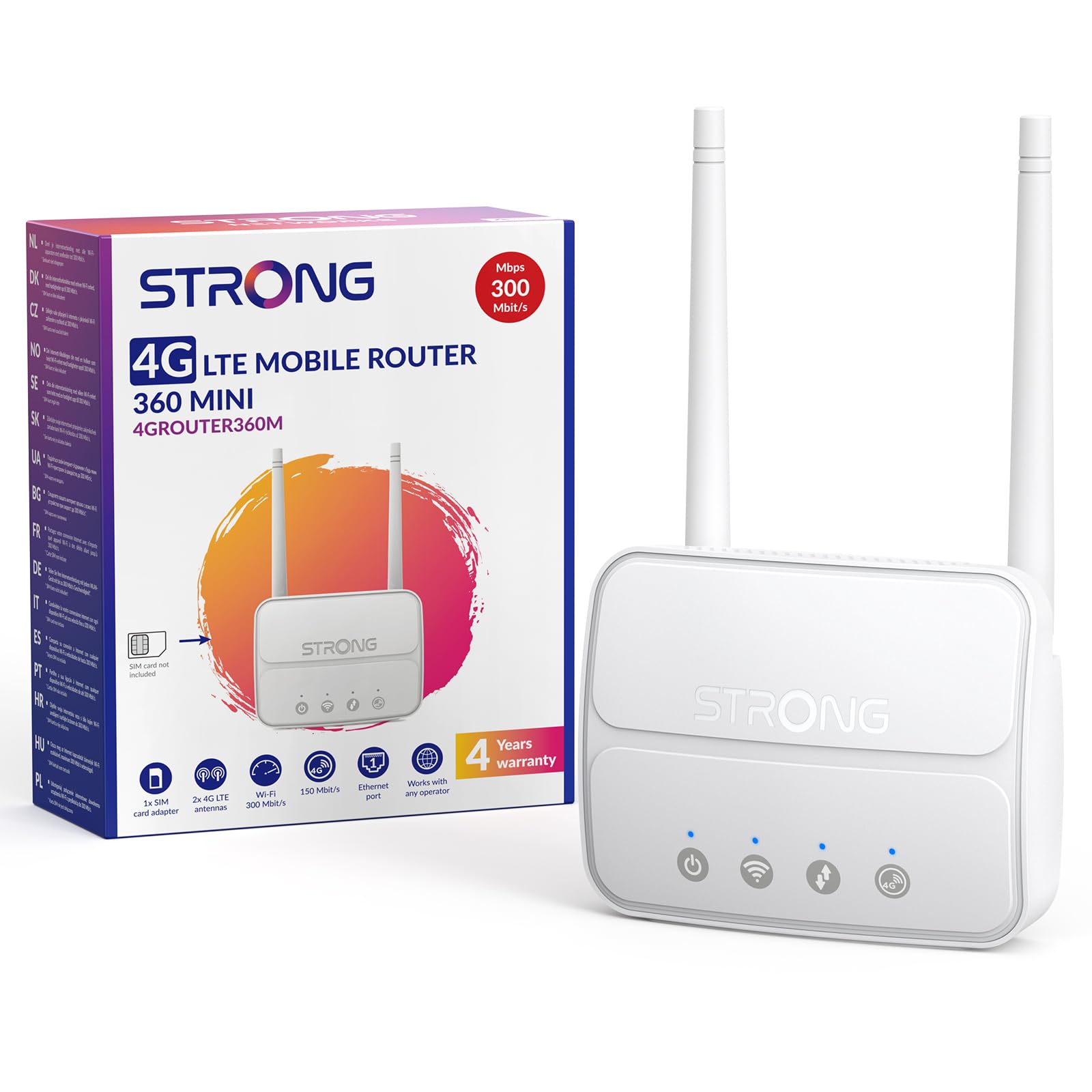
Image 1: The Strong 4G LTE N300 WiFi Router, a compact device with two external antennas for enhanced signal reception.
2. Có gì trong hộp
Vui lòng kiểm tra kỹ nội dung gói hàng. Nếu có bất kỳ sản phẩm nào bị thiếu hoặc hư hỏng, vui lòng liên hệ với bộ phận hỗ trợ khách hàng.
- Strong 4G LTE N300 WiFi Router
- External Antennas (2 units)
- Cáp Ethernet RJ45
- Nguồn điện bên ngoài
- Nano to Micro SIM Card Adapter
- Hướng dẫn cài đặt nhanh
- Thẻ An toàn và Bảo hành
3. Hướng dẫn cài đặt
Follow these steps for a quick and easy setup of your Strong 4G LTE N300 WiFi Router.
3.1. Prepare Your SIM Card
Before inserting your SIM card, ensure that any PIN protection is disabled. You can do this by inserting the SIM card into a smartphone and disabling the PIN request through the phone's settings.
3.2. Insert the SIM Card
- Xác định khe cắm thẻ SIM trên bộ định tuyến.
- If you have a Nano SIM, use the provided Nano to Micro SIM adapter to fit it into the standard SIM slot.
- Gently insert the prepared SIM card into the slot until it clicks into place.
3.3. Attach External Antennas
Screw the two external 4G antennas onto the designated connectors at the back of the router. Adjust their orientation for optimal signal reception.
3.4. Power On the Router
Connect the external power supply to the router's DC-in port and then plug it into a power outlet. The router will automatically power on and begin the startup sequence.
3.5. Connect to the Network (Plug & Play)
The router is designed for Plug & Play operation. Once powered on and with a valid SIM card, it will automatically connect to the 4G LTE network. You can then connect your devices via Wi-Fi or Ethernet.

Image 2: Visual guide for SIM card insertion and powering on the router for instant connection. The image also shows the SIM card slot supporting standard, micro, and nano SIMs with an adapter.
3.6. truy cập vào Web Giao diện
For advanced settings and network management, access the router's web giao diện bằng cách gõ 192.168.188.1 vào của bạn web browser's address bar. Refer to the Quick Installation Guide for default login credentials.
4. Hướng dẫn vận hành
This section details how to use your Strong 4G LTE N300 WiFi Router for optimal performance.
4.1. Kết nối thiết bị
The router supports connections for up to 32 devices simultaneously.
- Kết nối Wi-Fi: Locate the Wi-Fi network name (SSID) and password printed on the label at the bottom of the router. Select this network on your device and enter the password to connect.
- Kết nối Ethernet: Use an RJ45 Ethernet cable to connect devices such as PCs, game consoles, or Smart TVs to the router's 100 Mbps LAN port for a stable wired connection.
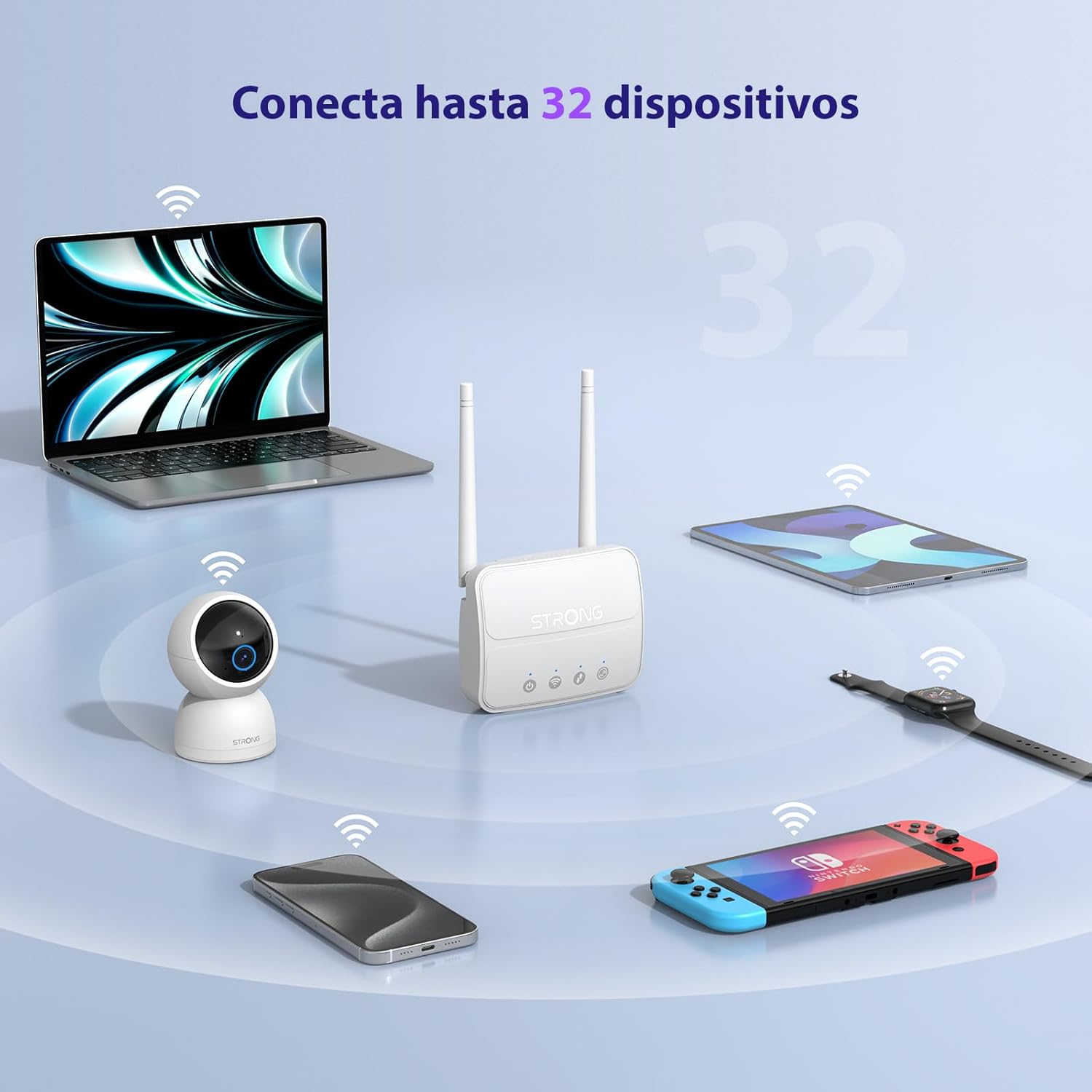
Image 3: The router connecting various devices including laptops, tablets, smartphones, and gaming consoles, demonstrating its capacity for up to 32 simultaneous connections.
4.2. Network Management and Security
The router offers robust security features to protect your network:
- Mã hóa WPA / WPA2: Ensures secure wireless communication.
- PIN Control: Manage SIM card PIN settings.
- Lọc MAC: Kiểm soát thiết bị nào có thể kết nối với mạng của bạn dựa trên địa chỉ MAC của chúng.
- Advanced Firewall Settings: Customize firewall rules for enhanced protection.
All these settings can be managed through the easy-to-use web giao diện (192.168.188.1).

Image 4: A user managing network settings on a laptop, illustrating the router's WPA/WPA2 encryption and PIN control features for secure network management.
5. Bảo trì
Bảo trì đúng cách sẽ đảm bảo độ bền và hiệu suất tối ưu cho bộ định tuyến của bạn.
- Vệ sinh: Hãy dùng khăn mềm, khô để lau sạch bên ngoài bộ định tuyến. Không sử dụng chất tẩy rửa dạng lỏng hoặc dạng xịt.
- Vị trí: Đặt bộ định tuyến ở khu vực thông thoáng, tránh ánh nắng trực tiếp, nguồn nhiệt và các trường điện từ mạnh.
- Cập nhật chương trình cơ sở: The router features a USB port specifically for firmware updates. Regularly check the Strong official website for the latest firmware versions to ensure improved performance and security. Follow the instructions provided with the firmware update package carefully.
KHAI THÁC. Xử lý sự cố
Nếu gặp sự cố với bộ định tuyến, hãy tham khảo các bước khắc phục sự cố thường gặp sau đây:
- Không có kết nối Internet:
- Hãy đảm bảo thẻ SIM được lắp đúng cách và có gói dữ liệu đang hoạt động.
- Verify that the SIM card's PIN protection is disabled.
- Check the signal strength indicators on the router. If the signal is weak, try adjusting the external antennas or relocating the router.
- Restart the router by unplugging and replugging the power adapter.
- Wi-Fi không hiển thị hoặc không kết nối được:
- Ensure the Wi-Fi function is enabled (check the router's LED indicators).
- Hãy chắc chắn rằng bạn đang nhập đúng mật khẩu Wi-Fi (SSID và mật khẩu được in trên nhãn của bộ định tuyến).
- Try connecting a device via Ethernet to confirm the router has internet access.
- Tốc độ chậm:
- Kiểm tra cường độ tín hiệu 4G. Tín hiệu yếu có thể dẫn đến tốc độ chậm hơn.
- Hãy đảm bảo không có ứng dụng hoặc thiết bị nào khác đang tiêu thụ quá nhiều băng thông.
- Consider the number of connected devices; the router supports up to 32, but performance may vary with heavy usage.
- Không thể truy cập Web Giao diện:
- Đảm bảo thiết bị của bạn được kết nối với mạng của bộ định tuyến (Wi-Fi hoặc Ethernet).
- Confirm you are typing the correct IP address: 192.168.188.1.
- Hãy thử một cách khác web trình duyệt.
If these steps do not resolve the issue, please contact Strong customer support.
7. Thông số kỹ thuật
Detailed technical specifications for the Strong 4G LTE N300 WiFi Router (Model 4GROUTER360M).
| Tính năng | Đặc điểm kỹ thuật |
|---|---|
| Thương hiệu | Mạnh |
| Tên mẫu | 4GROUTER360M |
| Công nghệ kết nối | 4G, Ethernet, LTE, Wi-Fi |
| chuẩn không dây | 802.11n (N300 Mbps) |
| Tốc độ 4G LTE | Up to 150 Mbps (Cat4) |
| Cổng Ethernet | 1 x 100 Mbps LAN Port |
| Khe cắm thẻ SIM | Standard (2FF), includes Nano to Micro adapter |
| Loại Ăng-ten | 2 x External, Detachable 4G Antennas; 2 x Internal Wi-Fi Antennas |
| Thiết bị được kết nối tối đa | Lên đến 32 |
| Tính năng bảo mật | WPA/WPA2 Encryption, PIN Control, MAC Filtering, Firewall |
| Hệ điều hành | StrongOS |
| Kích thước (Gói) | 18.1 x 15.6 x 7.3cm |
| Trọng lượng sản phẩm | 204 gam |
| Nguồn điện | Bộ đổi nguồn bên ngoài |
| Tính năng đặc biệt | Secure Network Management, Plug & Play, Connect up to 32 devices, USB port for firmware updates |
8. Bảo hành và Hỗ trợ
Strong is committed to providing reliable products and excellent customer service.
8.1. Thông tin bảo hành
Your Strong 4G LTE N300 WiFi Router comes with a 4-year protection plan, ensuring long-term peace of mind. Please refer to the included Safety and Warranty Card for detailed terms and conditions.
8.2. Hỗ trợ khách hàng
For any technical assistance, troubleshooting, or warranty inquiries, please contact our expert support team:
- E-mail: support_at@strong-eu.com
Our support team offers solid service and extended coverage to assist you.

Image 5: Visual representation of Strong's reliable support, highlighting the 4-year protection and contact email for assistance.


