Giới thiệu
Cảm ơn bạn đã muaasing the Shark CleanSense iQ+ Cordless Stick Vacuum Cleaner. This high-performance model, IW3145JNC, is designed to provide efficient and convenient cleaning with its advanced sensing technology and automatic dust collection system. This manual contains important information regarding the assembly, operation, maintenance, and troubleshooting of your new vacuum cleaner. Please read it thoroughly before use and keep it for future reference.
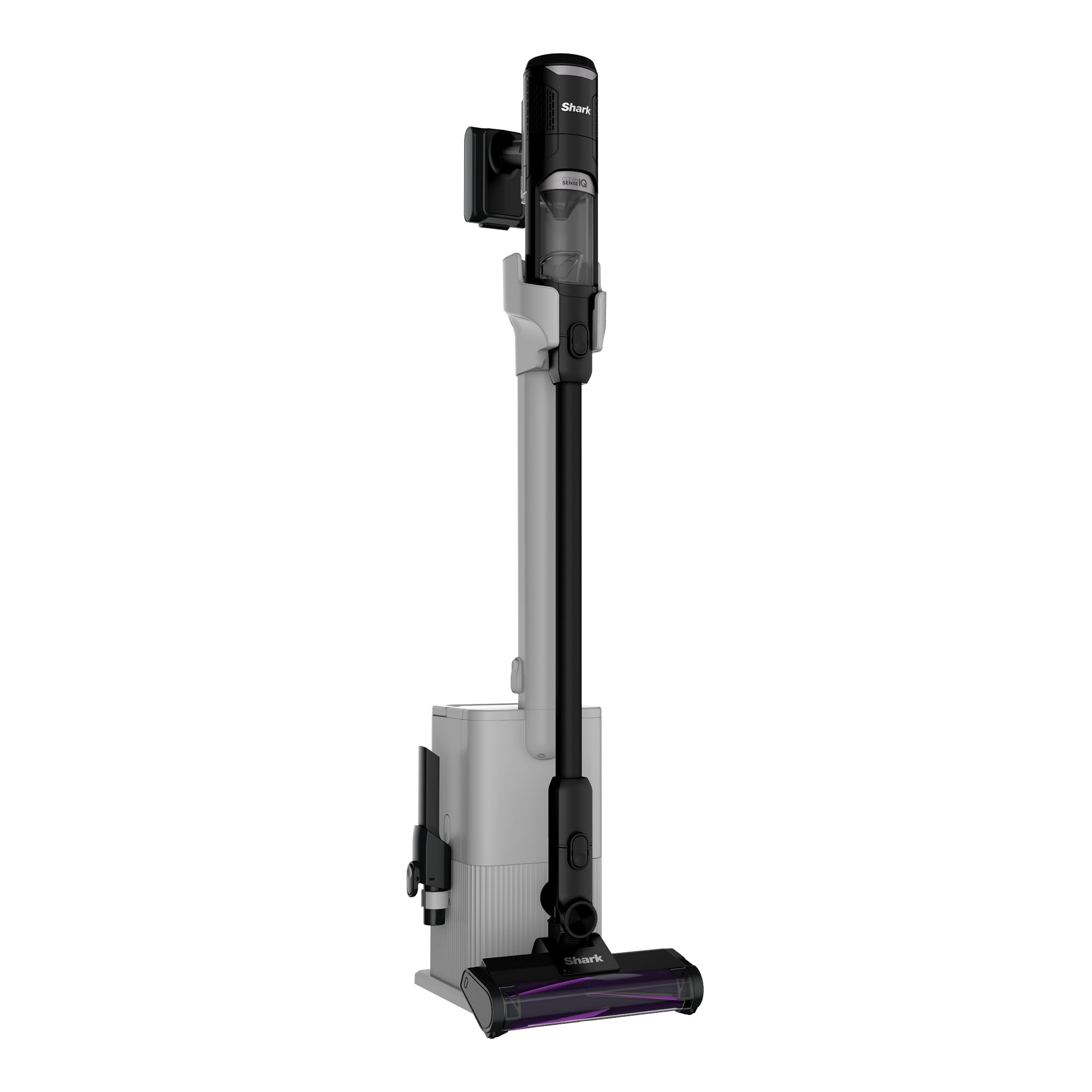
Figure 1: Shark CleanSense iQ+ Cordless Stick Vacuum Cleaner with Auto-Empty Dock.
Hướng dẫn an toàn quan trọng
Khi sử dụng các thiết bị điện, cần luôn tuân thủ các biện pháp phòng ngừa an toàn cơ bản, bao gồm:
- Hãy đọc kỹ hướng dẫn trước khi sử dụng máy hút bụi.
- Không sử dụng ngoài trời hoặc trên bề mặt ẩm ướt.
- Rút phích cắm khỏi ổ cắm khi không sử dụng và trước khi bảo dưỡng.
- Không được phép sử dụng như đồ chơi. Cần chú ý khi trẻ em sử dụng hoặc ở gần trẻ em.
- Chỉ sử dụng như mô tả trong hướng dẫn này. Chỉ sử dụng các phụ kiện được nhà sản xuất khuyến nghị.
- Không cầm phích cắm hoặc máy hút bụi bằng tay ướt.
- Không cho bất kỳ vật gì vào lỗ hở. Không sử dụng khi lỗ hở bị chặn; tránh xa bụi, xơ vải, tóc và bất kỳ thứ gì có thể làm giảm luồng khí.
- Giữ tóc, quần áo rộng, ngón tay và mọi bộ phận trên cơ thể tránh xa các lỗ hở và bộ phận chuyển động.
- Hãy cẩn thận hơn khi lau dọn cầu thang.
- Không sử dụng để lấy chất lỏng dễ cháy hoặc dễ bắt lửa, chẳng hạn như xăng, hoặc sử dụng ở những nơi có thể có những chất này.
Nội dung gói
Xác minh rằng tất cả các thành phần đều có trong gói của bạn:
- Main Handheld Vacuum Unit
- Đũa phép
- Hybrid Power Clean Floor Nozzle
- Tự động làm trống Dock
- Cáp sạc
- Multi-Cloth
- Công cụ khe hở
- Chổi quét bụi

Figure 2: All components included with the Shark CleanSense iQ+ vacuum cleaner.
Cài đặt
Cuộc họp
- Lắp cần hút vào đầu hút sàn cho đến khi nghe tiếng "tách" và được cố định chắc chắn.
- Insert the handheld vacuum unit into the top of the wand until it clicks securely.
- Place the assembled vacuum cleaner onto the auto-empty dock.
Sạc
Before first use, fully charge the vacuum cleaner. The battery indicator lights on the handheld unit will show charging status.
- Connect the charging cable to the auto-empty dock and plug it into a wall outlet.
- Ensure the vacuum is properly seated on the dock for charging. A full charge takes approximately 4 hours.

Figure 3: The vacuum cleaner is always ready for use when charged on its dock.
Auto-Empty Dock Setup
The auto-empty dock automatically empties the vacuum's dust cup into a larger capacity bin, reducing the frequency of manual emptying.
- Place the auto-empty dock on a flat, stable surface near a power outlet.
- Ensure there is enough space around the dock for the vacuum to be easily placed and removed.

Figure 4: The vacuum cleaner in its auto-empty dock, designed for convenient dust collection.
Hướng dẫn sử dụng
Chế độ Bật/Tắt nguồn và Làm sạch
Press the power button on the handheld unit to turn the vacuum on or off. Use the mode selection button to switch between cleaning modes:
- Chế độ tiết kiệm: For everyday cleaning and extended run time.
- Chế độ tăng cường: Cung cấp lực hút tối đa cho những vết bẩn cứng đầu.

Figure 5: The vacuum cleaner operating in Boost mode for intense cleaning and Eco mode for general use.
Smart iQ Pro Sensing Technology
The CleanSense iQ+ features four intelligent sensors that optimize cleaning performance:

Hình 6: Hếtview of the four smart sensing technologies integrated into the vacuum cleaner.
- Edge Sensor: Detects walls and corners, automatically increasing suction by up to 2.5 times in Eco mode for thorough edge cleaning.

Figure 7: The edge sensor identifies walls and corners, boosting suction for effective cleaning.
- iQ Sensor: Automatically adjusts suction power based on the amount of debris detected. The display changes color to visually indicate the debris level (low, medium, high suction).

Figure 8: The iQ sensor dynamically adjusts suction and provides visual feedback on debris levels.
- Cảm biến sàn: Detects the floor type (hard floor or carpet) and automatically adjusts the brush roll speed for optimal cleaning on different surfaces.

Figure 9: The floor sensor automatically adapts brush roll speed for effective cleaning on various floor types.
- Cảm biến ánh sáng: In dark areas, the light sensor automatically brightens the headlights on the floor nozzle to illuminate hidden dust and debris.

Figure 10: The light sensor enhances visibility in dimly lit spaces, revealing hidden dirt.
Hybrid Power Clean Head
The unique Hybrid Power Clean head is designed to prevent hair tangles, making it ideal for homes with pets or long hair. It provides powerful suction for both flooring and carpets.

Figure 11: The Hybrid Power Clean brush roll effectively picks up hair without tangling.
Chế độ cầm tay
For quick clean-ups or reaching tight spaces, the main unit can be easily detached and used as a handheld vacuum. Attach the crevice tool or dusting brush as needed.

Figure 12: Converting the stick vacuum into a convenient handheld unit for versatile cleaning.
BẢO TRÌ
Đổ sạch cốc đựng bụi
The auto-empty dock significantly reduces the need for frequent manual dust cup emptying. The dock's capacity is designed for approximately one month of debris, depending on usage and room conditions.
- When the vacuum is placed on the dock, it will automatically transfer collected debris to the dock's larger bin.
- To manually empty the handheld unit's dust cup, press the release button and empty contents into a trash bin.

Figure 13: Simple manual emptying of the handheld vacuum's dust cup.
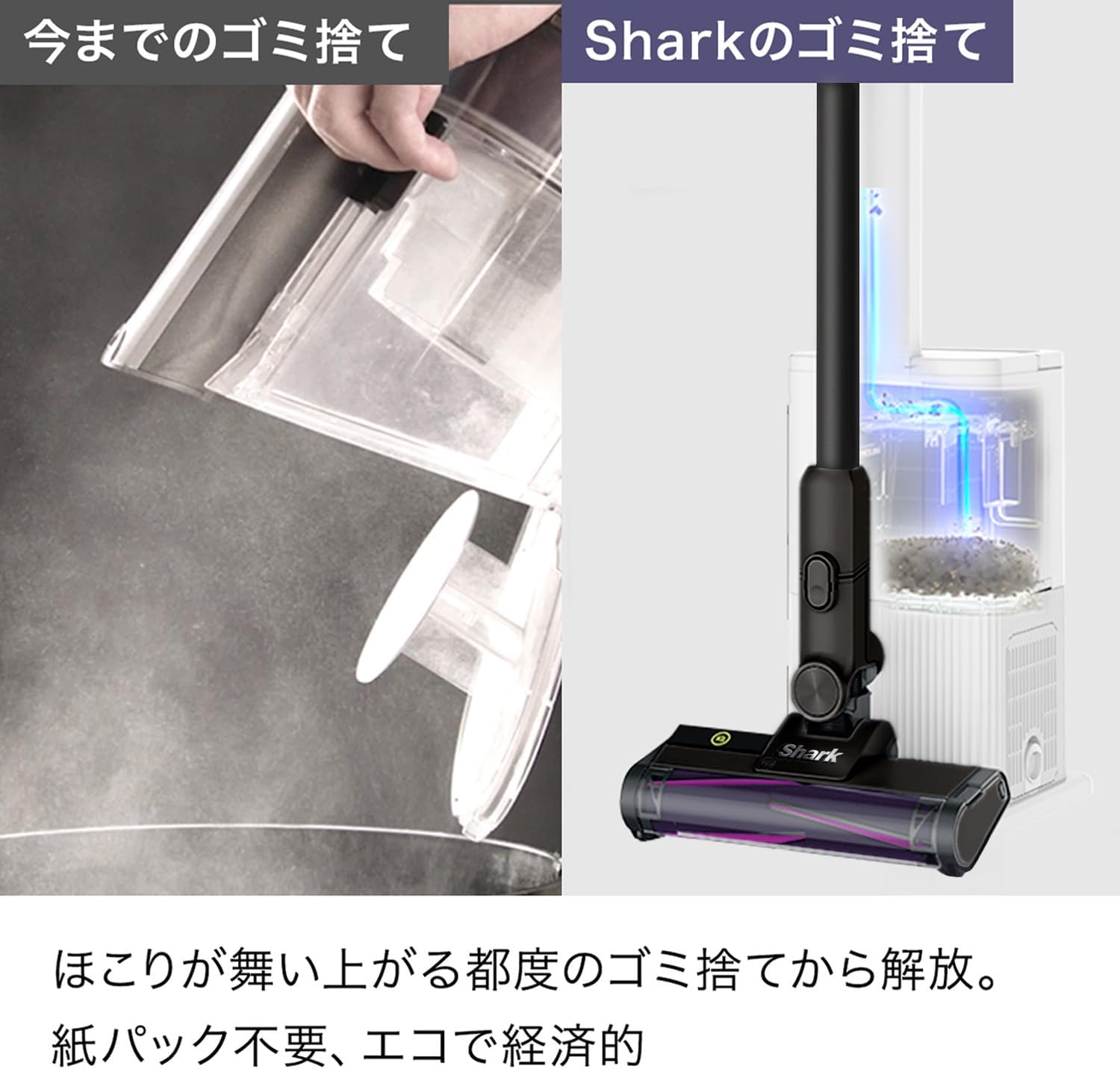
Figure 14: The auto-empty dock provides a cleaner and more convenient way to dispose of collected debris compared to traditional methods.
Cleaning Filters and Brush Roll
Regular cleaning of filters and the brush roll is essential for maintaining optimal suction and performance.
- Dust Cup and Filters: The dust cup and internal filters are washable. Rinse them with cold water and allow them to air dry completely for at least 24 hours before reassembling.
- Cuộn bàn chải: Remove any hair or debris wrapped around the brush roll. The Hybrid Power Clean brush roll is designed to be anti-tangle, but occasional checks are recommended. The brush roll can also be rinsed with water if necessary.

Figure 15: Washable components, including the brush roll and dust cup, ensure easy maintenance and hygiene.
Xử lý sự cố
| Vấn đề | Nguyên nhân có thể | Giải pháp |
|---|---|---|
| Chân không bật | Pin không được sạc. | Sạc đầy pin. |
| Công suất hút thấp | Dust cup is full. Filters are dirty. Blockage in nozzle or wand. | Empty the dust cup. Clean the filters. Check for and remove any blockages. |
| Con lăn chổi không quay | Obstruction in brush roll. Floor nozzle is not properly connected. | Remove any obstructions from the brush roll. Ensure the floor nozzle is securely connected to the wand. |
| Trạm tự động đổ hàng không hoạt động. | Dock bin is full. Dock connection is not secure. | Empty the dock's debris bin. Ensure the vacuum is correctly seated on the dock. |
Thông số kỹ thuật
| Tính năng | Chi tiết |
|---|---|
| Nhà sản xuất | Cá mậpNinja |
| Số hiệu mẫu | IW3145JNC |
| Màu sắc | Kim loại đen |
| Yếu tố hình thức | Dán |
| Trọng lượng sản phẩm | 2.1kg |
| Trọng lượng gói hàng | 9kg |
| Loại pin | Pin Lithium Ion |
| Thời gian sạc | 4 giờ |
| Kích thước gói hàng | 79 x 36 x 29cm |
| Ngày đầu tiên có sẵn | 2025/11/9 |
Bảo hành và Hỗ trợ
For warranty information and customer support, please refer to the warranty card included in your product packaging or visit the official Shark webtrang web. Giữ lại biên lai mua hàng làm bằng chứng mua hàng cho bất kỳ khiếu nại bảo hành nào.


