Giới thiệu
Thank you for choosing the ProtoArc KM310 Wireless Mechanical Keyboard and Mouse. This combo offers a responsive typing experience with low-profile linear red switches and versatile multi-device connectivity. The ergonomic mouse is designed for comfort and precision. This manual provides detailed instructions for setup, operation, maintenance, and troubleshooting to ensure optimal performance.
Có gì trong hộp

Image: Contents of the ProtoArc KM310 package, including the keyboard, mouse, charging cable, and user manual.
- ProtoArc KM310 Wireless Mechanical Keyboard
- Chuột không dây ProtoArc
- Cáp sạc USB-C
- Hướng dẫn sử dụng
Sản phẩm trênview
Tính năng bàn phím

Hình ảnh: Cận cảnh view of the ProtoArc KM310 keyboard, highlighting its low-profile keys and linear red switches.
- Chuyên nghiệp thấpfile Phím cơ: Equipped with linear red switches for a smooth, quiet, and responsive typing experience.
- Aluminum Top Case: Provides durability and a sleek, modern aesthetic.
- Chân đế có thể điều chỉnh độ nghiêng: Ergonomically designed with 2-stage foot mats offering 6° and 9° tilt options for comfortable typing.
- Bố cục kích thước đầy đủ: A 108-key layout suitable for office and business use.
Tính năng chuột

Image: The ProtoArc KM310 mouse being held, showcasing its ergonomic design for a natural grip.
- 63G Ultra-Lightweight: Reduces hand fatigue during extended use and enhances portability.
- Thiết kế công thái học: Contoured shape for a comfortable and natural grip.
- DPI có thể điều chỉnh: Three DPI levels (1000/1600/2400) for tailored control and precision.
- Nhấp chuột im lặng: Được thiết kế để hoạt động êm ái.
- Nút Tiến/Lùi: Integrated for seamless browsing.
Kết nối & Nguồn điện
- Kết nối nhiều thiết bị: Connects up to 3 devices via 2.4G USB receiver or Dual Bluetooth (BT1, BT2).
- Có thể sạc lại: Both keyboard and mouse feature Type-C charging. The mouse's USB receiver is stored on its bottom.
- Tuổi thọ pin dài: Up to 150-200 days standby time; 2-3 hours for a full charge.
Hướng dẫn thiết lập
1. Sạc thiết bị

Image: The keyboard and mouse are shown connected to power sources via USB-C cables for charging.
- Connect the provided USB-C charging cable to the charging port on the keyboard (located on the top edge) and the mouse (located on the front edge).
- Cắm đầu còn lại của cáp vào nguồn điện USB (ví dụ: cổng USB của máy tính, bộ chuyển đổi nguồn USB).
- The indicator lights will show charging status. Allow 2-3 hours for a full charge.
2. Kết nối với thiết bị

Image: A desk setup showing the ProtoArc KM310 keyboard and mouse connected to a laptop, monitor, and tablet, illustrating multi-device capability.
The KM310 combo supports three connection modes: 2.4G wireless via USB receiver, Bluetooth 1 (BT1), and Bluetooth 2 (BT2).
2.1. Kết nối không dây 2.4G
- Hãy tìm bộ thu USB được cất trong ngăn ở phía dưới chuột.
- Cắm đầu thu USB vào cổng USB có sẵn trên máy tính của bạn.
- Bật bàn phím và chuột bằng công tắc nguồn tương ứng.
- Các thiết bị sẽ tự động kết nối.
2.2. Kết nối Bluetooth (BT1 / BT2)
- Bật bàn phím và chuột.
- Trên bàn phím, nhấn phím BT1 or BT2 key (usually located on the number pad, indicated by orange keycaps) to select the desired Bluetooth channel. The indicator light will flash.
- On your device (computer, tablet, etc.), go to Bluetooth settings and search for "ProtoArc KM310 Keyboard" and "ProtoArc KM310 Mouse".
- Select the devices to pair. The indicator light will stop flashing once connected.
- Lặp lại thao tác tương tự với thiết bị Bluetooth thứ hai sử dụng kênh Bluetooth khác.
2.3. Chuyển đổi giữa các thiết bị
To switch between connected devices, simply press the corresponding connection key on the keyboard (2.4G, BT1, or BT2) and the channel switch button on the bottom of the mouse.
Hướng dẫn sử dụng
Sử dụng bàn phím
- Đánh máy: Người chuyên nghiệp thấpfile linear red switches provide a responsive and quiet typing experience.
- Khả năng tương thích của hệ điều hành: The keyboard is compatible with Windows and Mac OS. Keys like 'Win' and 'Alt' also show 'Option' and 'Cmd' for Mac users.
- Điều chỉnh độ nghiêng: Use the adjustable tilt legs on the underside of the keyboard to set your preferred typing angle (6° or 9°).
Sử dụng chuột
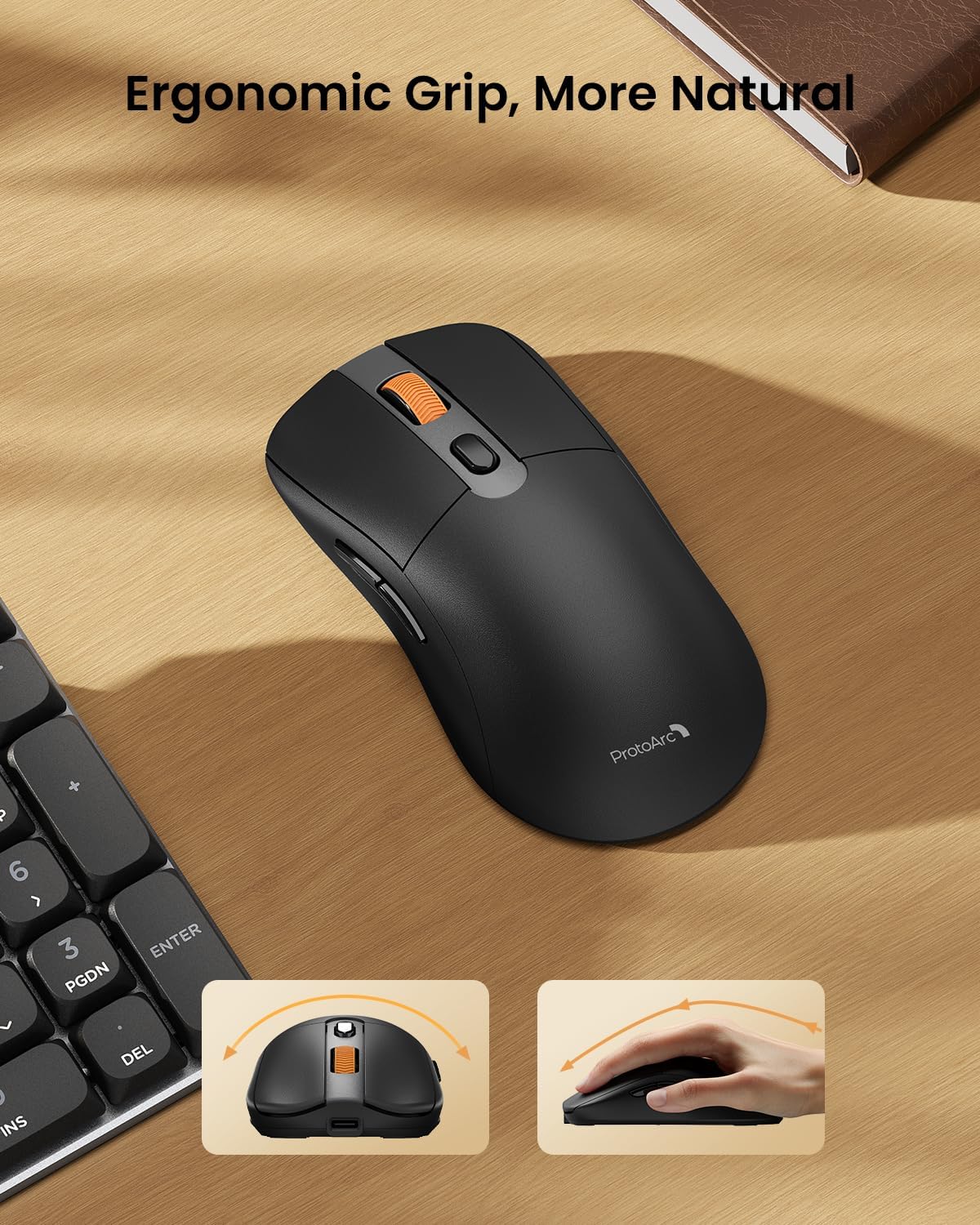
Image: A close-up of the ProtoArc KM310 mouse, illustrating the three adjustable DPI settings (1000, 1600, 2400).
- Điều chỉnh DPI: Press the DPI switch button (usually located near the scroll wheel) to cycle through the 3 DPI levels (1000/1600/2400) to match your preference for cursor speed and precision.
- Nút điều hướng: Use the forward and backward buttons on the side of the mouse for quick navigation in web trình duyệt hoặc file những nhà thám hiểm.
- Nhấp chuột im lặng: The mouse features silent click buttons for a quiet working environment.
BẢO TRÌ
- Vệ sinh: Dùng khăn mềm, khô để lau sạch bàn phím và chuột. Đối với vết bẩn cứng đầu, hãy lau nhẹ.amp có thể sử dụng vải thấm xà phòng nhẹ, đảm bảo không có chất lỏng nào lọt vào thiết bị.
- Chăm sóc pin: Recharge the devices when the battery indicator is low. Avoid prolonged exposure to extreme temperatures.
- Kho: When not in use for extended periods, turn off the devices to conserve battery life. Store the USB receiver inside the mouse to prevent loss.
Xử lý sự cố
Keyboard/Mouse Not Turning On or Stopping Working
- Kiểm tra pin: Ensure both the keyboard and mouse are sufficiently charged. Connect them to a power source using the USB-C cable.
- Ghép nối lại thiết bị:
- For 2.4G connection, ensure the USB receiver is securely plugged in and the devices are set to 2.4G mode.
- For Bluetooth connection, ensure the devices are set to the correct BT channel (BT1 or BT2) and re-pair them through your device's Bluetooth settings.
- Hãy thử một loại cáp khác: If charging issues persist, try using a different USB-C cable to rule out a faulty cable.
- Sự can thiệp: Move the devices closer to your computer or away from other wireless devices that might cause interference.
- Liên hệ bộ phận hỗ trợ: If the issue persists, please contact ProtoArc customer support for further assistance.
Thông số kỹ thuật
| Số hiệu mẫu | KM310 |
| Thương hiệu | ProtoArc |
| Màu sắc | Màu xám không gian |
| Công nghệ kết nối | Bluetooth, USB (không dây 2.4G) |
| Tính năng đặc biệt | Pro thấpfile Keys, Linear Red Switches, Ergonomic Design, Ultra-Light Mouse, Ergonomic Mouse |
| Thiết bị tương thích | Laptop, Personal Computer, Tablet (Windows 7/8/10, Mac OS X 10.12, Android 4.3 or higher) |
| Trọng lượng sản phẩm | 2.31 pound |
| Kích thước gói hàng | 17.68 x 8.07 x 2.05 inch |
Bảo hành & Hỗ trợ
The ProtoArc KM310 Mechanical Keyboard and Mouse combo comes with a Bảo hành 2 năm.
For any questions, technical support, or warranty claims, please contact ProtoArc customer service:
- E-mail: support@protoarc.com
- Điện thoại: +1 866-287-8188
Video sản phẩm chính thức
Video: Video giới thiệu sản phẩm chính thứcasing the features and design of the ProtoArc KM310 Aluminum Mechanical Keyboard and Mouse.


