Sản phẩm trênview
The DIERYA DK68 is a 60% compact mechanical keyboard designed for versatility and performance. It features triple-mode connectivity, allowing seamless switching between Bluetooth 5.0, 2.4GHz wireless, and USB-C wired connections. Equipped with clicky blue mechanical switches and vibrant RGB backlighting, it offers a responsive and customizable typing experience for both gaming and office use.

Figure 1: DIERYA DK68 Wireless Mechanical Keyboard showcasinthiết kế nhỏ gọn và đèn RGB.
Nội dung gói
Đảm bảo tất cả các mục đều có trong gói hàng:
- DIERYA DK68 Wireless Mechanical Keyboard
- Cáp USB-C sang USB-A
- Dụng cụ kéo bàn phím
- Bộ thu USB 2.4 GHz (được cất giữ trong ngăn sau của bàn phím)
- Hướng dẫn sử dụng (tài liệu này)
Thiết lập và kết nối
The DK68 keyboard supports three connection modes: USB-C wired, 2.4GHz wireless, and Bluetooth 5.0. Choose the mode that best suits your needs.
1. Chế độ có dây USB-C
- Kết nối cáp USB-C đi kèm với cổng USB-C của bàn phím.
- Kết nối đầu USB-A của cáp vào cổng USB có sẵn trên máy tính.
- Bàn phím sẽ tự động được nhận dạng và sẵn sàng sử dụng.
2. Chế độ không dây 2.4GHz
- Tìm bộ thu USB 2.4 GHz ở ngăn phía sau bàn phím.
- Tháo bộ thu tín hiệu ra và cắm vào cổng USB trống trên máy tính của bạn.
- Turn on the keyboard using the switch located on the back.
- The keyboard should automatically connect to the receiver. If not, press Fn + G (labeled '2.4G' on the key) to activate 2.4GHz pairing mode.

Figure 2: Triple-mode connectivity options including 2.4GHz wireless.
3. Chế độ Bluetooth 5.0
Bàn phím có thể kết nối với tối đa ba thiết bị Bluetooth.
- Turn on the keyboard using the switch on the back.
- Nhấn và giữ Fn+Z (labeled 'BT1'), Fn + X (labeled 'BT2'), or Fn + C (labeled 'BT3') for 3-5 seconds until the corresponding key's backlight flashes rapidly. This indicates pairing mode.
- On your device (PC, laptop, tablet, phone), enable Bluetooth and search for "DIERYA DK68".
- Select the keyboard to pair. The key's backlight will stop flashing once connected.
- Để chuyển đổi giữa các thiết bị Bluetooth được ghép nối, chỉ cần nhấn Fn + Z/X/C.

Figure 3: Bluetooth connectivity for multiple devices.
Hướng dẫn sử dụng
Kiểm soát đèn nền RGB
The DK68 features 20 built-in RGB lighting effects and 16.8 million customizable colors. Use the following key combinations to control the lighting:
- Fn + Phím xóa lùi: Turn backlighting On/Off.
- Fn+Shift: Switch light colors.
- Fn + Nhập: Switch light modes (20 dynamic RGB modes).
- Fn + Mũi tên lên: Tăng độ sáng.
- Fn + Mũi tên XuốngGiảm độ sáng.
- Fn + Mũi tên trái: Decrease light speed.
- Fn + Mũi tên Phải: Increase light speed.

Figure 4: RGB lighting control key combinations for the DK68 keyboard.
Key Customization and Macros
The DIERYA DK68 supports full key anti-ghosting and N-Key Rollover (NKRO) for accurate input. For advanced customization, including key remapping, macro programming, and additional lighting effects, dedicated software is available. Please refer to the official DIERYA webTrang web cung cấp các bản tải xuống phần mềm và hướng dẫn sử dụng.

Figure 5: Full N-Key Rollover and software customization capabilities.
Công tắc màu xanh cơ học
The keyboard is equipped with clicky blue mechanical switches, providing a distinct tactile bump and an audible click with each keystroke. These switches are ideal for users who prefer clear feedback and a satisfying typing experience. They feature a medium 60gf actuation force (±15gf) and 2.3mm travel (±0.6mm), with a lifespan of 50 million clicks.

Hình 6: Chi tiết view of mechanical blue switches and their specifications.
BẢO TRÌ
Quản lý pin
The keyboard is powered by a 3000mAh lithium battery. To charge, connect the keyboard via the USB-C cable to a power source. The keyboard can be used while charging.
- Usage Time (Backlighting On): Lên đến 12 giờ.
- Usage Time (Backlighting Off): Lên đến 333 giờ.
- Chế độ ngủ tự động: The keyboard enters auto-sleep mode after 3 minutes of inactivity to conserve power.
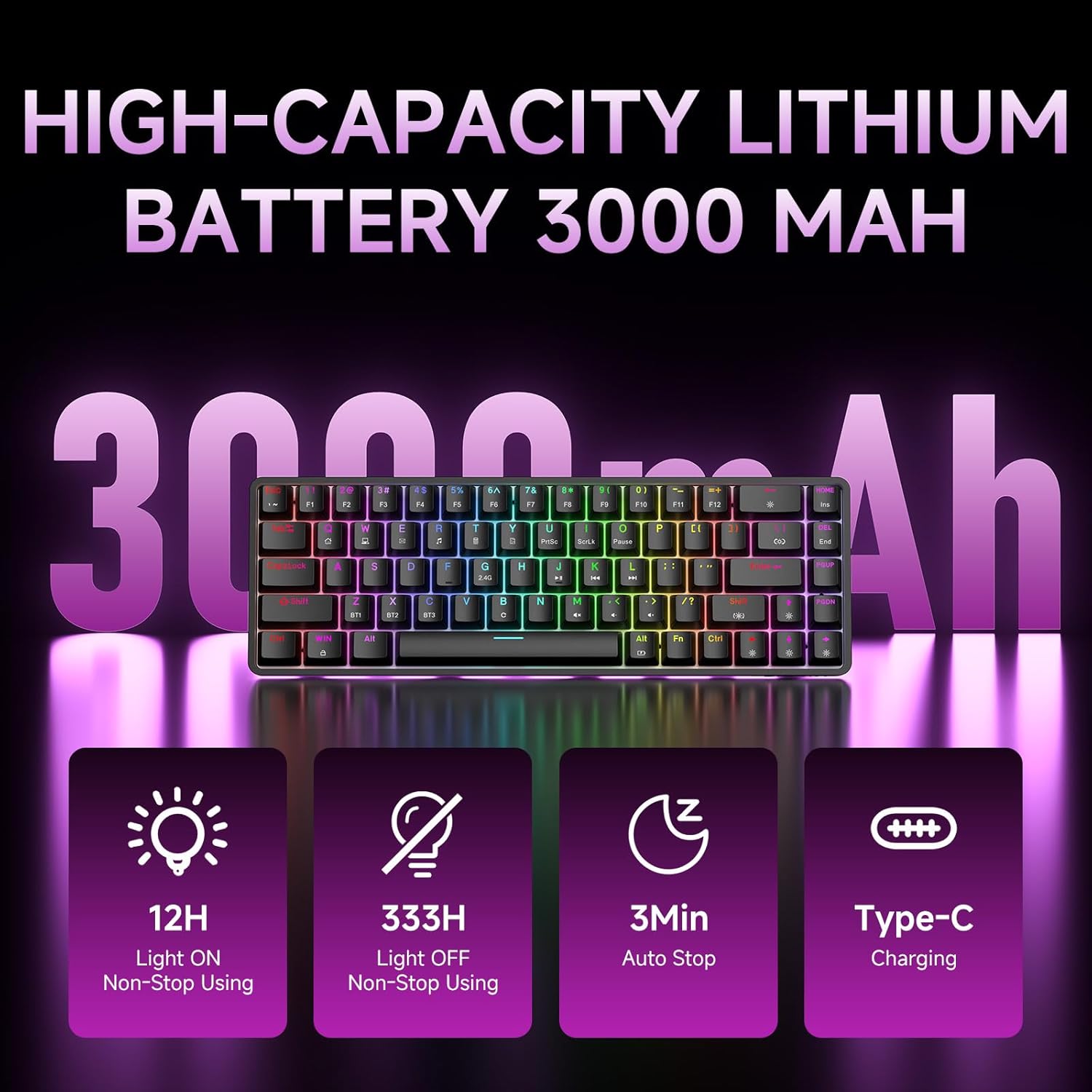
Figure 7: Battery capacity and power-saving features of the DK68.
Vệ sinh và chăm sóc
- Use the provided keycap puller to carefully remove keycaps for cleaning.
- Lau sạch bề mặt bàn phím bằng khăn mềm.amp vải. Tránh độ ẩm quá mức.
- Không sử dụng hóa chất mạnh hoặc chất tẩy rửa ăn mòn.
- Hãy đảm bảo bàn phím đã tắt nguồn trước khi vệ sinh.
Xử lý sự cố
- Bàn phím không phản hồi:
- Check the power switch on the back of the keyboard.
- Ensure the correct connection mode (wired, 2.4GHz, or Bluetooth) is selected.
- Đối với tần số 2.4 GHz, hãy đảm bảo bộ thu USB được cắm chắc chắn.
- Đối với Bluetooth, hãy đảm bảo bàn phím đã được ghép nối và chọn trên thiết bị của bạn. Hãy thử ghép nối lại nếu cần.
- Nếu sử dụng chế độ có dây, hãy thử cổng USB hoặc cáp khác.
- Đèn nền không hoạt động:
- Nhấn Fn + Phím xóa lùi to toggle the backlighting.
- Kiểm tra mức pin; pin yếu có thể làm tắt đèn nền.
- Các phím không đăng ký:
- Hãy đảm bảo bàn phím được kết nối đúng cách và đã được bật nguồn.
- If specific keys are not working, try removing and re-seating their keycaps.
Thông số kỹ thuật
| Tính năng | Chi tiết |
|---|---|
| Số hiệu mẫu | DK68 |
| Công nghệ kết nối | Không dây 2.4 GHz, Bluetooth 5.0, USB-C có dây |
| Loại công tắc | Công tắc cơ học màu xanh dương có tiếng click |
| Bố cục chính | 68 phím (bố cục 60%) |
| Đèn nền | RGB (16.8 triệu màu, 20 hiệu ứng) |
| Dung lượng pin | Liti Polyme 3000mAh |
| Thiết bị tương thích | Máy chơi game, máy tính xách tay, máy tính để bàn, máy tính bảng |
| Chống bóng mờ | Full Key Anti-Ghosting & NKRO |
| Vật liệu | Nhựa |
| Trọng lượng sản phẩm | 1.76 pound (khoảng 800g) |
| Kích thước gói hàng | 14.33 x 4.37 x 1.73 inch |

Figure 8: Keyboard dimensions and compact 68-key layout.
Bảo hành và Hỗ trợ
For warranty information and technical support, please refer to the documentation included with your product or visit the official DIERYA website. Amazon's return policy for this product is 30 days from the date of receipt.