Giới thiệu
The ONIKUMA X22 Wired Gaming Headset is designed to provide an immersive audio experience for gamers. It features dynamic RGB lighting, a comfortable design, and a clear communication microphone. This manual provides essential information for the proper setup, operation, maintenance, and troubleshooting of your headset.
Các tính năng chính:
- Stunning RGB lighting effects to enhance the gaming atmosphere.
- 50mm dynamic drivers deliver impressive stereo sound.
- Features a 360-degree omnidirectional microphone with active noise reduction for clear sound.
- Convenient inline controls for RGB lighting, microphone mute, and volume adjustment.
- Designed with an adjustable suspended headband and well-ventilated ear cups for comfortable wear.
Hướng dẫn thiết lập
Hãy làm theo các bước sau để thiết lập tai nghe chơi game ONIKUMA X22 của bạn:
- Kết nối cáp âm thanh: Plug the 3.5mm audio jack of the headset into the corresponding audio port on your gaming device (PC, console controller, etc.). Ensure the connection is secure.
- Kết nối cáp USB (cho đèn RGB): Plug the USB-A connector into an available USB port on your device. This connection powers the RGB lighting feature. The headset will function for audio and microphone without the USB connection, but RGB lighting requires it.
- Điều chỉnh băng đô: Place the headset on your head and adjust the suspended headband for a comfortable fit. The headband is designed to adapt to various head sizes.
- Vị trí của Micro: Adjust the flexible microphone boom to position the microphone near your mouth for optimal voice pickup. Ensure it is not obstructing your vision.
- Kiểm tra âm thanh ban đầu: Play some audio or initiate a voice chat to confirm sound output and microphone input are working correctly. Adjust system volume settings as needed.
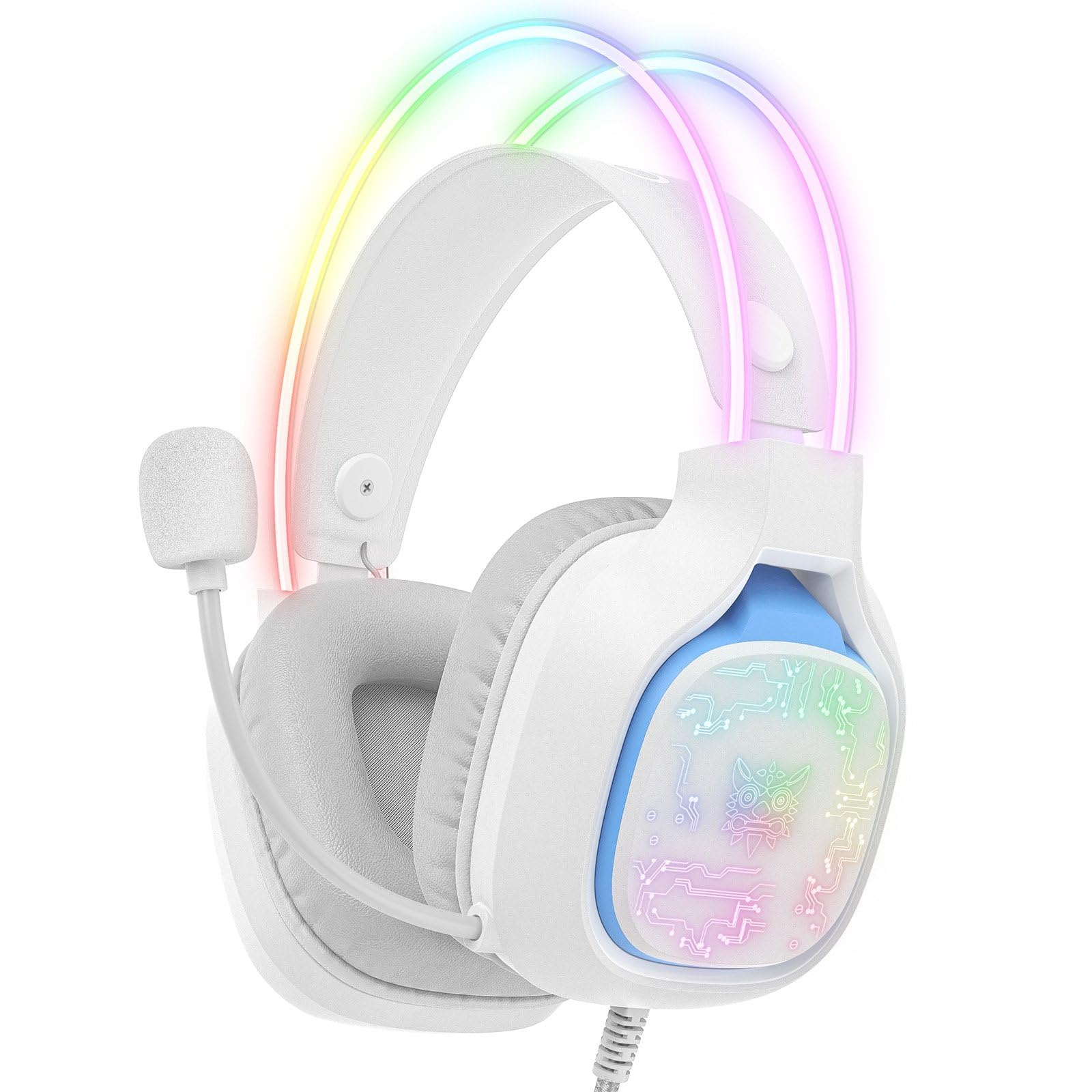
Image: The ONIKUMA X22 Gaming Headset with its 3.5mm audio jack and USB connector, ready for connection to a gaming device. The adjustable headband and microphone are visible.
Hướng dẫn sử dụng
The ONIKUMA X22 features convenient inline controls for easy management during use:
- Kiểm soát âm lượng: Locate the volume roller on the inline control unit. Roll it up to increase volume and down to decrease volume.
- Tắt tiếng micrô: A switch on the inline control unit allows you to quickly mute or unmute the microphone. Slide the switch to the 'Mute' position to disable the microphone, and to the 'Unmute' position to enable it.
- Điều khiển ánh sáng RGB: If connected via USB, the RGB lighting will activate automatically. Some models may include a button on the inline control to cycle through lighting modes or turn the RGB off/on. Refer to the specific product packaging for detailed RGB control options if available.
For optimal performance, ensure your device's audio settings are configured to use the ONIKUMA X22 as the default playback and recording device.
BẢO TRÌ
Bảo trì đúng cách đảm bảo tuổi thọ và hiệu năng của tai nghe:
- Vệ sinh: Use a soft, dry cloth to wipe down the ear cups and headband. For stubborn dirt, a slightly damp cloth with mild soap can be used, but ensure no liquid enters the speaker grilles or microphone. Do not use harsh chemicals or abrasive cleaners.
- Kho: Khi không sử dụng, hãy bảo quản tai nghe ở nơi sạch sẽ, khô ráo, tránh ánh nắng trực tiếp và nhiệt độ quá cao hoặc quá thấp. Tránh đặt vật nặng lên tai nghe.
- Chăm sóc cáp: Tránh bẻ cong gấp hoặc kéo mạnh dây cáp. Luôn nắm vào phích cắm, không phải dây cáp, khi rút phích cắm.
- Ear Cup Replacement: If the ear cushions become worn, they may be replaceable. Check the manufacturer's website or contact support for replacement parts.
Xử lý sự cố
Nếu bạn gặp sự cố với tai nghe, hãy tham khảo các giải pháp phổ biến sau:
- Không có âm thanh:
- Hãy đảm bảo giắc cắm âm thanh 3.5mm được cắm hoàn toàn vào cổng âm thanh của thiết bị.
- Check the inline volume control and increase the volume.
- Kiểm tra xem âm lượng hệ thống của thiết bị có bị tắt tiếng hoặc đặt quá thấp hay không.
- Hãy đảm bảo rằng tai nghe đã được chọn làm thiết bị đầu ra âm thanh mặc định trong cài đặt âm thanh của hệ điều hành.
- Kiểm tra tai nghe trên một thiết bị khác để loại trừ sự cố cụ thể của thiết bị.
- Micrô không hoạt động:
- Ensure the microphone mute switch on the inline control is in the 'Unmute' position.
- Check that the microphone is properly positioned near your mouth.
- Verify the headset microphone is selected as the default input device in your operating system's sound settings and communication applications.
- Adjust the microphone input level in your device's sound settings.
- Hãy thử micro trên một thiết bị khác.
- Đèn RGB không hoạt động:
- Ensure the USB-A connector is securely plugged into a powered USB port.
- Hãy thử một cổng USB khác.
- If there is an RGB control button on the inline unit, press it to cycle through modes or activate the lighting.
- Phù hợp không thoải mái:
- Adjust the suspended headband to find the most comfortable position.
- Ensure the ear cups are fully covering your ears without excessive pressure.
Thông số kỹ thuật
| Tính năng | Chi tiết |
|---|---|
| Số hiệu mẫu | X22 |
| Đường kính của trình điều khiển | 50mm |
| Dải tần số | 20Hz - 20kHz |
| Loại micrô | 360-degree Omnidirectional with Active Noise Reduction |
| Kết nối | 3.5mm Audio Jack + USB-A (for RGB) |
| Chiều dài cáp | 1.8 mét |
| Cân nặng | 364 gram |
| Kích thước vận chuyển | 23.5 x 19.4 x 11.4cm |
| Ngày phát hành | Ngày 26 tháng 2025 năm XNUMX |
Thông tin bảo hành
The ONIKUMA X22 Gaming Headset is covered by a standard manufacturer's warranty. The duration and terms of the warranty may vary by region and retailer. Please retain your proof of purchase for warranty claims. For specific details regarding your warranty coverage, refer to the documentation included with your product or visit the official ONIKUMA webđịa điểm.
Hỗ trợ khách hàng
For technical assistance, product inquiries, or customer service, please contact ONIKUMA customer support. You can typically find contact information, including email addresses, phone numbers, or support portals, on the official ONIKUMA website. Please have your product model (X22) and purchase details ready when contacting support.
Chính thức Webđịa điểm: www.onikuma.net (Xin lưu ý: Đây chỉ là phần giữ chỗ) URL. Refer to your product packaging for the correct official webĐịa điểm.)