1. Giới thiệu
The ASRock PRO-650G Power Supply is designed to provide stable and efficient power for your personal computer system. This 650W unit features 80 PLUS Gold certification, ensuring high energy efficiency and reduced heat output. It is compliant with the latest ATX 3.1 standard, making it compatible with modern and next-generation components. This manual provides essential information for the safe installation, operation, and maintenance of your power supply.
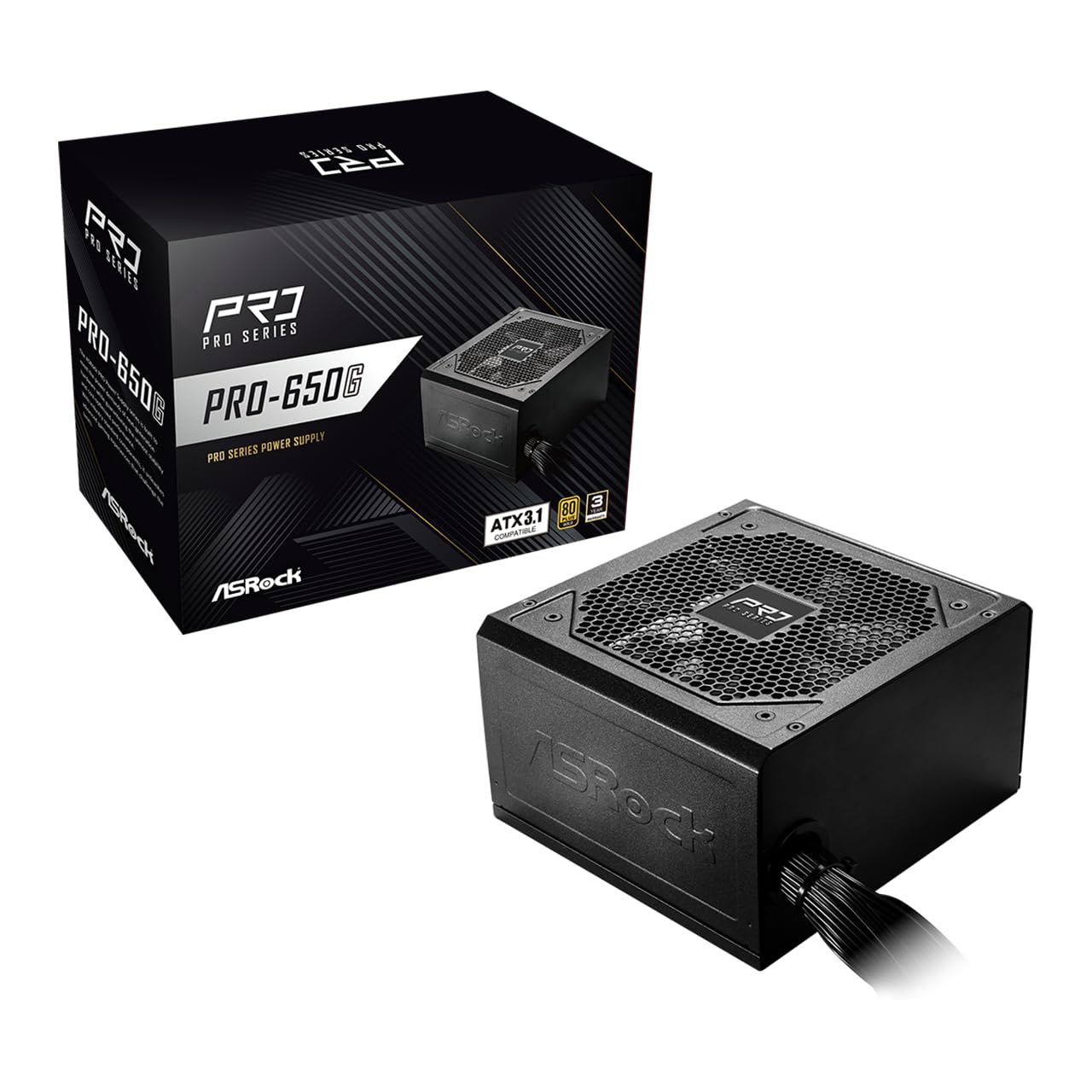
Figure 1: ASRock PRO-650G Power Supply, front view.
2. Thông tin an toàn
Please read and follow all safety instructions carefully before installing or using the power supply. Failure to do so may result in personal injury or damage to your equipment.
- Hãy đảm bảo ngắt nguồn điện khỏi ổ cắm điện chính trước khi lắp đặt hoặc bảo trì.
- Không được mở nắp bộ nguồn.asing. Thể tích caotagCác linh kiện vẫn hiện diện bên trong, ngay cả khi bị ngắt kết nối.
- Lắp đặt bộ nguồn ở khu vực thông thoáng để tránh quá nhiệt.
- Chỉ sử dụng các dây cáp được cung cấp kèm theo bộ nguồn.
- Tránh để bộ nguồn tiếp xúc với hơi ẩm hoặc nhiệt độ quá cao hoặc quá thấp.
- This product is designed for use in personal computer systems only.
3. Nội dung gói hàng
Xác minh rằng tất cả các mục đều có trong gói hàng:
- ASRock PRO-650G Power Supply Unit
- Dây nguồn AC
- Bộ cáp mô-đun (như mô tả chi tiết bên dưới)
- Vít lắp
- Hướng dẫn sử dụng

Figure 2: Included modular cables and their quantities.
4. Sản phẩm hếtview và Tính năng
The ASRock PRO-650G Power Supply is engineered for performance and reliability. Key features include:
- Hiệu suất 80 PLUS Gold: Delivers up to 90% energy efficiency, reducing power consumption and heat output.
- Tương thích ATX 3.1: Meets the latest ATX 3.1 standard, ensuring compatibility with modern and next-generation components.
- Stable 12V Output: Provides 54.1A on the +12V rail for reliable power delivery to CPU and graphics cards.
- Bảo vệ toàn diện: Bao gồm chức năng bảo vệ quá dòng (OCP), bảo vệ quá áp.tage Bảo vệ (OVP), Dưới Voltage Protection (UVP), Over Power Protection (OPP), Over Temperature Protection (OTP), and Short Circuit Protection (SCP) for enhanced system safety.
- Quiet 120mm Fan: Features a balanced cooling solution that maintains low noise levels during operation.
- All-Taiwanese Capacitors: Uses high-quality capacitors for improved durability and longevity.
- Flat Cable Design: Enables easier cable management and improved airflow within the case.
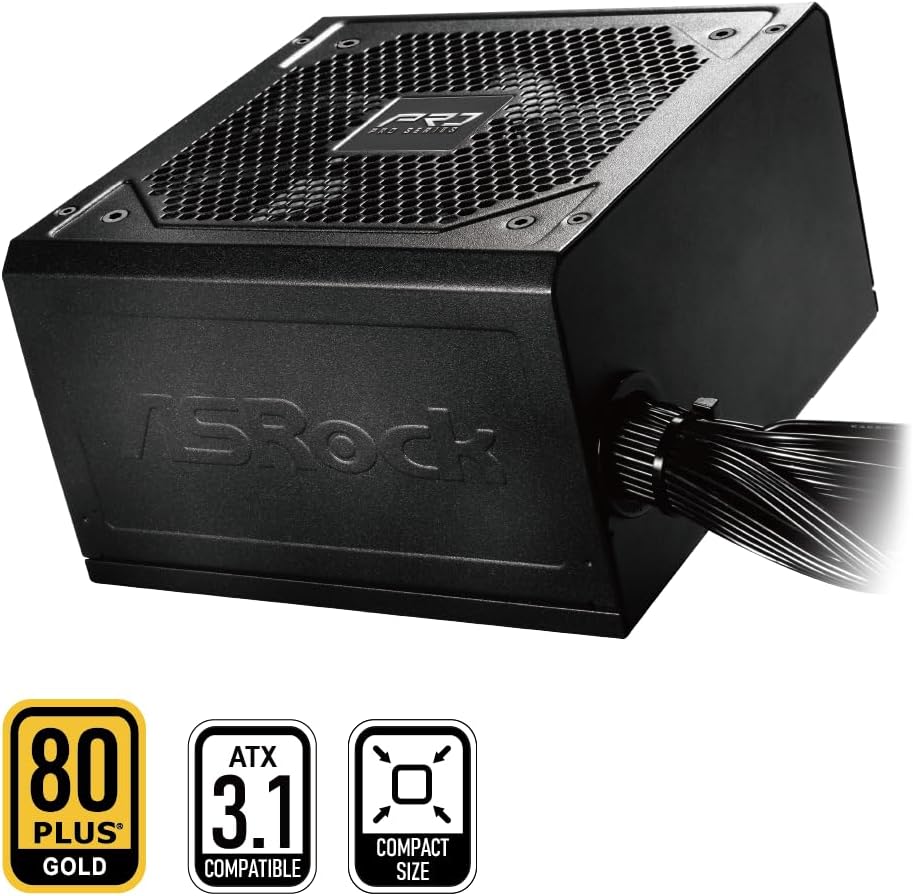
Figure 3: ASRock PRO-650G Power Supply highlighting key certifications.
5. Thiết lập và Cài đặt
Follow these general steps to install your ASRock PRO-650G Power Supply:
- Chuẩn bị hệ thống của bạn: Hãy đảm bảo máy tính của bạn đã tắt nguồn và rút phích cắm khỏi ổ điện. Mở thùng máy tính.
- Tháo bỏ bộ nguồn cũ (nếu có): Ngắt kết nối tất cả các dây cáp khỏi bộ nguồn cũ và tháo nó ra khỏi vỏ máy.
- Lắp đặt bộ nguồn mới: Insert the ASRock PRO-650G into the power supply bay of your PC case. Secure it with the provided mounting screws.
- Kết nối cáp bo mạch chủ: Connect the 24-pin ATX motherboard cable and the 4+4-pin CPU power cable to their respective ports on your motherboard.
- Connect Component Cables: Connect the necessary PCIe 6+2-pin cables to your graphics card(s), and SATA/PATA cables to your storage drives and other peripherals. The flat cable design aids in easier routing and improved airflow.
- Quản lý cáp: Organize cables to ensure proper airflow and a tidy build.
- Đóng vỏ máy và bật nguồn: Close your PC case, plug in the AC power cord to the power supply and a wall outlet, then flip the power switch on the PSU to the 'ON' position.

Hình 4: Phía sau view of the power supply with power switch and AC input.
Video hướng dẫn cài đặtview
Xem video này để có hình ảnh trực quan hơnview of the ASRock Pro Gold Series power supplies, including details on cable connections and features relevant to installation.
Video 1: ASRock Power Supplies Pro Gold Series Overview. This video demonstrates the features and cable connections of the Pro Gold Series, which includes the PRO-650G model.
6. Hướng dẫn vận hành
Once installed, operating the ASRock PRO-650G Power Supply is straightforward:
- Bật nguồn: Ensure the power supply's main switch (located at the rear) is in the 'ON' position. Press the power button on your computer case to start the system.
- Tắt nguồn: Shut down your computer through the operating system. Once the system is off, you may optionally switch the power supply's main switch to the 'OFF' position for complete power disconnection.
- The 120mm cooling fan operates automatically to maintain optimal temperatures and minimize noise.
7. Bảo trì
Bảo trì đúng cách đảm bảo tuổi thọ và hiệu suất tối ưu của bộ nguồn:
- Vệ sinh bụi: Periodically clean the exterior of the power supply and its fan grille to prevent dust buildup, which can impede airflow and cooling. Use compressed air or a soft brush. Always disconnect the power supply from the wall outlet before cleaning.
- Kiểm tra cáp: Occasionally check all connected cables to ensure they are securely seated and free from damage.
- Môi trường: Hãy vận hành bộ nguồn trong môi trường sạch sẽ, khô ráo và thông thoáng.
KHAI THÁC. Xử lý sự cố
Nếu gặp sự cố với nguồn điện, hãy xem xét các bước khắc phục sự cố sau:
- Không có điện:
- Hãy đảm bảo dây nguồn AC được kết nối chắc chắn với cả bộ nguồn và ổ cắm điện trên tường.
- Check that the power supply's main switch is in the 'ON' position.
- Hãy kiểm tra xem ổ cắm điện có hoạt động bình thường không bằng cách cắm thử một thiết bị khác vào.
- Confirm all internal power cables (24-pin, CPU, PCIe) are correctly and firmly connected.
- Hệ thống không ổn định/sập:
- Hãy đảm bảo rằng công suất tiêu thụ của hệ thống không vượt quá công suất 650W của bộ nguồn.
- Kiểm tra hệ thống thông gió bên trong thùng máy tính để tránh tình trạng quá nhiệt của các linh kiện, bao gồm cả bộ nguồn.
- Verify that all power connections to components are secure.
- Tiếng ồn bất thường:
- A slight fan noise is normal during operation. If the noise is excessive or unusual, ensure no cables are obstructing the fan.
- If coil whine is present, it may be due to specific load conditions. While often harmless, if persistent and bothersome, contact support.
If these steps do not resolve the issue, please contact ASRock customer support.
9. Thông số kỹ thuật
| Tính năng | Đặc điểm kỹ thuật |
|---|---|
| Tên mẫu | PRO-650G |
| Đầu ra Wattage | 650 Watt |
| Chứng nhận 80 PLUS | Vàng |
| Tiêu chuẩn ATX | Tương thích ATX 3.1 |
| +12V Rail Output | 54.1A |
| Phương pháp làm mát | Quạt gió (120mm) |
| Tụ điện | All-Taiwanese Capacitors |
| Yếu tố hình thức | ATX (140x150x86mm) |
| Kích thước sản phẩm (D x R x C) | 5.51 x 5.91 x 3.39 inch |
| Trọng lượng sản phẩm | 4.33 pound |
| Nhà sản xuất | ASRock |
| Số hiệu mẫu sản phẩm | 90-UXR065-GNUAA2 |
10. Bảo hành và Hỗ trợ
The ASRock PRO-650G Power Supply is backed by a Bảo hành 3 năm, providing peace of mind regarding its quality and durability.
For any product inquiries, technical assistance, or warranty claims, please contact ASRock USA customer support through Amazon or visit the official ASRock website for further support options.
Tài nguyên trực tuyến:
- ASRock Store on Amazon: Visit ASRock Store


