1. Giới thiệu
Thank you for choosing the SOVMIKU 4K NVR 5MP PoE Camera System. This system provides advanced surveillance capabilities with 4K NVR recording, 5MP PoE cameras featuring human detection, 300° pan and 90° tilt functionality, auto-tracking, and two-way audio. Designed for home and business security, this manual will guide you through the installation, operation, and maintenance of your new security system.
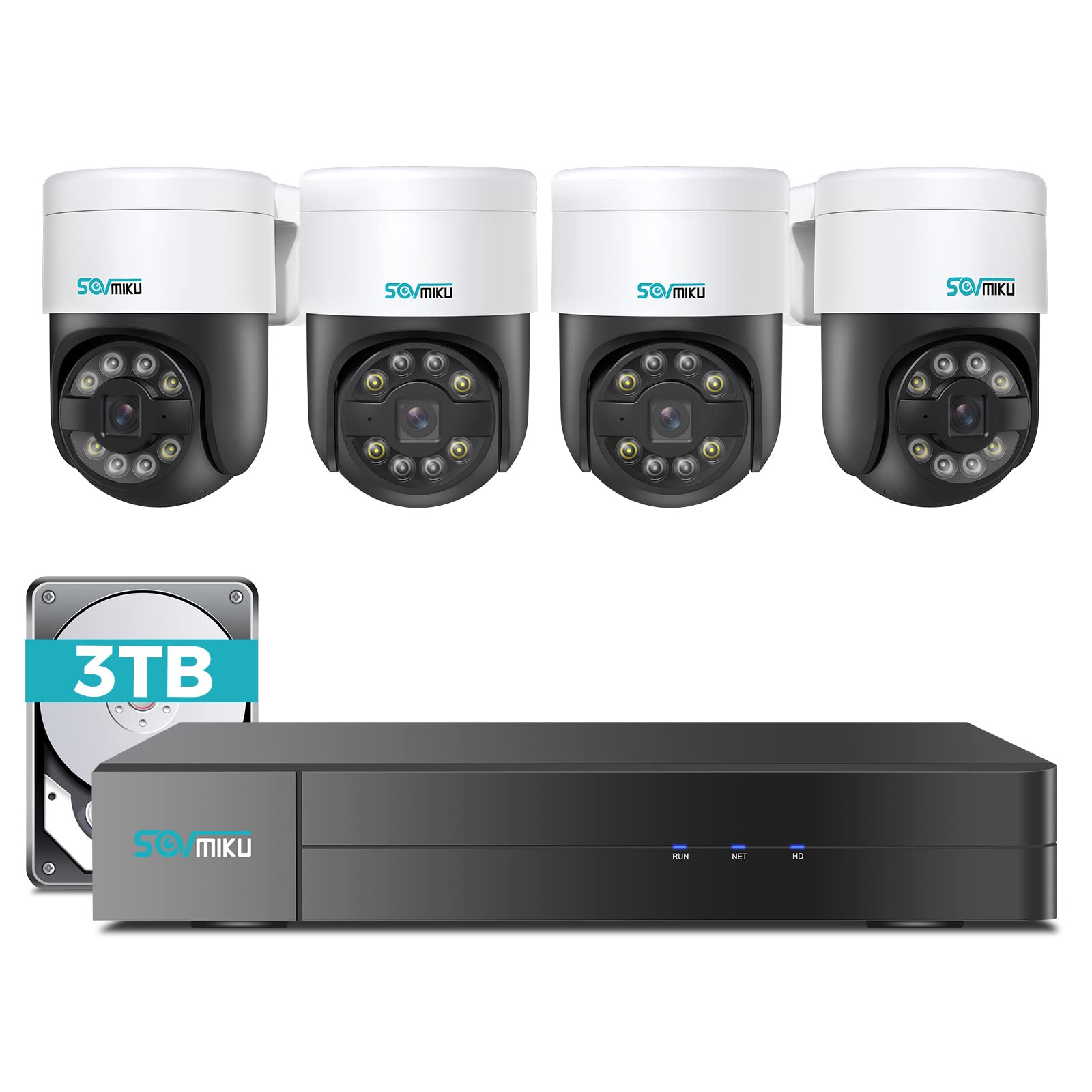
Hình 1.1: Hếtview of the SOVMIKU 4K NVR 5MP PoE Camera System components.
2. Nội dung gói hàng
Please check the package contents carefully upon opening. If any items are missing or damaged, contact SOVMIKU customer support.
- 1x 4K Network Video Recorder (NVR) with 3TB HDD
- 4x 5MP PoE Outdoor Security Cameras (PTZ, IP66 rated)
- 1x Bộ chuyển đổi nguồn NVR
- 1x Chuột USB
- 1x Cáp HDMI
- 4x Ethernet Cables (for cameras)
- 4x Mounting Screw Kits
- Hướng dẫn bắt đầu nhanh về 1x
- 1x Warning Sticker Set

Image 2.1: Illustration of typical package contents for the SOVMIKU PoE Camera System.
3. Thiết lập
3.1 Thiết lập ban đầu NVR
- Kết nối màn hình: Connect the NVR to a monitor or TV using the provided HDMI cable.
- Kết nối chuột: Cắm chuột USB vào cổng USB trên đầu ghi NVR.
- Kết nối mạng: Connect the NVR to your router using an Ethernet cable for internet access and remote viewđang.
- Kết nối nguồn: Plug the NVR power adapter into the NVR and then into a power outlet. The NVR will power on automatically.
- Initial Wizard: Follow the on-screen setup wizard to configure language, date/time, password, and network settings.

Image 3.1: Diagram showing NVR connections to monitor, mouse, network, and power.
3.2 Cài đặt Camera
- Vị trí lắp đặt: Choose a suitable location for each camera, ensuring good coverage and a stable mounting surface. Consider the camera's IP66 rating for outdoor use.
- Lỗ khoan: Use the provided mounting template to mark and drill holes for the camera base. Insert wall anchors if necessary.
- Máy ảnh an toàn: Gắn đế camera vào bề mặt lắp đặt bằng các vít được cung cấp.
- Kết nối cáp PoE: Connect one end of an Ethernet cable to the camera's PoE port and the other end to an available PoE port on the NVR. The camera will power on and connect automatically.
- Điều chỉnh góc: Loosen the adjustment screws on the camera to set the desired pan, tilt, and rotation angle. Tighten the screws once positioned.

Image 3.2: Step-by-step guide for mounting a PoE camera.
3.3 Thiết lập ứng dụng di động
- Tải ứng dụng: Tìm kiếm the official SOVMIKU security app in your device's app store (iOS or Android).
- Đăng ký tài khoản: Open the app and register a new user account.
- Thêm thiết bị: Follow the in-app instructions to add your NVR system. This typically involves scanning a QR code on the NVR or manually entering its device ID.
- Sống View: Sau khi thêm vào, bạn có thể view live feeds from your cameras, access playback, and control PTZ functions remotely.
4. Vận hành hệ thống
4.1 Trực tiếp View và Phát lại
- Sống View: On the NVR monitor or mobile app, select the 'Live Viewtùy chọn để xem foo thời gian thựctage từ tất cả các camera được kết nối.
- Phát lại: Access the 'Playback' menu to review ghi lại thức ăntage. You can search by date, time, and event type (e.g., motion detection, human detection).

Hình ảnh 4.1: Ví dụample of the mobile app's live view giao diện.
4.2 PTZ Control and Two-Way Audio
- Kiểm soát PTZ: For PTZ cameras, use the on-screen controls (NVR interface or mobile app) to pan (300°), tilt (90°), and zoom the camera lens.
- Âm thanh hai chiều: Select a camera with two-way audio support in live view. Use the microphone icon to speak through the camera and the speaker icon to listen to audio from the camera's location.
4.3 Phát hiện người và tự động theo dõi
- Phát hiện con người: The system is configured to detect human shapes, reducing false alarms from pets or inanimate objects. Configure alert settings in the NVR or app.
- Theo dõi tự động: When human detection is triggered, the PTZ camera can automatically track the detected person's movement within its field of view. Enable this feature in the camera settings.
5. Bảo trì
- Vệ sinh máy ảnh: Thường xuyên lau sạch ống kính máy ảnh bằng khăn mềm.amp Dùng vải để đảm bảo chất lượng hình ảnh rõ nét. Không sử dụng hóa chất mạnh.
- Cập nhật chương trình cơ sở: Check the SOVMIKU official website or the mobile app for available firmware updates for your NVR and cameras. Keeping firmware updated ensures optimal performance and security.
- Quản lý ổ cứng: Ổ cứng HDD 3TB sẽ tự động ghi đè lên dữ liệu cũ nhất.tage when full. You can configure recording schedules and retention policies in the NVR settings. Regularly back up important footage.
KHAI THÁC. Xử lý sự cố
| Vấn đề | Nguyên nhân có thể | Giải pháp |
|---|---|---|
| Màn hình không hiển thị hình ảnh. | Loose HDMI cable, NVR not powered on, incorrect monitor input. | Check HDMI connection, ensure NVR power, select correct monitor input. |
| Camera không hiển thị video | Loose Ethernet cable, camera not powered, faulty cable. | Check PoE Ethernet connection, try a different NVR PoE port or cable. |
| Không thể truy cập từ xa qua ứng dụng. | NVR not connected to internet, incorrect network settings, app not configured. | Ensure NVR is connected to router, verify network settings, re-add device in app. |
| PTZ control not working | Camera not a PTZ model, PTZ function disabled, network issue. | Confirm camera model, enable PTZ in settings, check network stability. |
7. Thông số kỹ thuật
- Kênh NVR: 8 kênh (hỗ trợ tối đa 8 camera)
- Độ phân giải video: Up to 4K (NVR), 5MP (Cameras)
- Kho: Ổ cứng HDD 3TB (đã được cài đặt sẵn)
- Loại máy ảnh: PoE PTZ (Pan 300°, Tilt 90°)
- Tính năng của máy ảnh: Human Detection, Auto Tracking, 2-Way Audio
- Đánh giá thời tiết: IP66 (Camera)
- Kết nối: Ethernet (PoE), HDMI, USB
- Kích thước gói hàng: 16.5 x 14.5 x 12.5 inch
- Trọng lượng sản phẩm: 18.96 pound
8. Bảo hành và Hỗ trợ
SOVMIKU products typically come with a standard manufacturer's warranty. Please refer to the warranty card included in your package or visit the official SOVMIKU webtrang web để biết các điều khoản và điều kiện bảo hành chi tiết.
For technical support, troubleshooting assistance, or warranty claims, please contact SOVMIKU customer service through their official webtrang web hoặc thông tin liên hệ được cung cấp trong tài liệu sản phẩm của bạn.
Webđịa điểm: www.sovmiku.com (Example URL, please refer to actual product documentation)
E-mail: support@sovmiku.com (Example Email, please refer to actual product documentation)


