Giới thiệu
This manual provides essential information for the safe and efficient operation of your AOC XL2-211 Smart Projector. Please read it thoroughly before using the device and retain it for future reference.
The AOC XL2-211 is a portable 1080P Full HD smart projector featuring Android 12.0, Wi-Fi 6, Bluetooth 5.0, and a fully enclosed optical engine for dust protection. It offers a large projection screen size from 40 to 250 inches, integrated stereo speakers, and versatile connectivity options.
Thông tin an toàn
Tuân thủ các biện pháp phòng ngừa an toàn sau đây để tránh làm hỏng máy chiếu và đảm bảo an toàn cho người dùng:
- Không nhìn trực tiếp vào ống kính máy chiếu khi lamp đang bật.
- Đảm bảo thông gió thích hợp để tránh quá nhiệt. Không chặn các lỗ thông gió.
- Chỉ sử dụng bộ đổi nguồn đi kèm với máy chiếu.
- Để máy chiếu tránh xa nước hoặc các chất lỏng khác.
- Không nên tự ý tháo rời hoặc sửa chữa máy chiếu. Hãy liên hệ với nhân viên kỹ thuật có chuyên môn.
- Đặt máy chiếu trên bề mặt bằng phẳng, ổn định.
Nội dung gói
Xác minh rằng tất cả các mục đều có trong gói hàng:
- AOC XL2-211 Smart Projector
- Cáp nguồn
- Cáp HDMI
- Điều khiển từ xa
- Hướng dẫn sử dụng (tài liệu này)

Image: The AOC XL2-211 Smart Projector and its included accessories, including the power cable, HDMI cable, and remote control.
Sản phẩm trênview
Các thành phần máy chiếu
Familiarize yourself with the main components of your projector:
- Ống kính chiếu: Phát ra hình ảnh.
- Nút nguồn: Bật/tắt máy chiếu.
- Cảm biến lấy nét: Used for automatic focus adjustment.
- Lưới thông gió: Đảm bảo luồng không khí thích hợp để làm mát.
- Cổng đầu vào: HDMI, USB, Ngõ ra âm thanh (jack 3.5mm).
- Công suất đầu vào: Kết nối với dây nguồn.

Hình ảnh: Phía sau view of the AOC XL2-211 projector, highlighting the HDMI, USB, and power input ports.
Cài đặt
1. Kết nối nguồn điện
- Kết nối cáp nguồn vào cổng nguồn điện của máy chiếu.
- Cắm đầu còn lại của dây nguồn vào ổ cắm trên tường.
2. Vị trí ban đầu
- Place the projector on a stable surface or mount it on a tripod (not included).
- Hãy đảm bảo bề mặt chiếu phẳng và không có vật cản.
- The projector supports flexible placement, including tabletop and tripod mounting.
3. Bật/Tắt
- Nhấn nút nguồn trên máy chiếu hoặc điều khiển từ xa để bật.
- Nhấn và giữ nút nguồn để tắt.
4. Hiệu chỉnh lấy nét và hiệu chỉnh méo hình
The projector features automatic focus and keystone correction for a clear, rectangular image.
- Tự động lấy nét: The projector will automatically adjust the focus upon startup or movement. You can enable/disable this in the settings.
- Chỉnh sửa Keystone tự động: The projector automatically corrects image distortion caused by angled projection. This can also be adjusted in settings.
- Điều chỉnh thủ công: For fine-tuning, manual focus and keystone correction options are available in the Projection Settings menu.

Image: The AOC XL2-211 projector displaying its intelligent auto-focus and keystone correction capabilities, ensuring a clear image from various angles.
Hướng dẫn sử dụng
1. Điều hướng và Giao diện
The projector runs on Android 12.0, providing a user-friendly interface. Use the remote control to navigate through menus and select options.
- Màn hình chính: Access installed applications, settings, and media sources.
- Menu Cài đặt: Adjust network, Bluetooth, projection, language, and other system settings.
2. Tùy chọn kết nối
The projector offers multiple ways to connect and display content:
Kết nối không dây (Wi-Fi 6 & Bluetooth 5.0)
- Wi-Fi: Connect to your home network for internet access and streaming. Navigate to Cài đặt > Không dây để kết nối.
- Phản chiếu màn hình: Wirelessly cast content from your smartphone (iPhone, Android) or tablet. Ensure both devices are on the same Wi-Fi network.
- Bluetooth: Connect external Bluetooth speakers or headphones for enhanced audio. Go to Cài đặt > Bluetooth để ghép nối các thiết bị.

Image: The AOC XL2-211 projector displaying content mirrored from a smartphone, illustrating seamless wireless sharing.
Kết nối có dây
- HDMI: Connect devices like laptops, gaming consoles, or TV decoders using an HDMI cable.
- USB: Cắm ổ USB để phát nội dung đa phương tiện. files trực tiếp.
- Ngõ ra âm thanh (giắc cắm 3.5mm): Kết nối tai nghe có dây hoặc loa ngoài.
Hình ảnh: Một chi tiết view of the AOC XL2-211 projector's input panel, showing HDMI, USB, and audio ports for versatile connections.
3. Phát lại phương tiện
The projector supports various media formats and streaming applications.
- Ứng dụng phát trực tuyến: Access pre-installed apps like Netflix, Hulu, Disney+, Prime Video, and YouTube.
- Truyền thông địa phương: Play videos, photos, and music from a connected USB drive.
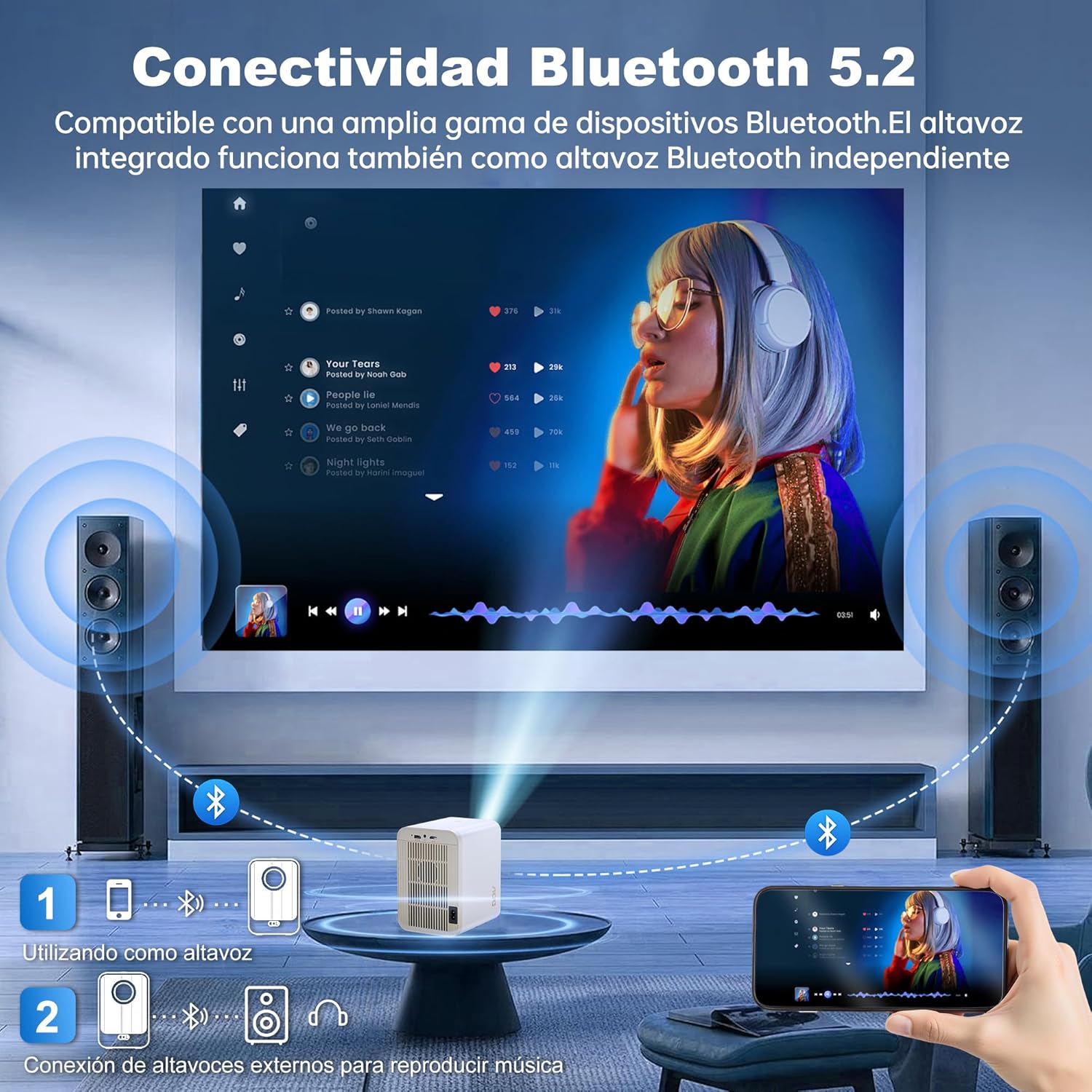
Image: The AOC XL2-211 projector displaying its smart interface with various streaming applications, ready for entertainment.
4. Đầu ra âm thanh
The projector includes built-in 2x12W stereo speakers. For alternative audio experiences:
- Connect Bluetooth speakers or headphones via Cài đặt > Bluetooth.
- Use the 3.5mm audio jack for wired external speakers or headphones.

Image: The AOC XL2-211 projector wirelessly connected to external Bluetooth speakers, demonstrating enhanced audio capabilities.
BẢO TRÌ
1. Vệ sinh máy chiếu
- Hãy đảm bảo máy chiếu đã được tắt và rút phích cắm trước khi vệ sinh.
- Hãy dùng một miếng vải mềm, khô để lau sạch bên ngoài máy chiếu.
- Để vệ sinh ống kính, hãy sử dụng khăn lau ống kính và dung dịch vệ sinh ống kính chuyên dụng. Không sử dụng các vật liệu có tính mài mòn.
- The fully enclosed optical engine minimizes dust accumulation, but regular external cleaning is recommended.
2. Lưu trữ
- Bảo quản máy chiếu ở nơi khô ráo, thoáng mát, tránh ánh nắng trực tiếp và nhiệt độ quá cao hoặc quá thấp.
- If storing for an extended period, place it back in its original packaging or a protective case.
Xử lý sự cố
| Vấn đề | Nguyên nhân có thể | Giải pháp |
|---|---|---|
| Không có hình ảnh nào được hiển thị | Dây nguồn bị ngắt kết nối, nguồn đầu vào không chính xác, nắp ống kính đã được đậy. | Check power connection, select correct input source (HDMI/USB), remove lens cap. |
| Hình ảnh bị mờ | Ảnh bị mờ, hiệu chỉnh méo hình không chính xác. | Allow auto-focus to adjust, or manually adjust focus/keystone in Projection Settings. |
| Không có âm thanh | Volume too low, external audio device not connected/paired, internal speakers disabled. | Increase volume, ensure Bluetooth device is paired or wired audio is connected, check audio settings. |
| Không thể kết nối với Wi-Fi/Bluetooth | Incorrect password, device too far, interference. | Verify password, move device closer to router/projector, restart devices. |
| Điều khiển từ xa không hoạt động | Low batteries, obstruction. | Replace batteries, ensure no obstruction between remote and projector. |
Thông số kỹ thuật
| Tính năng | Chi tiết |
|---|---|
| Thương hiệu | AOC |
| Số hiệu mẫu | XL2-211 |
| Độ phân giải gốc | 1280 x 800 điểm ảnh |
| Độ phân giải được hỗ trợ | 1920 x 1080 pixel (Full HD) |
| Độ sáng | 12000 Lumen (300 ANSI) |
| Tỷ lệ tương phản | 12000:1 |
| Hệ điều hành | Android 12.0 |
| ĐẬP | 1GB |
| Bộ nhớ trong | 8GB |
| Kết nối không dây | Wi-Fi 6 (2.4G/5G), Bluetooth 5.0 |
| Cổng đầu vào | HDMI, USB, Audio (3.5mm jack), TF Card |
| Cổng đầu ra | Audio (3.5mm jack) |
| Người nói | Built-in 2x12W Stereo Speakers |
| Kích thước chiếu | 40-250 inch |
| Yếu tố hình thức | Cầm tay |
| Kích thước sản phẩm | 19 x 21 x 26cm |
| Trọng lượng sản phẩm | 750 gram |
| Tiêu thụ điện năng | 40 watt |
Bảo hành và Hỗ trợ
Thông tin bảo hành
Your AOC XL2-211 Smart Projector comes with a bảo hành một năm kể từ ngày mua, bao gồm cả lỗi sản xuất. Vui lòng giữ lại hóa đơn mua hàng để yêu cầu bảo hành.
Hỗ trợ khách hàng
For technical assistance, troubleshooting, or warranty inquiries, please contact AOC customer support. Refer to the official AOC webtrang web để biết thông tin liên lạc mới nhất.
Tài nguyên trực tuyến: Ghé thăm AOC Brand Store for additional product information and FAQs.
Video trình diễn
Watch this official video for a visual guide on setting up and using your AOC XL2-211 Smart Projector, including unboxing, connectivity, and key features.
Video: An official demonstration of the AOC XL2-211 Smart Projector, showcasing its unboxing, setup, and various functionalities.


