1. Giới thiệu
Thank you for choosing the Baseus Mini Power Bank E0028P. This compact and powerful portable charger is designed to provide fast and efficient charging for a wide range of devices, including smartphones, tablets, and even laptops. With its 10000mAh capacity, 67W fast charging capability, built-in dual USB-C cables, and digital display, it is an ideal companion for travel and daily use.
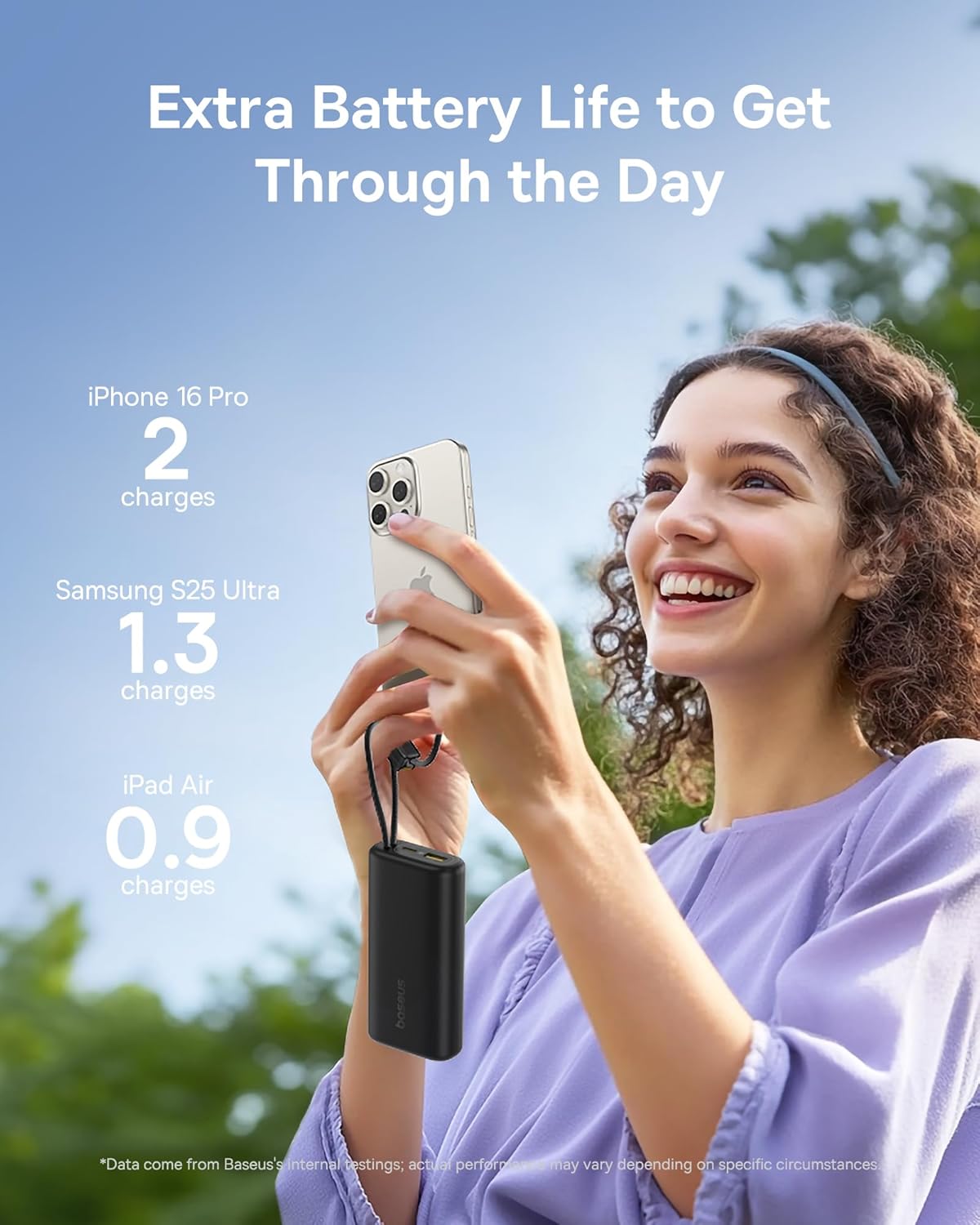
Image 1: The Baseus Mini Power Bank E0028P, a compact and portable charging solution.
2. Tính năng sản phẩm
- Sạc nhanh 67W: Delivers up to 67W power output, capable of fast charging compatible smartphones and laptops.
- Dung lượng cao 10000mAh: Provides sufficient power for multiple charges of most smartphones and partial charges for tablets or small laptops.
- Tích hợp sẵn hai cáp USB-C: Features two integrated USB-C braided cables for convenient charging without needing to carry extra cables. These cables also serve as a carrying strap.
- Màn hình kỹ thuật số: An intelligent digital display provides real-time battery level information, allowing you to monitor the power bank's status at a glance.
- Sạc nhiều thiết bị: Equipped with two built-in USB-C cables, one additional USB-C port, and one USB-A port, allowing simultaneous charging of up to four devices.
- Thiết kế nhỏ gọn và di động: Designed to be small and lightweight, easily fitting into pockets or small bags, making it ideal for travel.
- Sạc qua: Supports charging devices while the power bank itself is being recharged.
- Hãng hàng không chấp thuận: Complies with airline regulations for portable power banks, suitable for carry-on luggage.

Image 2: The power bank's 10000mAh capacity can provide multiple charges for your devices.

Image 3: Experience 67W rapid charging for quick power delivery to your devices.
3. Thiết lập
3.1 Sạc pin dự phòng ban đầu
Before first use, it is recommended to fully charge your Baseus Mini Power Bank. This ensures optimal performance and battery longevity.
- Connect one of the built-in USB-C cables or an external USB-C cable to the power bank's input port.
- Kết nối đầu còn lại của cáp với bộ sạc tường USB tương thích (không bao gồm).
- Màn hình kỹ thuật số sẽ hiển thị tiến trình sạc. Pin dự phòng được sạc đầy khi màn hình hiển thị 100%.
3.2 Kết nối các thiết bị để sạc
Pin dự phòng này cung cấp nhiều cách để kết nối các thiết bị của bạn:
- Sử dụng cáp USB-C tích hợp sẵn: Extend the built-in USB-C cables from their storage slots. Plug one end into your device's USB-C port.
- Sử dụng cáp ngoài: For devices requiring USB-A or an additional USB-C connection, plug your own charging cable into the available USB-A or USB-C output ports on the power bank.
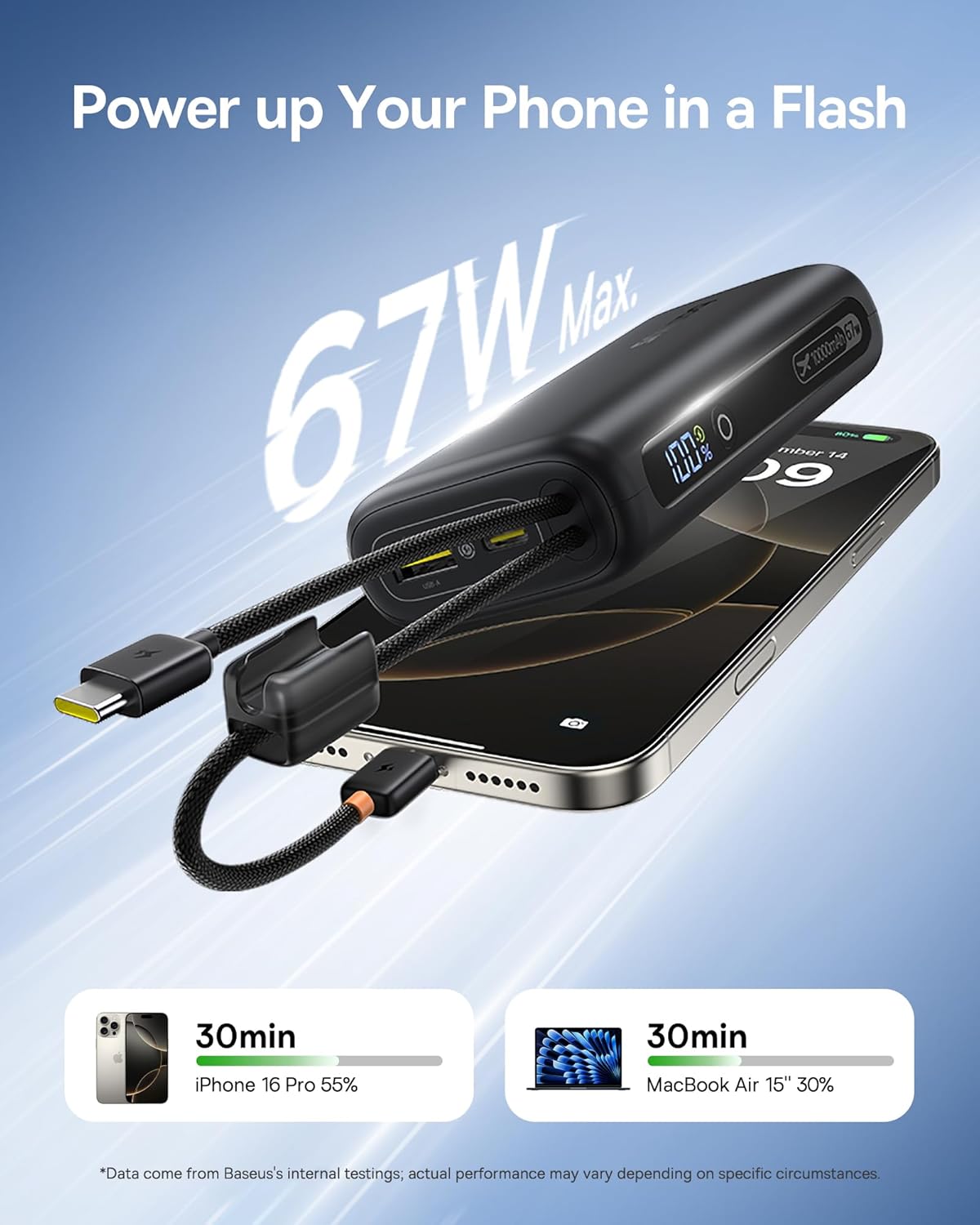
Image 4: The power bank features two convenient built-in USB-C cables.
4. Hướng dẫn vận hành
4.1 Sạc thiết bị của bạn
- Connect your device(s) to the power bank using either the built-in USB-C cables or external cables plugged into the USB-A/USB-C output ports.
- Press the power button on the side of the power bank to initiate charging. The digital display will illuminate, showing the remaining battery percentage.
- Thiết bị của bạn sẽ bắt đầu sạc tự động.
4.2 Kiểm tra mức pin
The integrated digital display provides an accurate percentage of the power bank's remaining charge. Simply press the power button once to activate the display.

Image 5: The digital display provides real-time battery status.
4.3 Sạc pin dự phòng
When the power bank's battery level is low, recharge it using a USB wall adapter and a USB-C cable (either built-in or external). The digital display will indicate charging status.
4.4 Sạc xuyên suốt
The Baseus Mini Power Bank supports pass-through charging, meaning you can charge your devices while the power bank itself is connected to a power source and recharging. This allows for continuous power delivery.

Image 6: Illustrates the pass-through charging capability, allowing simultaneous charging of the power bank and connected devices.
4.5 Sạc nhiều thiết bị cùng lúc
Utilize the built-in USB-C cables, the additional USB-C port, and the USB-A port to charge up to four devices simultaneously. The power bank intelligently distributes power to connected devices.

Image 7: The power bank can charge up to four devices concurrently.
5. Bảo trì
5.1 Vệ sinh
To clean the power bank, gently wipe its surface with a soft, dry cloth. Avoid using harsh chemicals, abrasive cleaners, or getting moisture into the ports.
5.2 Lưu trữ
Store the power bank in a cool, dry place away from direct sunlight, extreme temperatures, and humidity. For long-term storage, ensure the power bank is charged to approximately 50-75% to preserve battery health.
5.3 Chăm sóc pin
To maximize the lifespan of your power bank's battery:
- Tránh xả hết pin thường xuyên.
- Không để sạc dự phòng ở nơi quá nóng hoặc quá lạnh.
- Recharge the power bank at least once every three months if not in regular use.
KHAI THÁC. Xử lý sự cố
| Vấn đề | Nguyên nhân có thể | Giải pháp |
|---|---|---|
| Thiết bị không sạc | Power bank battery is empty; Cable is faulty or not properly connected; Device is incompatible. | Recharge the power bank; Check cable connections and try a different cable; Verify device compatibility. |
| Sạc chậm | Device not supporting fast charging; Multiple devices connected; Cable quality. | Ensure your device supports 67W fast charging; Disconnect other devices; Use high-quality cables. |
| Màn hình kỹ thuật số không hoạt động | Pin dự phòng đã tắt; bị lỗi. | Nhấn nút nguồn để bật màn hình; Nếu sự cố vẫn tiếp diễn, vui lòng liên hệ bộ phận hỗ trợ khách hàng. |
| Pin dự phòng không sạc được | Charging adapter is faulty; Cable is faulty; Power bank is already full. | Try a different wall adapter; Check cable connections and try a different cable; Check digital display for 100%. |
7. Thông số kỹ thuật
| Số hiệu mẫu | E0028P |
| Dung lượng pin | 10000mAh |
| Công suất đầu ra tối đa | 67W |
| Kích thước sản phẩm | 4.33 x 0.98 x 2.16 inch |
| Trọng lượng sản phẩm | 7.4 ounce |
| Các loại đầu nối | 2x Built-in USB-C, 1x USB-C Port, 1x USB-A Port |
| Tính năng đặc biệt | Mini Design, 67W Laptop-Grade Fast Charging, Built-in Dual USB-C Cables, Digital Display, Pass-through Charging |
| Nhà sản xuất | Công ty TNHH Công nghệ Baseus Thâm Quyến |
8. Thông tin an toàn
Vui lòng đọc và tuân thủ các hướng dẫn an toàn này để tránh làm hỏng sản phẩm hoặc gây thương tích cho bản thân:
- Không tháo rời, sửa đổi hoặc sửa chữa thiết bị.
- Không để sản phẩm tiếp xúc với lửa, nước hoặc nhiệt độ quá cao.
- Tránh làm rơi hoặc khiến sạc dự phòng chịu tác động mạnh.
- Để xa tầm tay trẻ em.
- Chỉ sử dụng cáp sạc và bộ chuyển đổi tương thích.
- Nếu pin dự phòng bị phồng, quá nóng hoặc phát ra mùi lạ, hãy ngừng sử dụng ngay lập tức.
9. Video sản phẩm
Video 1: Video giới thiệu sản phẩm chính thứcasing the built-in cables and pocket-size power of the Baseus Mini Power Bank.
10. Bảo hành và Hỗ trợ
Baseus products are manufactured by Shenzhen Baseus Technology Co., Ltd. For warranty information, technical support, or customer service inquiries, please refer to the official Baseus webTruy cập trang web hoặc liên hệ với các kênh hỗ trợ khách hàng của họ. Giữ lại hóa đơn mua hàng để yêu cầu bảo hành.


