1. Giới thiệu
Thank you for choosing the Baseus Nomos 160W 5-in-1 Charging Station. This device is designed to provide a comprehensive and efficient charging solution for multiple electronic devices, including laptops, tablets, and smartphones. Featuring GaN technology, Qi2 certified wireless charging, and a retractable cable, it aims to simplify your charging experience and declutter your workspace.
Vui lòng đọc kỹ hướng dẫn sử dụng này trước khi dùng sản phẩm để đảm bảo vận hành đúng cách và tối đa hóa tuổi thọ của sản phẩm. Hãy giữ lại hướng dẫn này để tham khảo trong tương lai.
2. Sản phẩm hếtview
The Baseus Nomos 160W Charging Station integrates multiple charging technologies into a compact design:
- Tổng công suất 160W: Efficiently charges up to five devices simultaneously.
- Qi2 Certified 15W Magnetic Wireless Charger: Provides fast and precise magnetic alignment for compatible iPhones (12-16 series).
- 100W Retractable USB-C Cable: Built-in 80cm (2.6ft) braided cable for convenient and tidy charging.
- Nhiều cổng: Includes 3 USB-C ports and 1 USB-A port for versatile connectivity.
- Công nghệ GaN: Ensures high efficiency and a compact form factor.
- BPS3.0 Smart Power Allocation: Intelligently distributes power to connected devices for optimal charging speed and safety.
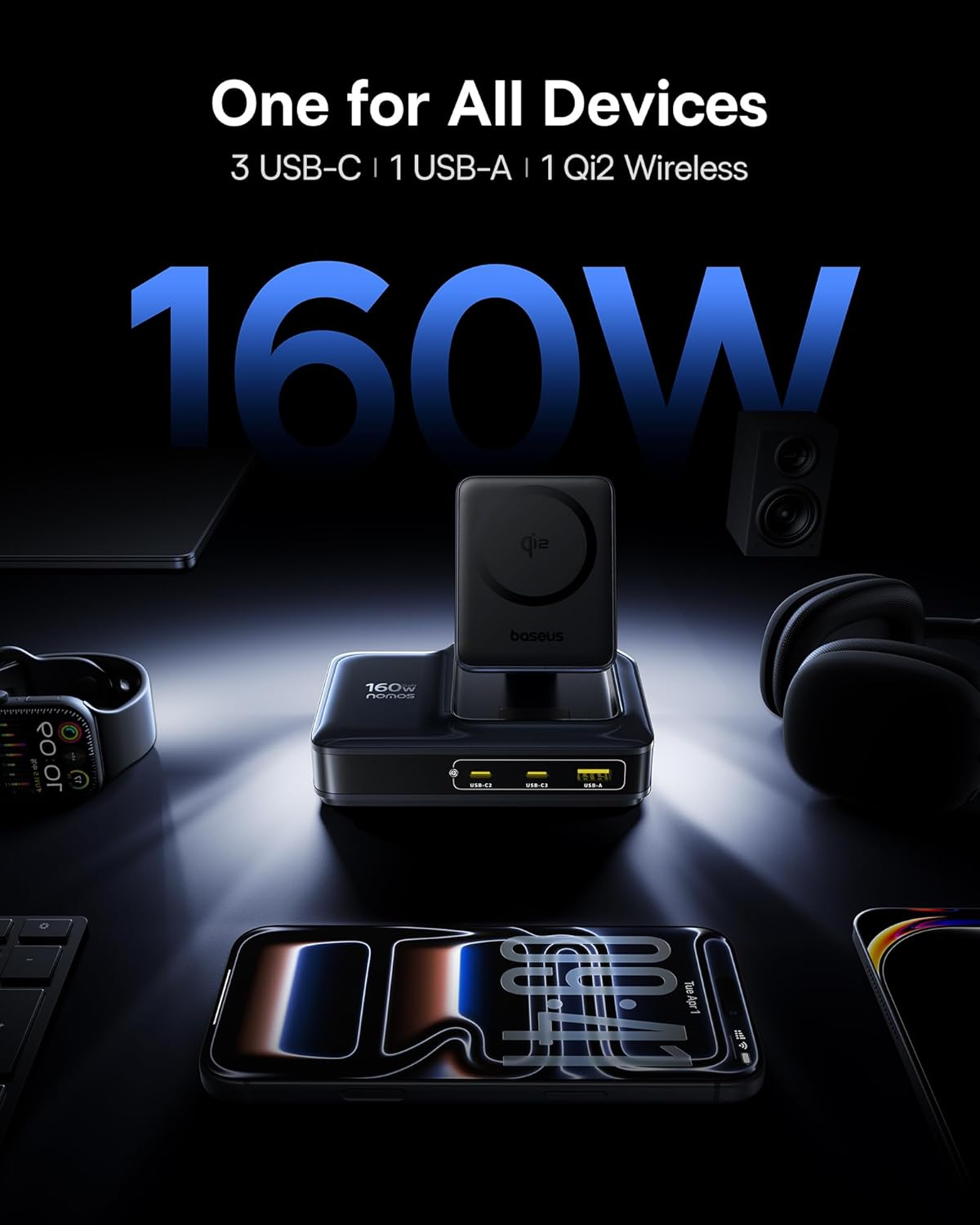
Image: The Baseus Nomos 160W Charging Station shown powering a laptop, tablet, smartphone, and earbuds simultaneously, demonstrating its multi-device charging capability.
3. Hướng dẫn thiết lập
- Giải nén thiết bị: Carefully remove the charging station and any included accessories from its packaging.
- Kết nối với nguồn điện: Plug the provided AC power cord into the charging station's power input, then connect the other end to a standard wall outlet.
- Vị trí: Place the charging station on a stable, flat surface. Ensure adequate ventilation around the device. The anti-slip silicone pad on the bottom helps secure its position.
- Cáp có thể thu gọn: To use the built-in retractable USB-C cable, gently pull it out to the desired length (up to 80cm / 2.6ft). To retract, pull the cable again slightly, and it will smoothly coil back into the station.
- Đế sạc không dây: The Qi2 wireless charging pad can be adjusted for optimal viewing angles. Simply tilt the magnetic pad to your preferred position.

Image: The Baseus Nomos 160W Charging Station showcasing its integrated retractable USB-C cable, extended for use, highlighting its cable management feature.
4. Hướng dẫn vận hành
The Baseus Nomos Charging Station is designed for intuitive use. Simply connect your devices to the appropriate ports or place them on the wireless charging pad.
4.1 Wired Charging (USB-C & USB-A)
- Cổng USB-C: Connect your USB-C compatible devices (laptops, tablets, phones) to the USB-C1, USB-C2, or USB-C3 ports. USB-C1 supports up to 100W, while USB-C2/C3 can deliver up to 140W each when used individually.
- Cổng USB-A: Connect your USB-A compatible devices to the USB-A port. This port supports up to 18W.
- Cáp có thể thu gọn: Utilize the built-in retractable USB-C cable for convenient charging of compatible devices.
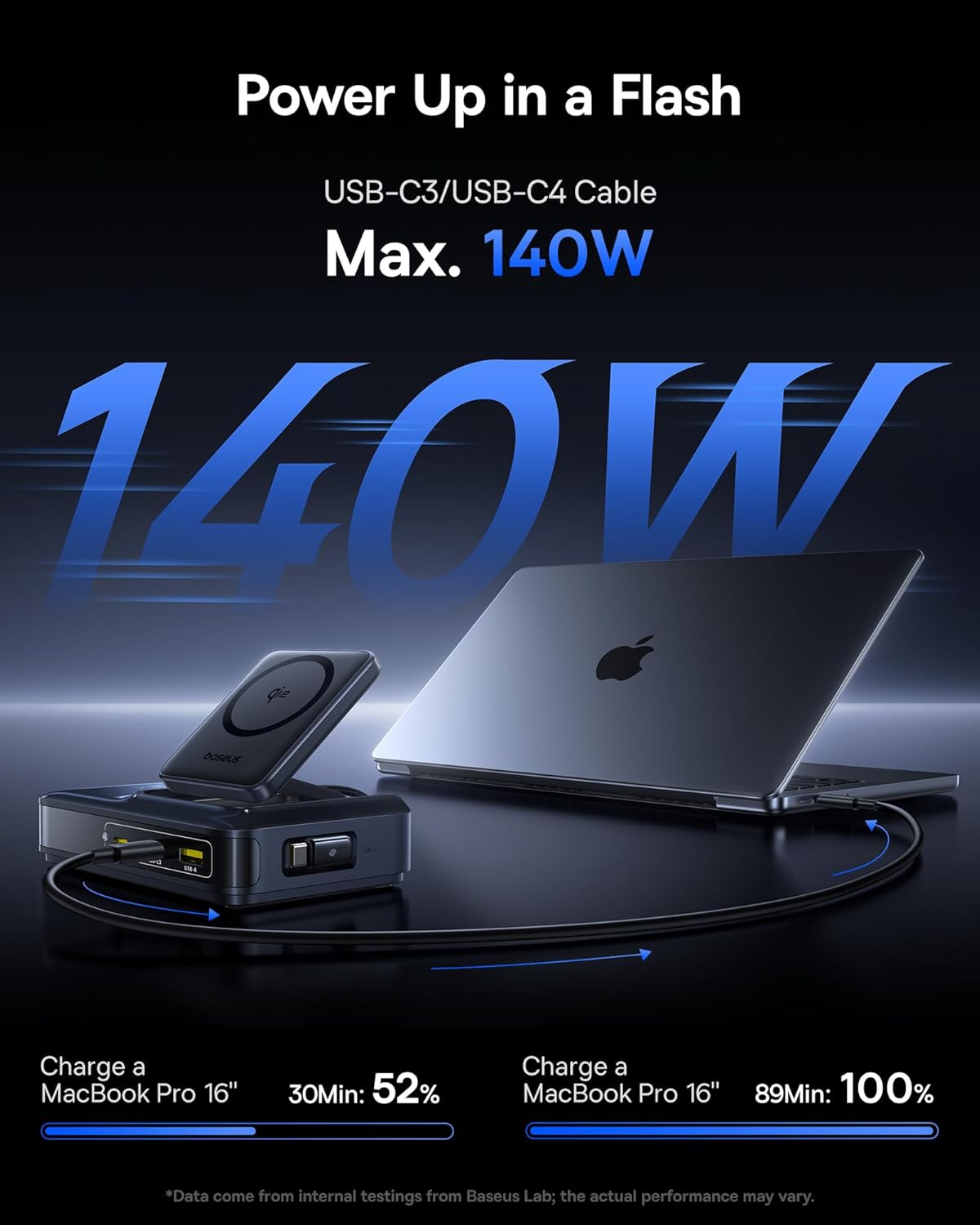
Image: A MacBook Pro 16-inch being charged by the Baseus Nomos 160W Charging Station via a USB-C cable, illustrating its high-power output capability.
4.2 Wireless Charging (Qi2)
- Vị trí: Place your Qi2-compatible iPhone (12-16 series) onto the magnetic wireless charging pad. The magnets will automatically align your device for optimal charging.
- Khả năng tương thích của vỏ máy: The wireless charger is compatible with phone cases up to 3mm thick.
- Đèn báo sạc: The device will indicate when wireless charging is active (e.g., via a light indicator or on your phone screen).

Image: An iPhone being wirelessly charged on the magnetic pad of the Baseus Nomos 160W Charging Station, demonstrating the Qi2 fast wireless charging feature.
4.3 Smart Power Allocation (BPS3.0)
The charging station features BPS3.0 technology, which intelligently detects the power requirements of each connected device and allocates the optimal power output. This ensures efficient and safe charging across all ports simultaneously, preventing overcharging or damage.
Video: An official product video from Baseus Brand Store demonstrating the 160W Charging Station's features and capabilities.
5. Tính năng an toàn
The Baseus Nomos Charging Station incorporates multiple safety mechanisms to protect your devices and the charger itself:
- Bảo vệ quá dòng: Ngăn ngừa hư hỏng do dòng điện quá mức.
- Quá voltage Bảo vệ: Các biện pháp bảo vệ chống lại voltage gai.
- Bảo vệ ngắn mạch: Tự động ngắt nguồn khi xảy ra đoản mạch.
- Bảo vệ quá nhiệt: Theo dõi và điều chỉnh nhiệt độ bên trong để tránh quá nhiệt.

Hình ảnh: Một vụ nổ view of the Baseus Nomos 160W Charging Station, illustrating the GaN chip and various internal components responsible for its efficient and safe operation, including icons for over-current, over-voltage, bảo vệ chống đoản mạch và quá nhiệt.
6. Bảo trì
- Vệ sinh: Ngắt kết nối trạm sạc khỏi ổ cắm điện trước khi vệ sinh. Sử dụng khăn mềm, khô để lau bề mặt. Không sử dụng chất tẩy rửa dạng lỏng hoặc dạng xịt.
- Kho: Khi không sử dụng trong thời gian dài, hãy bảo quản thiết bị ở nơi khô ráo, thoáng mát, tránh ánh nắng trực tiếp và độ ẩm.
- Chăm sóc cáp: Avoid excessive force when pulling or retracting the built-in cable. Ensure the cable is not kinked or pinched.
- Tránh chướng ngại vật: Do not block the ventilation openings on the charging station, as this can lead to overheating.
KHAI THÁC. Xử lý sự cố
- Thiết bị không sạc được:
- Hãy đảm bảo trạm sạc được cắm đúng cách vào ổ cắm điện đang hoạt động.
- Hãy kiểm tra xem cáp sạc đã được kết nối chắc chắn với cả trạm sạc và thiết bị của bạn chưa.
- Verify that your device is compatible with the charging port or wireless charging standard.
- Hãy thử sử dụng cáp hoặc cổng khác để loại trừ khả năng kết nối bị lỗi.
- Sạc chậm:
- Confirm your device supports fast charging protocols (e.g., PD3.1, QC4, PPS) and that you are using a compatible cable.
- The charging station intelligently allocates power. If multiple high-power devices are connected, the output to individual ports may be adjusted.
- For wireless charging, ensure proper alignment of your device on the pad and that your phone case is not too thick (max 3mm).
- Quá nhiệt:
- Ensure the charging station has adequate ventilation and is not covered.
- If the device feels excessively hot, disconnect it from power and all devices immediately. Contact support if the issue persists.
- Retractable Cable Not Working:
- Gently pull the cable again to trigger the retraction mechanism.
- Hãy đảm bảo không có vật cản nào ngăn cản dây cáp thu vào.
8. Thông số kỹ thuật
| Tính năng | Chi tiết |
|---|---|
| Số hiệu mẫu | E01217 |
| Tổng sản lượng | 160W |
| Đầu ra USB-C1 | Lên đến 100W |
| Đầu ra USB-C2/C3 | Up to 140W (each, when used individually) |
| Đầu ra USB-A | Lên đến 18W |
| Sạc không dây Qi2 | 15W |
| Chiều dài cáp có thể thu gọn | 80cm (2.6ft) |
| Đầu vào Voltage | 240 vôn |
| Kích thước | 8.43 x 6.69 x 2.44 inch |
| Trọng lượng sản phẩm | 1.87 pound |
| Thiết bị tương thích | iPhone 12-17 series, Galaxy S20-24, OnePlus 8 Pro, Google Pixel 6-8, Sony Xperia 5, iPad, Air Pods 2-3, MacBook Pro 2023, Lenovo ThinkPad T14, Dell XPS 13, and more. |
9. Bảo hành và Hỗ trợ
Baseus products are manufactured to high-quality standards. This product is covered by a manufacturer's warranty against defects in materials and workmanship from the date of purchase. The specific warranty period may vary by region and retailer.
For warranty claims, technical support, or product inquiries, please contact the retailer where you purchased the product or visit the official Baseus webtrang web cung cấp thông tin dịch vụ khách hàng.
Hỗ trợ trực tuyến: www.baseus.com
Vui lòng giữ lại bằng chứng mua hàng để bảo hành.


