1. Giới thiệu
This manual provides detailed instructions for the installation, operation, and maintenance of your CP PLUS EZ-P34Q 3MP Smart Wi-Fi CCTV Camera. Please read this manual thoroughly before using the product to ensure proper functionality and safety. Keep this manual for future reference.
2. Sản phẩm hếtview
The CP PLUS EZ-P34Q is a 3MP Smart Wi-Fi CCTV Camera designed for indoor home surveillance. It features 360° pan and 60° tilt capabilities, providing comprehensive coverage. The camera supports 2K clarity video recording with H.265 compression, ensuring clear footage and efficient storage. Advanced features include motion detection, human body detection, motion tracking, sound alerts, dual-vision night mode, two-way communication, and cloud recording options. It is equipped with CTC Cyber Secure Tech for data privacy.

Figure 2.1: CP PLUS EZ-P34Q Camera with highlighted features.
3. Có gì trong hộp
Xác minh rằng tất cả các mục sau đây đều có trong gói hàng của bạn:
- CP PLUS EZ-P34Q Camera Unit
- Bộ đổi nguồn
- Cáp sạc (USB Type-C)
- Hướng dẫn sử dụng
- Vít lắp
4. Thiết lập
4.1 Cài đặt vật lý
The camera is designed for indoor use and tabletop mounting. Ensure the camera is placed on a stable, flat surface with a clear view of the area you wish to monitor. For wall or ceiling mounting, use the provided mounting screws and follow the instructions in the separate mounting guide (if applicable).
- Choose a suitable indoor location for the camera.
- Connect the charging cable to the camera's USB Type-C port and the power adapter.
- Cắm bộ chuyển đổi nguồn vào ổ cắm điện tiêu chuẩn. Máy ảnh sẽ bật nguồn và bắt đầu quá trình khởi động.
4.2 Cài đặt và ghép nối ứng dụng
To operate the camera and access its features, you need to download and install the compatible mobile application on your smartphone.
- Download the official CP PLUS mobile application from your device's app store (e.g., Google Play Store or Apple App Store).
- Đăng ký tài khoản mới hoặc đăng nhập nếu bạn đã có tài khoản.
- Follow the in-app instructions to add your new EZ-P34Q camera. This typically involves scanning a QR code on the camera or manually entering its device ID.
- Connect the camera to your Wi-Fi network as prompted by the application. Ensure your Wi-Fi network is 2.4GHz for optimal compatibility.
- Once successfully paired, you can view the live feed and configure camera settings through the app.
5. Hoạt động
5.1 Điều khiển xoay ngang và dọc
The camera offers a 360° horizontal pan and 60° vertical tilt range, allowing you to adjust the viewing angle remotely via the mobile application.
- Mở trực tiếp view trong ứng dụng di động.
- Use the directional controls (usually an on-screen joystick or arrows) to move the camera lens horizontally (pan) and vertically (tilt).

Figure 5.1: Illustrates the 360° pan and tilt capability for comprehensive coverage.
5.2 Bộ phát hiện thông minh
The camera is equipped with advanced detection features to enhance security and reduce false alarms.
- Phát hiện chuyển động: Máy ảnh phát hiện chuyển động trong phạm vi trường của nó view.
- Human Body Detection: Specifically identifies human shapes, minimizing alerts from pets or inanimate objects.
- Theo dõi chuyển động: When motion is detected, the camera can automatically track the moving object.
- Cảnh báo âm thanh: The camera can detect unusual sounds and send notifications.
- Răn đe chủ động: Features a built-in siren and warm LED flash light that can be activated automatically upon detection of unexpected motion to deter intruders.
Configure these settings in the mobile application's detection settings menu to receive instant notifications on your smartphone.

Figure 5.2: Motion tracking feature in action, following movement.
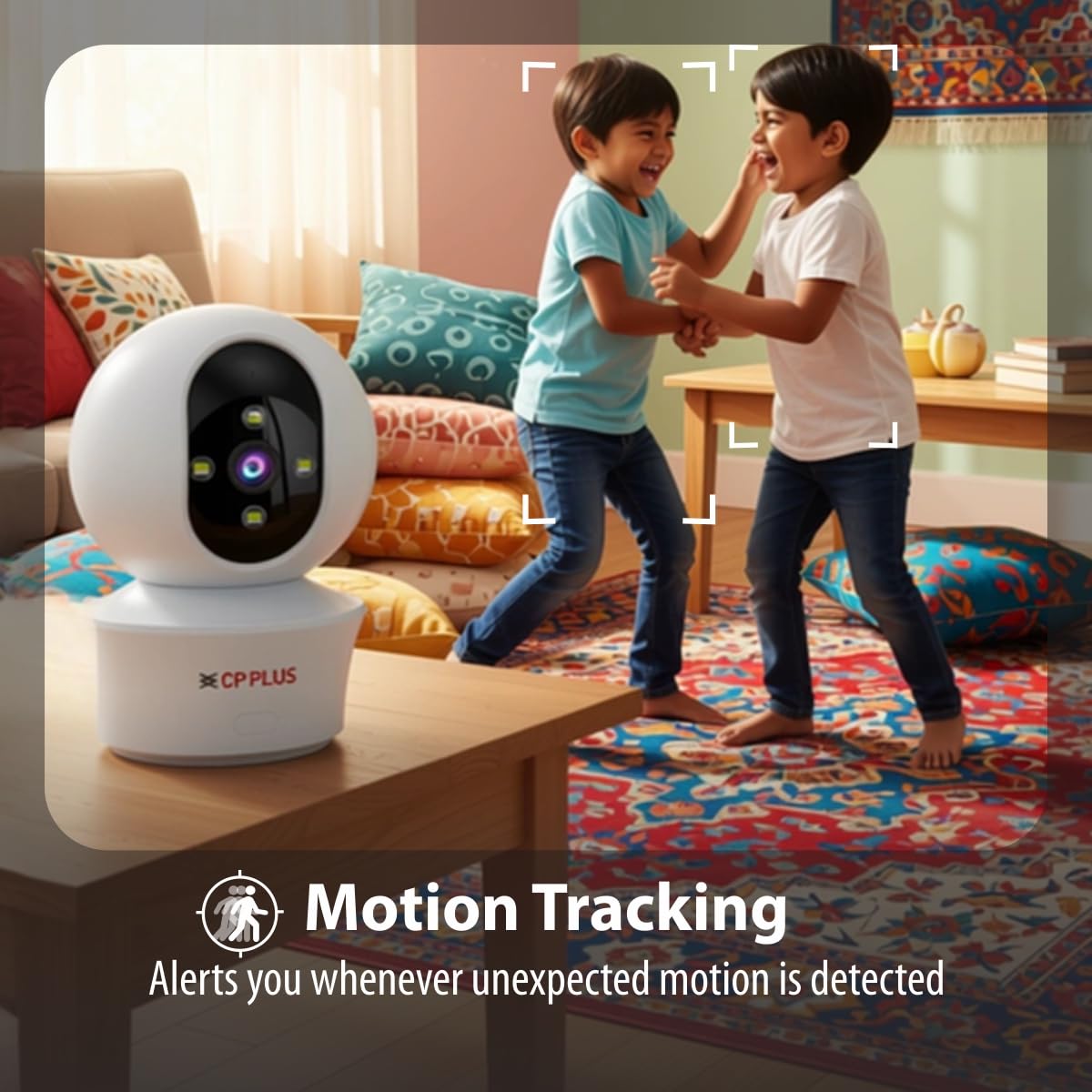
Figure 5.3: Human body detection providing real-time alerts.

Figure 5.4: Active deterrence using siren and LED flash light.
5.3 Tầm nhìn ban đêm
The camera offers dual-vision night mode for clear surveillance in low-light conditions.
- Tầm nhìn ban đêm hồng ngoại (IR): Cung cấp hình ảnh đen trắng rõ nét.tage up to 20-30 meters in complete darkness.
- White LED Color Night Vision: Utilizes built-in white LEDs to deliver full-color video up to 15-20 meters at night, also serving as a deterrent.
You can switch between these modes or set them to activate automatically based on ambient light conditions through the app.

Figure 5.5: Full-color night vision capturing details in low light.
5.4 Giao tiếp hai chiều
The built-in microphone and speaker allow for two-way audio communication.
- Từ trực tiếp view in the mobile app, tap the microphone icon to speak through the camera's speaker.
- The camera's microphone will pick up audio from the monitored area, which you can hear through your smartphone.
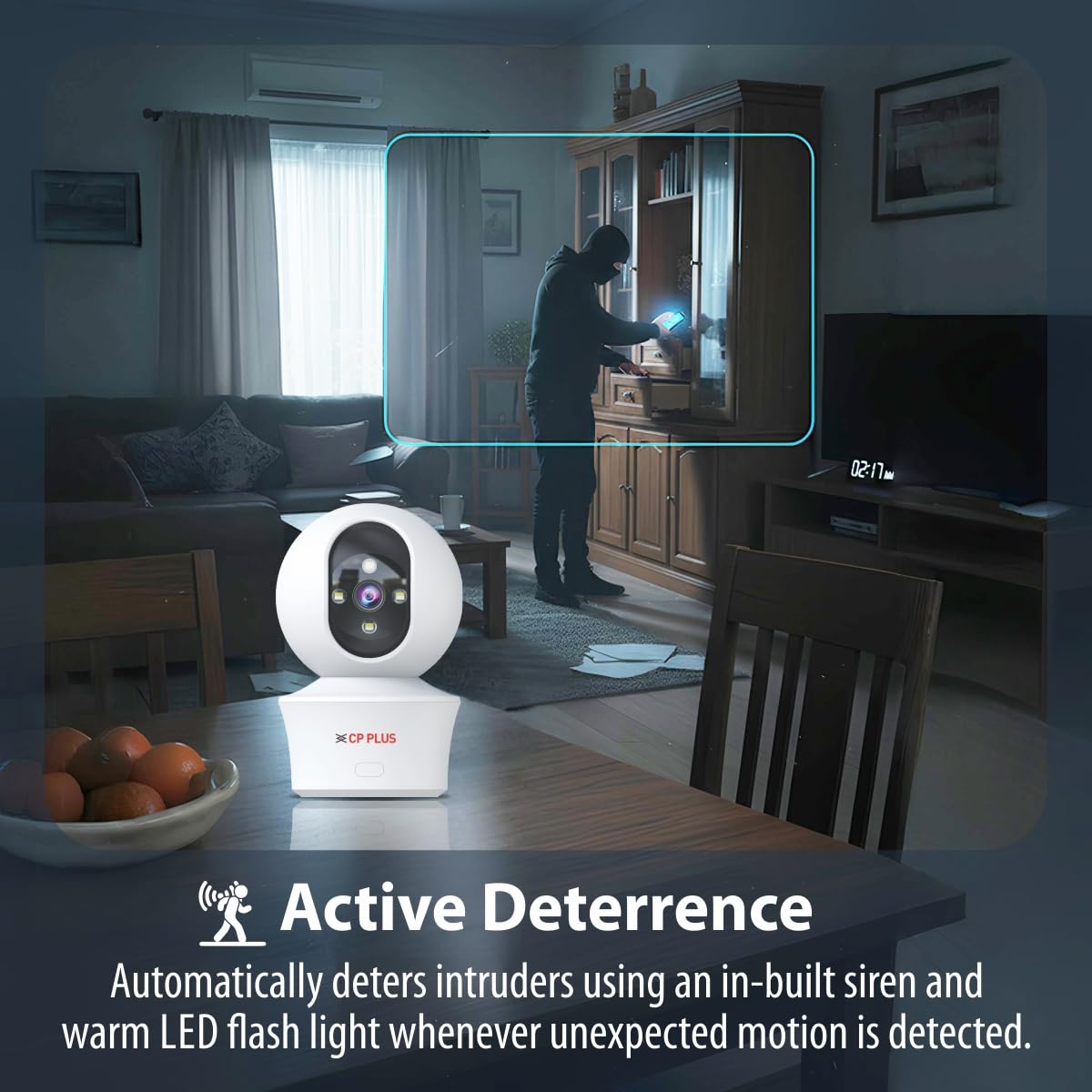
Figure 5.6: Two-way communication feature for interacting with the monitored area.
5.5 Ghi và lưu trữ video
The camera supports both local and cloud storage options for your video recordings.
- Lưu trữ thẻ MicroSD: Insert a MicroSD card (up to 256GB, not included) into the designated slot on the camera for local storage. Recordings will be saved directly to the card.
- Ghi đám mây: The camera supports cloud recording services (subscription may be required). Refer to the mobile application for details on activating and managing cloud storage.
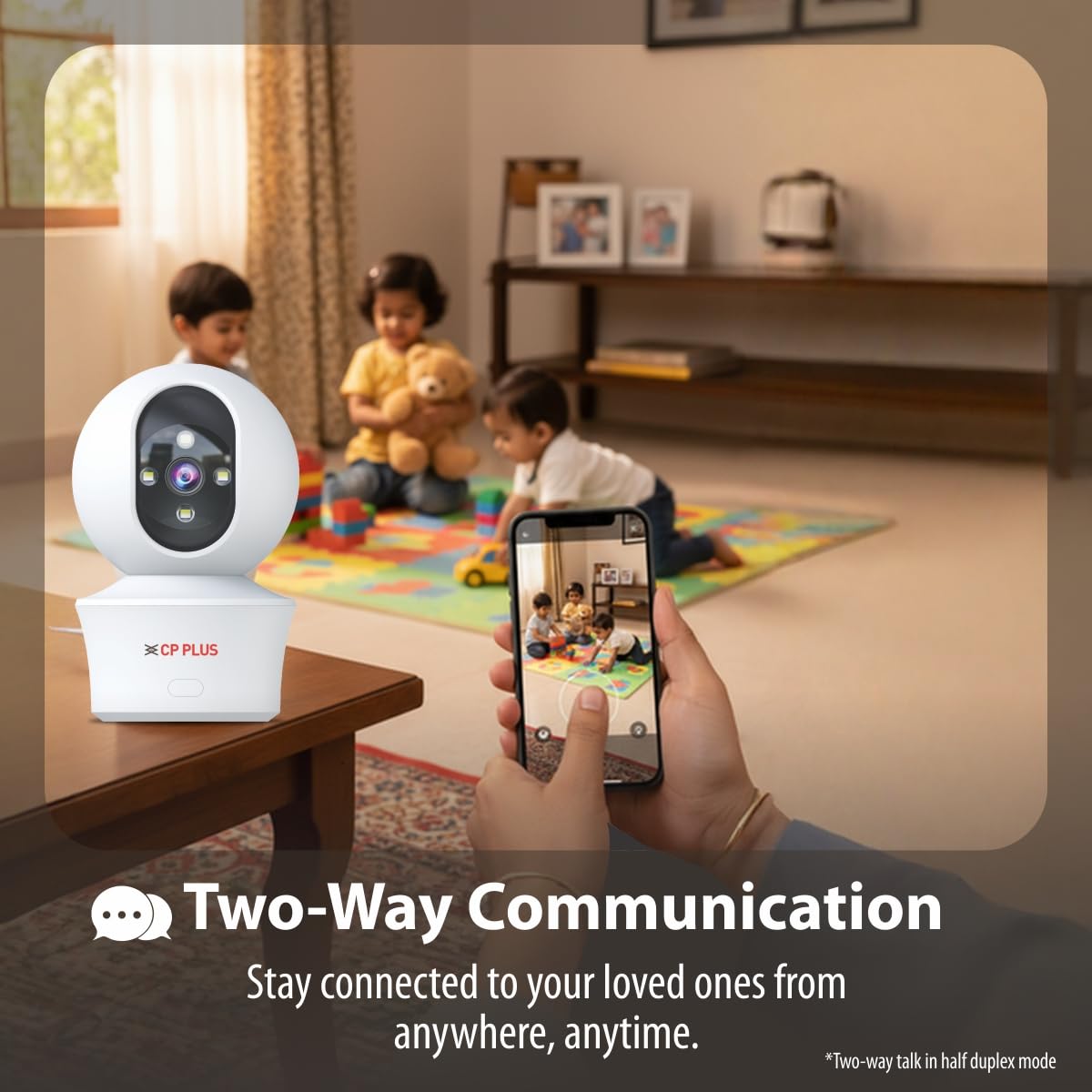
Figure 5.7: Cloud recording feature for remote access to footage.
5.6 CTC Cyber Secure Tech
Your CP PLUS camera incorporates CTC Cyber Secure Tech to ensure your video data remains encrypted, private, and protected from cyber threats.
6. Thông số kỹ thuật
| Tính năng | Đặc điểm kỹ thuật |
|---|---|
| Số hiệu mẫu | EZ-P34Q |
| Nghị quyết | 3MP (2304x1296) |
| Nén Video | H.265 |
| Pan Range | 360° |
| Phạm vi nghiêng | 60° |
| Tầm nhìn ban đêm IR | 20-30 mét |
| White LED Night Vision Range | 15-20 meters (Full Color) |
| Tốc độ khung hình | 20 khung hình mỗi giây |
| Kho | Thẻ MicroSD (tối đa 256GB), Lưu trữ đám mây |
| Kết nối | Wi-Fi (2.4 GHz) |
| Đầu vào nguồn điện | USB loại C 5V |
| Kích thước (DxRxC) | 7.7 x 7.7 x 10.9cm |
| Cân nặng | 330 gram |
| Sử dụng trong nhà/ngoài trời | Chỉ trong nhà |
| Tính năng đặc biệt | 2-Way Audio, Motion Sensor, Night Vision, Human Detection, Auto Tracking, Built-in Siren |
KHAI THÁC. Xử lý sự cố
Nếu bạn gặp sự cố với máy ảnh, hãy tham khảo các sự cố và giải pháp phổ biến sau đây:
- Camera không kết nối được với Wi-Fi:
- Đảm bảo mạng Wi-Fi của bạn là 2.4 GHz.
- Kiểm tra cường độ tín hiệu Wi-Fi tại vị trí đặt camera.
- Hãy kiểm tra lại xem mật khẩu Wi-Fi đã nhập đúng trong ứng dụng chưa.
- Khởi động lại bộ định tuyến Wi-Fi và camera.
- Chất lượng video kém:
- Kiểm tra tốc độ kết nối internet của bạn.
- Đảm bảo ống kính máy ảnh sạch sẽ.
- Adjust video resolution settings in the app if your network bandwidth is limited.
- Không có cảnh báo phát hiện chuyển động:
- Verify motion detection and notification settings are enabled in the app.
- Check the detection sensitivity settings.
- Hãy đảm bảo máy ảnh view không bị cản trở.
- Chức năng âm thanh hai chiều không hoạt động:
- Kiểm tra quyền truy cập micro và loa của ứng dụng trên điện thoại của bạn.
- Ensure volume levels are adjusted correctly in the app and on your phone.
8. Thông tin an toàn
- This camera is designed for chỉ sử dụng trong nhàKhông để sản phẩm tiếp xúc với nước, hơi ẩm hoặc nhiệt độ quá cao.
- Use only the provided power adapter and charging cable. Using unauthorized accessories may damage the product and void the warranty.
- Để máy ảnh và các phụ kiện của máy ảnh ngoài tầm với của trẻ em.
- Không tự ý tháo rời hoặc sửa chữa máy ảnh. Hãy liên hệ với bộ phận hỗ trợ khách hàng để được trợ giúp.
- Hãy đảm bảo thông gió tốt xung quanh máy ảnh để tránh quá nhiệt.
9. Video sản phẩmview
Hãy xem video ngắn này để có cái nhìn tổng quan nhanh chóngview of the CP PLUS EZ-P34Q camera's features and capabilities.
Video 9.1: A brief introduction to the CP PLUS 3MP Camera features.
10. Bảo hành và Hỗ trợ
For warranty information, technical support, or service inquiries, please refer to the official CP PLUS webtrang web hoặc liên hệ với bộ phận chăm sóc khách hàng của họ. Giữ lại hóa đơn mua hàng để làm bằng chứng mua hàng.


