1. Giới thiệu
Welcome to the iFFALCON 75-Inch Class QLED 4K Smart TV, Model 75F75. This television combines cutting-edge display technology with smart features to enhance your viewing experience. Its ultra-slim design allows for seamless integration into any living space, functioning as both a high-performance TV and a digital art display. This manual provides essential information for setting up, operating, and maintaining your new television.

Figure 1.1: The iFFALCON Mural TV in Art Mode, showcasing its ultra-slim design.
2. Thông tin an toàn
Please read all safety instructions carefully before using your television. Keep this manual for future reference. Ensure the television is placed on a stable surface or securely mounted. Avoid exposing the unit to rain or moisture. Do not open the television casing; refer all servicing to qualified personnel. Keep ventilation openings clear to prevent overheating. Disconnect the power cord during lightning storms or when unused for long periods.
3. Có gì trong hộp
- Truyền hình iFFALCON
- Cáp nguồn
- 2 pin AAA cho điều khiển từ xa
- 6 x vít đứng
- Chân bàn
- 2 x Nắp lỗ vít
- 2 x Miếng bảo vệ cao su
- Giá đỡ gắn tường
- Hướng dẫn bắt đầu nhanh
- điều khiển TV
4. Thiết lập
4.1 Cài đặt vật lý
Your iFFALCON Mural TV is designed for versatile installation. You can choose between using the included table stands or the seamless wall mount bracket for a flush, art-like appearance. Ensure proper ventilation around the TV regardless of the installation method.

Figure 4.1: Seamless Wall Mount installation for a minimalist look.
4.2 Kết nối
Kết nối các thiết bị ngoại vi của bạn bằng các cổng có sẵn:
- HDMI: Dành cho các thiết bị âm thanh và video độ phân giải cao.
- USB: Để kết nối các thiết bị lưu trữ USB.
- Mạng Ethernet: Dành cho kết nối internet có dây.
- Wi-Fi: Dành cho kết nối internet không dây.
- Bluetooth: Dành cho các thiết bị và phụ kiện âm thanh không dây.
4.3 Bật nguồn ban đầu
After connecting all necessary cables, plug in the power cable and press the power button on the remote control or the TV. Follow the on-screen instructions to complete the initial setup, including network connection and Google TV account setup.
Video 4.1: Official iFFALCON guide on wall mount and stand installation for the Mural TV.
5. Hướng dẫn vận hành
5.1 Google TV Smart Entertainment
The iFFALCON Mural TV is powered by Google TV, offering personalized content recommendations across your streaming apps. Use the Google Assistant voice remote for hands-free control, searching for content, and managing smart home devices.

Figure 5.1: Explore personalized content with Google TV.
5.2 Chế độ nghệ thuật
Transform your TV into a digital canvas with Art Mode. Display classic masterpieces, AI-generated artworks, or your personal photos to complement your home decor. This feature allows the TV to blend seamlessly into your environment when not actively used for viewnội dung.

Hình 5.2: TV ở chế độ Nghệ thuật, hiển thịasing a masterpiece.
Video 5.1: Official iFFALCON tutorial on using Art Mode and Photo Frame features.
5.3 Game Master Mode
For gamers, the 144Hz refresh rate combined with Game Master Mode provides ultra-smooth visuals and responsive gameplay. This mode optimizes for low latency, Variable Refresh Rate (VRR), and HDR, giving you a competitive edge. Note: Initially in Energy Saving Mode; switch to HDR Mode for best picture quality during gaming.

Figure 5.3: Experience next-level speed with 144Hz native refresh rate.
6. Cài đặt hình ảnh và âm thanh
6.1 4K QLED Brilliance & Wide Color Gamut
The 4K QLED display delivers lifelike visuals with over a billion colors. With a 93% DCI-P3 wide color gamut, every scene is rendered with exceptional clarity, vibrant hues, and intricate detail.

Figure 6.1: Vivid, true-to-life colors with Ultra Wide Color Gamut.

Figure 6.2: Ultra-high Contrast for more detailed images.
6.2 Dolby Vision IQ & Dolby Atmos
Experience cinematic quality with Dolby Vision IQ, which intelligently adjusts picture settings based on your room's ambient lighting. Coupled with Dolby Atmos surround sound, you'll enjoy immersive audio that places you right in the center of the action.
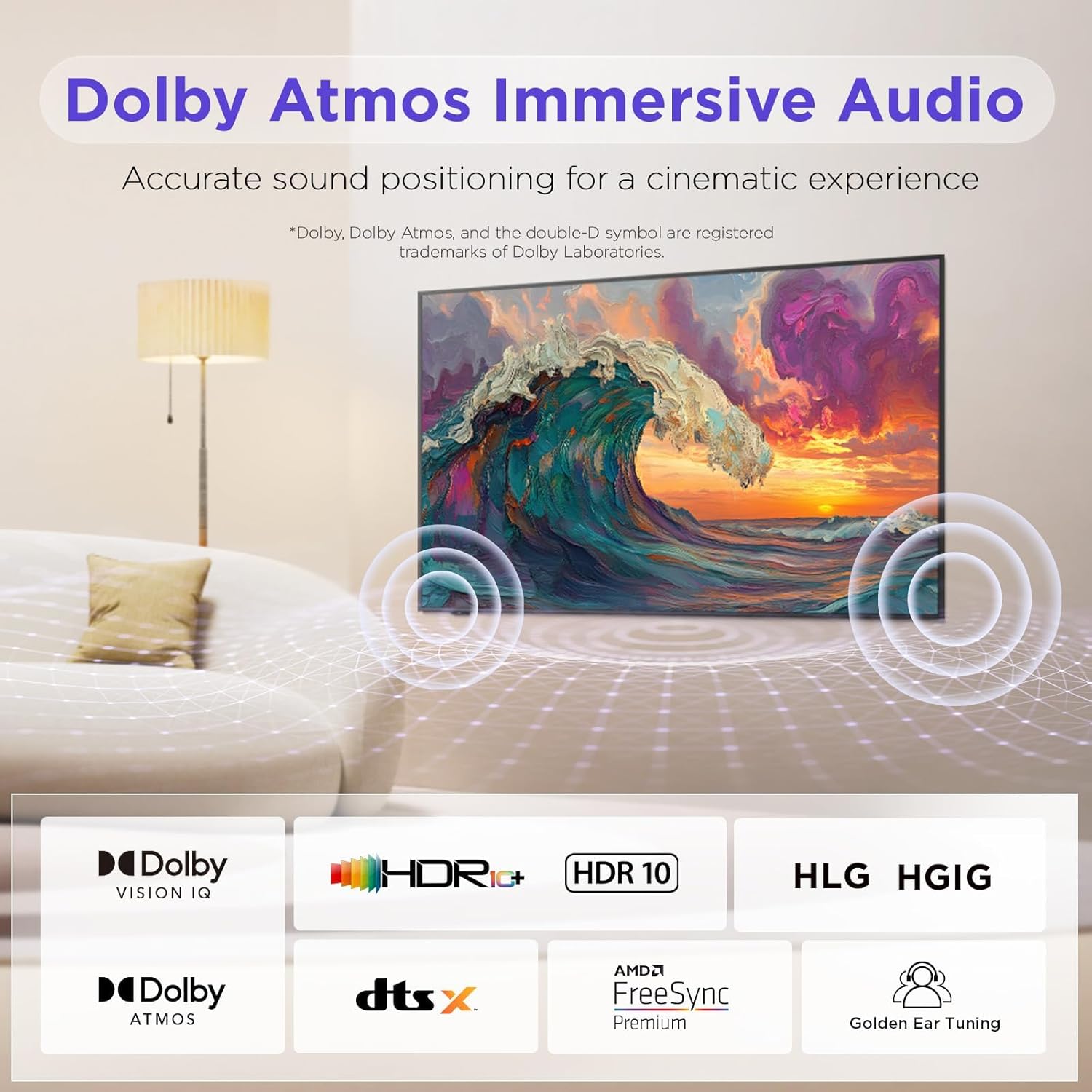
Figure 6.3: Dolby Atmos Immersive Audio for a cinematic experience.
7. Công nghệ chăm sóc mắt
The iFFALCON Mural TV incorporates advanced Eye Care Technology, including low blue light and flicker-free features. These technologies are designed to reduce eye strain and discomfort during extended viewing sessions, making it suitable for all ages.
8. Bảo trì
To ensure the longevity and optimal performance of your iFFALCON TV, follow these maintenance guidelines:
- Làm sạch màn hình: Lau nhẹ màn hình bằng vải mềm, không xơ. Đối với các vết bẩn cứng đầu, hãy lau nhẹampLau khăn bằng nước hoặc chất tẩy rửa màn hình chuyên dụng. Tránh sử dụng hóa chất mạnh.
- Làm sạch khung: Use a dry, soft cloth to clean the TV frame.
- Thông gió: Đảm bảo các lỗ thông gió ở mặt sau của TV không bị chặn để tránh quá nhiệt.
- Dây nguồn: Kiểm tra thường xuyên dây nguồn để phát hiện bất kỳ hư hỏng nào.
KHAI THÁC. Xử lý sự cố
If you encounter any issues with your television, refer to the following common troubleshooting steps:
- Không có điện: Kiểm tra xem dây nguồn đã được cắm chắc chắn vào cả TV và ổ cắm điện chưa. Thử cắm vào một ổ cắm khác xem sao.
- Không có hình ảnh/âm thanh: Verify that all HDMI or other input cables are correctly connected. Ensure the correct input source is selected on the TV.
- Chất lượng hình ảnh kém: Check the source device's resolution settings. Adjust picture settings (brightness, contrast, color) on the TV.
- Điều khiển từ xa không hoạt động: Thay pin. Đảm bảo không có vật cản nào giữa điều khiển từ xa và TV.
- Sự cố kết nối mạng: Khởi động lại bộ định tuyến và modem. Kết nối lại TV với mạng Wi-Fi hoặc kiểm tra kết nối cáp Ethernet.
For more complex issues, please refer to the full user manual available online or contact iFFALCON customer support.
10. Thông số kỹ thuật
| Tính năng | Chi tiết |
|---|---|
| Thương hiệu | iFFALCON |
| Số hiệu mẫu | 75F75 |
| Kích thước màn hình | 75 inch |
| Công nghệ hiển thị | Màn hình QLED |
| Nghị quyết | 4K |
| Tốc độ làm mới | 144Hz |
| Tính năng đặc biệt | Art Mode, Game Mode, Dolby Vision IQ, Dolby Atmos, Google Assistant |
| Công nghệ kết nối | Bluetooth, Ethernet, HDMI, USB, Wi-Fi |
| Kích thước sản phẩm | 37.99"D x 65.94"W x 1.17"H |
| Trọng lượng sản phẩm | 96.8 pound |
11. Bảo hành và Hỗ trợ
Your iFFALCON 75-Inch QLED 4K Smart TV is covered by a manufacturer's warranty. Please refer to the warranty card included in your packaging for specific terms and conditions. For technical support, service inquiries, or further assistance, please visit the official iFFALCON website or contact their customer service department. Keep your purchase receipt and model number (75F75) handy when contacting support.
Video 11.1: Official iFFALCON Introduction to the Mural TV.


