1. Giới thiệu
Thank you for choosing the Cecotec Conga M100 X-Treme Robot Vacuum and Mop. This device is designed to provide efficient and intelligent cleaning for your home, combining powerful vacuuming with effective mopping. Please read this manual thoroughly before using the product to ensure proper operation, maintenance, and safety.
2. Hướng dẫn an toàn
- Đảm bảo robot được sạc đầy trước khi sử dụng lần đầu.
- Không sử dụng robot trong môi trường ẩm ướt hoặc gần nguồn nước.
- Hãy giữ trẻ em và thú cưng tránh xa robot trong quá trình hoạt động.
- Hãy dọn sạch mọi dây cáp lỏng lẻo, vật nhỏ hoặc đồ dễ vỡ khỏi khu vực vệ sinh để tránh bị vướng hoặc hư hỏng.
- Use only the original charging base and power adapter provided by Cecotec.
- Do not attempt to repair or modify the robot yourself. Contact authorized service personnel.
- Clean the robot's sensors and brushes regularly to maintain optimal performance.
3. Nội dung gói hàng
Xác minh rằng tất cả các thành phần đều có trong gói:
- 1 x Cecotec Conga M100 X-Treme Robot Vacuum and Mop
- 1 x Đế sạc
- 1 x Bộ đổi nguồn
- 1 x Hướng dẫn sử dụng
- Additional accessories (e.g., side brushes, mop cloths, cleaning tool) may be included depending on the specific model variant.
4. Sản phẩm hếtview
The Conga M100 X-Treme features advanced technology for comprehensive cleaning.
Các tính năng chính:
- Artificial Intelligence (AI) Navigation: Enables precise navigation, object avoidance, and obstacle detection for efficient and safe cleaning.
- Extreme Suction Power: Up to 20,000 Pa suction for deep cleaning on various surfaces, including high-pile carpets.
- Anti-Tangle Silicone Brush: Designed to prevent hair entanglement, making it ideal for homes with pets.
- Rotating Spin Mops: Two rotating mops effectively remove stubborn stains.
- Spin Up System: Automatically lifts the mops when detecting carpets to prevent wetting.
- Long-Range Autonomy: Cleans up to 220 m² on a single charge (3200mAh battery).
- Tổng diện tích bề mặt 3.0: Returns to the charging base to recharge and resumes cleaning from where it left off.
- App Control (APP 3.0): Allows defining zones, restricting areas, setting cleaning order, and adjusting water flow for different floor types via your mobile device.
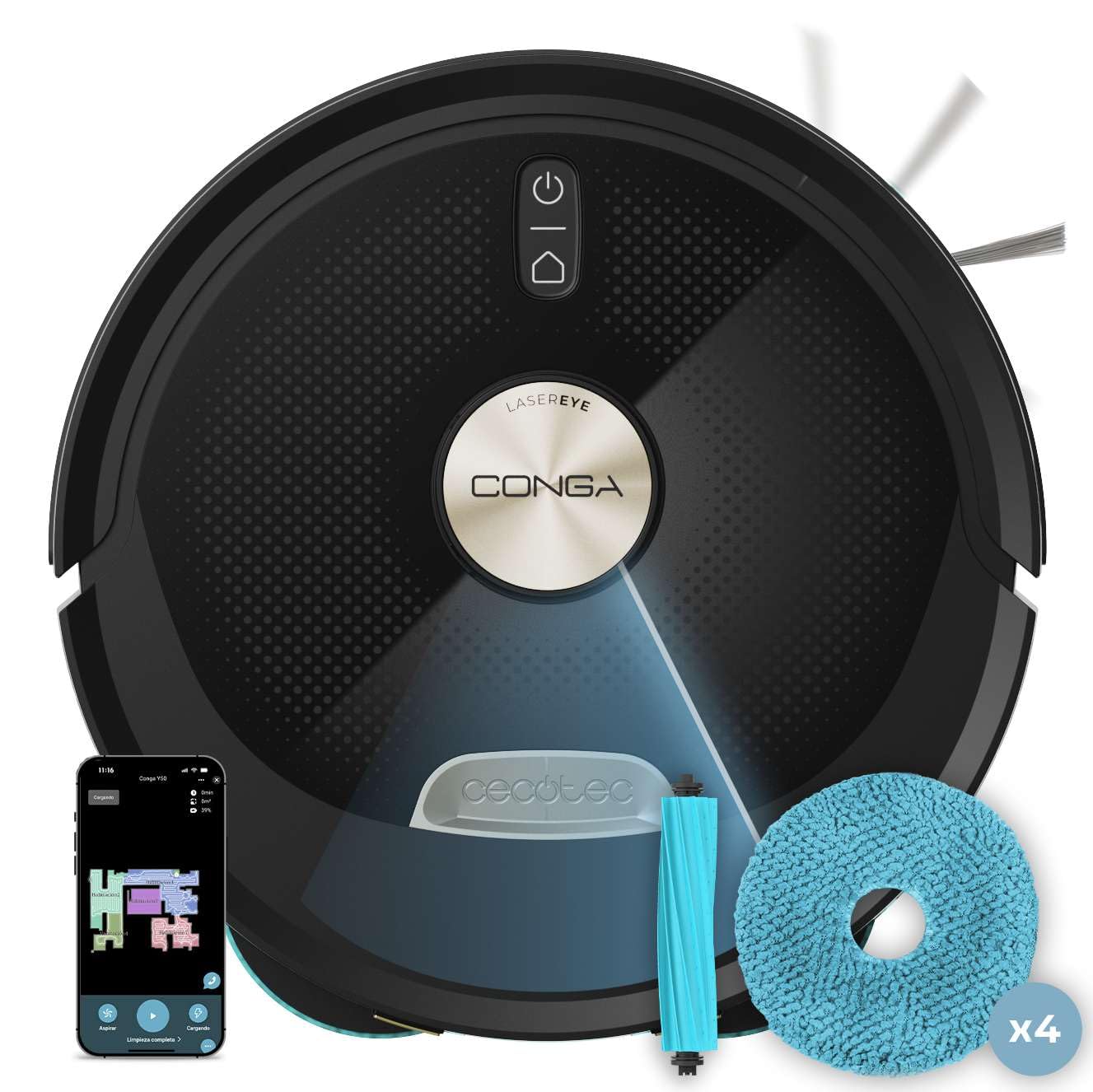
Hình ảnh 1: Trên cùng view of the Cecotec Conga M100 X-Treme robot vacuum and mop.

Hình ảnh 2: Mặt dưới view of the robot, highlighting the anti-tangle silicone brush and rotating mops.
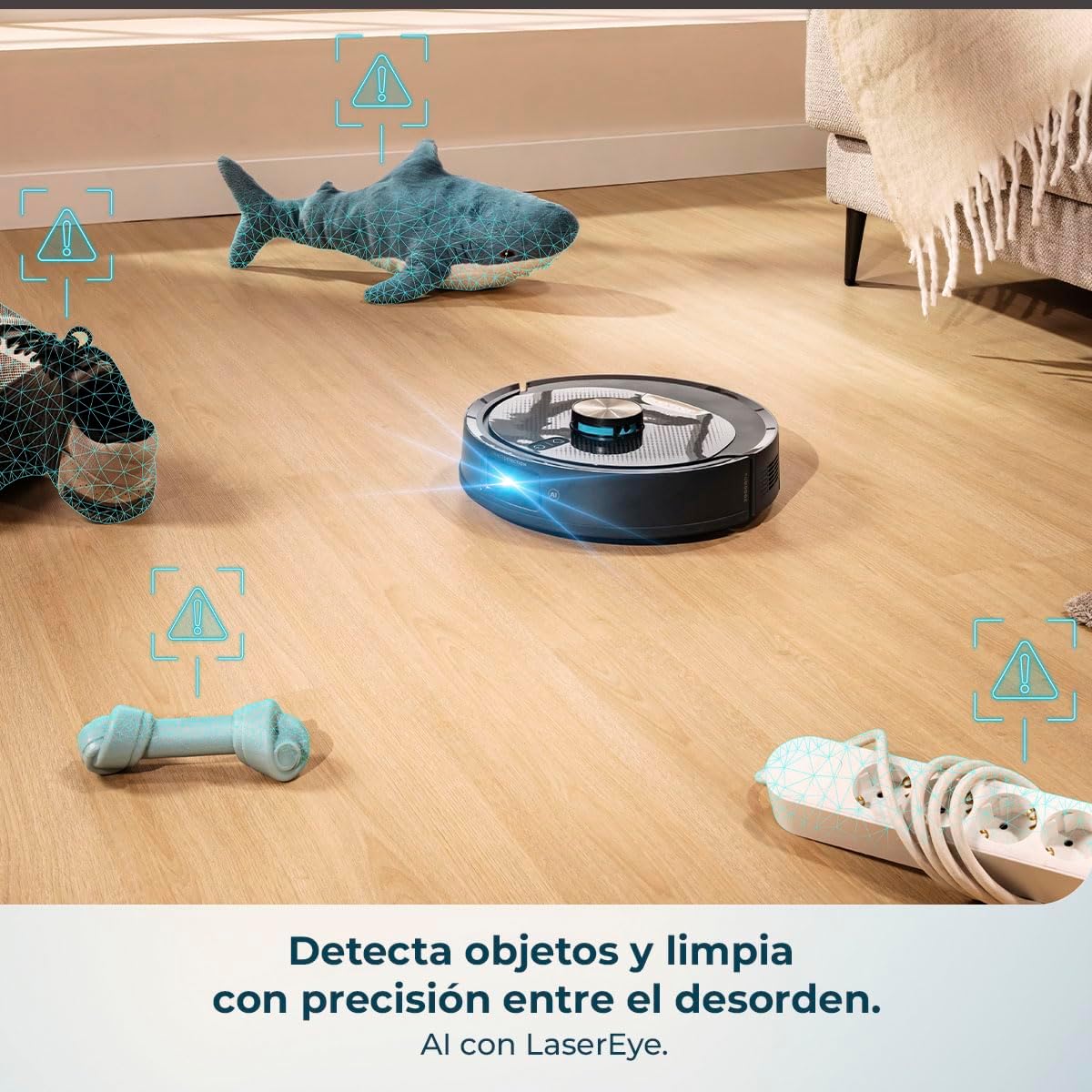
Image 3: The robot's AI and LaserEye technology detecting and navigating around objects like toys and power strips.
5. Thiết lập
5.1 Vị trí đặt đế sạc
- Đặt đế sạc dựa vào tường ở khu vực thoáng, đảm bảo khoảng trống tối thiểu 1 mét ở cả hai bên và 2 mét phía trước.
- Kết nối bộ đổi nguồn với đế sạc và cắm vào ổ cắm điện.
- Ensure the charging base is placed on a hard, flat surface and not on carpet.
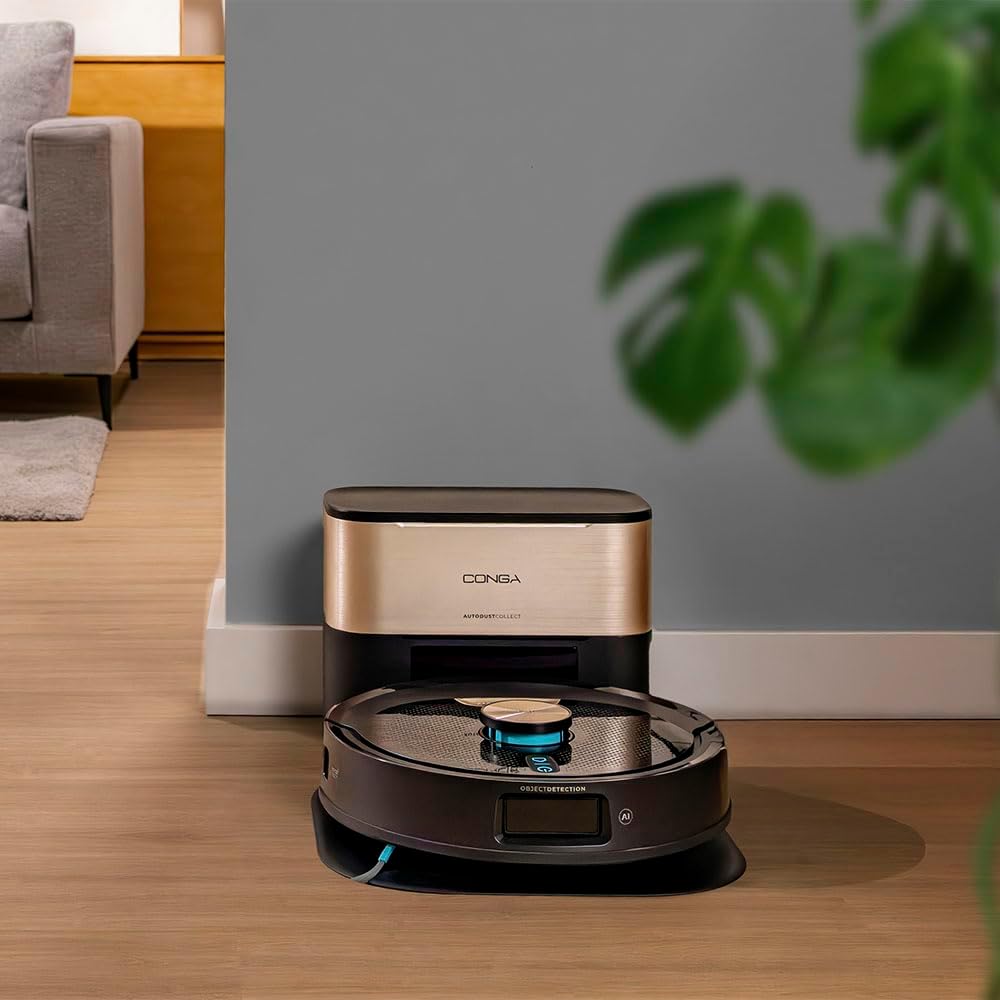
Image 4: The robot returning to its charging base.
5.2 Sạc ban đầu
Place the robot on the charging base. The indicator light on the robot will show its charging status. For first use, allow the robot to charge completely, which may take several hours.
5.3 Cài đặt và ghép nối ứng dụng
- Download the official Cecotec APP 3.0 from your smartphone's app store (iOS or Android).
- Follow the in-app instructions to create an account and pair your Conga M100 X-Treme robot. This typically involves connecting to the robot's Wi-Fi network and then to your home Wi-Fi (2.4 GHz network required).
- The app allows for easy and quick linking via Bluetooth and Wi-Fi.

Image 5: Easy and fast pairing of the robot with the mobile app.
6. Hướng dẫn vận hành
6.1 Bắt đầu và dừng vệ sinh
- Khởi động thủ công: Nhấn nút nguồn trên robot một lần để bắt đầu chu trình làm sạch tổng quát.
- Bắt đầu ứng dụng: Open the APP 3.0 and select the desired cleaning mode or area to start cleaning.
- Tạm dừng/Dừng: Press the power button again or use the app to pause or stop the cleaning cycle.
6.2 Using the APP 3.0
The APP 3.0 provides comprehensive control over your robot:
- Define Cleaning Zones: Create specific areas for the robot to clean or avoid.
- Set Restricted Areas: Mark virtual walls or no-go zones where the robot should not enter.
- Điều chỉnh lực hút: Choose between Silent, Normal, Turbo, or Max suction levels.
- Kiểm soát lưu lượng nước: Adjust the water flow for mopping (Low, Medium, High) based on floor type.
- Lên lịch vệ sinh: Set up daily or weekly cleaning schedules.
- View Bản đồ dọn dẹp: Monitor the robot's progress and cleaning map in real-time.

Image 6: The mobile app interface for defining cleaning zones and adjusting settings.
6.3 Automatic Return to Base
When the battery is low or a cleaning cycle is complete, the robot will automatically return to its charging base. Thanks to Total Surface 3.0, if the battery runs low during a cleaning cycle, the robot will recharge and then resume cleaning from where it left off.

Image 7: The robot ensures the cleaning plan is always completed by returning to its base for recharging.
6.4 Phát hiện thảm và nâng cây lau nhà
The robot is equipped with a Spin Up system that detects carpets and automatically lifts the rotating mops to prevent them from getting wet, ensuring only vacuuming occurs on carpeted surfaces.

Image 8: The Spin Up system lifts the mops to protect carpets from moisture.
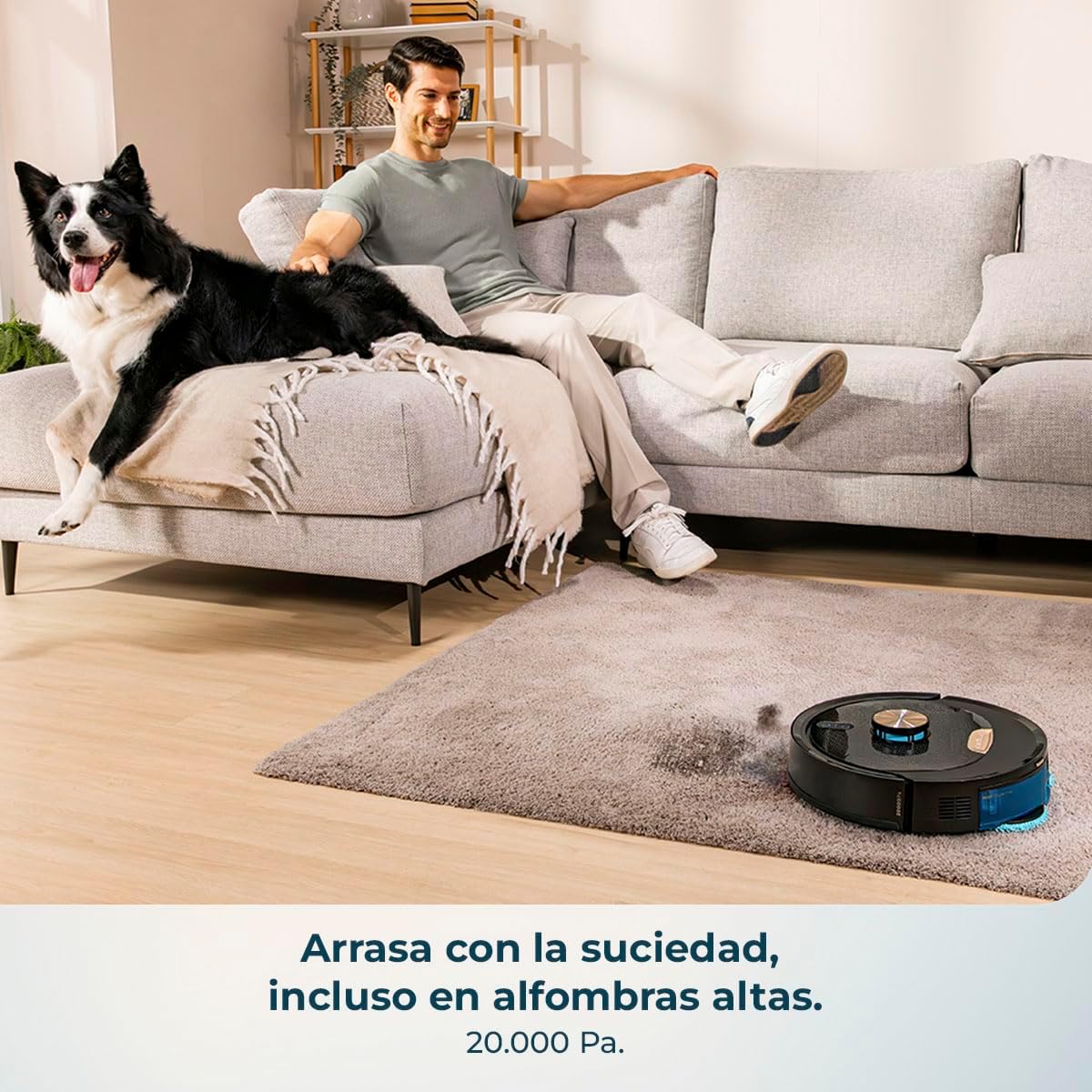
Image 9: The robot effectively cleans carpets with its powerful suction.

Image 10: The robot is capable of cleaning large areas up to 220 m² without interruption.
7. Bảo trì
Regular maintenance ensures the longevity and optimal performance of your robot.
7.1 Vệ sinh thùng chứa bụi và bộ lọc
- Đổ sạch thùng rác sau mỗi chu kỳ làm sạch.
- Clean the primary filter and HEPA filter regularly with the provided cleaning tool. Do not wash HEPA filters with water.
7.2 Chổi chính và chổi phụ
- Remove the main anti-tangle silicone brush and clean any hair or debris wrapped around it using the cleaning tool.
- Check and clean the side brushes for tangled hair or debris. Replace them if they are worn or damaged.

Image 11: The anti-tangle silicone brush effectively collects debris without getting tangled.
7.3 Rotating Mops
- Remove the rotating mops after each mopping session.
- Wash the mops with water and mild detergent. Allow them to air dry completely before reattaching.
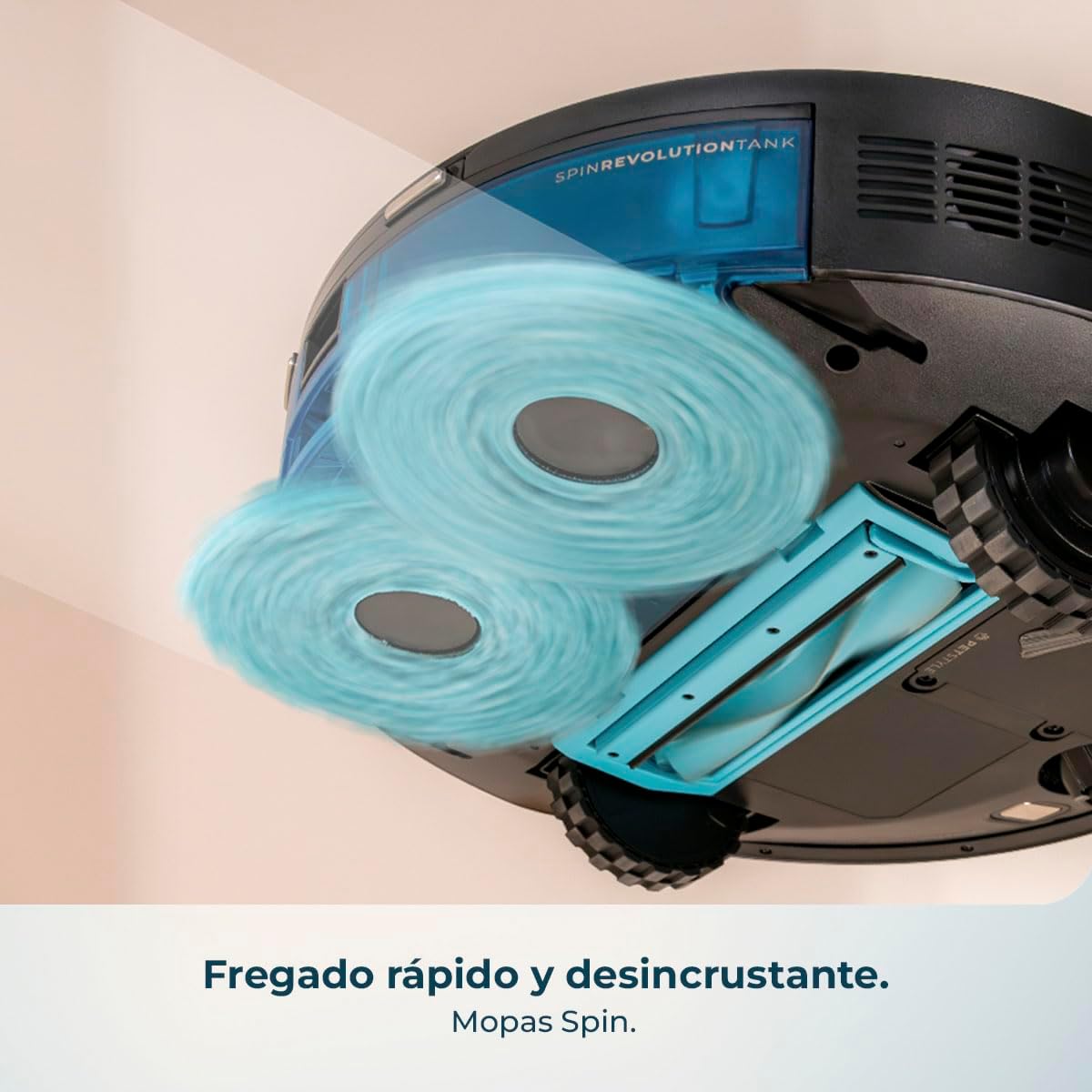
Image 12: The rotating mops provide powerful and thorough scrubbing for effective stain removal.
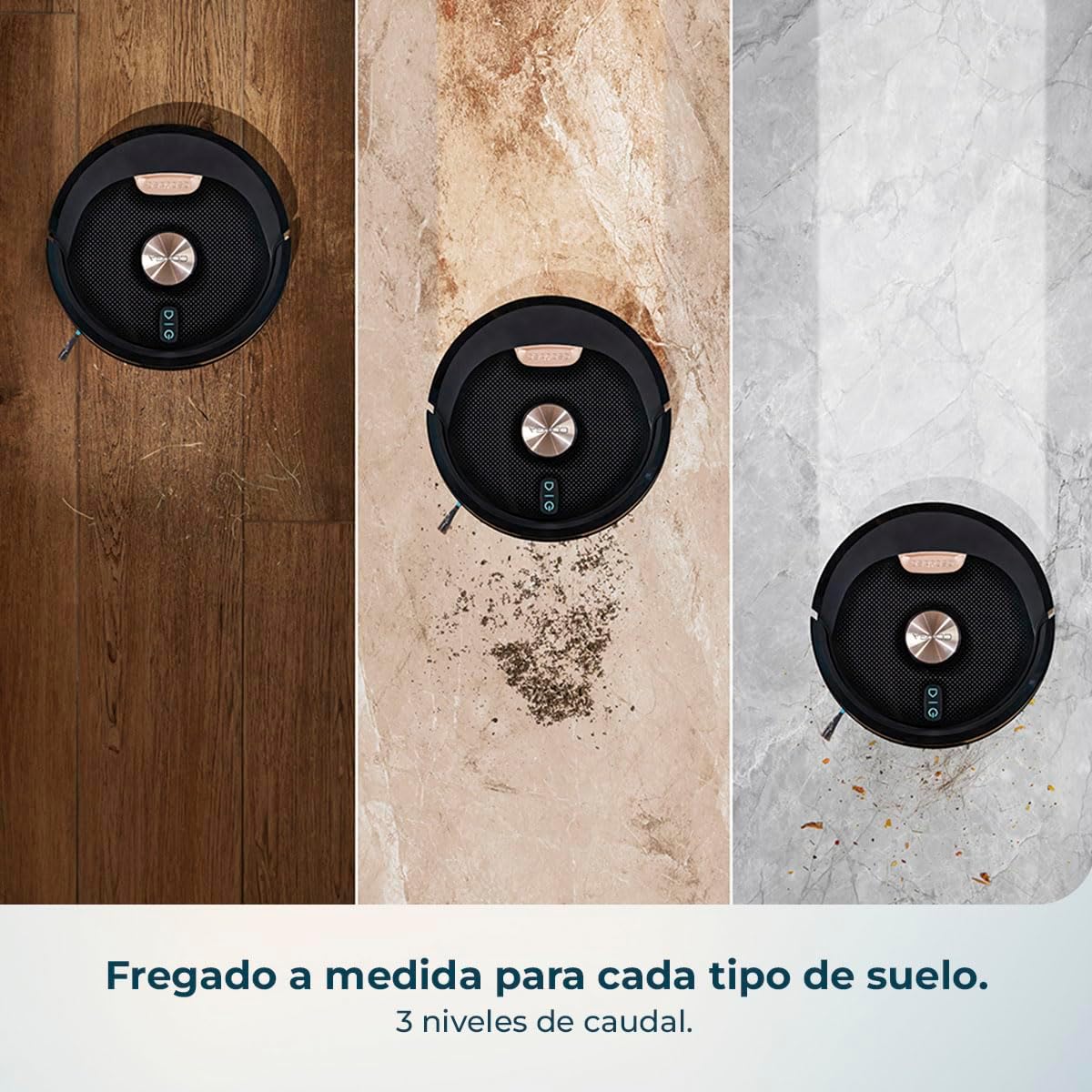
Image 13: The robot offers tailored mopping with 3 levels of water flow for various floor types.
7.4 Cảm biến và tiếp điểm sạc
- Wipe the cliff sensors, object detection sensors, and charging contacts on both the robot and the charging base with a dry, soft cloth.
KHAI THÁC. Xử lý sự cố
| Vấn đề | Nguyên nhân có thể | Giải pháp |
|---|---|---|
| Robot không bật | Pin yếu; Nút nguồn không được nhấn đúng cách | Charge the robot; Press and hold the power button for a few seconds. |
| Robot không sạc | Các điểm tiếp xúc sạc bị bẩn; Đế sạc không được cấp nguồn. | Clean charging contacts; Ensure charging base is plugged in and powered. |
| Hiệu suất làm sạch kém | Thùng chứa bụi đầy; Chổi bị rối; Bộ lọc bị tắc | Empty dustbin; Clean brushes; Clean or replace filters. |
| Robot thường xuyên bị kẹt | Vật cản trên sàn; Cảm biến bị bẩn | Dọn sạch các vật cản trên sàn; Vệ sinh tất cả các cảm biến. |
| Sự cố kết nối ứng dụng | Incorrect Wi-Fi password; Robot too far from router; 5GHz Wi-Fi network | Kiểm tra lại mật khẩu Wi-Fi; Di chuyển robot đến gần bộ định tuyến hơn; Đảm bảo đang sử dụng Wi-Fi 2.4GHz. |
9. Thông số kỹ thuật
| Tính năng | Đặc điểm kỹ thuật |
|---|---|
| Thương hiệu | Cecotec |
| Tên mẫu | Conga M100 X-Treme |
| Đề xuất bề mặt | Tất cả các bề mặt |
| Chức năng đặc biệt | Cyclonic action |
| Màu sắc | Đen |
| Kích thước sản phẩm | 31D x 31R x 12.5C cm |
| Loại bộ điều khiển | Kiểm soát ứng dụng |
| Thành phần của pin | Pin Lithium Ion |
| Tậptage | 240 vôn |
10. Video sản phẩm chính thức
Video 1: This video demonstrates the key features of the Cecotec Conga M100 X-Treme, including its AI navigation, object detection, powerful suction on carpets, rotating mop system, and app control capabilities.
11. Bảo hành và Hỗ trợ
Your Cecotec Conga M100 X-Treme comes with a standard manufacturer's warranty. For detailed warranty information, product support, or service inquiries, please refer to the warranty card included in your package or visit the official Cecotec webtrang web. Giữ lại biên lai mua hàng làm bằng chứng mua hàng khi yêu cầu bảo hành.


