Giới thiệu
Thank you for choosing the GMBACK Wireless Pro Controller. This manual provides detailed instructions for setting up, operating, and maintaining your controller to ensure optimal performance and an enhanced gaming experience. Please read this manual thoroughly before use.
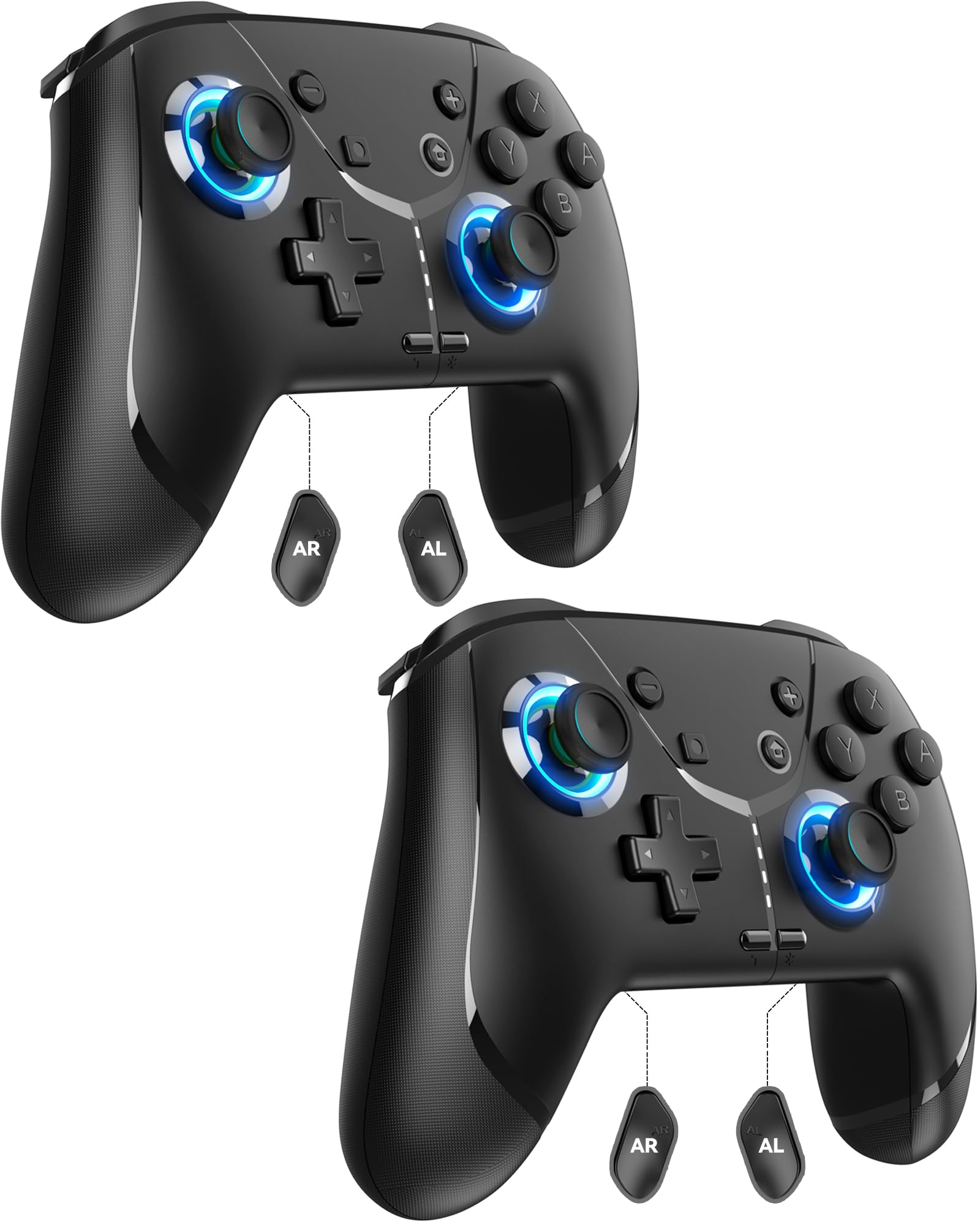
Image: GMBACK Wireless Pro Controller, front view.
Nội dung gói
- 2 x GMBACK Wireless Pro Controllers
- 2 x Cáp sạc USB-C
- 1 x Hướng dẫn sử dụng
Bắt đầu
1. Ghép nối với Nintendo Switch
- Đảm bảo máy chơi game Nintendo Switch của bạn được bật nguồn và cập nhật lên phần mềm hệ thống mới nhất.
- Từ Menu HOME, chọn 'Controllers', sau đó 'Change Grip/Order'.
- On the GMBACK controller, press and hold the Nút đồng bộ (located on the top edge near the USB-C port) for 3-5 seconds until the LED indicators begin to flash rapidly.
- The controller will automatically pair with the Switch. Once paired, the player LED(s) on the bottom of the controller will light up solid.

Image: GMBACK Wireless Pro Controller connected to a Nintendo Switch console.
2. Kết nối với máy tính (có dây)
- Connect the GMBACK controller to your PC using the provided USB-C cable.
- The controller will be recognized as a standard gamepad. Drivers may install automatically.
- For optimal compatibility, ensure your PC's operating system is up to date.
3. Sạc bộ điều khiển
- Connect the controller to a USB power source (e.g., Switch dock, PC, USB wall adapter) using the provided USB-C cable.
- Các đèn LED sẽ hiển thị trạng thái sạc. Thông thường, thời gian sạc đầy là 2-3 giờ.
- The controller features an 800mAh battery, providing approximately 15-20 hours of playtime on a full charge.

Image: Visual representation of the 800mAh battery, 15-20 hours playtime, and 2-3 hours charging time.
Các tính năng và chức năng chính
1. Loop Macro Function
The controller supports a loop macro function, allowing you to record and replay a sequence of up to 30 seconds of button presses and joystick movements. This includes joysticks, triggers, D-pad, ABXY, and +/- buttons.
- Để ghi lại: Refer to the detailed instructions in the included user manual for specific recording steps.
- To Start/Stop Loop: Giữ chặt Nút Turbo và Nút macro simultaneously. The controller will automatically replay your recorded actions in a continuous loop.

Hình ảnh: Phía sau view of the controller highlighting the AR and AL programmable buttons and the text 'Loop Macro Function'.
2. Cảm biến con quay hồi chuyển 6 trục
The integrated 6-axis gyro sensor provides precise motion detection, allowing for intuitive control in compatible games that utilize motion sensing. This enhances immersion and gameplay accuracy.

Image: Controller being used for a racing game, illustrating the 6-Axis Gyro Sensor feature.
3. Customizable Turbo Function
The controller offers three adjustable turbo speeds for rapid-fire actions. This feature can be set to either auto-fire or manual-fire mode.
- Để điều chỉnh tốc độ turbo: Refer to the included user manual for specific button combinations to cycle through the three turbo speeds.
- To Activate/Deactivate Turbo: Nhấn nút Nút Turbo along with the desired action button.

Image: Controller displaying the 'Auto & Manual Turbo' feature with a gaming background.
4. Dual Vibration Adjustment
Experience immersive feedback with four levels of dual vibration intensity: None, Weak, Medium, and Strong. Adjust the vibration to your preference for different games.
- To Adjust Vibration: Consult the user manual for the specific button combination to cycle through vibration levels.

Image: Controller illustrating the four levels of dual vibration: None, Weak, Medium, Strong.
5. Chiếu sáng RGB
The controller features dynamic RGB lighting around the joysticks, enhancing the visual appeal during gameplay. The lighting can be adjusted or turned off.
- To Adjust RGB Lighting: Refer to the user manual for instructions on changing lighting modes or turning off the lights.

Image: Controller showcasing its RGB lighting feature around the joysticks.
6. Remappable ABXY Buttons
The ABXY buttons can be remapped to switch between Nintendo Switch and Xbox layouts, providing flexibility for different gaming preferences without needing to physically remove any buttons.
- To Remap ABXY: Follow the instructions in the user manual for the specific button sequence to switch layouts.

Image: Controller illustrating the ABXY button function switching between Nintendo Switch and Xbox layouts.
7. Screenshot and Home Wake-up
- The controller includes a dedicated Nút chụp màn hình for capturing in-game moments.
- Các Nút trang chủ can be used to wake up your Nintendo Switch console from sleep mode.
BẢO TRÌ
- Vệ sinh: Sử dụng vải mềm, khô để vệ sinh bộ điều khiển. Tránh sử dụng hóa chất mạnh hoặc vật liệu mài mòn.
- Kho: Bảo quản bộ điều khiển ở nơi khô ráo, thoáng mát, tránh ánh nắng trực tiếp và nhiệt độ cao.
- Chăm sóc pin: Để kéo dài tuổi thọ pin, tránh xả hết pin bộ điều khiển thường xuyên. Hãy sạc pin thường xuyên, ngay cả khi không sử dụng liên tục.
Xử lý sự cố
- Bộ điều khiển không kết nối:
- Đảm bảo bộ điều khiển đã được sạc.
- Verify the Switch is in 'Change Grip/Order' mode.
- Try restarting both the Switch and the controller.
- Đảm bảo không có thiết bị không dây nào khác gây nhiễu.
- Các nút không phản hồi:
- Check if the controller is properly paired.
- Test button functionality in Switch system settings.
- Ensure the controller's firmware is up to date (if applicable, check GMBACK support webĐịa điểm).
- Sự cố sạc:
- Hãy sử dụng cáp USB-C được cung cấp kèm theo.
- Hãy thử nguồn điện USB khác.
- Đảm bảo cổng sạc trên bộ điều khiển sạch sẽ và không có mảnh vụn nào.
Thông số kỹ thuật
| Tính năng | Chi tiết |
|---|---|
| Người mẫu | HD6900 |
| Khả năng tương thích | Nintendo Switch 2, Switch, Switch Lite, Switch OLED, Windows PC (wired) |
| Dung lượng pin | 800mAh |
| Giờ chơi | 15-20 giờ |
| Thời gian sạc | 2-3 giờ |
| Kết nối | Không dây (Bluetooth), Có dây (USB-C) |
| Tính năng đặc biệt | Loop Macro, 6-Axis Gyro Sensor, Dual Vibration (4 levels), Adjustable Turbo (3 speeds), RGB Lighting, Remappable ABXY, Screenshot, Home Wake-up |
| Trọng lượng sản phẩm | 8.5 ounce |
| Kích thước gói hàng | 6.54 x 5.31 x 5.28 inch |
Video sản phẩm chính thức
Video: Kết thúcview of the GMBACK Wireless Switch Controller, demonstrating its features and compatibility with Nintendo Switch, Switch Lite, and Switch OLED consoles.
Bảo hành & Hỗ trợ
GMBACK products come with a standard manufacturer's warranty. For detailed warranty information, technical support, or any inquiries regarding your controller, please refer to the contact information provided on the product packaging or visit the official GMBACK webđịa điểm.

Image: Icon representing customer support.
