1. Giới thiệu
The Nothing Ear (3) wireless earbuds are designed to provide a high-quality audio experience with advanced features for various activities. This manual provides essential information for setting up, operating, and maintaining your earbuds.
2. Có gì trong hộp
- Nothing Ear (3) Earbuds
- Vỏ sạc không dây
- Cáp USB-C sang USB-C
- Eartips (XS / S / L)
- Hướng dẫn sử dụng
- Thông tin về An toàn và Bảo hành

Image: All items included in the Nothing Ear (3) product packaging.
3. Thiết lập
3.1 Ghép nối ban đầu
- Ensure your Nothing Ear (3) earbuds are in the charging case and the case is charged.
- Open the charging case lid. The indicator light should begin to flash, indicating pairing mode.
- On your device (smartphone, tablet, laptop), go to Bluetooth settings and select "Nothing Ear (3)" from the list of available devices.
- Làm theo bất kỳ lời nhắc nào trên màn hình để hoàn tất quá trình ghép nối.
3.2 Nothing X App Installation
For full functionality and customization, download the Nothing X app from your device's app store. The app allows you to adjust EQ settings, manage Active Noise Cancellation, customize controls, and access other advanced features.

Image: The Nothing X App provides comprehensive control over your Ear (3) earbuds.
4. Hướng dẫn vận hành
4.1 Điều khiển cảm ứng
The Nothing Ear (3) features intuitive pinch controls on the earbud stems. These controls can be customized via the Nothing X app.
- Single Pinch: Phát/Tạm dừng âm thanh, Trả lời/Kết thúc cuộc gọi.
- Double Pinch: Skip forward, Decline incoming call.
- Triple Pinch: Bỏ lại.
- Pinch & Hold: Toggle Noise Control (ANC/Transparency/Off).
- Double Pinch & Hold: Volume down (customizable).
4.2 Khử tiếng ồn chủ động (ANC) & Chế độ trong suốt
The earbuds offer up to 45 dB of Smart Hybrid ANC to reduce ambient noise. Transparency Mode allows you to hear your surroundings without removing the earbuds.
- Chế độ chuyển đổi: Use the Pinch & Hold gesture on either earbud to cycle through ANC, Transparency, and Off modes.
- ANC thích ứng: The Nothing X app allows for adaptive ANC settings, adjusting noise cancellation levels based on your environment.

Image: Visualizing the noise control features of Nothing Ear (3).
4.3 Super Mic Feature
The charging case integrates a dual-microphone system, called Super Mic, designed to enhance voice clarity by targeting your voice and reducing background noise up to 95 dB during calls.
- Kích hoạt: Press and hold the 'TALK' button on the charging case. For optimal clarity in loud settings, hold the case within 5cm of your mouth.
- Quick Commands: Hold the 'TALK' button for quick commands.
- Extended Conversations: Double-tap the 'TALK' button to lock it for longer conversations.
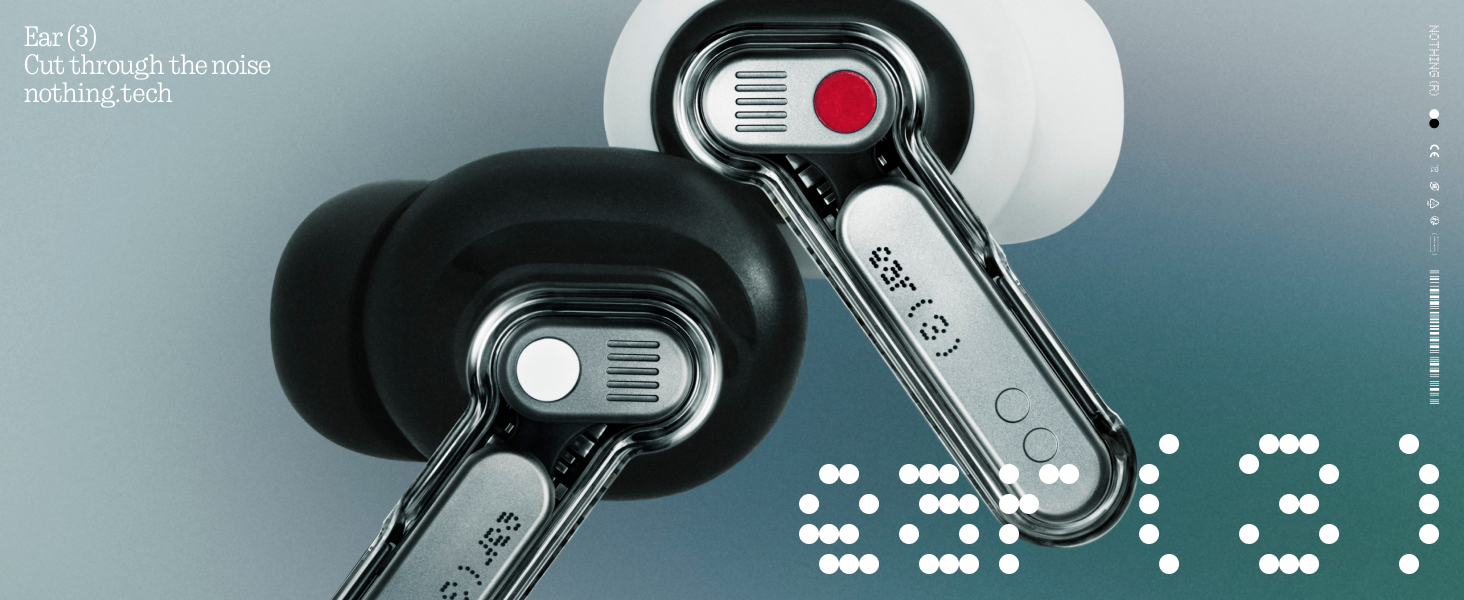
Image: The Super Mic feature in use for clear communication.
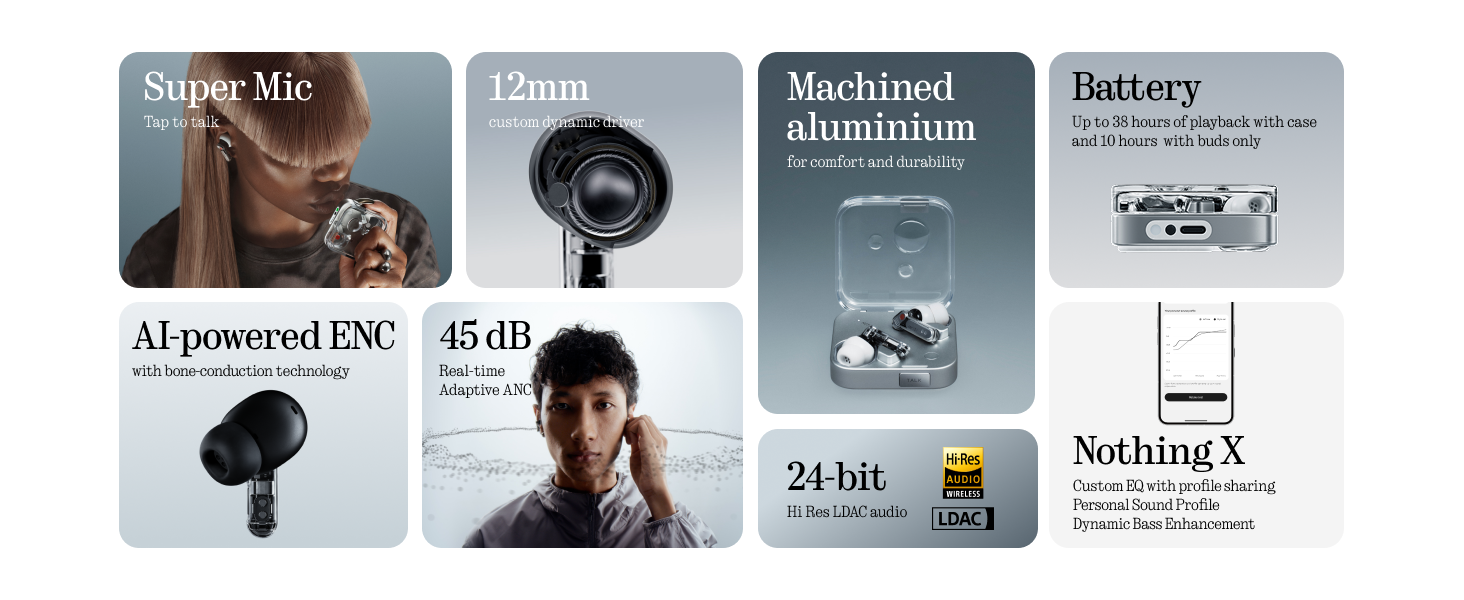
Image: The 'TALK' button on the charging case for Super Mic activation.
4.4 Âm thanh không gian
Experience immersive sound with Spatial Audio. This feature can be toggled between 'Fixed' and 'Off' modes within the Nothing X app.
4.5 Low Lag Mode (Gaming)
Activate Low Lag Mode via the Nothing X app for optimized audio synchronization during gaming sessions on compatible devices.
4.6 Kết nối kép
The earbuds support Bluetooth 5.4 with Dual Connect, allowing seamless switching between two paired devices (e.g., phone and laptop).
5. Sạc và Pin
The Nothing Ear (3) provides up to 10 hours of continuous playback, with a total of 38 hours using the charging case. A quick 10-minute charge can provide an additional 10 hours of use.
- Sạc có dây: Use the provided USB-C to USB-C cable to charge the case.
- Sạc không dây: Hộp sạc hỗ trợ sạc không dây.

Image: Battery life and charging capabilities of Nothing Ear (3).
6. Bảo trì và chăm sóc
- Khả năng chống nước: The earbuds have an IP54 rating, making them water resistant and suitable for workouts and light rain. The charging case also has an IP54 rating.
- Vệ sinh: Regularly clean the earbuds and charging case with a soft, dry cloth. Ensure no moisture enters the charging ports or speaker grilles.
- Mẹo nhỏ: Remove and clean eartips periodically. Replace them if they show signs of wear or damage.
KHAI THÁC. Xử lý sự cố
- Không có âm thanh: Đảm bảo tai nghe được sạc, ghép nối đúng cách và âm lượng ở cả tai nghe và thiết bị đều ở mức lớn.
- Vấn đề ghép nối: Place earbuds back in the case, close the lid, then open it again to re-enter pairing mode. Forget the device on your phone's Bluetooth settings and try pairing again.
- ANC không hoạt động: Check ANC settings in the Nothing X app. Ensure eartips provide a good seal.
- Chất lượng cuộc gọi kém: Ensure Super Mic is activated correctly in noisy environments. Check earbud microphone grilles for obstructions.
- Sự cố ứng dụng: Ensure the Nothing X app is updated to the latest version. Restart the app or your device if problems persist.
8. Thông số kỹ thuật
| Tên mẫu | Nothing Ear (3) |
| Số hiệu mẫu sản phẩm | B173 |
| Kiểm soát tiếng ồn | Công nghệ khử tiếng ồn chủ động kết hợp (lên đến 45 dB) |
| Công nghệ kết nối | Bluetooth 5.4, Không dây |
| Kích thước trình điều khiển âm thanh | Trình điều khiển động 12 milimét |
| Mức độ chống nước | IP54 (Earbuds & Case) |
| Tuổi thọ pin (Tai nghe) | Lên đến 10 giờ |
| Tổng thời lượng pin (có vỏ) | Lên đến 38 giờ |
| Sạc nhanh | Sạc 10 phút cho 10 giờ phát nhạc. |
| Sạc không dây | Được hỗ trợ |
| Micro | 6 HD Microphones (earbuds), Dual-Microphone System (case for Super Mic) |
| Vật liệu | Nhôm, Nhựa |
| Trọng lượng sản phẩm | 71.4 Grams (Case) |
9. Video sản phẩm chính thức
Video: Một quan chức trênview of the Nothing Ear (3) Wireless Earbuds, highlighting key features like 45dB Hybrid ANC.
10. Bảo hành và Hỗ trợ
For warranty information and customer support, please refer to the 'Safety and Warranty Information' document included in your product packaging or visit the official Nothing webđịa điểm.


