1. Giới thiệu
The DOOGEE Fire 3 Pro is a rugged smartphone designed for durability and performance in challenging environments. It features a robust build, long-lasting battery, and advanced Android 15 operating system, making it suitable for outdoor activities and demanding daily use. This manual provides essential information for setting up, operating, and maintaining your device.
2. Có gì trong hộp
Carefully unpack your DOOGEE Fire 3 Pro and ensure all items are present:
- 1x DOOGEE Fire 3 Pro Smartphone
- 1x Cáp USB Type-C
- 1 bộ sạc 18W
- 1x Card Slot Opener
- 1x Dây đeo

Image: Contents of the DOOGEE Fire 3 Pro retail box, including the phone, charger, cable, card slot opener, and sling.
Video: Mở hộp và kết thúcview of the DOOGEE Fire 3 Pro Rugged Phone, demonstrating the contents and initial setup.
3. Sản phẩm hếtview
The DOOGEE Fire 3 Pro features a compact yet robust design, integrating essential components for reliable performance.
3.1 Đặc điểm vật lý
- Trưng bày: 5.5-inch IPS HD+ screen.
- Camera sau: 16MP main camera with AI features.
- Camera trước: 8MP để chụp ảnh tự sướng và gọi video.
- Nút bên: Customizable for quick access to functions.
- Cổng: USB Type-C for charging and data, 3.5mm audio jack.
- Khe cắm SIM/Thẻ nhớ TF: Supports 4G Dual SIM (2 Nano SIM cards or 1 Nano SIM card + 1 TF card).

Hình ảnh: Mặt trước view of the DOOGEE Fire 3 Pro, highlighting its compact design and display.

Hình ảnh: Chi tiết view of the phone's side features, including the 3.5mm headphone jack, customizable key, NFC area, and dual card slots.
4. Thiết lập
4.1 Lắp đặt thẻ SIM và thẻ TF
- Tìm khe cắm thẻ SIM/TF ở cạnh bên của điện thoại.
- Sử dụng dụng cụ mở khe cắm thẻ được cung cấp để đẩy khay ra.
- Place your Nano SIM card(s) and/or TF card into the designated slots. Ensure correct orientation.
- Cẩn thận lắp lại khay vào điện thoại cho đến khi khớp vào đúng vị trí.
4.2 Sạc thiết bị
Connect the provided 18W charger and Type-C USB cable to the phone's charging port. The 8350mAh battery supports fast charging. The phone also supports OTG reverse charging, allowing it to power other devices.

Image: Visual representation of the 8350mAh battery capacity and 18W fast charging capability, including OTG support.
4.3 Bật nguồn ban đầu
Press and hold the Power button until the DOOGEE logo appears. Follow the on-screen instructions to complete the initial setup, including language selection, Wi-Fi connection, and Google account setup.
5. Hướng dẫn vận hành
5.1 Tính năng hiển thị
The 5.5-inch IPS HD+ display offers a resolution of 720x1440 with 295 PPI and a 60Hz refresh rate. It provides clear visibility even in bright outdoor conditions with up to 400 nits brightness. Widevine L1 support ensures high-definition streaming content playback.

Image: The 5.5-inch IPS HD+ display, showcasing its resolution, refresh rate, and pixel density.
5.2 Sử dụng máy ảnh
Capture moments with the 16MP main camera and 8MP front camera. The phone includes AI intelligent scene recognition, portrait mode, and panorama shooting. An underwater camera mode is also available for capturing photos in wet environments.
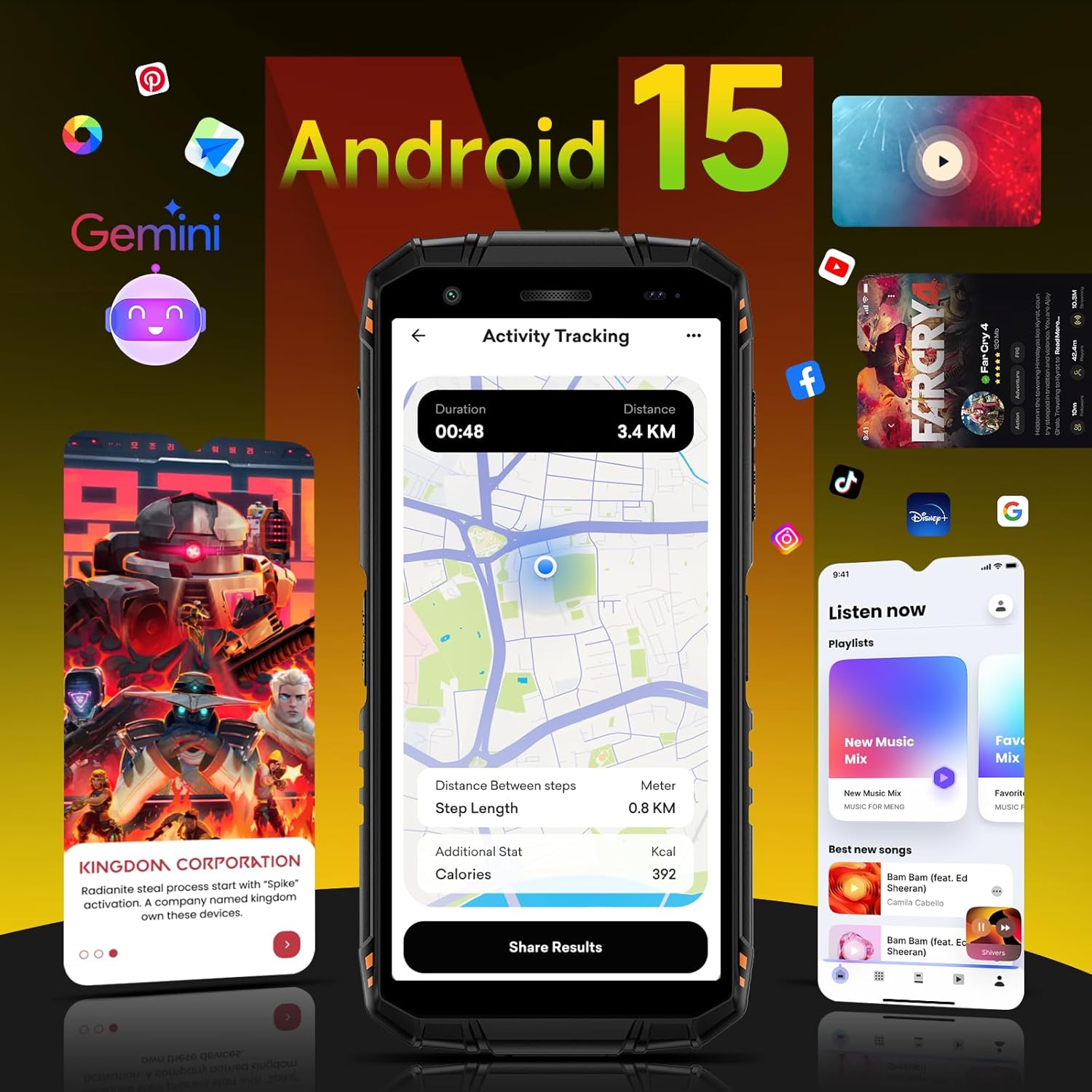
Image: The phone's camera module and examples of photos taken with the 16MP rear and 8MP front cameras, including an underwater shot.
5.3 Hiệu suất và Phần mềm
The DOOGEE Fire 3 Pro is powered by an octa-core processor and runs on Android 15, offering a smooth and personalized user experience. It features 16GB RAM (4GB physical + 12GB virtual) and 128GB internal storage, expandable up to 2TB with a TF card. The device also integrates Gemini AI for enhanced functionality.

Image: Diagram illustrating the 16GB RAM (4GB physical + 12GB virtual) and 128GB ROM, with support for up to 2TB TF card expansion.

Image: The Android 15 operating system interface, highlighting its features and customization options.

Image: The DOOGEE Fire 3 Pro integrated with Gemini AI, illustrating its capabilities for conversational interaction, functional applications, and technical implementation.
Video: A detailed look at the DOOGEE Fire 3 Pro's features, including its Android 15 OS, processor, and overall performance.
5.4 Multi-functional Toolkit and Navigation
The phone includes a multi-functional toolkit with various utility apps. For navigation, it supports GPS, GLONASS, Galileo, and BEIDOU systems for precise location tracking.

Hình ảnh: Trênview of GPS navigation capabilities, Widevine L1 streaming support, and the integrated multi-functional toolbox.
6. Tính năng độ bền
The DOOGEE Fire 3 Pro is built to withstand harsh conditions, certified with military-grade durability standards.
- IP68 & IP69K: Dustproof and waterproof, capable of submersion up to 1.5 meters for 30 minutes.
- MIL-STD-810H: Military standard certification for drop resistance up to 1.5 meters.
- 360° Dustproof: Comprehensive protection against dust ingress.

Image: The DOOGEE Fire 3 Pro highlighting its IP68, IP69K, and MIL-STD-810H certifications for water, dust, and drop resistance.
7. Thông số kỹ thuật
| Tính năng | Chi tiết |
|---|---|
| Tên mẫu | DOOGEE Fire3 Pro |
| Hệ điều hành | Android 15 |
| Bộ xử lý | Octa-core (Unisoc T7200) |
| ĐẬP | 16 GB (4GB bộ nhớ vật lý + 12GB bộ nhớ ảo) |
| Bộ nhớ trong | 128GB |
| Bộ nhớ mở rộng | Hỗ trợ tối đa 2 TB (thẻ TF) |
| Kích thước màn hình | 5.5 inch |
| Kiểu hiển thị | IPS HD+ |
| Nghị quyết | 720 x1440 |
| Tốc độ làm mới | 60Hz |
| Camera chính | 16MP |
| Camera trước | 8MP |
| Dung lượng pin | 8350mAh |
| Sạc nhanh | 18W |
| Xếp hạng độ bền | IP68, IP69K, MIL-STD-810H |
| Kết nối | 4G Dual SIM, Bluetooth, NFC, Wi-Fi 2.4G/5G |
| Điều hướng | GPS, GLONASS, Galileo, BEIDOU |
| Jack âm thanh | 3.5mm |
| Kích thước | 162.5 x 77.4 x 17.8mm |
| Cân nặng | 290g (0.63lb) |
KHAI THÁC. Xử lý sự cố
If you encounter issues with your DOOGEE Fire 3 Pro, consider the following common solutions:
- Thiết bị không bật nguồn: Đảm bảo pin đã được sạc. Kết nối bộ sạc và đợi vài phút trước khi thử bật lại.
- Tín hiệu mạng kém: Check your SIM card insertion. Ensure you are within network coverage. Note that Verizon/Cricket and AT&T are not supported.
- Ứng dụng bị sập hoặc đóng băng: Close background applications. Clear the cache of the problematic app or reinstall it. If the issue persists, consider a factory reset (back up your data first).
- Màn hình cảm ứng không phản hồi: Restart the device. If unresponsive, force restart by holding the power button for an extended period.
- Water or dust exposure: While the phone is rugged, ensure all port covers are securely closed before exposure to water or dust. If wet, dry thoroughly before charging.
For more complex issues, refer to the official DOOGEE support resources.
9. Bảo hành và Hỗ trợ
Your DOOGEE Fire 3 Pro comes with a standard manufacturer's warranty. Please refer to the warranty card included in your product packaging for specific terms and conditions. For technical support, software updates, or service inquiries, visit the official DOOGEE webtrang web hoặc liên hệ với dịch vụ khách hàng của họ.