1. Giới thiệu
This manual provides instructions for the safe and efficient use of your Baseus EnerFill Qi2 Certified MagSafe Power Bank, Model EnerFill FM12. Please read this manual thoroughly before use and retain it for future reference.
2. Tính năng sản phẩm
- Sạc không dây đạt chứng nhận Qi2 15W: Supports 15W wireless charging, offering faster power delivery compared to standard 7.5W Qi charging. Qi2 technology optimizes energy efficiency for stable charging.
- Dung lượng cao 10000mAh: Provides a 10000mAh battery capacity, capable of fully charging an iPhone 16 up to two times.
- Gắn nam châm mạnh: Features powerful 13N magnets for secure attachment to compatible devices, maintaining connection during movement.
- Sạc nhanh có dây 22.5W: Offers 22.5W fast charging via the USB-C port for quick device recharging.
- Thiết kế siêu nhẹ: Weighs 202g, making it highly portable for on-the-go use.
- Silicone Padding: Designed with silicone padding for a comfortable grip.
3. Nội dung gói hàng
- Baseus EnerFill Qi2 Certified MagSafe Power Bank (EnerFill FM12)
- Cáp sạc USB-C (x1)
4. Sản phẩm hếtview
The following images illustrate key features and components of the Baseus EnerFill FM12 Power Bank.
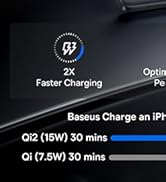
Image: Qi2 Certified 15W Wireless Charging. This image shows the power bank wirelessly charging a smartphone, highlighting the 15W output and MagSafe compatibility.
Image: Slim and Compact Design for Excellent Mobility. This image displays the power bank being held, emphasizing its compact size and portability.

Image: 10000mAh Capacity for All-Day Power. This image shows the power bank in use, demonstrating its capacity to charge devices multiple times.

Image: Snap & Charge Anywhere. This image highlights the magnetic attachment feature, showing the power bank securely connected to a smartphone.

Image: Two-Way Fast Charging. This image illustrates the power bank's capability for both wired (USB-C) and wireless charging.

Image: Low-Temperature Fast and Safe Charging. This image depicts the power bank's internal technology for managing temperature during charging.

Image: Silicone Padding for A Comfortable Grip. This image showcases the power bank's ergonomic design and the various color options available.
5. Thiết lập
5.1 Sạc pin dự phòng ban đầu
Before first use, fully charge the power bank using the provided USB-C cable and a compatible power adapter (not included). The LED indicators will show the charging status.
5.2 Kết nối thiết bị
- Sạc không dây: Align the power bank with the back of your MagSafe-compatible device. The magnetic connection will secure it in place, and wireless charging will begin automatically.
- Sạc có dây: Connect your device to the power bank's USB-C port using the provided USB-C cable.
6. Hướng dẫn vận hành
6.1 Sạc không dây
- Ensure your device is MagSafe compatible.
- Attach the power bank to the back of your device. The power bank will automatically detect the device and begin 15W wireless charging.
- Monitor your device's screen for charging confirmation.
6.2 Sạc có dây
- Connect one end of the USB-C cable to the power bank's USB-C port and the other end to your device's charging port.
- The power bank supports 22.5W wired fast charging.
6.3 Sạc pin dự phòng
- Connect the power bank to a power adapter using the USB-C cable.
- The LED indicators will show the current battery level and charging progress.
7. Bảo trì
- Vệ sinh: Hãy dùng khăn mềm, khô để lau sạch sạc dự phòng. Tránh sử dụng chất lỏng hoặc chất tẩy rửa có tính mài mòn.
- Kho: Bảo quản sạc dự phòng ở nơi khô ráo, thoáng mát, tránh ánh nắng trực tiếp và nhiệt độ cao.
- Chăm sóc pin: Để kéo dài tuổi thọ pin, tránh xả hết pin dự phòng thường xuyên. Hãy sạc pin thường xuyên, ngay cả khi không sử dụng trong thời gian dài.
KHAI THÁC. Xử lý sự cố
8.1 Sạc dự phòng không sạc được
- Hãy đảm bảo cáp USB-C được kết nối chắc chắn với cả pin dự phòng và bộ chuyển đổi nguồn.
- Kiểm tra xem bộ chuyển đổi nguồn có hoạt động bình thường hay không.
- Hãy thử cáp USB-C hoặc bộ đổi nguồn khác.
8.2 Thiết bị không sạc không dây
- Confirm your device is MagSafe compatible and properly aligned with the power bank.
- Remove any thick cases that might interfere with the magnetic connection or wireless charging.
- Hãy đảm bảo pin dự phòng có đủ điện.
8.3 Sạc chậm
- For optimal charging speed, use a compatible fast-charging adapter for the power bank itself.
- Ensure your device supports the charging speeds provided by the power bank (15W wireless, 22.5W wired).
- High temperatures can reduce charging efficiency; ensure the power bank is in a well-ventilated area.
9. Thông số kỹ thuật
| Người mẫu | Năng lượng FM12 |
| Thương hiệu | Cơ sở |
| Dung lượng pin | 10000mAh |
| Đầu ra không dây | 15W (Đạt chứng nhận Qi2) |
| Đầu ra có dây | 22.5W (USB-C PD) |
| Kích thước sản phẩm (D x R x C) | 10.2 x 6.8 x 1.3cm |
| Trọng lượng sản phẩm | 202 gam |
| Loại pin | Pin lithium-ion |
| Nguồn điện | Cable Electric (USB-C) |
| Đã bao gồm | 1x cáp USB-C |
10. Bảo hành và Hỗ trợ
10.1 Thông tin bảo hành
This Baseus EnerFill FM12 Power Bank is covered by a 24-month limited warranty from the date of purchase. This warranty covers manufacturing defects under normal use. Please retain your proof of purchase for warranty claims.
10.2 Hỗ trợ khách hàng
For technical assistance, troubleshooting, or warranty claims, please contact Baseus customer support through their official website or the retailer where the product was purchased. Please have your product model number and proof of purchase ready when contacting support.


