1. Kết thúcview
The TOWODE 2K Light Bulb Security Camera offers advanced surveillance features for your home. Designed for easy installation into standard E27 light sockets, this camera provides high-definition video, motion detection, two-way audio, and comprehensive area coverage. It is compatible with 2.4GHz Wi-Fi networks for wireless connectivity.
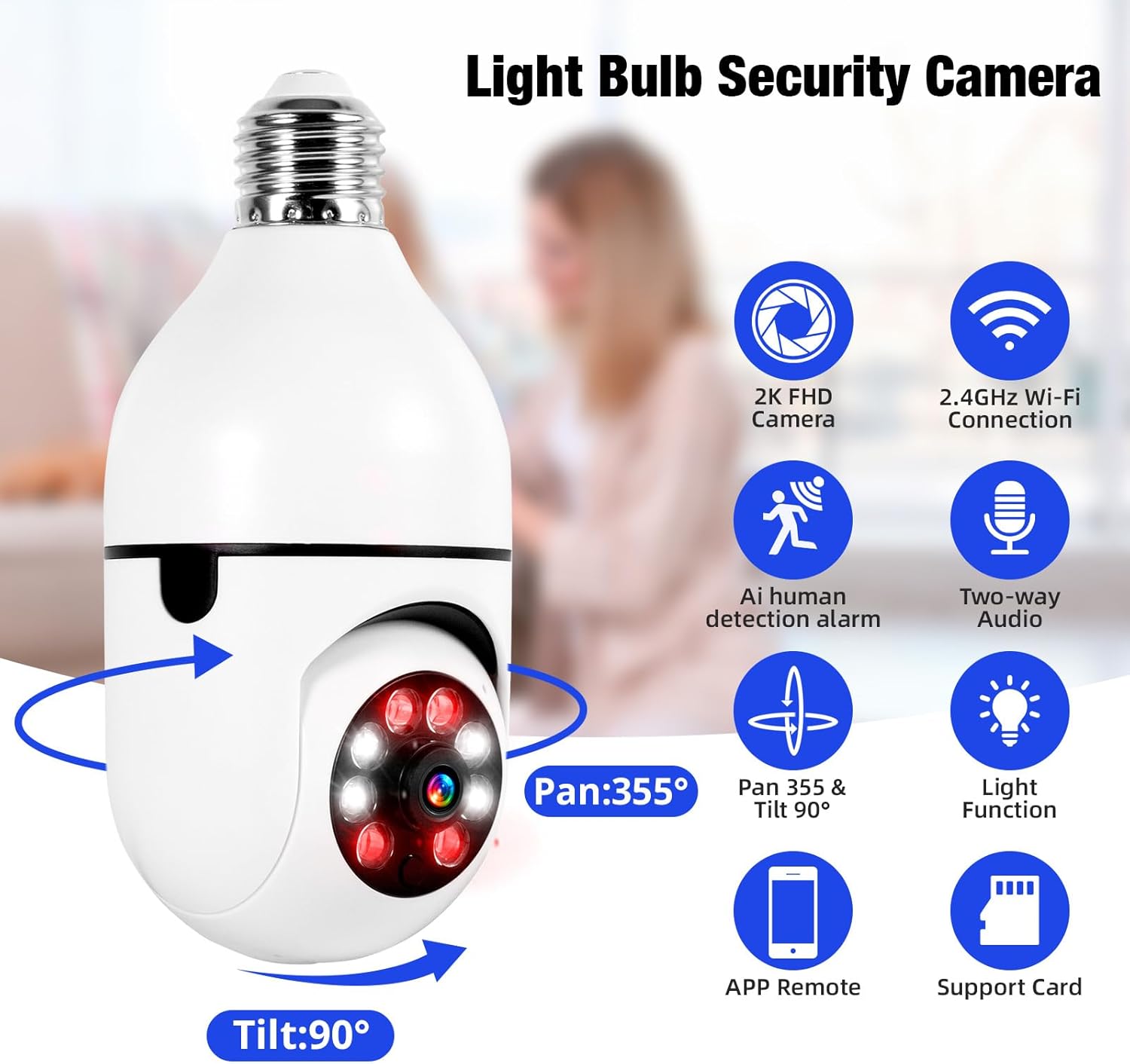
Image 1.1: The TOWODE 2K Light Bulb Security Camera, highlighting its 2K FHD camera, 2.4GHz Wi-Fi connection, AI human detection alarm, two-way audio, Pan 355° & Tilt 90° rotation, light function, APP remote control, and support for SD card storage.
2. Nội dung gói hàng
Xác minh rằng tất cả các mục đều có trong gói hàng của bạn:
- TOWODE 2K Light Bulb Security Camera (2 units)
- E27 Light Sockets (2 units)
- Hướng dẫn sử dụng
3. Tính năng sản phẩm
- High-Definition Image Quality: Features ultra-clear 2K resolution, four built-in infrared lights, and four white lights. Infrared automatically switches to full-color mode at night, capturing clear details in dark environments.
- Cài đặt dễ dàng: Fits standard E27 light sockets (compatible with 110V-240V). Plug-and-play screw-in installation requires no drilling or wiring. An adapter is included for direct power source connection.
- AI Human Detection & Real-Time Alarm: Supports two-way voice chat for communication. Effectively filters out environmental disturbances like rustling leaves. Customizable voice alarms and real-time alerts are sent to your phone upon anomaly detection.
- Toàn cảnh 360° View: Supports remote control with 355° horizontal rotation and 90° vertical pan. Provides nearly 360° panoramic monitoring without blind spots, handling wide-angle detection and precise tracking.
- Nhiều tùy chọn lưu trữ: Supports cloud storage, local Micro SD cards (up to 128GB), and cell phone memory for continuous 24/7 recording.
4. Thiết lập và Cài đặt
The camera is designed for simple installation, similar to replacing a light bulb.
- Chọn Vị trí: Select a location with a standard E27 light socket (110V-240V compatible) or a power source where the included adapter can be used. Ensure the location provides adequate Wi-Fi signal strength.
- Máy ảnh dạng vít: Carefully screw the camera into the E27 light socket. If using the adapter, plug the adapter into a power source and then screw the camera into the adapter.
- Bật nguồn: Ensure the light socket or power source is switched on. The camera will power up and initiate its startup sequence.

Image 4.1: A person demonstrating the easy installation of the light bulb camera by screwing it into a standard E27 socket.
5. Kết nối ứng dụng
To operate your camera, download the companion mobile application and connect it to your Wi-Fi network.
- Tải ứng dụng: Tìm kiếm the 'AJCloud' app in your smartphone's app store (iOS or Android) and install it.
- Đăng ký/Đăng nhập: Mở ứng dụng và làm theo hướng dẫn trên màn hình để tạo tài khoản mới hoặc đăng nhập nếu bạn đã có tài khoản.
- Thêm thiết bị: Tap the '+' icon or 'Add Device' option within the app. Select 'Light Bulb Camera' or a similar option.
- Kết nối với Wi-Fi: Follow the app's prompts to connect the camera to your 2.4GHz Wi-Fi network. You may need to scan a QR code on the camera or enter your Wi-Fi password.
- Hoàn tất thiết lập: Once connected, name your camera and complete any remaining setup steps. The camera feed should now be visible in the app.
Video 5.1: An official product video demonstrating the features and setup of the Light Bulb Camera, including app integration and functionality.
6. Hướng dẫn vận hành
6.1. Phát hiện và theo dõi chuyển động
The camera features advanced AI human detection and motion tracking capabilities.
- Cảnh báo thời gian thực: When motion or a human figure is detected, the camera sends instant alerts to your connected smartphone.
- Theo dõi chuyển động: Máy ảnh có thể tự động theo dõi các đối tượng chuyển động trong trường của nó view, đảm bảo giám sát liên tục.
- Báo động có thể tùy chỉnh: Set up personalized voice alarms through the app to deter intruders.
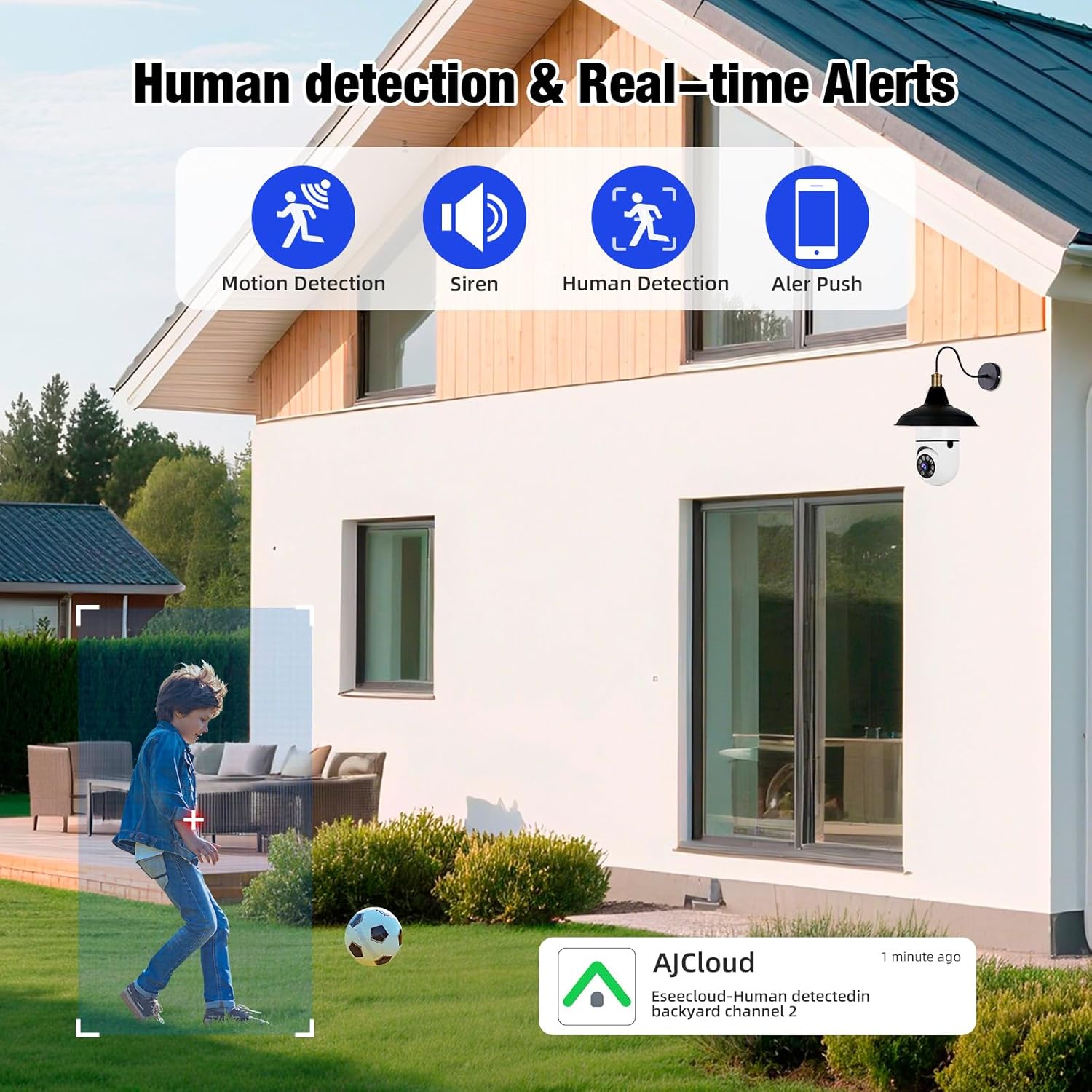
Image 6.1: The camera's human detection feature in action, showing an alert notification on a smartphone as a child is detected in the backyard.

Image 6.2: An illustration of the camera's real-time alarm and human detection at night, with a warning light activated and a notification on a smartphone.
6.2. Tầm nhìn ban đêm
The camera provides clear visibility even in low-light conditions.
- Màu sắc nhìn ban đêm: Utilizing its white lights, the camera can switch to full-color mode at night, providing detailed and vibrant images.
- Tầm nhìn ban đêm hồng ngoại: For discreet monitoring, the infrared lights provide clear black and white video in complete darkness.
6.3. Âm thanh hai chiều
Communicate directly through the camera using the two-way audio feature.
- Speak and Listen: Use the app to speak to visitors or deter unwanted guests, and listen to audio from the camera's location.

Image 6.3: The two-way audio function, illustrating communication between a user via smartphone and a delivery person at the door through the camera.

Image 6.4: A visual representation of the two-way audio feature, showing a person interacting with a delivery driver at their doorstep via the camera.
6.4. Video Playback & Storage
Truy cập foo đã ghitage and manage storage options.
- Lưu trữ cục bộ: Lắp thẻ Micro SD (dung lượng tối đa 128GB, không kèm theo) vào khe cắm của máy ảnh để ghi hình liên tục tại chỗ.
- Lưu trữ đám mây: Đăng ký dịch vụ lưu trữ đám mây thông qua ứng dụng để sao lưu video từ xa một cách an toàn.
- Lưu trữ trên thiết bị di động: Save important video clips directly to your smartphone's memory.
- Phát lại: View ghi lại thức ăntage directly from the app, with options to download or share.

Image 6.5: The camera highlighting its support for both Micro SD card (up to 128GB) and cloud storage solutions for video recording.
7. Bảo trì
Bảo trì thường xuyên đảm bảo hiệu suất tối ưu và tuổi thọ lâu dài cho camera an ninh của bạn.
- Vệ sinh: Gently wipe the camera lens and body with a soft, dry cloth to remove dust and debris. Avoid abrasive cleaners.
- Cập nhật chương trình cơ sở: Periodically check the app for available firmware updates to ensure your camera has the latest features and security enhancements.
- Kết nối Wi-Fi: Ensure a stable 2.4GHz Wi-Fi connection for uninterrupted operation.
- Quản lý lưu trữ: Thường xuyên review và quản lý foo đã ghi của bạntage, especially if using local SD card storage, to prevent it from becoming full.
KHAI THÁC. Xử lý sự cố
If you encounter issues with your TOWODE 2K Light Bulb Security Camera, refer to the following common solutions:
| Vấn đề | Giải pháp |
|---|---|
| Máy ảnh không kết nối được với Wi-Fi | Ensure your Wi-Fi is 2.4GHz. Check Wi-Fi signal strength at the camera's location. Restart your router and the camera. Re-attempt the connection process in the app. |
| Chất lượng hình ảnh kém | Verify the camera lens is clean. Ensure adequate lighting for optimal performance. Check your internet speed; a slow connection can affect streaming quality. |
| Không có cảnh báo chuyển động | Check app notification settings and ensure they are enabled. Verify motion detection sensitivity settings in the app. Ensure the camera has a clear view của khu vực cần giám sát. |
| Âm thanh hai chiều không hoạt động | Check microphone and speaker settings in the app. Ensure your phone's volume is up. Verify the camera's microphone and speaker are not obstructed. |
| Thẻ SD không ghi | Ensure the SD card is inserted correctly. Format the SD card through the app. Check if the SD card is full or corrupted. Replace the SD card if necessary. |
9. Thông số kỹ thuật
| Tính năng | Chi tiết |
|---|---|
| Tên mẫu | DPDZ02 |
| Độ phân giải quay video | 2K (implied from product title, specifications list states 1080p, but product title is 2K, so 2K is used as primary) |
| Công nghệ kết nối | Không dây (Wi-Fi 2.4 GHz) |
| Sử dụng trong nhà/ngoài trời | Outdoor (as per product title, specifications list states Indoor, but product title is Outdoor, so Outdoor is used as primary) |
| Nguồn điện | Điện có dây |
| Phạm vi Pan/Tilt | 355 ° Ngang, 90 ° Dọc |
| Tầm nhìn ban đêm | Tầm nhìn ban đêm có màu, Tầm nhìn ban đêm hồng ngoại |
| Tùy chọn lưu trữ | Cloud Storage, Micro SD Card (up to 128GB), Cell Phone Memory |
| Tính năng đặc biệt | HD Resolution, AI Human Detection, Two-Way Audio |
| Kích thước (D x R x C) | 1.18 x 1.18 x 2.76 inch |
| Trọng lượng sản phẩm | 15.8 ounce |
10. Bảo hành và Hỗ trợ
For warranty information or technical support, please refer to the contact details provided on the product packaging or visit the official TOWODE webđịa điểm. Giữ biên lai mua hàng của bạn để yêu cầu bảo hành.


