1. Giới thiệu
This manual provides essential information for setting up, operating, maintaining, and troubleshooting your HP 27-inch FHD Touchscreen All-in-One Desktop. Please read these instructions carefully before using your device to ensure optimal performance and longevity.
The HP 27-inch All-in-One Desktop is designed for versatile use, featuring an Intel Ultra 7 155U 12-Core processor, 32 GB DDR5 RAM, and a 1 TB SSD for efficient performance. Its 27-inch Full HD touchscreen display offers an interactive experience, complemented by Intel IrisX Graphics and Windows 11 Pro operating system.
2. Có gì trong hộp
Xác minh rằng tất cả các thành phần đều có trong bao bì:
- HP 27-inch All-in-One Desktop
- Bàn phím có dây
- Chuột có dây
- Bộ đổi nguồn và cáp
- Webcam (integrated or separate, depending on model configuration)
- Tài liệu (Hướng dẫn bắt đầu nhanh, Thông tin bảo hành)
3. Hướng dẫn cài đặt
3.1 Giải nén và đặt
- Carefully remove the All-in-One desktop and all accessories from the packaging.
- Place the desktop on a stable, flat surface, ensuring adequate ventilation around the device. Avoid placing it near heat sources or in direct sunlight.
3.2 Kết nối thiết bị ngoại vi
- Connect the wired keyboard to an available USB Type-A port on the back of the desktop.
- Connect the wired mouse to another available USB Type-A port.
- If your model includes a separate webcam, connect it to a USB port.
3.3 kết nối nguồn
- Connect the power adapter cable to the power input port on the desktop.
- Cắm bộ đổi nguồn vào ổ cắm điện được nối đất.
3.4 Bật nguồn ban đầu
- Press the power button, usually located on the side or bottom edge of the display.
- Follow the on-screen instructions to complete the Windows 11 Pro setup, including language selection, network connection (Wi-Fi 6E supported), and user account creation.

Image: HP 27-inch All-in-One Desktop showcasing its ultra-slim design and adjustable stand. The display is a 27-inch Full HD screen.
4. Hướng dẫn vận hành
4.1 Using the Touchscreen Display
The 27-inch Full HD (1920 x 1080) IPS touchscreen allows for intuitive interaction. Use gestures similar to a tablet or smartphone for navigation, zooming, and scrolling. The display features a three-sided micro-edge design and wide-viewing angles for an immersive visual experience.

Image: Visual representation of the HP 27-inch All-in-One Desktop's display features, highlighting the three-sided micro-edge, wide-viewing angles, and a 90% screen-to-body ratio.
4.2 Kết nối và Cổng
Your desktop offers a variety of ports for connecting external devices:
- USB Type-C 5Gbps Signaling Rate: 1 port for modern peripherals and fast data transfer.
- USB Type-A 5Gbps Signaling Rate: 2 ports for standard USB devices.
- USB 2.0 Loại A: 2 ports for basic peripherals like keyboards and mice.
- Ngõ ra HDMI 1.4: 1 port for connecting an external monitor or display.
- RJ45 LAN Ethernet port: 1 cổng kết nối mạng có dây.
- Tai nghe/Microphone tích hợp: 1 port for audio input/output.

Hình ảnh: Mặt sau chi tiết view of the HP 27-inch All-in-One Desktop, illustrating the arrangement and types of ports available, including USB Type-C, HDMI, Ethernet, USB Type-A, and the power supply connection.
4.3 Using the Privacy Camera and Audio
The HP True Vision 1080p FHD IR Tilt Privacy Camera features a pop-up mechanism for privacy. Push down to hide the camera when not in use. The integrated dual array digital microphones and dual 2W speakers provide clear audio for video calls and multimedia.

Image: The HP 27-inch All-in-One Desktop highlighting its pop-up privacy camera, dual microphones, and advanced noise reduction capabilities for enhanced communication.
5. Tính năng kết thúcview
- Bộ xử lý: Equipped with the Intel Ultra 7 155U 12-Core processor, offering speeds up to 4.8 GHz, 12 MB Intel Smart Cache, and 14 threads for robust multitasking and performance.
- Đồ họa: Features Intel IrisX Graphics for clear visuals and support for everyday tasks and light creative work.
- Bộ nhớ & Lưu trữ: Comes with 32 GB DDR5 5600MHz RAM and a 1 TB SSD for fast boot times, quick application loading, and ampdung lượng lưu trữ.
- Kết nối không dây: Includes Realtek Rtl8852Be Wi-Fi 6 (2x2) and Bluetooth 5.3 for high-speed wireless networking and peripheral connections.
- Hệ điều hành: Pre-installed with Windows 11 Pro, providing a secure and productive computing environment.
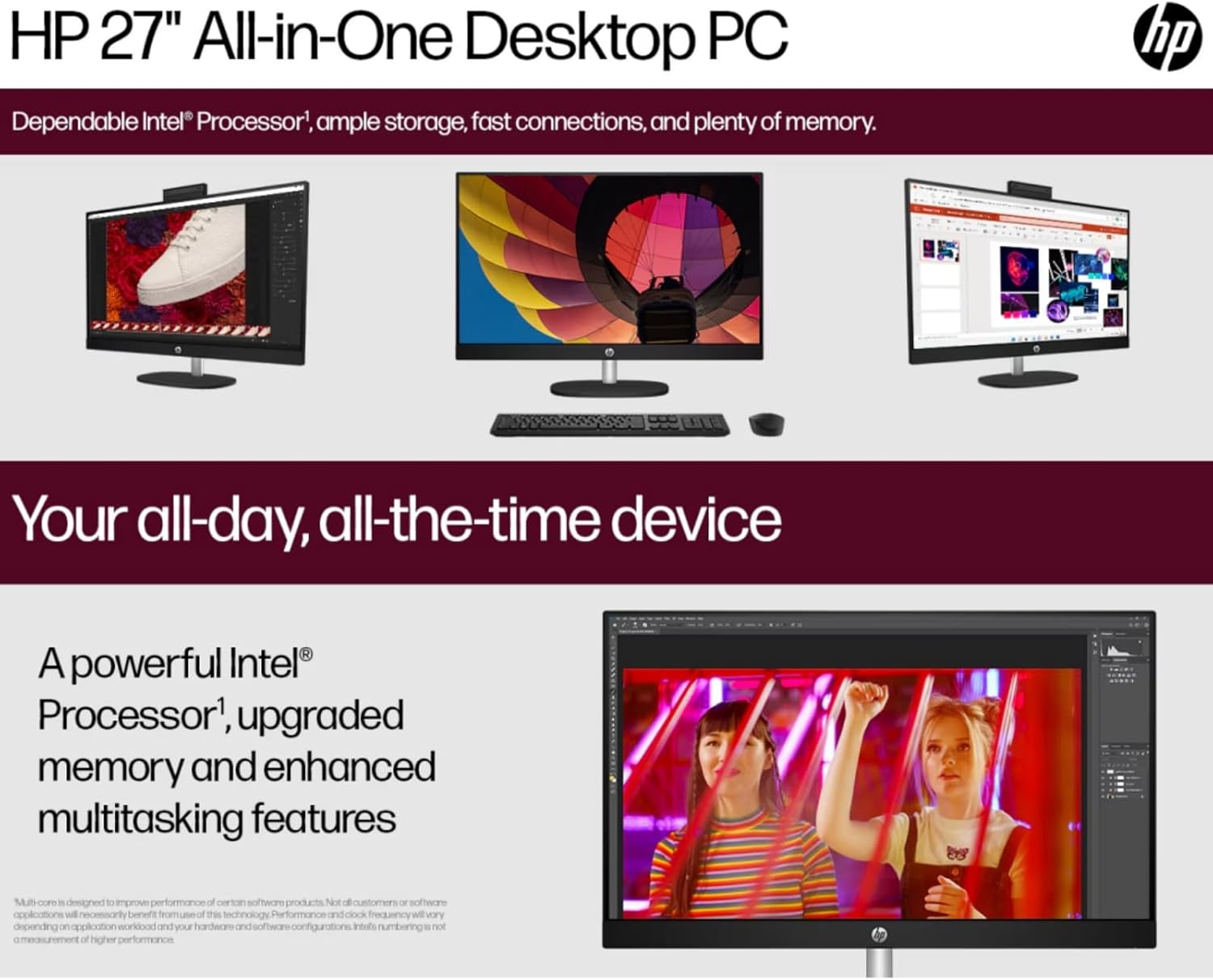
Image: The HP 27-inch All-in-One Desktop illustrating its capability for enhanced multitasking, powered by a robust Intel Processor and upgraded memory.
5.1 Cân nhắc về môi trường
This product is designed with environmental responsibility in mind. It incorporates recycled materials, including post-consumer recycled and ocean-bound plastics, and is EPEAT Gold Registered and ENERGY STAR® Certified.

Image: An infographic showing the HP 27-inch All-in-One Desktop's commitment to sustainability, detailing the use of reclaimed coffee grounds and post-consumer recycled plastics in its construction.
6. Bảo trì
6.1 Cleaning the Display and Chassis
- Turn off the desktop and unplug the power cord before cleaning.
- Sử dụng một miếng vải mềm, không xơ vải lau nhẹampened with water or a non-abrasive screen cleaner to wipe the display. Avoid harsh chemicals.
- For the chassis, use a soft, dry cloth.
6.2 Cập nhật phần mềm
Regularly check for and install operating system updates (Windows Update) and driver updates (HP Support Assistant) to ensure optimal performance and security.
6.3 Thông gió
Ensure that the ventilation openings on the desktop are not blocked to prevent overheating. Keep the area around the desktop clear of obstructions.
KHAI THÁC. Xử lý sự cố
Phần này giải quyết những vấn đề phổ biến mà bạn có thể gặp phải.
7.1 Không có điện
- Hãy đảm bảo dây nguồn được kết nối chắc chắn với cả máy tính để bàn và ổ cắm điện.
- Kiểm tra ổ cắm điện có hoạt động không bằng cách cắm thiết bị khác.
- Kiểm tra bộ đổi nguồn xem có hư hỏng nào không.
7.2 Sự cố hiển thị
- If the screen is blank, ensure the desktop is powered on.
- Adjust display brightness settings.
- If an external monitor is connected, ensure the correct display output is selected in Windows settings.
7.3 Peripheral Not Responding
- Ensure the keyboard or mouse is properly connected to a USB port.
- Hãy thử kết nối thiết bị ngoại vi với một cổng USB khác.
- Khởi động lại máy tính để bàn.
7.4 Sự cố kết nối Wi-Fi
- Kiểm tra xem Wi-Fi có được bật trong cài đặt Windows không.
- Khởi động lại bộ định tuyến và modem của bạn.
- Đảm bảo bạn đang ở trong phạm vi phủ sóng của mạng Wi-Fi.
8. Thông số kỹ thuật
| Tính năng | Chi tiết |
|---|---|
| Thương hiệu | HP |
| Số hiệu mẫu | HP 27 All-In-One Desktop |
| Hệ điều hành | Windows 11 Pro |
| Bộ xử lý | Intel Ultra 7 155U (12 Cores, up to 4.8 GHz) |
| ĐẬP | 32 GB DDR5 5600MHz |
| Kho | Ổ cứng SSD 1 TB (2 cổng PCIe) |
| Đồ họa | Intel IrisX Graphics (Integrated) |
| Trưng bày | 27-inch FHD (1920 x 1080) Touchscreen IPS, Anti-Glare, 300 Nits |
| Kết nối không dây | Wi-Fi 6E (802.11ax), Bluetooth 5.3 |
| Cổng | 1x USB Type-C 5Gbps, 2x USB Type-A 5Gbps, 2x USB 2.0 Type-A, 1x HDMI-out 1.4, 1x RJ45, 1x Headphone/Microphone Combo |
| Máy ảnh | HP True Vision 1080p FHD IR Tilt Privacy Camera |
| Âm thanh | Dual 2W Speakers, Integrated Dual Array Digital Microphones |
| Kích thước (DxRxC) | 24.11 x 20.35 x 7.34 inch |
| Cân nặng | 14.81 pound |
9. Bảo hành và Hỗ trợ
Để biết thông tin chi tiết về bảo hành, vui lòng tham khảo thẻ bảo hành đi kèm sản phẩm hoặc truy cập trang hỗ trợ chính thức của HP. webHP cung cấp nhiều nguồn hỗ trợ khác nhau, bao gồm trình điều khiển, bản cập nhật phần mềm và hướng dẫn khắc phục sự cố.
Bạn thường có thể tìm thấy sự hỗ trợ bằng cách truy cập support.hp.com và nhập số sê-ri hoặc tên model sản phẩm của bạn.