Giới thiệu
Thank you for choosing the MENERESAS M37-B2 Wireless Lavalier Microphone. This 3-in-1 wireless microphone system is designed to provide high-quality audio recording with noise reduction capabilities for various devices, including cameras and Android smartphones. Please read this manual carefully to ensure proper setup, operation, and maintenance of your device.
Nội dung gói
Before proceeding, please verify that all items listed below are present in your package:
- 1 x Wireless Microphone Transmitter
- 1 x Wireless Receiver (Lightning Connector)
- 1 x Cáp sạc USB
- 1 x Hướng dẫn sử dụng
- 1 x Carrying Pouch (may vary)
Cài đặt
1. Sạc thiết bị
The microphone transmitter and receiver are equipped with built-in Lithium Ion batteries. For optimal performance, fully charge both devices before first use.
- Connect the USB charging cable to the charging port on both the transmitter and receiver.
- Cắm đầu còn lại của cáp USB vào bộ chuyển đổi nguồn USB tiêu chuẩn (không kèm theo) hoặc cổng USB của máy tính.
- The indicator light will typically show red during charging and turn off or change color when fully charged. Charging usually takes approximately 1-2 hours.
2. Kết nối với thiết bị của bạn
The M37-B2 receiver features a Lightning connector for direct compatibility with iOS devices. For Android devices, an appropriate adapter (not included) may be required.
- Bật nguồn: Nhấn và giữ nút nguồn trên bộ phát micro cho đến khi đèn báo sáng lên.
- Kết nối bộ thu: Plug the receiver directly into the Lightning port of your iOS device or the appropriate port on your Android device (via adapter if necessary).
- Ghép nối: The transmitter and receiver should automatically pair. A solid blue or green light on both devices typically indicates a successful connection. Refer to the indicator light section for specific meanings.
- Bài kiểm tra: Open your recording application (e.g., camera app, voice recorder) and perform a test recording to ensure audio is being captured by the external microphone.
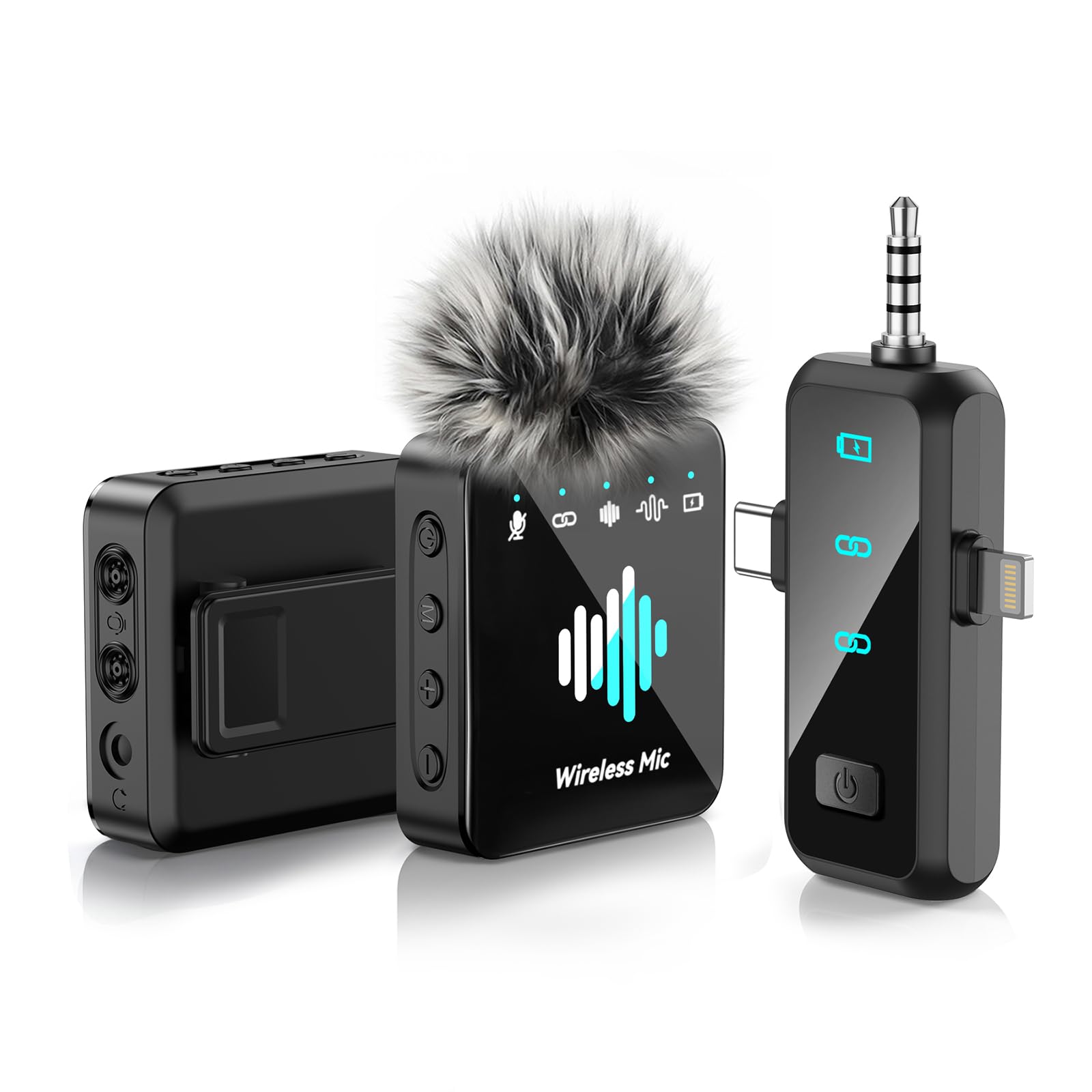
Image: The MENERESAS M37-B2 Wireless Lavalier Microphone system, showing the compact transmitter and receiver units.
Hướng dẫn sử dụng
1. Bật/Tắt nguồn
- Để bật nguồn: Press and hold the power button on the transmitter for approximately 3 seconds until the indicator light turns on.
- Để Tắt Nguồn: Press and hold the power button on the transmitter for approximately 3 seconds until the indicator light turns off.
2. Noise Reduction Feature
The M37-B2 features an integrated noise reduction function to minimize ambient sound interference.
- Kích hoạt tính năng giảm tiếng ồn: Short press the power button on the transmitter once while the device is on. The indicator light may change color or pattern to confirm activation (e.g., from solid blue to flashing blue).
- Deactivate Noise Reduction: Short press the power button again. The indicator light will revert to its original state.
3. Đèn báo
Understanding the indicator lights is crucial for proper operation:
- Transmitter (Mic):
- Xanh dương: Powered on, connected, and ready for recording.
- Nhấp nháy màu xanh: Powered on, noise reduction active.
- Đèn đỏ nhấp nháy: Low battery. Please charge immediately.
- Màu đỏ liền mạch (trong khi sạc): Đang sạc.
- Light Off (while charging): Đã sạc đầy.
- Người nhận:
- Xanh dương: Powered on and connected to the transmitter.
- Nhấp nháy màu xanh: Powered on, searching for transmitter.
BẢO TRÌ
1. Vệ sinh
To maintain the appearance and functionality of your microphone:
- Use a soft, dry cloth to wipe the surfaces of the transmitter and receiver.
- Không sử dụng hóa chất mạnh, dung môi hoặc chất tẩy rửa có tính mài mòn.
- Tránh để hơi ẩm lọt vào bất kỳ lỗ hở nào.
2. Lưu trữ
When not in use, store the microphone system in a cool, dry place, away from direct sunlight and extreme temperatures. Use the provided carrying pouch to protect the devices from dust and scratches.
3. Chăm sóc pin
To prolong the life of the built-in Lithium Ion batteries:
- Tránh xả hết pin thường xuyên.
- Charge the devices regularly, even if not used for extended periods (e.g., once every 3 months).
- Do not expose the devices to high temperatures, as this can degrade battery performance.
Xử lý sự cố
If you encounter issues with your MENERESAS M37-B2, please refer to the following common problems and solutions:
| Vấn đề | Nguyên nhân có thể | Giải pháp |
|---|---|---|
| Không có âm thanh hoặc âm lượng nhỏ | Microphone not powered on; Not paired; Receiver not fully inserted; Device volume too low; App settings. | Ensure both transmitter and receiver are powered on and paired (solid blue light). Reinsert receiver firmly. Check device volume and app microphone input settings. |
| Chất lượng âm thanh kém / Tĩnh | Interference; Distance too far; Low battery; Noise reduction not active (if desired). | Move away from other wireless devices. Ensure transmitter is within range of receiver. Charge devices. Activate noise reduction feature. |
| Thiết bị không kết nối | Transmitter/Receiver not powered on; Pairing failed; Receiver not compatible with device (e.g., Android without adapter). | Ensure both devices are on. Power cycle both devices and try pairing again. Verify receiver compatibility or use appropriate adapter for Android. |
| Tuổi thọ pin ngắn | Battery degradation; Not fully charged. | Ensure devices are fully charged before use. Follow battery care guidelines in the Maintenance section. |
Thông số kỹ thuật
Key technical specifications for the MENERESAS M37-B2 Wireless Lavalier Microphone:
- Số hiệu mẫu: M37-B2
- Thương hiệu: MENERESAS
- Yếu tố hình thức micrô: Lavalier
- Công nghệ kết nối: RF (Tần số vô tuyến)
- Loại đầu nối: Tia sét (dành cho bộ thu)
- Tính năng đặc biệt: Giảm tiếng ồn
- Nguồn điện: Pin chạy bằng
- Loại pin: Pin Lithium Ion
- Số lượng pin: 3 (Unknown type, included)
- Số kênh: 1
- Trọng lượng sản phẩm: Khoảng 5 ounce (0.14 Kilôgam)
- Kích thước sản phẩm: 5.24 x 4.33 x 1.54 inch (Dài x Rộng x Cao)
- UPC: 792105683980
Bảo hành và Hỗ trợ
Bảo hành có giới hạn
This product is covered by a limited warranty against defects in materials and workmanship under normal use. The warranty period and terms may vary by region and retailer. Please retain your proof of purchase for warranty claims.
Hỗ trợ khách hàng
For technical assistance, troubleshooting beyond this manual, or warranty inquiries, please contact MENERESAS customer support through the retailer's platform or the official MENERESAS website. Please have your model number (M37-B2) and purchase information ready when contacting support.


