1. Giới thiệu
This manual provides essential information for the safe and efficient operation of your Anern 4200W Hybrid Solar Inverter. Please read this manual thoroughly before installation and use. Keep it for future reference.
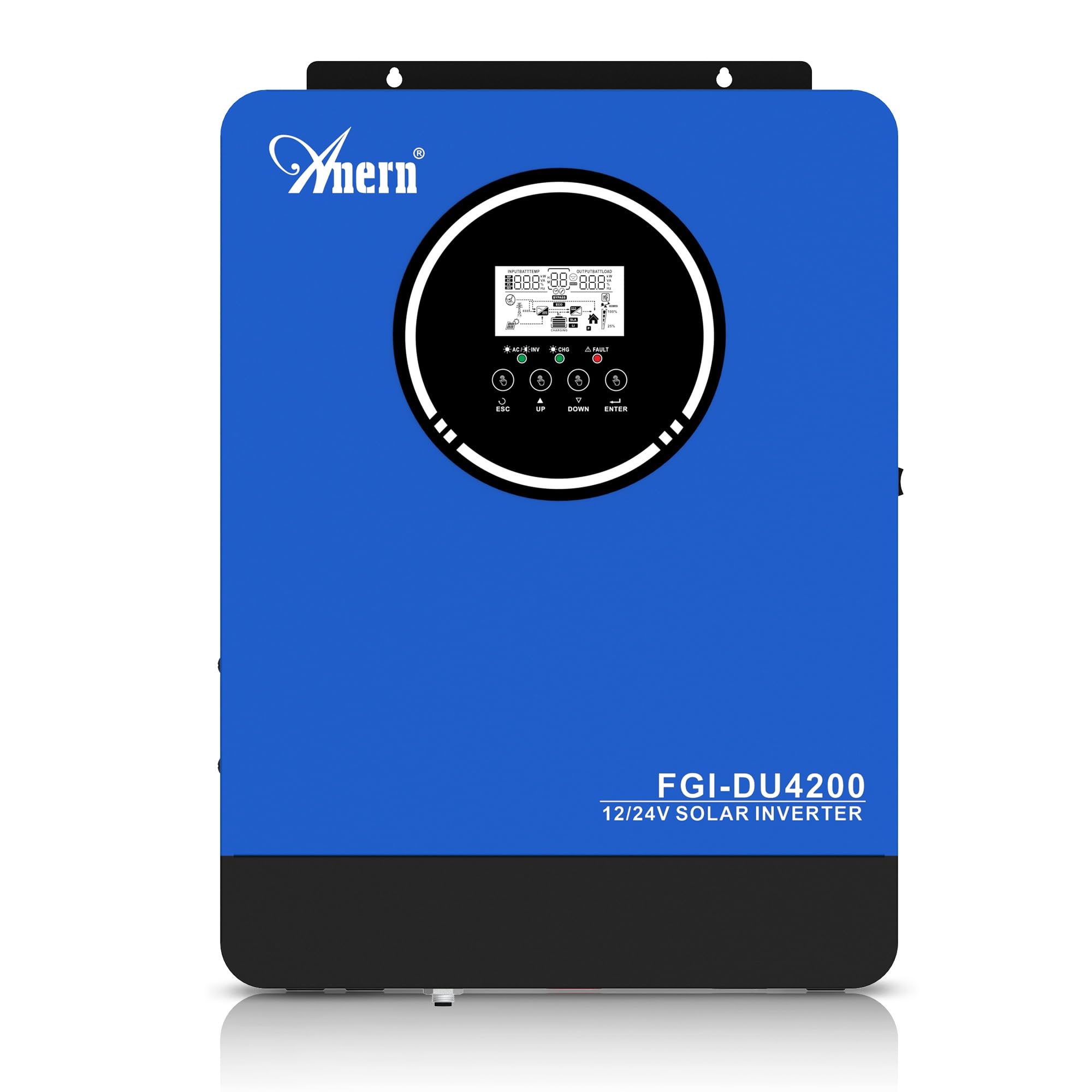
Figure 1: Anern 4200W Hybrid Solar Inverter. This image displays the main unit of the inverter, highlighting its key specifications such as 100A AC charging current, 4200W rated output power, and 500 VDC maximum PV array voltage.
2. Hướng dẫn an toàn
Luôn tuân thủ các biện pháp phòng ngừa an toàn sau đây để giảm nguy cơ điện giật, hỏa hoạn hoặc thương tích:
- Việc lắp đặt phải được thực hiện bởi nhân viên có trình độ.
- Ensure all wiring is correctly connected and equipped with appropriate protective switches.
- Không tháo rời bộ biến tần. Không có bộ phận nào bên trong mà người dùng có thể tự sửa chữa.
- Tránh để biến tần tiếp xúc với mưa, tuyết, nước bắn hoặc bất kỳ chất lỏng nào.
- Đảm bảo thông gió đầy đủ xung quanh bộ biến tần để tránh quá nhiệt.
- Ngắt kết nối tất cả các nguồn điện (điện mặt trời, pin, điện lưới) trước khi thực hiện bất kỳ công việc bảo trì hoặc đấu dây nào.
3. Sản phẩm hếtview
The Anern 4200W Hybrid Solar Inverter is designed to convert DC power from solar panels and batteries into AC power for household use. It features an integrated 100A MPPT solar charge controller and supports both 12V and 24V battery systems with automatic detection.
Các tính năng chính:
- Công suất đầu ra sóng sin chuẩn 4200W: Cung cấp nguồn điện ổn định và sạch cho các thiết bị điện tử nhạy cảm.
- 100A MPPT Solar Charge Controller: Tối đa hóa khả năng thu năng lượng từ tấm pin mặt trời.
- 12V/24V Battery Auto-Detection: Automatically adjusts output based on connected battery voltage.
- Giao diện BMS: Supports communication with lithium batteries for enhanced monitoring and protection.
- Màn hình LED hiển thị thời gian thực: Shows system status, operating data, and error codes.
- Configurable Charging & Output Modes: Offers flexibility for various application needs.
- Optional WiFi/GPRS Monitoring: Remote monitoring capability (module sold separately).

Figure 2: Inverter Display and Controls. This image illustrates the inverter's LCD display, function buttons for configuration, and the optional WiFi module for remote monitoring.
4. Thiết lập và Cài đặt
4.1 Sơ đồ đấu dây
Refer to the electrical schematic for proper system wiring. Ensure all connections are secure and correctly polarized.

Figure 3: Electrical Schematic. This diagram shows the complete wiring for a solar inverter system, including solar panels, combiner box, DC/AC breakers, inverter, utility grid connection, and loads.
4.2 Kết nối pin
The inverter supports 12V and 24V battery configurations. It automatically detects the battery voltage and adjusts its output accordingly (2300W for 12V, 4200W for 24V). For 24V systems, connect two 12V batteries in series. For 12V systems, connect batteries in parallel if increasinDung lượng g.

Figure 4: Battery Connection Options. This image illustrates how to connect batteries for 12V (parallel connection for 2300W output) and 24V (series connection for 4200W output) systems.
The inverter also supports lithium batteries and includes a BMS (Battery Management System) interface for monitoring and protection. Ensure the BMS is properly connected if using lithium batteries.

Figure 5: Communication Interfaces. This image highlights the dual communication interfaces for BMS (Battery Management System) and optional WiFi module, enabling remote monitoring and battery communication.
4.3 Startup and Shutdown Sequence
Trình tự khởi động:
- Kết nối pin.
- Bật bộ biến tần.
- Activate the protective switches for PV, Utility, and Loads.
Trình tự tắt máy:
- Deactivate the protective switches for Loads, Utility, and PV.
- Tắt biến tần.
- Ngắt kết nối pin.
Important Note: Inductive loads (e.g., motors, refrigerators) may require up to 3 times their rated power for startup. Ensure the inverter's capacity is sufficient to handle these surge loads. Exceeding the inverter's surge capacity can cause damage.
5. Hoạt động
5.1 Màn hình LCD và Cài đặt
The inverter features an LED display that provides real-time system data and operating status. Use the function buttons below the display to navigate menus and configure settings. Settings include battery charging current, AC/solar charging priority, and charging current priority.
5.2 chế độ sạc
The inverter offers four configurable charging modes:
- Ưu tiên năng lượng mặt trời: Solar power is prioritized for charging.
- Chỉ năng lượng mặt trời: Only solar power is used for charging.
- Ưu tiên tiện ích: Utility grid power is prioritized for charging.
- Solar + Utility Hybrid: Kết hợp năng lượng mặt trời và điện lưới để sạc pin.
Chế độ đầu ra 5.3
Three output modes are available to adapt to various application needs:
- Solar Priority (SUB): Solar power is prioritized for loads.
- Utility Priority (USB): Utility grid power is prioritized for loads.
- SBU: Solar, Battery, Utility priority.

Figure 6: Charging and Output Modes. This diagram visually explains the four available charging modes (Solar Charge, Utility Priority, Solar Priority, Hybrid Charge) and three load output modes (PV Priority, Utility Priority, SBU Priority).
5.4 Giám sát từ xa
The inverter supports remote monitoring via an optional WiFi/GPRS module (sold separately). This allows users to monitor system performance and status from a distance.
6. Bảo trì
Regular maintenance ensures optimal performance and longevity of your inverter:
- Keep the inverter clean and free from dust. Use a dry cloth for cleaning.
- Đảm bảo các lỗ thông gió không bị chặn.
- Kiểm tra định kỳ tất cả các kết nối dây điện để đảm bảo độ chặt và dấu hiệu ăn mòn.
- Monitor the battery status, especially if using lithium batteries with the BMS interface, to prevent overcharge or deep discharge.
- Inspect solar panels for dirt or damage that could reduce efficiency.
KHAI THÁC. Xử lý sự cố
The LED display will show error codes if issues arise. Refer to the inverter's display for specific error codes to diagnose and resolve problems. Common issues and their potential solutions include:
- Không có công suất đầu ra: Check battery connections, DC/AC breakers, and inverter power switch.
- Pin yếutage: Ensure batteries are adequately charged. Check charging sources (solar, utility).
- Cảnh báo quá tải: Reduce the connected load. Inductive loads may cause temporary overloads during startup.
- Quá nhiệt: Ensure proper ventilation. Clean any dust from the inverter's vents.
- PV Input Error: Check solar panel connections and voltage. Ensure PV array voltage nằm trong phạm vi quy định (55-500V DC).
For persistent issues or error codes not listed, contact customer support.
8. Thông số kỹ thuật
| Tính năng | Đặc điểm kỹ thuật |
|---|---|
| Thương hiệu | anern |
| Số hiệu mẫu | AN-FGI-DU 4200 |
| Điện năng | 4200 Watt |
| Công suất đầu ra | 4500 Watt |
| Max. Output Power (Watts) | 4200 |
| Dạng sóng đầu ra | Sóng sin tinh khiết |
| Nguồn điện | Chạy bằng năng lượng mặt trời, chạy bằng pin |
| Công dụng sản phẩm được đề xuất | Trang chủ |
| Các thành phần bao gồm | Hướng dẫn sử dụng |
| Sự tuân thủ | CE |
| Kích thước sản phẩm | 30 x 10 x 40 cm; 8.86 kg |
9. Bảo hành và Hỗ trợ
For warranty information and technical support, please refer to the documentation provided with your purchase or contact Anern customer service. Keep your purchase receipt as proof of purchase.


