1. Giới thiệu
The Amazon Echo Studio (2025 Model) is a smart speaker designed to deliver immersive spatial audio and Dolby Atmos sound. It features a compact design, a built-in smart home hub, and is powered by the AZ3 Pro chip for advanced performance. This device also includes early access to Alexa+, offering a smarter and more proactive AI assistant experience.

Image 1.1: The Amazon Echo Studio (2025 Model) in Glacier White, showcasing its compact, spherical design with control buttons on top.
2. Có gì trong hộp
Before you begin, ensure all items are present in the packaging:
- Echo Studio (phát hành năm 2025)
- Bộ đổi nguồn (50W)
- Hướng dẫn bắt đầu nhanh
3. Thiết lập
3.1 Bật nguồn ban đầu
- Connect the provided power adapter to the Echo Studio and then to a wall outlet.
- The light ring on your Echo Studio will turn blue, then orange, indicating it is ready for setup.
3.2 Alexa App Installation and Connection
- Tải ứng dụng Alexa về thiết bị di động của bạn (tương thích với Fire OS, Android và iOS).
- Mở ứng dụng Alexa và đăng nhập bằng tài khoản Amazon của bạn.
- Follow the on-screen instructions to add a new device. Select "Amazon Echo" then "Echo Studio".
3.3 Thiết lập Wi-Fi
The Alexa app will guide you through connecting your Echo Studio to your Wi-Fi network. The device supports 1x1 Wi-Fi 6E (11a/b/g/n/ac/ax). Amazon Wi-Fi simple setup is available to streamline this process.
3.4 Room Adaptation
After initial setup, Echo Studio analyzes the acoustics of your room to fine-tune playback for optimal sound. This process occurs automatically.
3.5 Pairing for Enhanced Audio
- Âm nhạc đa phòng: Play music across multiple Echo devices by grouping them in the Alexa app.
- Rạp hát tại nhà: Pair your Echo Studio with compatible Fire TV devices for an immersive home theater experience. This can be done through the Fire TV settings.
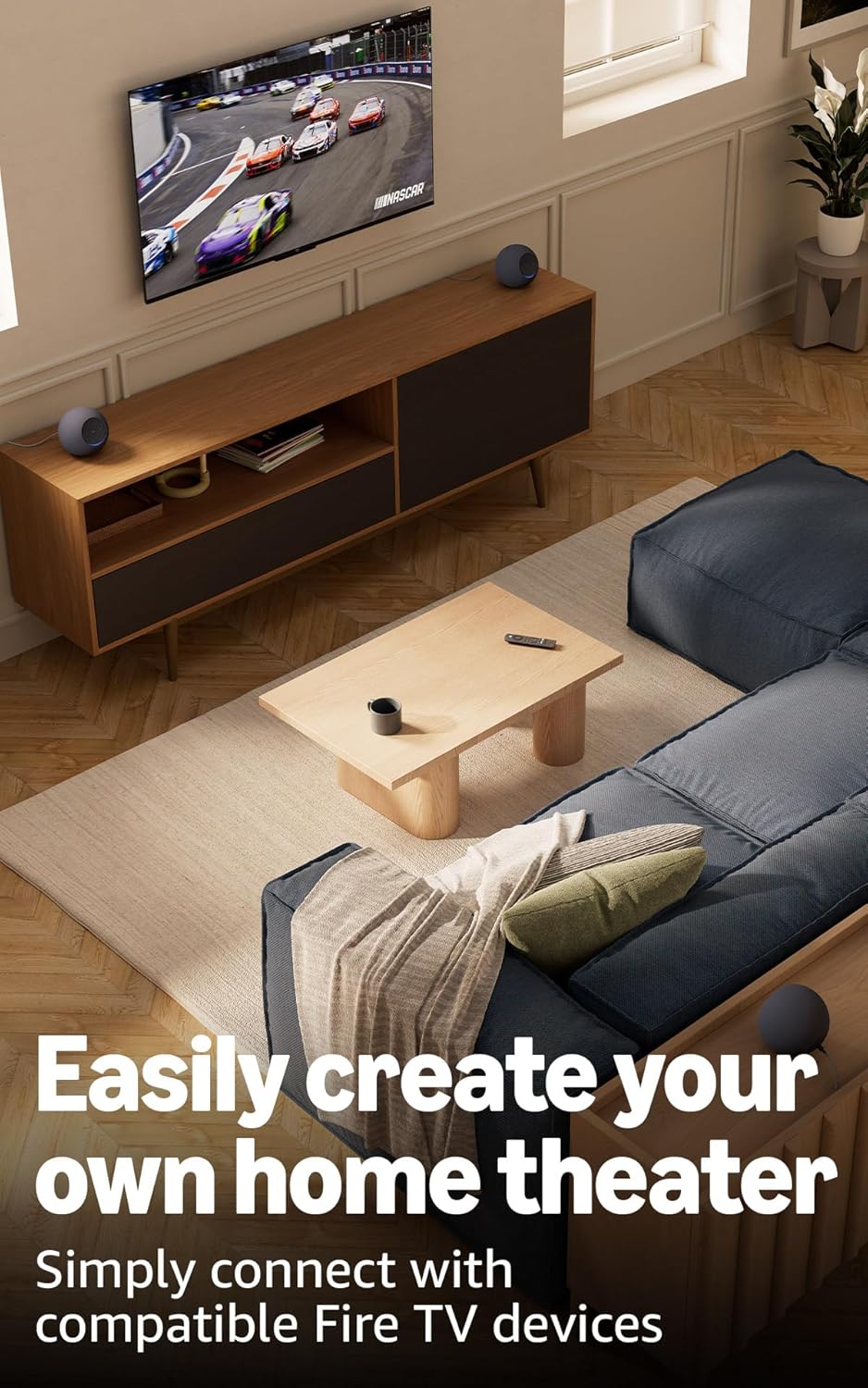
Image 3.1: Two Echo Studio devices positioned to create a home theater setup with a television, demonstrating multi-speaker audio.
4. Operating Your Echo Studio
4.1 Điều khiển bằng giọng nói với Alexa
Your Echo Studio is primarily controlled by voice commands using the wake word "Alexa". Speak clearly and directly to the device.

Image 4.1: A graphic introducing the updated Alexa+ assistant, highlighting its smarter and more proactive capabilities.
4.2 Alexa+ Early Access
This device provides early access to Alexa+. Upon setup, you can upgrade to this enhanced AI assistant for a more natural and conversational experience, capable of handling a wider range of tasks.
4.3 Điều khiển nhà thông minh
The Echo Studio includes a built-in smart home hub supporting Zigbee, Matter, and Thread Border Router protocols. This allows you to connect and control compatible smart lights, locks, and other devices directly without a separate hub.
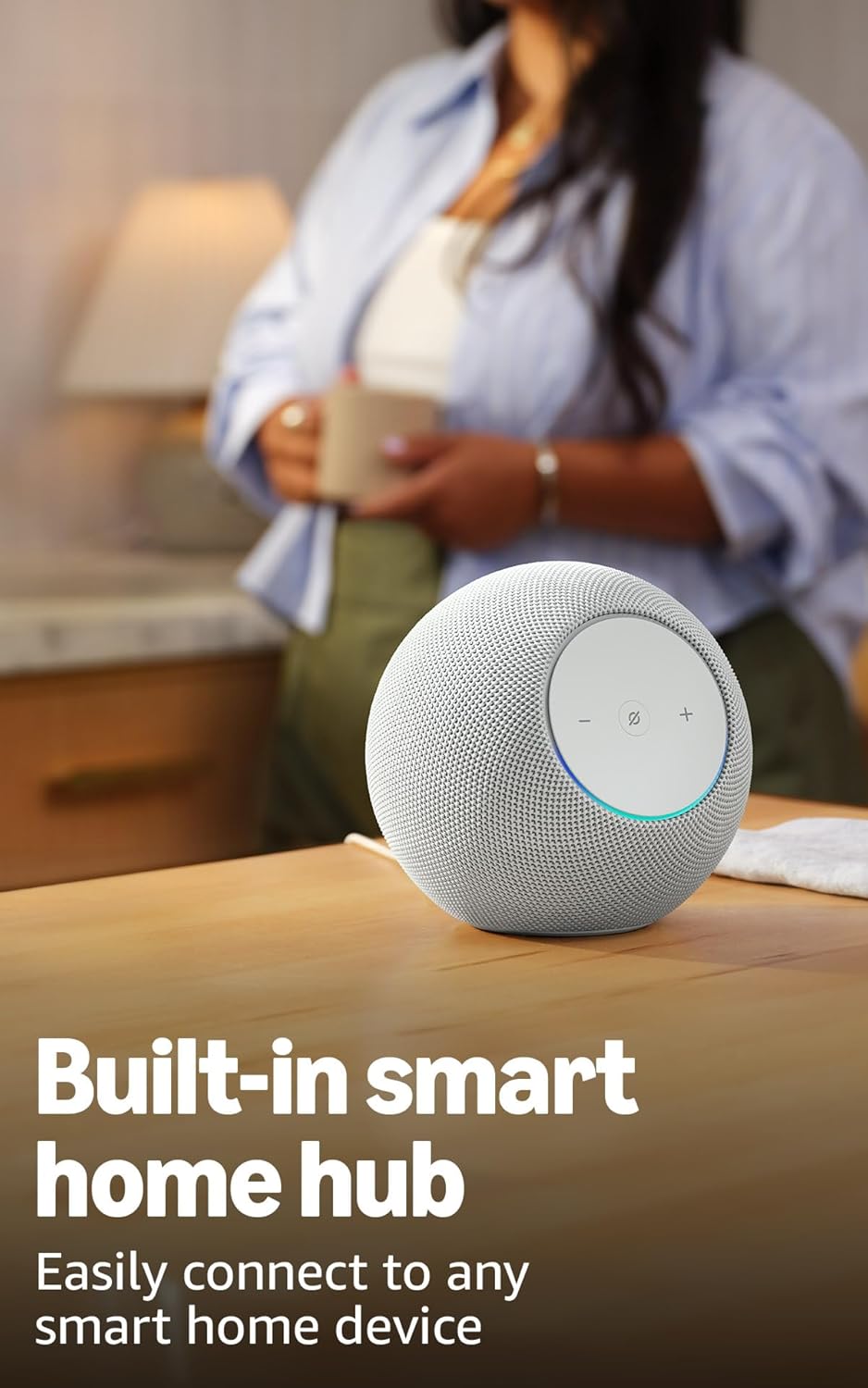
Image 4.2: The Echo Studio on a table, emphasizing its function as a built-in smart home hub for easy device connectivity.
4.4 Kết nối Bluetooth
Echo Studio supports Bluetooth wireless technology/Bluetooth Low Energy 5.3. You can stream audio from your mobile device to Echo Studio (A2DP) or from Echo Studio to a Bluetooth speaker (A2DP). AVRCP is supported for voice control of connected mobile devices. Bluetooth speakers requiring PIN codes are not supported.
4.5 Omnisense Technology
Omnisense technology enables proactive and personalized experiences through features like presence detection, ambient temperature sensing, and accelerometer-based tap gestures. For example, you can activate routines based on temperature changes or detected presence.
4.6 eero Built-in
If you have a compatible eero router, your Echo Studio can extend Wi-Fi coverage. Link your eero and Amazon accounts and manage this feature through the eero mobile application. This feature supports up to 1,000 sq. ft. of additional coverage, speeds up to 100 Mbps, and 10 or fewer connected devices in the 5GHz band.
5. Bảo trì
To ensure the longevity and optimal performance of your Echo Studio:
- Keep the device dry and away from direct sunlight or heat sources.
- Clean the exterior with a soft, dry, lint-free cloth. Do not use abrasive cleaners or solvents.
- Hãy đảm bảo đặt thiết bị trên bề mặt ổn định để tránh bị rơi.
KHAI THÁC. Xử lý sự cố
If you encounter issues with your Echo Studio, consider the following steps:
- Không có điện: Đảm bảo bộ đổi nguồn được kết nối chắc chắn với cả thiết bị và ổ cắm trên tường đang hoạt động.
- Không có kết nối Wi-Fi: Check your router and internet connection. Verify that your Echo Studio is within range of your Wi-Fi network. Re-attempt Wi-Fi setup through the Alexa app.
- Alexa không phản hồi: Ensure the microphone is not muted (the light ring will be red if muted). Try saying the wake word more clearly or adjusting your proximity to the device.
- Vấn đề về chất lượng âm thanh: Confirm the device is placed optimally for room adaptation. Check audio settings in the Alexa app.
- Các vấn đề chung: Try restarting your Echo Studio by unplugging it from the power outlet for a few seconds and then plugging it back in.
For further assistance, refer to the help section within the Alexa app or visit the Amazon support webđịa điểm.
7. Thông số kỹ thuật
| Tính năng | Chi tiết |
|---|---|
| Kích cỡ | 6.1”Rộng x 5.6”Sâu x 5.8”Cao (155mm Rộng x 142.2mm Sâu x 147.3mm Cao) |
| Cân nặng | 57.56 oz (1632 grams) 3.6 lbs |
| Băng thông âm thanh | 30 Hz - 18 kHz (âm lượng 6) |
| Loa | 1x 3.75” high excursion woofer, 3x 2.25” full-range drivers |
| Kênh phát lại | 3.1.1 (left, center, right, height, subwoofer) |
| Xử lý âm thanh | Distortion reduction, Lossless High Definition, Automatic Room Adaptation, Amazon Spatial Audio, Dolby Atmos |
| Kết nối Wi-Fi | 1x1 Wi-Fi 6E 11a/b/g/n/ac/ax |
| Kết nối Bluetooth | Bluetooth wireless technology/Bluetooth Low Energy 5.3 (A2DP, AVRCP) |
| Trung tâm nhà thông minh | Bộ định tuyến viền Zigbee + Matter + Thread |
| Bộ xử lý | AZ3 Pro với bộ tăng tốc AI |
| Cảm biến | Nhiệt độ môi trường, Ánh sáng môi trường, Phát hiện sự hiện diện, Gia tốc kế cho cử chỉ chạm |
| Công nghệ Omnisense | Custom technology for ambient AI, enabling proactive and personalized experiences |
| tích hợp eero | Extends Wi-Fi coverage with compatible eero routers (up to 1,000 sq. ft. additional coverage) |
| Ngôn ngữ | Alexa nói tiếng Anh và tiếng Tây Ban Nha |
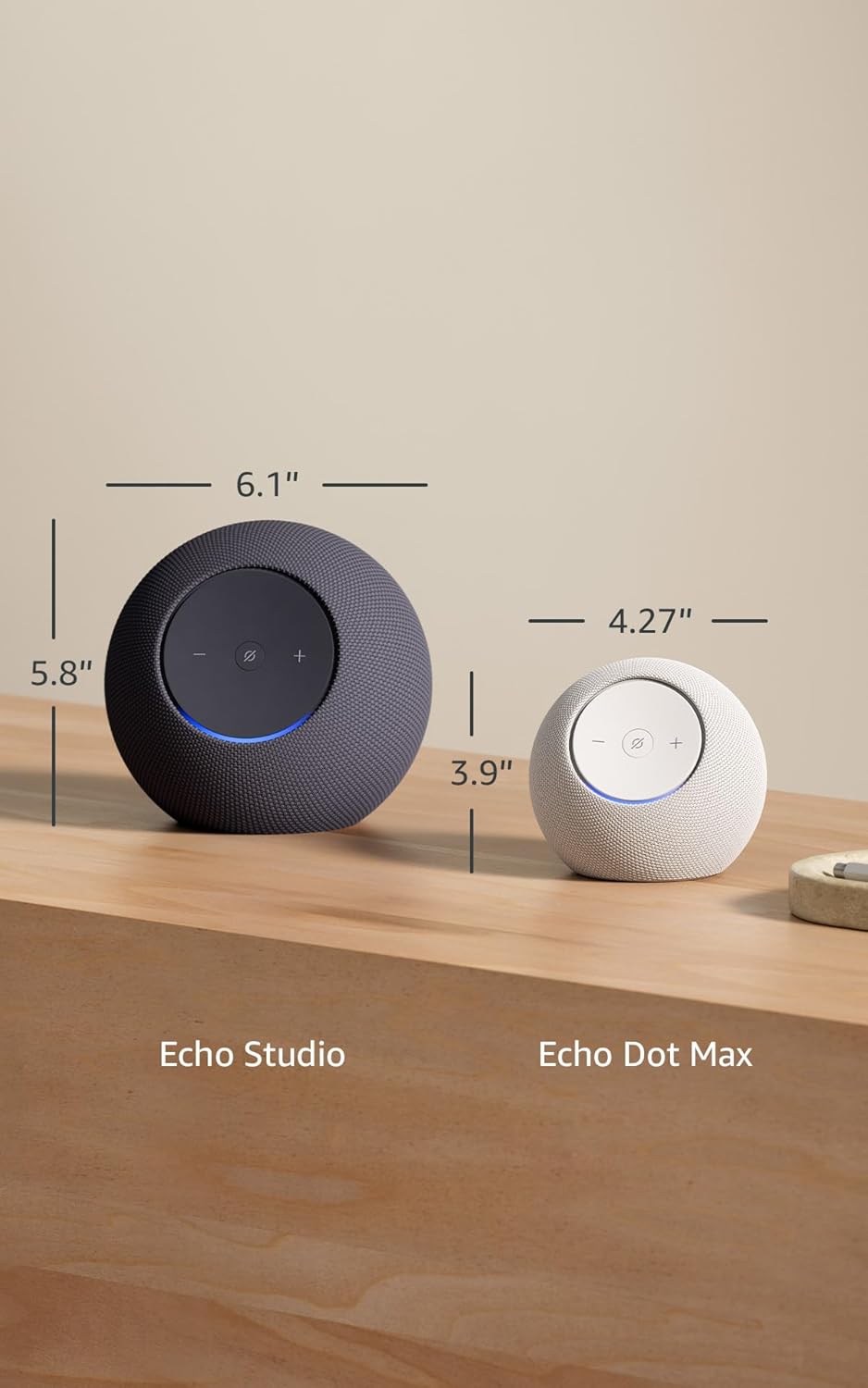
Image 7.1: A visual comparison showing the dimensions of the Echo Studio next to an Echo Dot Max.
8. An toàn và tuân thủ
8.1 Tính năng bảo mật
The Echo Studio is designed with multiple layers of privacy controls:
- Nút Bật/Tắt Micro: A physical button allows you to electronically disconnect the microphones. When disabled, the light ring will turn red.
- Công nghệ Wake Word: Thiết bị chỉ bắt đầu ghi âm và gửi âm thanh lên đám mây sau khi phát hiện từ khóa kích hoạt (ví dụ: "Alexa").
- Quản lý ghi âm giọng nói: Bạn có khả năng view và xóa các bản ghi âm giọng nói của bạn thông qua ứng dụng Alexa.

Hình ảnh 8.1: Cận cảnh view of the Echo Studio's control panel, highlighting the microphone enable/disable button for privacy control.
8.2 Tính năng hỗ trợ tiếp cận
Alexa offers various accessibility features to personalize your experience. These can be enabled in the Alexa App under Settings → Accessibility:
- Nghe thích ứng: Cung cấp thêm thời gian để nói xong trước khi Alexa phản hồi.
- Tỷ lệ nói ưa thích: Điều chỉnh tốc độ nói của Alexa nhanh hay chậm (ví dụ: "Alexa, nói chậm hơn").
- Yêu cầu âm thanh: Phát ra âm thanh khi bạn nói chuyện với Alexa.
- Đọc to Kindle: Hãy để Alexa đọc to sách Kindle của bạn.
- Thông báo khi ở gần: Phát âm thanh thông báo khi phát hiện bạn ở gần thiết bị Echo của mình.
9. Bảo hành và Hỗ trợ
Your Echo Studio comes with a 1-year limited warranty and service. Optional 1-year, 2-year, and 3-year extended warranties are available for U.S. customers, sold separately. For detailed warranty terms and conditions, please refer to the documentation provided with your device or visit the Amazon support webđịa điểm.
For customer support, visit the Amazon Help & Customer Service pages or contact Amazon customer service directly.