Giới thiệu
This manual provides comprehensive instructions for the setup, operation, and maintenance of your Lepro OE1 AI Smart RGBICW LED Corner Floor Lamp. Please read this manual thoroughly before use to ensure proper functionality and safety.
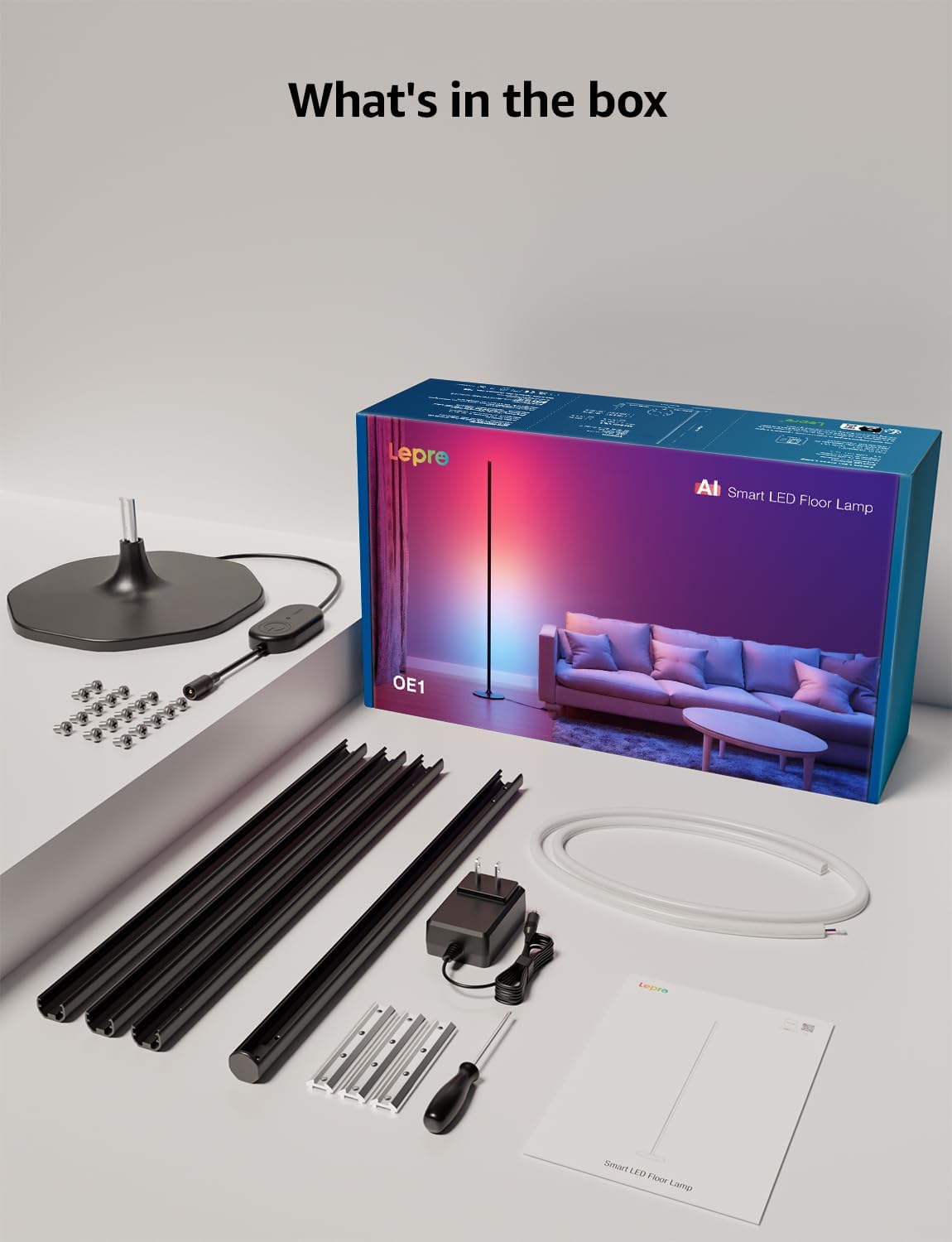
Nội dung gói
Xác minh rằng tất cả các thành phần đều có trong gói:
- Lamp Căn cứ
- Metal Poles (multiple sections)
- Metal Connecting Pieces
- Đèn LED dây
- Vít & Tua vít
- Bộ đổi nguồn
- Hướng dẫn sử dụng
Thiết lập và lắp ráp
Follow these steps to assemble and set up your Lepro OE1 floor lamp:
- Assemble the Metal Poles: Align the metal slots of the pole sections with the connecting pieces. Use the provided screws and screwdriver to tighten them securely. Continue this process until all pole sections are connected to form the main lamp thân hình.
- Gắn vào đế: Secure the assembled metal pole to the lamp base using the designated screws.
- Chèn dải đèn LED: Carefully insert the LED strip light into the channel of the assembled metal pole. Ensure the strip's bottom connector aligns with the wire from the base.
- Kết nối dây: Connect the wire from the LED strip to the wire extending from the lamp căn cứ.
- Position the LED Strip: Gently press and adjust the LED strip from the middle outwards to ensure it sits flush and evenly within the pole's channel. Do not cut the strip lights, as this will cause damage.
- Kết nối nguồn điện: Kết nối bộ đổi nguồn với lamp Sau đó cắm nó vào ổ cắm điện tiêu chuẩn.

Tải xuống ứng dụng và kết nối
The Lepro OE1 lamp is controlled via the Lepro app. It is compatible with 2.4GHz WiFi networks only. Ensure your phone's Bluetooth is enabled during the pairing process.
- Download the "Lepro" app from your device's app store. (Note: Not compatible with "Lepro Lampux" or "Smart Life" apps).
- Đăng ký một tài khoản mới hoặc đăng nhập.
- Ensure your phone's Bluetooth is on and connected to a 2.4GHz WiFi network.
- In the app, select "Add Device" and follow the on-screen instructions to pair your OE1 lamp.
Video 1: Step-by-step guide on how to assemble the Lepro OE1 AI floor lamp.
Video 2: Instructions on how to connect the OE1 AI floor lamp to the Lepro app.
Hướng dẫn sử dụng
The Lepro OE1 lamp offers various control methods and lighting features:
1. Lepro App Control
The Lepro app provides full control over your lamp's functions:
- LightGPM 4 - Personalized AI Lighting Designer: Use voice or text prompts to describe your desired mood or scene. The AI will generate lighting effects tailored to your preferences. The more you use it, the more it adapts.
- DIY Lighting: Customize your ambiance with over 16 million RGB colors and various effects. Adjust colors, brightness, and speed. Save your custom settings and explore community ideas within the app.
- Đồng bộ nhạc: The RGB+ICW color-changing floor lamp reacts to music beats, creating dynamic lighting effects.
- Ảnh-sang-Vibe: Upload a photo of your room, a movie poster, or a game character, and LightGPM will generate a lighting design to match the image's theme.
- Ánh sáng trắng ấm: For daily use, the lamp provides 1000 lumens of warm white light at 2700K, adjustable from 1% to 100% brightness.
- Quản lý từ xa: Kiểm soát l của bạnamp remotely via the Lepro App, even when away from home.
- Lên lịch: Set automatic on/off timers for convenience.


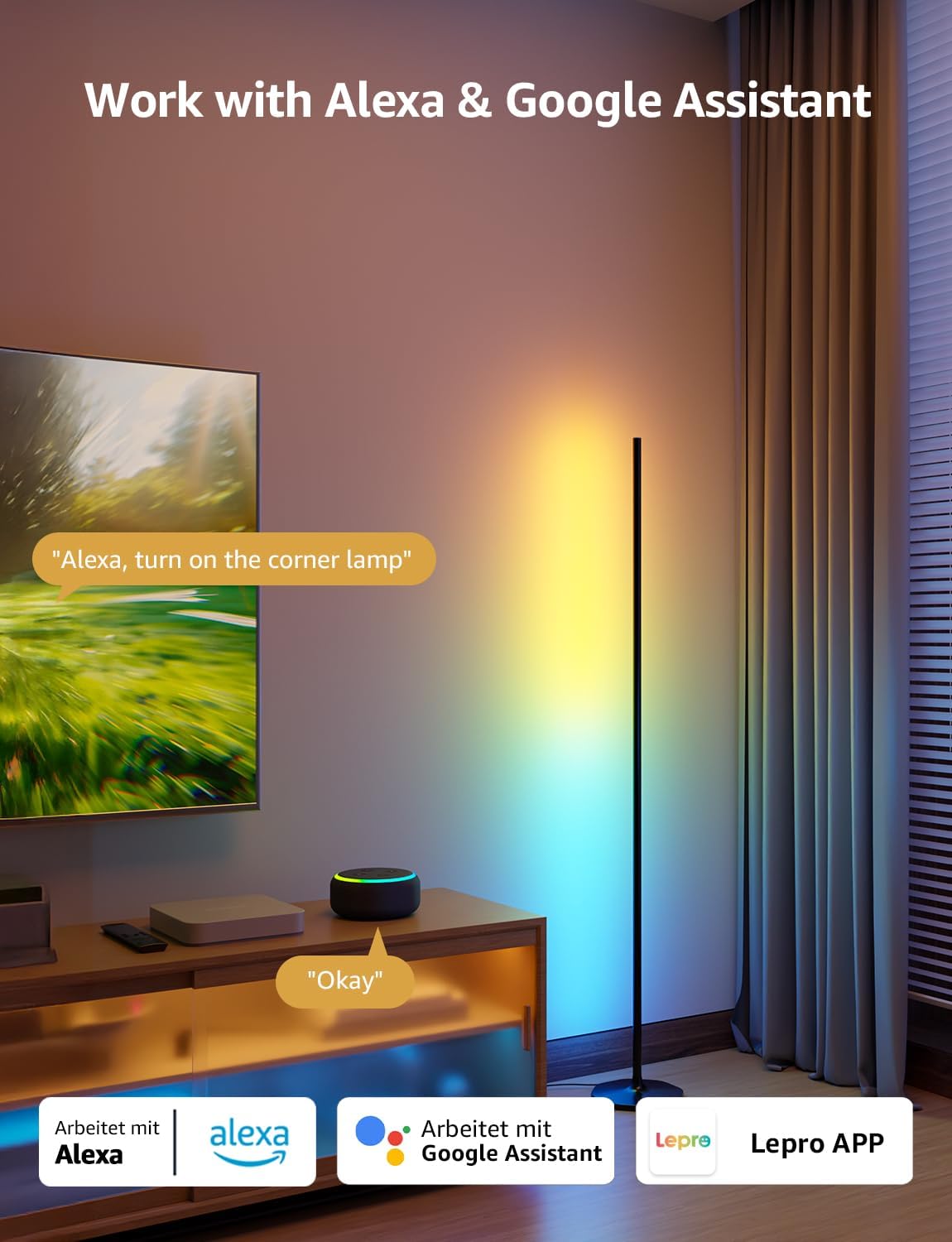
2. Điều khiển bằng giọng nói (Alexa & Google Assistant)
The OE1 lamp supports effortless voice control through Amazon Alexa and Google Assistant. Link your Lepro account with Alexa or Google Assistant in their respective apps to enable voice commands.
- Example commands: "Alexa, turn on the corner lamp," "Hey Google, set the floor lamp to blue," "Alexa, dim the floor lamp đến 50%."
3. Kiểm soát nhóm
For multiple Lepro AI devices, simultaneous group control is supported through the Lepro app, allowing you to manage all your smart lights together.
BẢO TRÌ
To ensure the longevity and optimal performance of your Lepro OE1 floor lamp:
- Vệ sinh: Lau sạch lamp with a soft, dry cloth. Avoid using abrasive cleaners or solvents that may damage the finish or LED strip.
- Vị trí: Đặt lamp on a stable, flat surface. Avoid areas with excessive moisture or direct exposure to sunlight, which can affect the LED lifespan.
- Quyền lực: Always disconnect the power adapter before cleaning or performing any maintenance.
Xử lý sự cố
If you encounter issues with your Lepro OE1 floor lamp, hãy tham khảo các giải pháp phổ biến sau:
- Lamp không bật:
- Đảm bảo bộ đổi nguồn được cắm chặt vào cả hai ổ cắmamp và một ổ cắm điện đang hoạt động.
- Kiểm tra xem ổ cắm điện có hoạt động không bằng cách cắm thiết bị khác.
- Unable to connect to the Lepro app:
- Verify your smartphone's Bluetooth is enabled.
- Confirm your WiFi network is 2.4GHz. The lamp does not support 5GHz WiFi.
- Ensure your phone is connected to the same 2.4GHz WiFi network as the lamp trong quá trình thiết lập ban đầu.
- Hãy thử đặt lại lamp (see "Resetting the Lamp" below).
- Điều khiển bằng giọng nói không hoạt động:
- Ensure your Lepro account is correctly linked with your Alexa or Google Assistant app.
- Check your internet connection for both the lamp and your voice assistant device.
Đặt lại Lamp
If you experience persistent issues or need to re-pair your lamp, perform a factory reset:
- Locate the control button on the power cable.
- Nhấn và giữ nút trong 5 giây.
- A flashing blue light on the lamp indicates a successful reset. The lamp is now ready for re-pairing with the Lepro app.
Video 3: Visual demonstration of how to reset the Lepro OE1 AI floor lamp.
Thông số kỹ thuật
| Tính năng | Chi tiết |
|---|---|
| Thương hiệu | Bệnh phong |
| Số hiệu mẫu | OE1 |
| Kích thước sản phẩm | 7.87"D x 7.87"W x 55.11"H |
| Trọng lượng sản phẩm | 2.86 Bảng Anh |
| Loại nguồn sáng | DẪN ĐẾN |
| Độ sáng | 1000 Lumen |
| Nhiệt độ màu | 2700 Kelvin (Trắng ấm) |
| Màu sáng | RGB, Trắng ấm |
| Cái gì?tage | 20 watt |
| Tậptage | 120 Vôn (AC) |
| Phương pháp kiểm soát | Voice, App (Lepro App) |
| Kết nối | Bluetooth, 2.4G WiFi (5GHz not supported) |
| Tuổi thọ trung bình | 20000 giờ |
| Vật liệu | Nhôm |
| Loại hoàn thiện | Mờ |
| Sử dụng trong nhà/ngoài trời | Trong nhà |
| Yêu cầu lắp ráp | Đúng |
| Mã số UPC | 810168791135 |
Bảo hành và Hỗ trợ
For warranty information or technical support, please refer to the official Lepro webhoặc liên hệ trực tiếp với bộ phận chăm sóc khách hàng của họ. Hãy giữ lại hóa đơn mua hàng để yêu cầu bảo hành.
Optional protection plans may be available for purchase separately. Please check with your retailer for details.