1. Giới thiệu
Thank you for choosing the ROCAM Emergency Solar Radio CR1030. This versatile device is designed to provide reliable communication, light, and power in various situations, including emergencies, outdoor activities, and power outages. It features multiple charging methods, a powerful LED flashlight, a reading lamp, an SOS alarm, and a robust power bank function.
Vui lòng đọc kỹ hướng dẫn sử dụng này trước khi dùng sản phẩm để đảm bảo vận hành đúng cách và kéo dài tối đa tuổi thọ của sản phẩm.
2. Sản phẩm hếtview
The ROCAM CR1030 is an essential tool for preparedness, offering a range of features to keep you informed and powered.
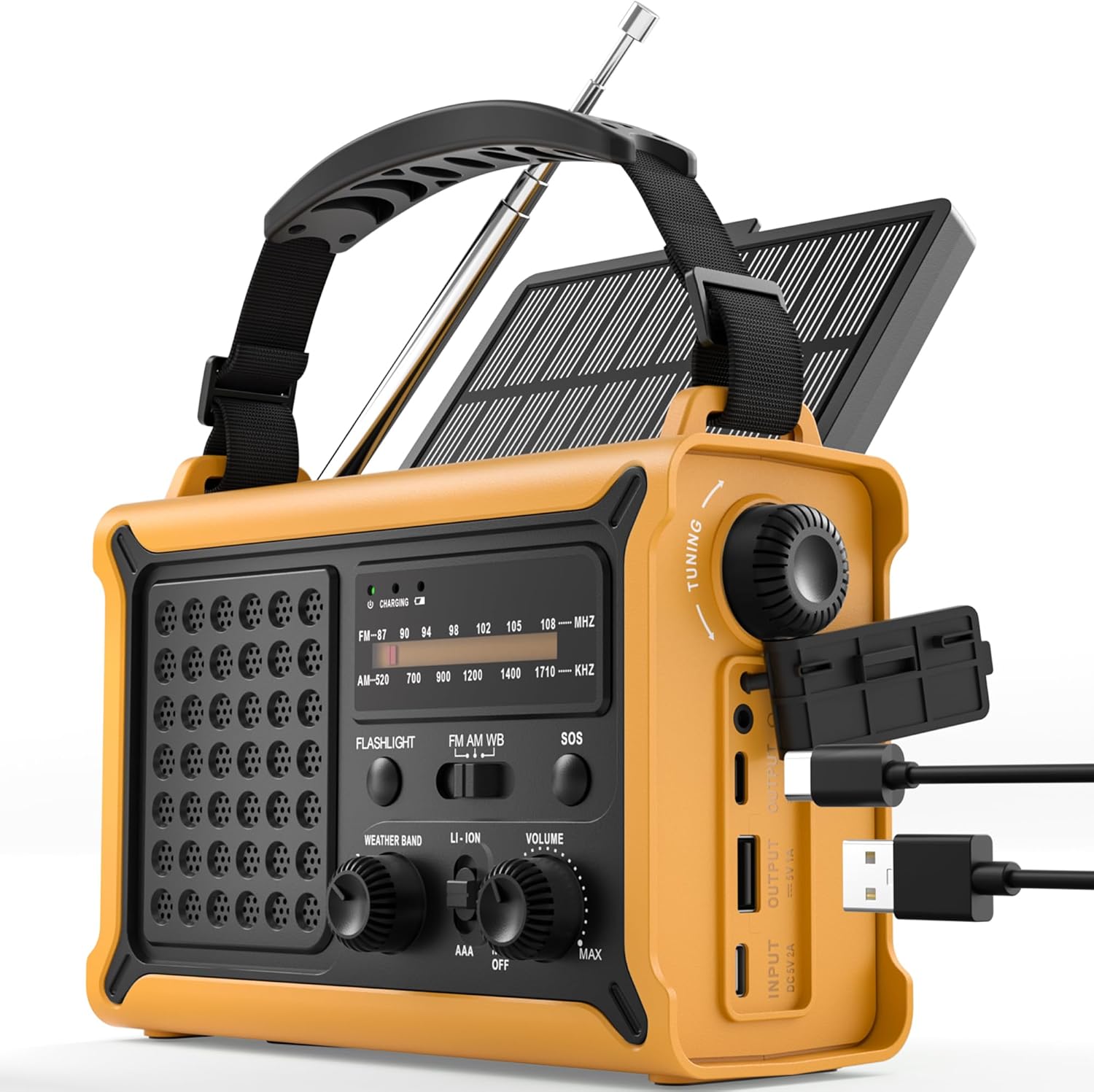
Hình 1: Đằng trước view of the ROCAM Emergency Solar Radio CR1030, showcasing its compact and rugged design with integrated solar panel and controls.
Các tính năng chính:
- Nhiều nguồn điện: Rechargeable via solar panel, hand crank, USB-C input, or 3 AAA batteries (not included).
- High-Capacity Power Bank: Integrated 12000mAh battery to charge smartphones and other USB devices.
- Đài phát thanh AM/FM: Enhanced reception with a high-sensitivity chip and 360° antenna for clear audio.
- Chiếu sáng kép: Powerful 5W LED flashlight and a soft reading lamp for versatile illumination.
- Báo động khẩn cấp SOS: 120 dB siren with flashing light for signaling in distress.
- Thiết kế bền bỉ: IPX6 waterproof rating and ergonomic, full-size construction for easy handling.

Hình 2: Illustration of the radio's dual power capabilities, highlighting the solar panel and hand crank for emergency charging.

Hình 3: Depicts the SOS alarm function, the 12000mAh power bank charging a phone, and the radio's role in staying informed during emergencies.
3. Thiết lập
3.1 Các thành phần bao gồm

Hình 4: The radio, Type-C charging cable, user manual, and portable strap are included in the package.
Trước khi sử dụng lần đầu, vui lòng đảm bảo tất cả các bộ phận đều có đầy đủ:
- ROCAM Emergency Solar Radio CR1030
- Cáp sạc Type-C
- Hướng dẫn sử dụng
- Portable Strap
3.2 Sạc ban đầu
It is recommended to fully charge the radio via the USB-C port before its first use. Connect the provided Type-C cable to the radio's input port and a standard USB power adapter (not included). The charging indicator will illuminate.
3.3 AAA Battery Installation (Optional Backup)
For an additional backup power source, you can install 3 AAA batteries (not included) in the designated battery compartment. Ensure correct polarity (+/-) when inserting the batteries.
4. Hướng dẫn vận hành
4.1 Bật/Tắt nguồn và Điều khiển âm lượng
Xoay ÂM LƯỢNG knob clockwise to turn the radio on and increase the volume. Rotate counter-clockwise to decrease volume and turn the radio off.
4.2 Hoạt động vô tuyến (AM/FM)
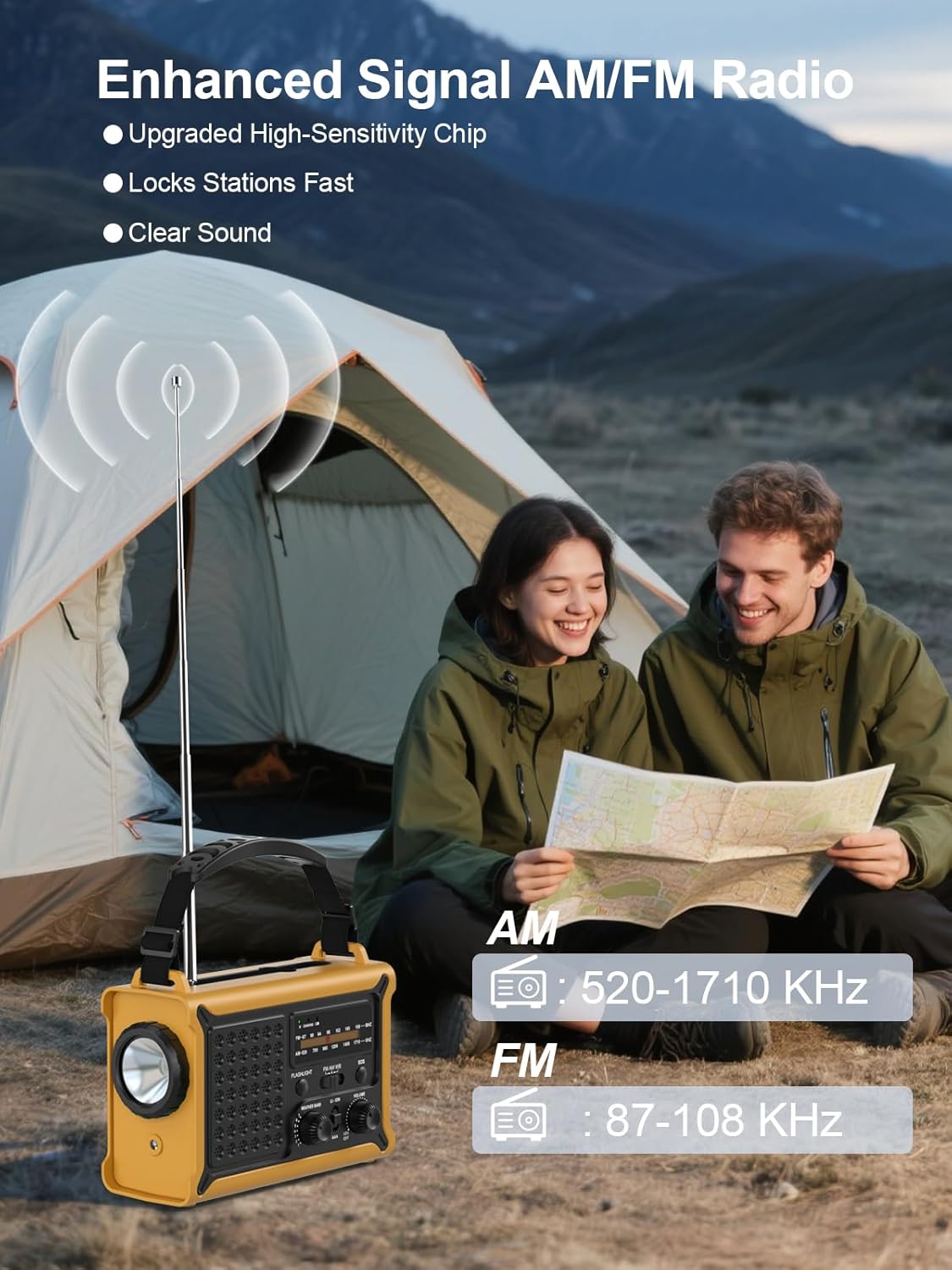
Hình 5: The radio features an extendable antenna for improved AM/FM reception, covering frequencies AM: 520-1710 KHz and FM: 87-108 KHz.
- Extend the telescopic antenna for optimal FM reception. For AM reception, the internal antenna is generally sufficient.
- Sử dụng BAN NHẠC switch to select between AM and FM.
- Xoay ĐIỀU CHỈNH knob to scan for radio stations. The frequency display will show the current station.
4.3 Chức năng chiếu sáng

Hình 6: The radio offers both a powerful 5W LED flashlight and a softer reading lamp cho các nhu cầu chiếu sáng khác nhau.
The radio features two lighting modes:
- Đèn pin: Nhấn nút ĐÈN PIN button once to turn on the 5W LED flashlight. Press again to turn it off.
- Đọc Lamp: Nhấn nút ĐỌC LAMP button once to activate the soft reading light. Press again to turn it off.
4.4 Báo động SOS

Hình 7: The SOS alarm provides a loud 120 dB siren and a flashing light to attract attention in emergency situations.
Để kích hoạt báo động SOS, hãy nhấn và giữ nút SOS button for 2 seconds. The radio will emit a loud 120 dB siren and a flashing light. To deactivate, press the SOS nút một lần nữa.
4.5 Sạc các thiết bị ngoại vi (Pin dự phòng)

Hình 8: The radio features two USB output ports, allowing it to charge multiple devices simultaneously with its high-capacity power supply.
The built-in 12000mAh battery can be used to charge your mobile devices:
- Connect your device's USB charging cable to the radio's ĐẦU RA USB cảng.
- Đài phát thanh sẽ bắt đầu sạc thiết bị của bạn.
- Note: The maximum output is 5V/1A.
4.6 Sạc Radio
The radio offers multiple ways to recharge its internal battery:
- Sạc USB-C: Kết nối cáp Type-C được cung cấp với ĐẦU VÀO USB port and a USB power source. This is the fastest charging method.
- Sạc năng lượng mặt trời: Place the radio with the solar panel facing direct sunlight. The solar charging indicator will light up. This method is ideal for maintaining battery charge or slow charging in emergencies.
- Sạc tay quay: Unfold the hand crank handle and rotate it clockwise or counter-clockwise at a steady pace (approximately 130-150 RPM). A few minutes of cranking can provide power for radio use or a short burst of light.

Hình 9: The radio features a large 8500 mm² solar panel for efficient solar charging.

Hình 10: The high-torque hand crank generator provides efficient power generation with minimal effort.
5. Bảo trì
5.1 Vệ sinh
Lau đài bằng mềm, damp cloth. Do not use abrasive cleaners or solvents, as they may damage the surface. Ensure all ports are dry before use or charging.
5.2 Lưu trữ
When storing the radio for extended periods, ensure it is fully charged. Store in a cool, dry place away from direct sunlight and extreme temperatures. If using AAA batteries, remove them during long-term storage to prevent leakage.
5.3 Chăm sóc pin
To prolong the life of the internal rechargeable battery, avoid fully discharging it frequently. Recharge the radio at least once every three months if not in regular use.
KHAI THÁC. Xử lý sự cố
- Đài không bật: Ensure the volume knob is rotated clockwise. Check battery level. If using AAA batteries, ensure they are correctly installed and not depleted.
- Thu sóng vô tuyến kém: Extend the telescopic antenna fully. Try repositioning the radio. For AM, rotate the radio for better signal.
- Device not charging from USB output: Ensure the radio's internal battery has sufficient charge. Check the charging cable and connection. The output is 5V/1A; some devices may require higher current.
- Chức năng sạc năng lượng mặt trời không hoạt động: Ensure the solar panel is exposed to direct sunlight. Solar charging is slower than USB-C and may not register immediately if the battery is very low.
- Hand crank not generating power: Ensure the crank is rotating smoothly and at a consistent speed. Check for any obstructions.
7. Thông số kỹ thuật
| Tính năng | Đặc điểm kỹ thuật |
|---|---|
| Thương hiệu | ROCAM |
| Số hiệu mẫu | CR1030 |
| Màu sắc | Màu vàng |
| Kích thước sản phẩm | 17.3L x 12.1W x 7.4Hcm |
| Nguồn điện | Solar, Hand Crank, USB-C, 3x AAA Batteries |
| Dung lượng pin | 12000mAh (Internal Rechargeable) |
| Kích thước tấm pin mặt trời | 8500 mm² |
| Dynamo Output | 650mA (Hand Crank) |
| Các băng tần vô tuyến | AM (520-1710 KHz), FM (87-108 MHz) |
| Đèn pin | Đèn LED 5W |
| Báo động SOS | 120 dB with Flashing Light |
| Đầu ra USB | 5V/1A |
| Kết nối | USB (để sạc các thiết bị ngoại vi) |
| Xếp hạng chống thấm nước | IPX6 |
| Thiết bị tương thích | Smartphones, Headphones |
| Các thành phần bao gồm | Radio, Type-C Charging Cable, User Manual, Portable Strap |
8. Bảo hành và Hỗ trợ
8.1 Bảo hành của nhà sản xuất
This ROCAM product is covered by an Bảo hành 18 tháng của nhà sản xuất Kể từ ngày mua. Bảo hành này bao gồm các lỗi về vật liệu và tay nghề trong điều kiện sử dụng bình thường. Bảo hành không bao gồm các hư hỏng do sử dụng sai mục đích, tai nạn, sửa đổi trái phép hoặc hao mòn thông thường.
8.2 Hỗ trợ khách hàng
If you encounter any issues or have questions regarding your ROCAM Emergency Solar Radio CR1030, please refer to the troubleshooting section of this manual first. If the problem persists, please contact the seller or ROCAM customer support for assistance. Please have your purchase receipt and model number (CR1030) ready when contacting support.


