1. Giới thiệu
This instruction manual provides detailed guidance for installing and operating your BRIKSMAX 2.0 LED Light Kit, specifically designed for the Lego Star Wars 75415 Kylo Ren Helmet set. This kit enhances your Lego model with innovative lighting effects, bringing it to life with vibrant colors and a realistic visual display. Please read all instructions carefully before beginning installation.
Ghi chú: The Lego Kylo Ren Helmet set (75415) is not included with this light kit.
2. Những gì bao gồm
Xác minh rằng tất cả các thành phần được liệt kê dưới đây đều có trong gói của bạn:
- LED Light Kit components
- Giấy hướng dẫn
- Hướng dẫn sử dụng
- AA Battery Box (batteries not included)
- Cáp USB

3. Thiết lập và Cài đặt
Follow these steps to integrate the light kit with your Lego Kylo Ren Helmet (Set 75415). It is recommended to have the Lego set fully assembled before beginning the light kit installation.
- Chuẩn bị mô hình Lego: Carefully identify the areas on your Lego Kylo Ren Helmet where the lights will be installed. Some disassembly of specific Lego bricks may be required to properly route wires and place light components.
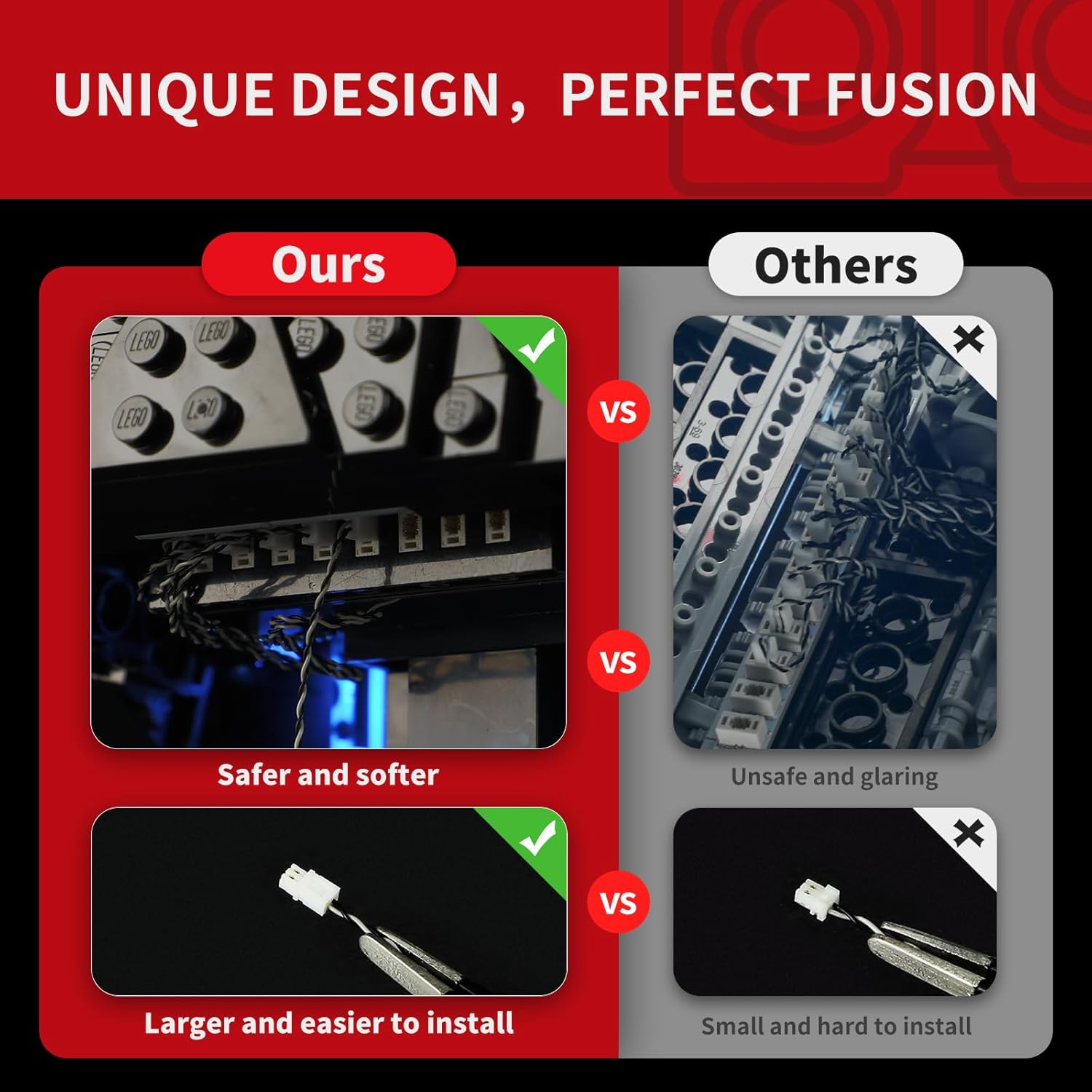
- Install LED Components: Attach the individual LED lights and light strips to the designated areas of the Lego model. The kit includes wire organizer parts designed to help conceal wires and prevent breakage, ensuring a neat and secure fit.
- Connect Expansion Boards: Connect the LED wires to the expansion boards. Ensure all connections are firm. The upgraded crafts feature brick shells around lights and expansion boards to reduce exposed components and improve aesthetics.
- Kết nối nguồn điện: Connect the expansion boards to the provided AA Battery Box or USB cable. If using the battery box, insert the required AA batteries (not included).
- Đèn thử: Before reassembling all Lego pieces, briefly connect power to test if all lights are functioning correctly.
- Lắp ráp cuối cùng: Carefully reassemble any disassembled Lego bricks, ensuring wires are not pinched and are neatly tucked away using the wire organizer parts.

4. Hướng dẫn vận hành
Once installed, operating your BRIKSMAX light kit is straightforward.
- Bật/Tắt nguồn: Connect the USB cable to a power source or ensure batteries are correctly inserted into the battery box. The lights should illuminate automatically. Disconnect power to turn off.
- Chế độ chiếu sáng: The kit supports color changing and multiple lighting modes. Refer to the specific paper instructions included in your package for details on how to cycle through these modes, typically via a button on the battery box or a remote control if included.
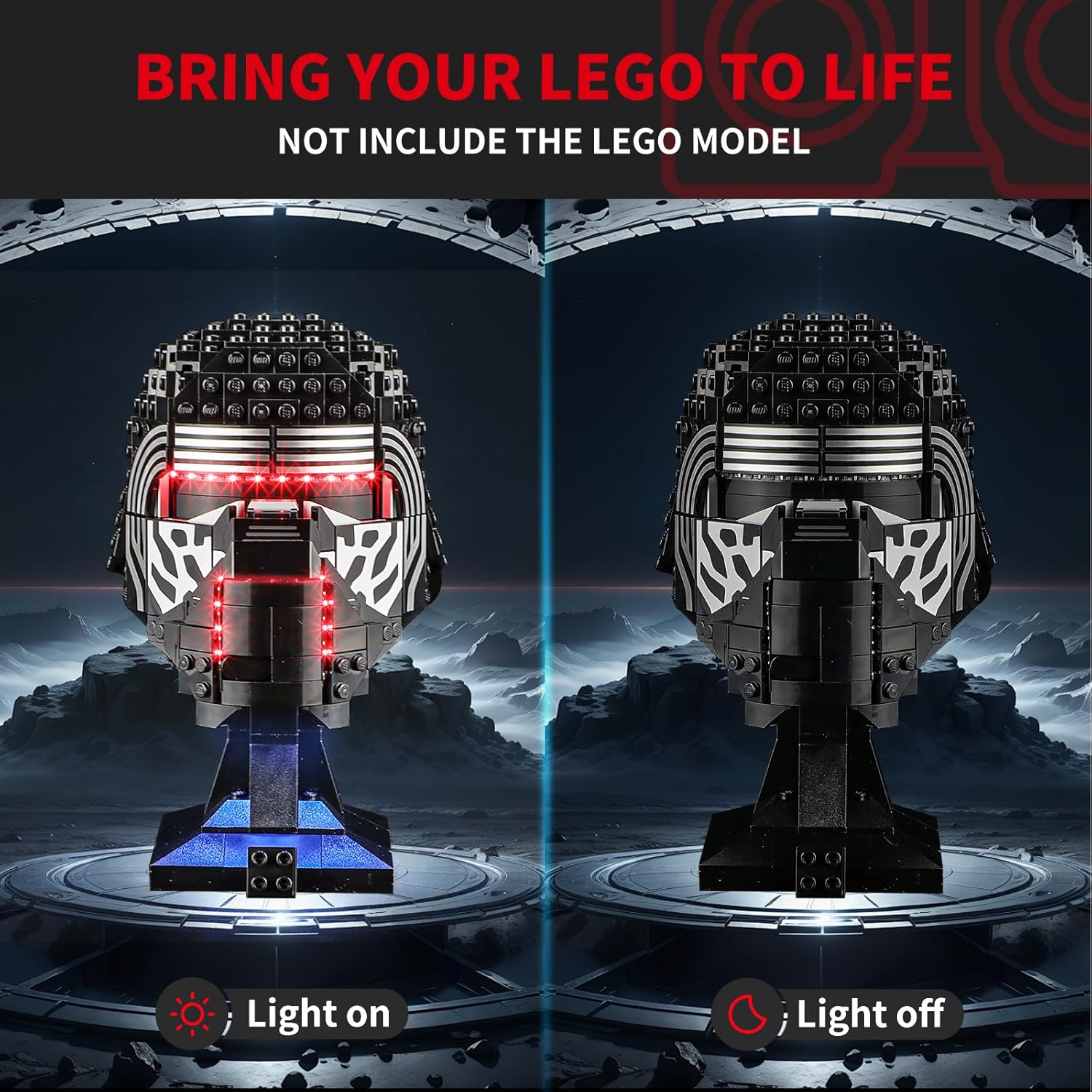

Video 4.1: Official product video demonstrating the BRIKSMAX 2.0 Light Kit for Lego Star Wars 75415 Kylo Ren Helmet Set in action, showcasing its lighting effects.
5. Bảo trì
- Vệ sinh: Use a soft, dry cloth to gently wipe dust from the LED components and wires. Avoid using liquids or abrasive cleaners.
- Chăm sóc dây: Ensure wires are not pulled or bent sharply, as this can cause damage. The included wire organizers help protect the wires.
- Thay thế pin: If using the battery box, replace AA batteries when lights dim or cease to function. Ensure correct polarity.
- Kho: When not in use for extended periods, disconnect the power source (remove batteries or unplug USB) to conserve power and prevent potential issues.
KHAI THÁC. Xử lý sự cố
| Vấn đề | Nguyên nhân có thể | Giải pháp |
|---|---|---|
| Đèn không bật. |
|
|
| Đèn mờ hoặc nhấp nháy. |
|
|
| LED adhesive strips peel off. |
|
|
| Difficulty with installation. |
|
|
7. Thông số kỹ thuật
| Tính năng | Chi tiết |
|---|---|
| Thương hiệu | BRIKSMAX |
| Số hiệu mẫu | 75415 (for Lego Kylo Ren Helmet) |
| Loại nguồn sáng | Điốt phát quang (LED) |
| Nguồn điện | Battery Powered (AA batteries, not included) or USB |
| Tính năng bóng đèn | Color changing, multiple lighting modes |
| Số lượng nguồn sáng | 2 |
| Công suất phát sáng tối đa | 100 Lumen |
| Vật liệu | Nhựa |
| Độ tuổi khuyến nghị | 8 tuổi trở lên |
| Kích thước sản phẩm | 6.5 x 4.72 x 1.57 inch |
| Trọng lượng sản phẩm | 6.3 ounce / 180 gram |
8. Bảo hành và Hỗ trợ
BRIKSMAX is committed to providing high-quality products and excellent customer service. Our LED lighting kits are made from safe and reliable materials.
- Các bộ phận bị hư hỏng hoặc thiếu: If you receive any damaged or missing parts, please contact BRIKSMAX customer service immediately for a replacement.
- Hỗ trợ kỹ thuật: For any installation difficulties or operational questions not covered in this manual, please reach out to our support team.
- Thông tin liên lạc: Please refer to the contact details provided in your product packaging or visit the official BRIKSMAX webtrang web hỗ trợ.


