1. Giới thiệu
Thank you for choosing the ACMER S2 12W Laser Engraver Machine. This powerful and precise tool is designed for a wide range of engraving and cutting applications on various materials. This manual provides essential information for safe operation, setup, maintenance, and troubleshooting to ensure optimal performance and longevity of your device.

Figure 1: The ACMER S2 12W Laser Engraver in operation, demonstrating its capability to engrave intricate designs on wood.
2. Thông tin an toàn
Operating a laser engraver requires strict adherence to safety guidelines to prevent injury and damage. Please read and understand all safety instructions before using the device.
Các Biện pháp Phòng ngừa An toàn Chung:
- Always wear the provided protective anti-UV safety goggles when the laser is active.
- Tuyệt đối không được nhìn trực tiếp vào chùm tia laser hoặc nhìn vào hình ảnh phản chiếu của nó.
- Đảm bảo khu vực làm việc được thông gió tốt để làm tan khói và bụi sinh ra trong quá trình khắc hoặc cắt.
- Để các vật liệu dễ cháy tránh xa máy khắc laser.
- Không để máy không có người giám sát trong quá trình vận hành.
- The S2 includes an automatic pause feature if movement is detected during engraving, enhancing safety.
- Giữ trẻ em và vật nuôi tránh xa khu vực phẫu thuật.
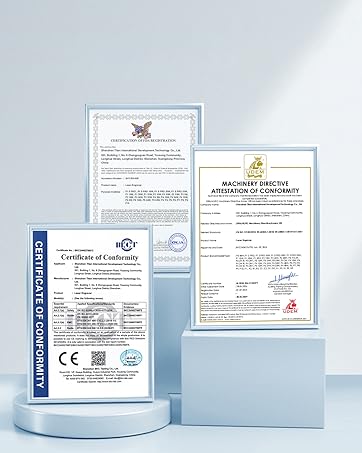
Figure 2: Product certifications indicating compliance with safety standards.
3. Nội dung gói hàng
Verify that all components are present in the package before assembly. Refer to the included parts list in your physical manual for a detailed breakdown. Key components include:
- Mô-đun Laser (12W)
- Frame Components (profiles, X-axis, Y-axis)
- Hộp điều khiển
- Bộ đổi nguồn và cáp
- Kính bảo hộ
- Cáp dữ liệu USB
- Khối tập trung
- Tool Kit (screws, wrenches)
Video 1: Một kết thúcview of the ACMER S1 12W Laser Engraver Machine, showcasing its components and general appearance.
4. Hướng dẫn cài đặt
Follow these steps to assemble your ACMER S2 12W Laser Engraver. Detailed visual instructions are available in the included manual and the assembly video.
Các bước lắp ráp:
- Tháo rời tất cả các linh kiện và đối chiếu với danh sách linh kiện.
- Assemble the frame using the provided screws and tools.
- Install the X-axis and Y-axis components, ensuring smooth movement.
- Lắp mô-đun laser vào giá đỡ trục X.
- Connect the control box and power adapter.
- Adjust the laser focus using the focusing block.
Video 2: A user demonstrating the setup process of the ACMER S2 laser engraver, highlighting its ease of assembly.

Figure 3: The POM pulley and dovetail slide mechanism, designed for stable and quiet operation (less than 45dB).
5. Hướng dẫn vận hành
The ACMER S2 12W Laser Engraver is compatible with various software and materials, offering versatility for your projects.
Tương thích phần mềm:
The engraver supports LightBurn and LaserGRBL, two mainstream engraving software applications. It is compatible with Windows, macOS, and Linux operating systems. Supported file formats include NC, DXF, BMP, JPG, and PNG.
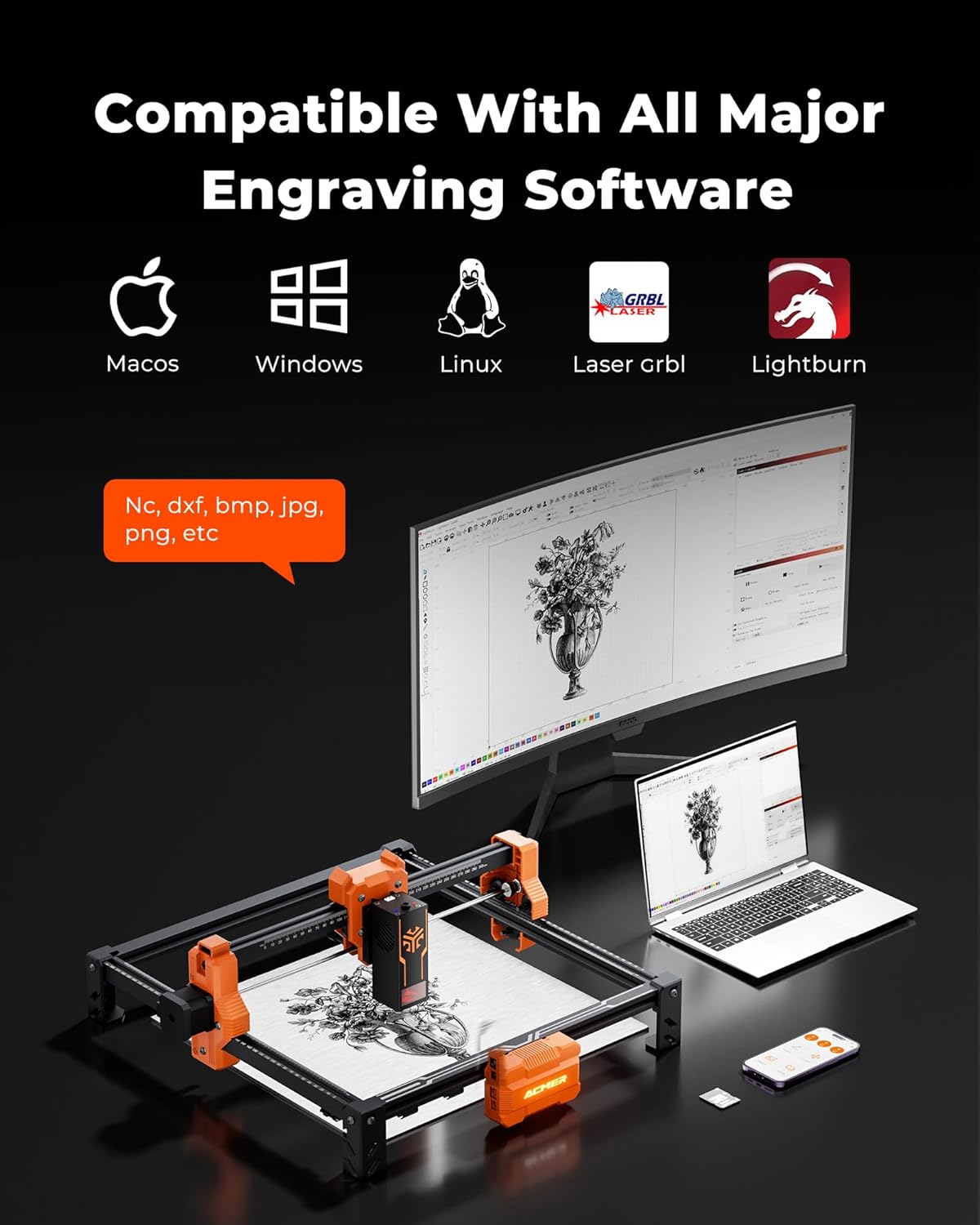
Figure 4: The ACMER S2 connected to a computer, illustrating its compatibility with major engraving software like LightBurn and LaserGRBL across different operating systems.
Tính đa dụng của vật liệu:
The 12W laser head allows engraving and cutting on over 100 different materials, including wood, metal, leather, and acrylic. It can cut up to 15mm paulownia wood and 12mm black acrylic (multi-pass).

Figure 5: A chart detailing the cutting capabilities of different laser wattages (4W, 7W, 12W) on various materials like black acrylic and wood, for both single and multiple passes.
Khả năng tương thích của máy bơm khí:
For smoother edges, clearer engraving, and reduced fire risks, an optional air pump (sold separately) can be integrated with the engraver.
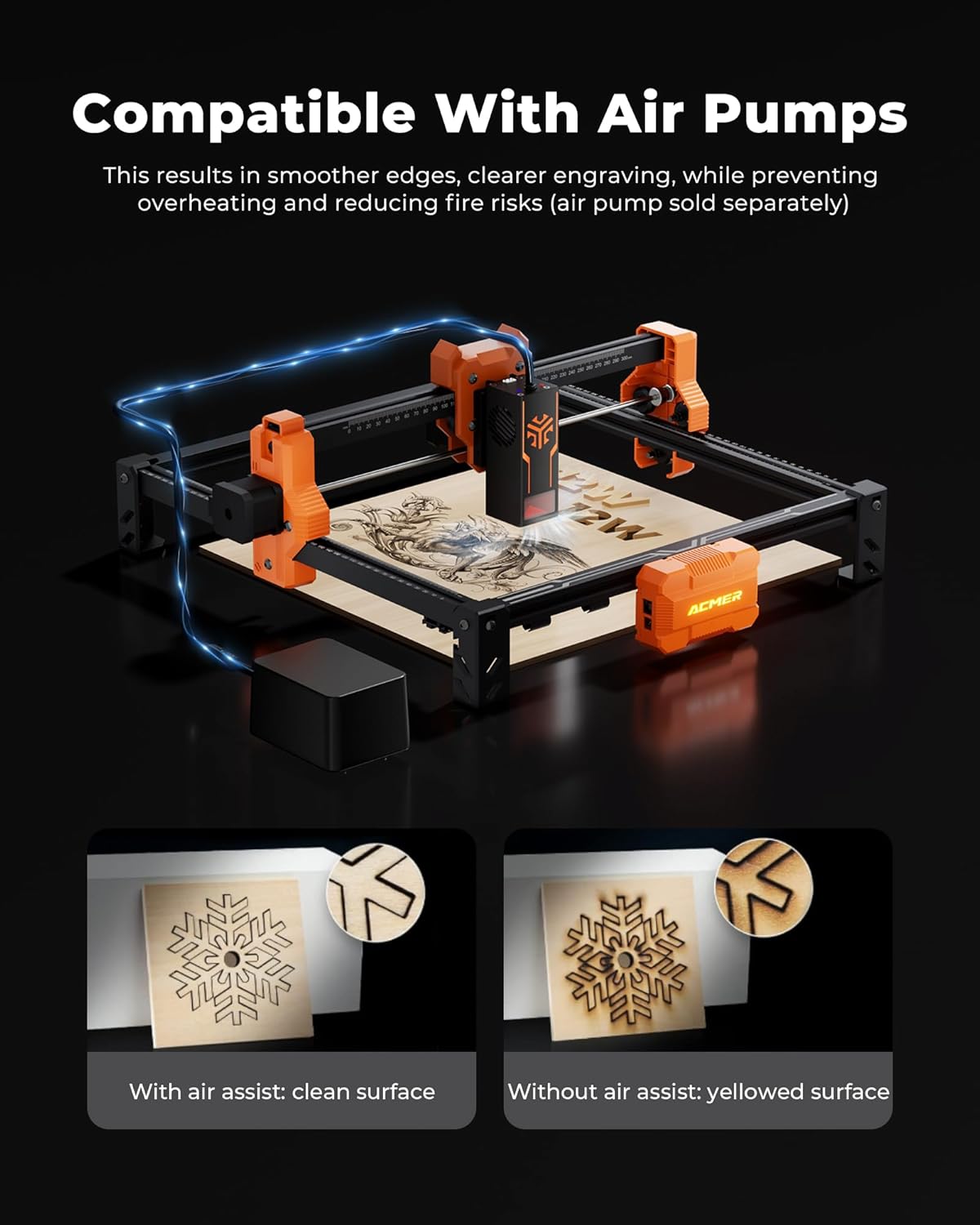
Figure 6: Visual comparison demonstrating the benefits of using an air assist pump for cleaner cuts and reduced yellowing on engraved surfaces.
Khu vực khắc:
The spacious 300x300mm (11.81x11.81 inch) working area allows for large-scale projects. Optional rotary modules and risers (sold separately) enable engraving on cylindrical objects.

Figure 7: The working area of the ACMER S2, measuring 300x300mm, suitable for various project sizes.
Video 3: A demonstration of the ACMER Laser Engraver creating a magic card box, showcasing its precision and application in crafting.
6. Bảo trì
Việc bảo trì thường xuyên đảm bảo tuổi thọ và hiệu suất tối ưu cho máy khắc laser ACMER S2 của bạn.
- Vệ sinh ống kính laser: Thường xuyên lau sạch thấu kính laser bằng vải mềm, không xơ và dung dịch vệ sinh thấu kính để duy trì chất lượng khắc.
- Inspect Belts and Pulleys: Check the drive belts and pulleys for wear or looseness. Tighten or replace as necessary to ensure precise movement.
- Dọn sạch các mảnh vụn: Remove any debris or dust from the work area and moving parts to prevent interference with operation.
- Bôi trơn các bộ phận chuyển động: Apply a small amount of appropriate lubricant to the guide rails and lead screws as recommended in the full product manual.
KHAI THÁC. Xử lý sự cố
Phần này đề cập đến các vấn đề thường gặp mà bạn có thể gặp phải với máy khắc laser ACMER S2 của mình.
Các vấn đề thường gặp và giải pháp:
- Tia laser không bắn: Ensure the power cable is securely connected, the machine is turned on, and the laser module is properly seated. Check software settings for laser power and enable status.
- Chất lượng khắc kém: Verify the laser focus is correctly set. Adjust engraving speed and power settings in your software. Clean the laser lens if smudges are present. Ensure the material is flat and properly secured.
- Máy không di chuyển: Check all cable connections, especially the data cable to your computer. Ensure the software is correctly configured and sending commands. Restart the machine and software.
- Sự cố kết nối phần mềm: Confirm the correct COM port is selected in your engraving software. Reinstall drivers if necessary. Try a different USB port or cable.
- Khắc/Cắt không chính xác: Check for loose belts or pulleys. Ensure the frame is stable and not vibrating. Calibrate the machine if necessary (refer to advanced manual sections).
If you encounter issues not covered here, please refer to the comprehensive troubleshooting section in your full product manual or contact customer support.
8. Thông số kỹ thuật
| Tính năng | Đặc điểm kỹ thuật |
|---|---|
| Người mẫu | S2-12W |
| Công suất đầu ra của Laser | 12W (12,000mW) |
| Tổng công suất hệ thống | 72W |
| Độ chính xác khắc | 0.01mm |
| Kích thước điểm laser | 0.08x0.08mm |
| Khu vực làm việc | 300x300 mm (11.81x11.81 inches) |
| Tốc độ khắc | Lên đến 10,000 mm/phút |
| Kích thước sản phẩm | 12.6 x 12.6 x 7.8 inch |
| Trọng lượng sản phẩm | 8.13 pound |
| Nhà sản xuất | ACMER |
| Ngày đầu tiên có sẵn | Ngày 19 tháng 2025 năm XNUMX |
9. Bảo hành và Hỗ trợ
ACMER is committed to providing high-quality products and excellent customer service. For any inquiries or assistance, please refer to the contact information provided with your product or visit the official ACMER webđịa điểm.
- Hỗ trợ trực tuyến: 24/7 online support is available for technical assistance and troubleshooting.
- Thông tin bảo hành: Please refer to the warranty card included in your product packaging for details on coverage and terms.

Figure 8: Representation of ACMER's 24/7 online support for customer assistance.


