1. Sản phẩm hếtview
This manual provides detailed instructions for the Nitecore MH25 PRO and MH10 V2 rechargeable flashlights. The MH25 PRO features a NiteLab UHi 40 LED with a maximum output of 3,300 lumens, designed for long-range illumination. The MH10 V2 utilizes a CREE XP-L2 V6 LED, offering a maximum output of 1,200 lumens, suitable for everyday carry and general use. Both flashlights are durable, rechargeable, and designed for various outdoor and daily applications.
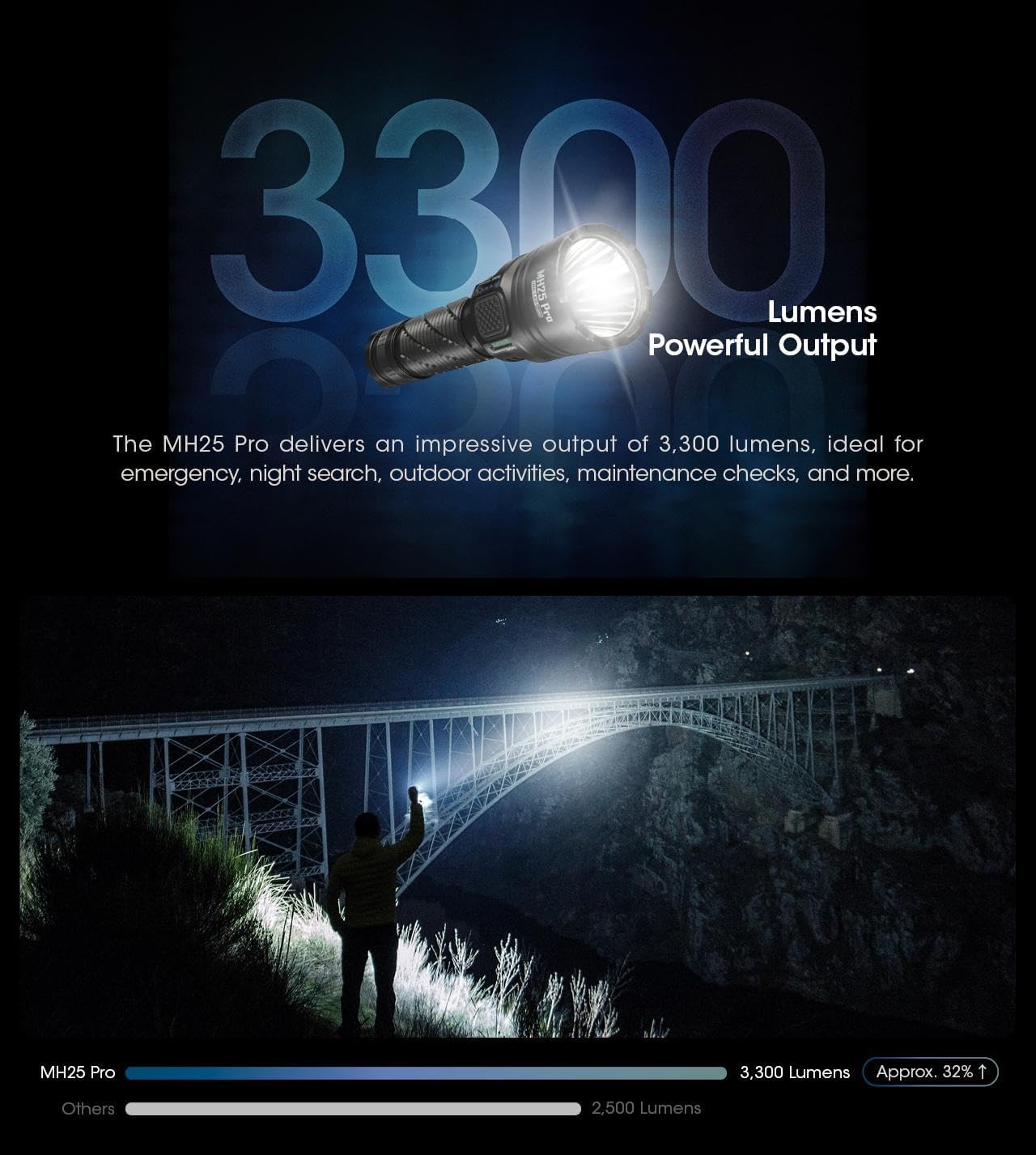
Image: The Nitecore MH25 PRO and MH10 V2 flashlights shown together, highlighting their compact design.
2. Nội dung gói hàng
Xác minh rằng tất cả các mục đều có trong gói hàng của bạn:
- Nitecore MH25 PRO Flashlight
- Nitecore MH10 V2 Flashlight
- NITECORE NL2153HP Li-ion Battery (for MH25 PRO)
- Li-ion Battery (for MH10 V2)
- Cáp sạc USB-C
- Dây đeo cổ
- Vòng đệm chữ O dự phòng
- Đoạn trích
- Bao súng
3. Thiết lập
3.1 Lắp đặt pin
Before first use, ensure the batteries are correctly installed. Unscrew the tail cap of each flashlight and insert the included Li-ion battery with the positive (+) terminal facing towards the head of the flashlight. Screw the tail cap back on tightly to ensure proper contact and water resistance.
3.2 Sạc ban đầu
Both flashlights are equipped with a USB-C charging port. Connect the provided USB-C cable to the flashlight's charging port and to a USB power source (e.g., wall adapter, computer, power bank). The charging indicator will provide feedback on the charging status. A full charge is recommended before initial use to maximize battery life.

Image: Close-up of the Nitecore MH10 V2's USB-C charging port, showing its location and design for direct charging.
4. Hoạt động
4.1 Các biện pháp kiểm soát chung
Both MH25 PRO and MH10 V2 feature a tail switch for momentary and constant illumination, and a side mode button for brightness level and special mode selection.
4.2 MH25 PRO Operating Modes
The MH25 PRO offers two user modes: Chế độ hàng ngày Và Chế độ chiến thuật. It has 5 brightness levels (Ultralow, Low, Mid, High, Turbo) and 3 special modes (Strobe, Beacon, SOS).
- Bật/Tắt nguồn: Nhấn mạnh nút ở đuôi đèn pin để bật hoặc tắt.
- Điều chỉnh độ sáng: With the light on, press the side mode button to cycle through brightness levels.
- Chế độ đặc biệt: Double-press the mode button to activate Strobe. Press again to cycle through Beacon and SOS.
- Chuyển đổi chế độ: Refer to the detailed instructions in the included manual for switching between Daily and Tactical modes.
4.3 MH10 V2 Operating Modes
The MH10 V2 also features multiple brightness levels and special modes.
- Bật/Tắt nguồn: Nhấn mạnh nút ở đuôi đèn pin để bật hoặc tắt.
- Điều chỉnh độ sáng: With the light on, press the side mode button to cycle through brightness levels (Ultralow, Low, Mid, High).
- Chế độ đặc biệt: Double-press the mode button to activate Strobe. Press again to cycle through Beacon and SOS.

Image: Diagram illustrating the Daily Mode and Tactical Mode interfaces with their respective brightness and special modes.
4.4 Power and Level Indicators
Both flashlights feature power indicators near the mode button to display remaining battery power and current brightness level. Consult the specific product manual for detailed indicator patterns.
4.5 Sensor Protection Function (MH25 PRO)
The MH25 PRO includes a built-in optical sensor. If an obstruction is detected at close range, the flashlight's brightness will automatically decrease to prevent overheating and potential damage.

Image: The Nitecore MH25 PRO flashlight held in hand, showcasing its anti-slip knurling and overall design for a secure grip.

Image: The Nitecore MH25 PRO flashlight emitting a powerful beam, illustrating its 3300 lumens output and long throw capability.
Image: The Nitecore MH10 V2 flashlight held in a gloved hand, demonstrating its compact size and lightweight design.
5. Thông số kỹ thuật
5.1 Nitecore MH25 PRO Specifications
| Tính năng | Chi tiết |
|---|---|
| Đầu ra tối đa | 3,300 Lumen |
| Khoảng cách chùm tia tối đa | 705 mét |
| Cường độ chùm tia tối đa | 124,300 đĩa CD |
| Thời gian chạy tối đa | 650 hours (Ultralow) |
| DẪN ĐẾN | Đèn LED NiteLab UHi 40 |
| Ắc quy | 1 x NL2153HP (5,300mAh) Li-ion |
| Chế độ đặc biệt | STROBE, BEACON, SOS |
| Khả năng chống va đập | 1 mét |
| Xếp hạng chống thấm nước | IP68 (chìm 2 mét) |
Image: Technical data table for the Nitecore MH25 PRO, detailing lumens, runtime, beam distance, and intensity for various modes.
5.2 Nitecore MH10 V2 Specifications
| Tính năng | Chi tiết |
|---|---|
| Đầu ra tối đa | 1,200 Lumen |
| Khoảng cách chùm tia tối đa | 202 mét |
| Cường độ chùm tia tối đa | 10,200 đĩa CD |
| Thời gian chạy tối đa | 1500 hours (Ultralow) |
| DẪN ĐẾN | CREE XP-L2 V6 LED |
| Pin tương thích | 1 x 21700, 1 x 18650, 2 x CR123/RCR123 |
| Chế độ đặc biệt | STROBE, BEACON, SOS |
| Khả năng chống va đập | 1 mét |
| Xếp hạng chống thấm nước | IP68 (chìm 2 mét) |
Image: Technical data table for the Nitecore MH10 V2, detailing lumens, runtime, beam distance, and intensity for various modes.
5.3 Thông số kỹ thuật chung
- Vật liệu: Hợp kim nhôm hạng Aero
- Hoàn thành: HA III military grade hard-anodized
- Sạc: USB-C có thể sạc lại
- Ống kính quang học: Double-sided scratch resistant coating
6. Bảo trì
6.1 Vệ sinh
Thường xuyên lau sạch thân đèn pin bằng khăn mềm.amp Khăn lau. Đối với ống kính, hãy sử dụng khăn lau ống kính chuyên dụng để tránh trầy xước. Không sử dụng chất tẩy rửa có tính mài mòn hoặc dung môi.
6.2 Chăm sóc pin
To maintain optimal battery performance, charge the batteries regularly. If the flashlight will not be used for an extended period, remove the batteries to prevent leakage and store them in a cool, dry place. Avoid over-discharging or over-charging the batteries.
6.3 Khả năng chống nước
Both flashlights are rated IP68, meaning they are dustproof and submersible to 2 meters. Ensure all caps and covers (especially the USB-C port cover) are securely closed before exposing the flashlight to water or dusty environments.
KHAI THÁC. Xử lý sự cố
- Đèn pin không bật:
- Kiểm tra xem pin đã được lắp đúng cách chưa, với cực dương (+) hướng về phía đầu.
- Hãy đảm bảo nắp đuôi được vặn chặt.
- Charge the battery to ensure it has sufficient power.
- Ánh sáng mờ hoặc nhấp nháy:
- Pin có thể sắp hết; hãy sạc pin.
- Vệ sinh các điểm tiếp xúc pin và ren của đèn pin.
- Đèn pin nhanh chóng bị nóng:
- The MH25 PRO has an Advanced Temperature Regulation (ATR) module and sensor protection to prevent overheating. If it becomes excessively hot, it may be operating in a high mode for an extended period or in a high ambient temperature. Reduce the brightness level.
- Vấn đề sạc:
- Hãy đảm bảo cáp USB-C được kết nối đúng cách với cả đèn pin và nguồn điện.
- Hãy thử cáp USB-C hoặc bộ đổi nguồn khác.
8. Bảo hành và Hỗ trợ
For warranty information, please refer to the warranty card included with your product or visit the official Nitecore website. For technical support or service inquiries, please contact Nitecore customer service directly through their official channels.


