1. Giới thiệu
Thank you for choosing the Codnida Cell 2T 4G LTE Solar Security Camera. This device provides reliable outdoor surveillance with its 4G LTE connectivity, solar power capabilities, and advanced features like 2K color night vision and intelligent motion detection. This manual will guide you through the setup, operation, and maintenance of your camera to ensure optimal performance.

Hình 1.1: Hếtview of the Codnida Cell 2T 4G LTE Solar Security Camera.
2. Có gì trong hộp
Vui lòng xác minh rằng tất cả các thành phần đều có sẵn trước khi tiến hành cài đặt.
- 1 x Codnida Cell 2T Camera
- Bảng điều khiển năng lượng mặt trời 1 x
- 1 x SIM Card (with free trial data)
- 1 x Screw Kit for mounting
- 1 x Hướng dẫn sử dụng (tài liệu này)
- 1 x Cáp sạc USB

Image 2.1: All included components in the Codnida Cell 2T package.
3. Tính năng sản phẩm
- Kết nối 4G LTE: Operates independently without Wi-Fi, ideal for remote locations. Includes a trial SIM card.
- Solar Powered & Long-Life Battery: Equipped with a high-efficiency solar panel and a built-in 10400mAh battery for continuous operation.
- Độ phân giải 2K HD & Tầm nhìn ban đêm có màu: Captures clear 2K video with three night vision modes (color, black & white, smart).
- 355° Pan/Tilt Rotation: Offers wide area coverage with remote control via the app.
- Intelligent PIR Motion Detection: Detects human movement and sends instant notifications. Customizable detection zones and sensitivity.
- Âm thanh hai chiều: Micrô và loa tích hợp để giao tiếp thời gian thực.
- Báo động âm thanh và ánh sáng: Deters intruders with an audible alarm and flashing LED lights upon detection.
- Chống chịu thời tiết IP65: Designed for outdoor use, resistant to rain, humidity, and dust.
- Lưu trữ linh hoạt: Supports cloud storage and local Micro SD card storage up to 256GB.
4. Hướng dẫn cài đặt
4.1. Sạc ban đầu
Before first use, fully charge the camera's internal battery using the provided USB cable and a 5V/2A power adapter (not included). The charging indicator light will turn solid blue when fully charged.
4.2. Lắp thẻ SIM và thẻ Micro SD
- Locate the SIM card and Micro SD card slot on the camera, usually protected by a rubber cover.
- Cẩn thận mở nắp.
- Insert the provided 4G SIM card into the SIM card slot with the gold contacts facing down and the notched corner aligned correctly. Push until it clicks into place.
- If using a Micro SD card for local storage (up to 256GB, not included), insert it into the Micro SD card slot with the gold contacts facing down.
- Ensure both cards are securely seated. Close the rubber cover firmly to maintain IP65 weather resistance.

Image 4.2: Illustration of SIM card insertion into the camera.
4.3. Kết nối tấm pin mặt trời
Connect the solar panel cable to the designated charging port on the camera. Ensure the connection is secure and the rubber seal is properly seated to prevent water ingress. Position the solar panel in an area that receives maximum direct sunlight throughout the day for optimal charging.
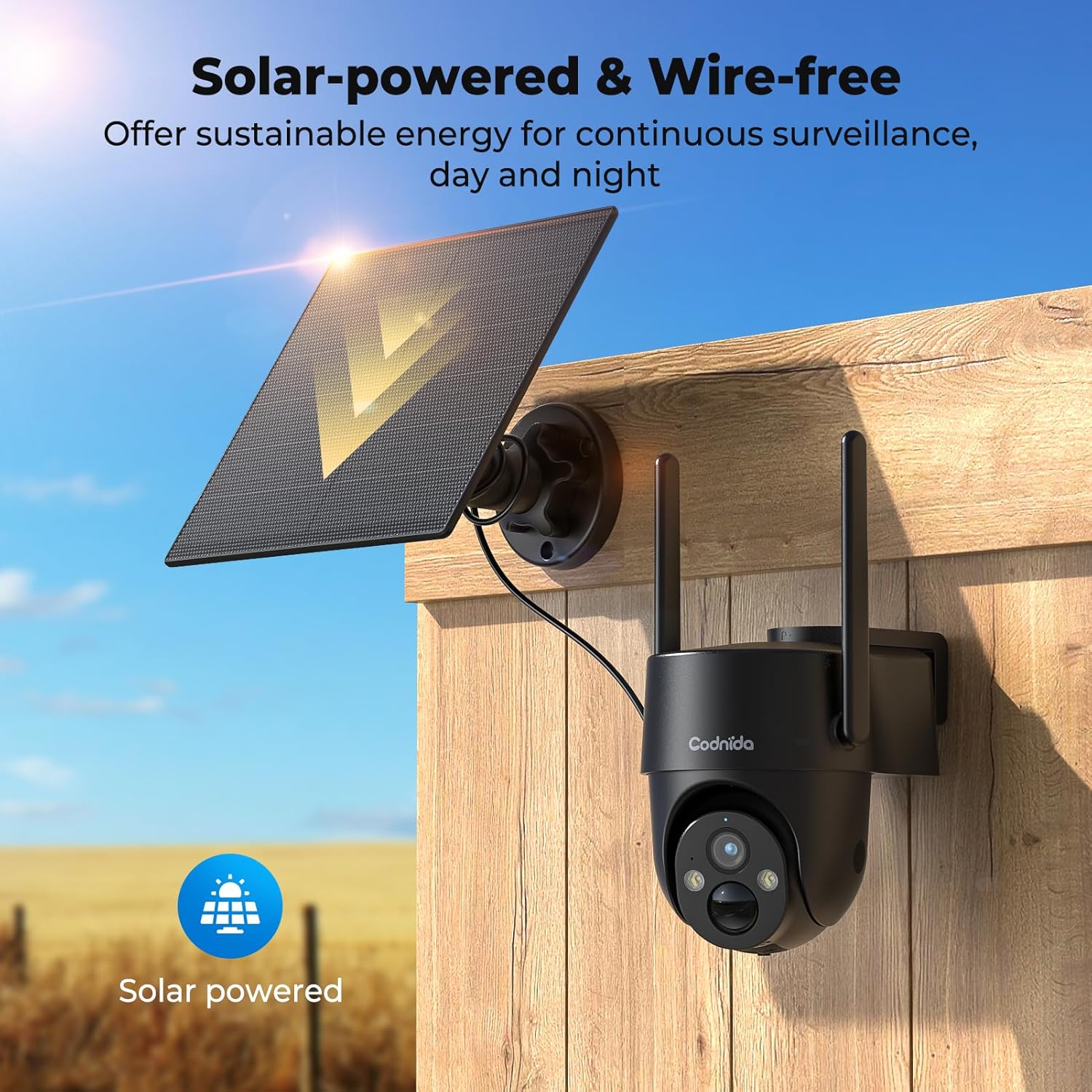
Image 4.3: The camera and solar panel installed, demonstrating wire-free operation.
4.4. Gắn máy ảnh
- Choose a suitable outdoor location that provides the desired surveillance view and allows the solar panel to receive ampánh sáng mặt trời.
- Use the provided screw kit to securely mount the camera bracket to a wall or pole.
- Attach the camera to the mounted bracket. Adjust the angle for optimal coverage.
- Ensure the camera is within a good 4G signal range.
4.5. Cài đặt và ghép nối ứng dụng
- Tải xuống CloudEdge Tải ứng dụng từ cửa hàng ứng dụng trên điện thoại thông minh của bạn (iOS hoặc Android).
- Đăng ký tài khoản mới hoặc đăng nhập nếu bạn đã có tài khoản.
- Turn on the camera by pressing the power button. The indicator light will flash.
- In the CloudEdge app, tap the "+" icon to add a new device.
- Select the appropriate camera model or scan the QR code on the camera if available.
- Follow the on-screen instructions to complete the pairing process. Ensure your phone's Bluetooth and location services are enabled during pairing.
5. Hướng dẫn vận hành
5.1. Sống View
Open the CloudEdge app and select your camera from the device list to access the live video feed. You can view foo thời gian thựctage from your camera anytime, anywhere with 4G connectivity.
5.2. Điều khiển Pan / Tilt
Từ trực tiếp view interface in the CloudEdge app, use the directional controls to remotely pan (horizontal) and tilt (vertical) the camera lens. The camera supports 355° PTZ rotation for comprehensive coverage.

Image 5.2: The camera's 360° pan/tilt capability for wide area surveillance.
5.3. Motion Detection Settings
The camera features PIR human motion detection. In the app settings, you can:
- Enable/Disable motion detection.
- Adjust sensitivity levels (low, medium, high).
- Set detection zones to focus on specific areas and reduce false alarms.
- Schedule detection times.
When motion is detected, the camera will record a clip and send a notification to your smartphone.

Image 5.3: The camera's PIR human motion detection accurately identifies people.
5.4. Chế độ nhìn ban đêm
The camera offers three night vision modes, configurable in the app:
- Màu sắc nhìn ban đêm: Utilizes built-in spotlights to provide full-color images in low light.
- Chế độ nhìn đêm đen trắng: Uses infrared (IR) LEDs for clear black and white images in complete darkness.
- Tầm nhìn ban đêm thông minh: Automatically switches between black & white and color night vision when motion is detected.

Image 5.4: Demonstrating the camera's 2K color night vision capability.
5.5. Âm thanh hai chiều
Nhấn vào biểu tượng micro trong buổi phát trực tiếp view to speak through the camera's speaker. This allows for communication with visitors or to deter unwanted individuals.
5.6. Báo động bằng âm thanh và ánh sáng
When motion is detected at night, the camera can automatically activate a loud siren and flash its LED spotlights to warn off intruders. This feature can be configured in the app's alarm settings.

Image 5.6: The camera's sound and light alarm system deterring an intruder.
5.7. Quản lý lưu trữ
Recorded videos can be stored in two ways:
- Lưu trữ đám mây: Subscribe to a CloudEdge cloud plan for secure online storage.
- Thẻ micro SD: If an SD card is installed, recordings will be saved locally. You can view and manage these recordings through the app.
6. Bảo trì
- Vệ sinh: Thường xuyên lau sạch ống kính máy ảnh và tấm pin mặt trời bằng khăn mềm.amp cloth to ensure clear images and efficient solar charging. Do not use harsh chemicals.
- Chăm sóc pin: While solar-powered, ensure the camera receives adequate sunlight. If the battery level drops significantly, consider temporarily charging it via USB. Avoid prolonged exposure to extreme temperatures.
- Cập nhật chương trình cơ sở: Check the CloudEdge app regularly for firmware updates. Keeping the firmware updated ensures optimal performance and access to new features.
- Thông tin thẻ SIM: Monitor your SIM card data usage to ensure continuous connectivity, especially after the trial period.
KHAI THÁC. Xử lý sự cố
| Vấn đề | Giải pháp |
|---|---|
| Camera not connecting to 4G network. |
|
| Pin không sạc được bằng tấm pin mặt trời. |
|
| Chức năng cảm biến chuyển động không hoạt động hoặc báo động giả quá nhiều. |
|
| Không thể truy cập trực tiếp view. |
|
8. Thông số kỹ thuật
| Tính năng | Chi tiết |
|---|---|
| Người mẫu | Cell 2T |
| Kết nối | 4G LTE (Cellular) |
| Nguồn điện | Pin sạc năng lượng mặt trời 10400mAh |
| Độ phân giải video | 2K (1440p) |
| Độ phân giải tĩnh hiệu quả | 3MP |
| Tầm nhìn ban đêm | Color Night Vision, Black & White IR Night Vision, Smart Mode (up to 10 meters) |
| Góc quay / nghiêng | Xoay 355°, Nghiêng 90° |
| Phát hiện chuyển động | Cảm biến chuyển động PIR |
| Âm thanh | Âm thanh hai chiều (Mic và loa tích hợp) |
| Báo thức | Báo động âm thanh và ánh sáng |
| Khả năng chống chịu thời tiết | IP65 |
| Kho | Lưu trữ đám mây, Thẻ nhớ Micro SD (tối đa 256GB) |
| Phương pháp kiểm soát | Ứng dụng CloudEdge |
| Kích thước (D x R x C) | 6 x 6 x 6cm |
| Cân nặng | 1.31kg |
| Vật liệu | Nhựa |
| Tậptage | 5 vôn |
| Cái gì?tage | 4.5 Watt |
9. Bảo hành và Hỗ trợ
Codnida products typically come with a standard manufacturer's warranty. Please refer to the warranty card included in your package or visit the official Codnida webtrang web để biết các điều khoản và điều kiện bảo hành chi tiết.
For technical support, troubleshooting assistance, or any product-related inquiries, please contact Codnida customer service through the contact information provided on the official website or within the CloudEdge app. When contacting support, please have your product model (Cell 2T) and purchase details ready.


