1. Giới thiệu
This user manual provides comprehensive instructions for the setup, operation, and maintenance of your Mortal Q8 Android 14 4K TV Stick. The Mortal Q8 transforms any television with an HDMI port into a smart entertainment system, offering access to a wide range of streaming services and applications in 4K Ultra HD resolution. Please read this manual carefully before using the device to ensure optimal performance and safety.
2. Nội dung gói hàng
Xác minh rằng tất cả các mục đều có trong gói hàng của bạn:
- Mortal Q8 Android 14 4K TV Stick
- Remote Control with Voice Command
- Cáp nguồn USB
- HDMI Extension Cable (if included)
- Hướng dẫn sử dụng (tài liệu này)
3. Sản phẩm hếtview
The Mortal Q8 TV Stick is a compact device designed for seamless streaming. It features an HDMI connector for direct plug-in to your TV and is controlled by an ergonomic remote with integrated voice command capabilities.

Figure 3.1: Mortal Q8 Android TV Stick and its accompanying remote control. The stick is black with a blue indicator light, and the remote is black with dedicated buttons for popular streaming services and a Google Assistant button.
3.1 Các tính năng chính
- Hệ điều hành Android 14: Provides a fluid and modern user interface with access to the Google Play Store.
- Phát trực tuyến 4K Ultra HD: Supports high-resolution video playback for a detailed viewkinh nghiệm.
- Kết nối WiFi 6: Offers faster speeds and improved network stability for uninterrupted streaming.
- Chromecast tích hợp: Allows easy casting of content from mobile devices to your television.
- Voice Control Remote: Ergonomic remote with a dedicated voice command button for intuitive navigation and search.
- Ứng dụng được cài đặt sẵn: Direct access to popular streaming platforms such as Netflix, Prime Video, and YouTube.

Figure 3.2: The Mortal Q8 TV Stick and remote, highlighting key features like Android 14, 4K video decoding, WiFi 6, and Bluetooth 5.0. Icons for Netflix, YouTube, Google Play, Prime Video, and TikTok are also shown.
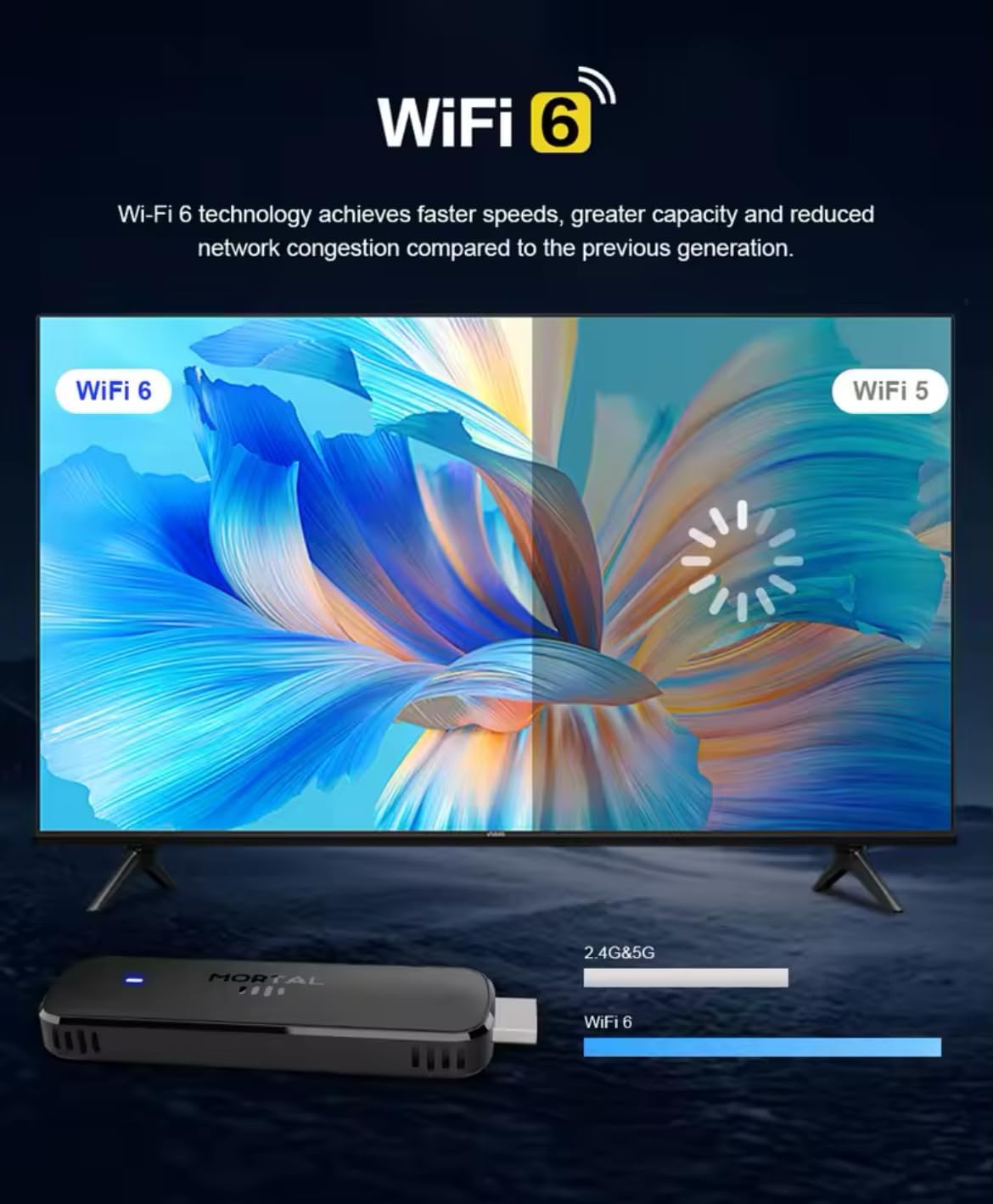
Figure 3.3: Illustration demonstrating the enhanced speed and stability of WiFi 6 technology compared to WiFi 5, with the Mortal Q8 TV Stick supporting dual-band 2.4G/5G connectivity.
4. Hướng dẫn cài đặt
Follow these steps to set up your Mortal Q8 TV Stick:
- Kết nối TV Stick: Plug the Mortal Q8 TV Stick directly into an available HDMI port on your television. If space is limited, use the HDMI extension cable (if provided).
- Cấp nguồn cho thiết bị: Connect the USB power cable to the TV Stick and then to a USB port on your TV or a wall adapter (not always included). Ensure the device receives sufficient power.
- Chọn đầu vào HDMI: Turn on your television and use your TV remote to select the correct HDMI input source where the Mortal Q8 is connected.
- Ghép nối điều khiển từ xa:
- Lắp hai pin AAA (không kèm theo) vào điều khiển từ xa.
- Follow the on-screen instructions to pair the remote with your TV Stick. This usually involves holding down specific buttons on the remote until a pairing confirmation appears.
- Kết nối mạng:
- Once the device boots up, navigate to the Wi-Fi settings.
- Select your home Wi-Fi network from the list and enter the password. The Mortal Q8 supports WiFi 6 for optimal performance.
- Đăng nhập tài khoản Google: Sign in with your Google account to access the Google Play Store and synchronize your settings and applications.
- Cập nhật hệ thống: Check for and install any available system updates to ensure your device has the latest features and security patches.
5. Hướng dẫn vận hành
5.1 Điều hướng Giao diện
Use the directional pad and select button on your remote control to navigate through the Android TV interface. The home button will always return you to the main screen.

Figure 5.1: The Mortal Q8 TV Stick connected to a television, showing the Android TV home screen with various streaming applications like Kodi, HBO Go, Hulu, Netflix, Prime Video, and YouTube.
5.2 Using Voice Control (Google Assistant)
The remote control features a dedicated button for Google Assistant. Press this button and speak into the remote to:
- Tìm kiếm movies, TV shows, or videos.
- Open applications (e.g., "Open YouTube").
- Control playback (e.g., "Pause," "Play," "Fast forward").
- Ask questions or get information.

Figure 5.2: An illustration of using the "Ok Google" voice command feature on the Mortal Q8 TV Stick remote to open applications like YouTube, with the response displayed on the TV screen.
5.3 Nội dung phát trực tuyến
Access your favorite streaming services directly from the home screen or by downloading new apps from the Google Play Store. The Mortal Q8 supports 4K Ultra HD resolution for compatible content.

Figure 5.3: The Mortal Q8 TV Stick and remote in front of a television displaying vibrant 4K Ultra HD content, emphasizing the device's capability to deliver high-resolution visuals.
5.4 Sử dụng Chromecast tích hợp sẵn
The integrated Chromecast feature allows you to cast content from your compatible mobile devices (phones, tablets) or computers directly to your television screen. Look for the Cast icon ▶ in supported applications on your mobile device.

Figure 5.4: An image illustrating the Chromecast built-in feature of the Mortal Q8 TV Stick, showing content being streamed from a smartphone to the television screen.
6. Bảo trì
- Vệ sinh: Use a soft, dry cloth to clean the TV Stick and remote control. Do not use liquid cleaners or abrasive materials.
- Kho: Khi không sử dụng trong thời gian dài, hãy bảo quản thiết bị ở nơi khô ráo, thoáng mát, tránh ánh nắng trực tiếp và nhiệt độ cao.
- Cập nhật phần mềm: Thường xuyên kiểm tra và cài đặt các bản cập nhật hệ thống để đảm bảo hiệu suất và bảo mật tối ưu.
KHAI THÁC. Xử lý sự cố
| Vấn đề | Giải pháp khả thi |
|---|---|
| Không có nguồn/Thiết bị không bật | Ensure the USB power cable is securely connected to both the TV Stick and a power source. Try a different USB port or wall adapter. |
| Không có tín hiệu trên màn hình TV | Verify the TV Stick is fully inserted into the HDMI port. Select the correct HDMI input source on your television. Try a different HDMI port. |
| Điều khiển từ xa không phản hồi | Check the batteries and replace them if necessary. Ensure the remote is paired with the TV Stick (refer to setup instructions). Remove any obstructions between the remote and the device. |
| Sự cố kết nối Wi-Fi | Restart your Wi-Fi router. Re-enter the Wi-Fi password on the TV Stick. Ensure the device is within range of your router. |
| Applications are slow or crashing | Close unused applications. Clear the cache of the problematic app in settings. Restart the TV Stick. Ensure sufficient storage space is available. |
8. Thông số kỹ thuật
| Tính năng | Chi tiết |
|---|---|
| Tên mẫu | Q8 |
| Hệ điều hành | Android 14.0 |
| Nghị quyết | Độ phân giải siêu nét 4K |
| Kết nối | WiFi 6 (2.4G/5G Dual-band), Bluetooth 5.0, HDMI, USB |
| Tính năng đặc biệt | Chromecast Built-in, Voice Control (Google Assistant) |
| Các dịch vụ Internet được hỗ trợ | Google Play, HBO Go, Hulu, Kodi, Netflix, Prime Video, YouTube |
| Loại bộ điều khiển | Điều khiển từ xa |
| Yếu tố hình thức | Dán |
| Màu sắc | Đen |
| Thiết bị tương thích | Monitor, Projector, Television, HDMI Screen |

Figure 8.1: A visual summary of the Mortal Q8 TV Stick's specifications, including 2GB+8GB memory, 4K video decoding, Allwinner H313 Quadcore processor, Android 14, and 2.4G/5.8G Dual WiFi.
9. Bảo hành và Hỗ trợ
Để biết thông tin bảo hành và hỗ trợ kỹ thuật, vui lòng tham khảo tài liệu đi kèm khi mua hàng hoặc liên hệ với nhà bán lẻ. Vui lòng giữ lại hóa đơn mua hàng để yêu cầu bảo hành.


