Giới thiệu
This comprehensive guide is designed to help users master the Bambu Lab H2D 3D printer, from initial setup to producing flawless prints. It is an all-in-one manual crafted for makers, educators, designers, and small business owners seeking to maximize the potential of their Bambu Lab H2D printer. Whether you are a novice or an experienced creator, this guide provides the essential knowledge, tools, and confidence required to achieve professional-quality prints efficiently and reliably.
This book is an independent and unofficial resource, written by makers for makers, focusing on practical application and real-world scenarios.
Sản phẩm trênview
The Bambu Lab H2D is a precision 3D printer designed for a wide range of applications, from hobbyist projects to professional prototyping. This manual will cover various aspects of its operation and maintenance.

Figure 1: Front cover of the "Mastering the Bambu Lab H2D" user guide, illustrating the book's title and a stylized image of a 3D printer.
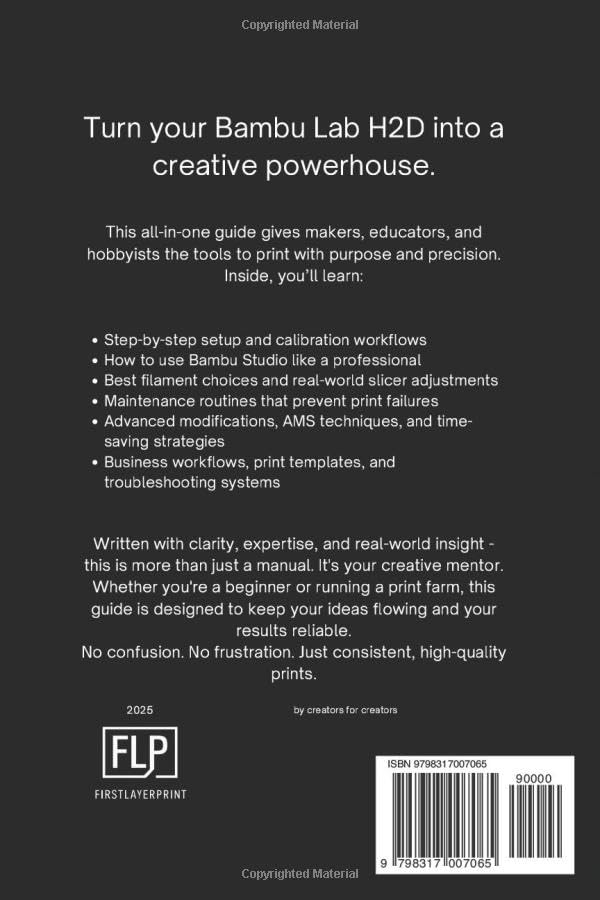
Figure 2: Back cover of the "Mastering the Bambu Lab H2D" user guide, detailing key benefits and contents such as setup, calibration, slicer settings, troubleshooting, and advanced techniques.
Thiết lập và hiệu chuẩn
This section outlines the initial setup procedures and essential calibration steps to ensure optimal performance of your Bambu Lab H2D printer.
Initial Setup Workflow
Follow these step-by-step instructions for unboxing and preparing your printer for its first use. This includes physical assembly and initial power-on sequences.
First Layer and Z-offset Tuning
Achieving a perfect first layer is crucial for successful prints. This guide provides detailed instructions on tuning your Z-offset and ensuring proper bed adhesion for various filament types.
- Understanding Z-offset and its impact on print quality.
- Step-by-step calibration process for optimal first layer adhesion.
- Tips for identifying and correcting common first layer issues.
Operating the Bambu Lab H2D
This section covers the operational aspects of the Bambu Lab H2D, including slicer settings, material handling, and advanced printing techniques.
Bambu Studio Slicer Settings and Optimization
Learn how to effectively use Bambu Studio, the recommended slicing software, to prepare your 3D models for printing. This includes in-depth guidance on various settings to optimize print quality and speed.
- Configuring print profiles for different materials.
- Adjusting layer height, infill, and support structures.
- Utilizing advanced features for complex geometries.
AMS Material Handling Strategies
For printers equipped with the Automatic Material System (AMS), this guide provides strategies for efficient material management, including loading, unloading, and multi-color printing techniques.
Advanced Techniques and Applications
Explore advanced methods to enhance print quality, speed, and durability. This includes filament handling best practices, layer tuning, and custom modifications for specific project types.
- Optimizing settings for specific applications like cosplay parts, gadgets, and product prototypes.
- Techniques for creating high-quality lithophanes and other intricate designs.
BẢO TRÌ
Regular maintenance is essential for the longevity and consistent performance of your Bambu Lab H2D printer. This section details routine maintenance procedures.
Nozzle Cleaning and Cold Pull
Learn how to perform a cold pull and other nozzle cleaning techniques to prevent clogs and ensure smooth filament extrusion.
Print Bed Preparation and Care
Proper preparation and maintenance of the print bed are critical for adhesion and print quality. This includes cleaning methods and surface treatment tips.
Xử lý sự cố
This section provides solutions to common 3D printing issues you might encounter with your Bambu Lab H2D, helping you diagnose and resolve problems efficiently.
Common Print Failure Diagnosis
Identify and troubleshoot various print failures, including:
- Ép đùn thiếu: Causes and remedies for insufficient filament flow.
- Cong vênh: Strategies to prevent and correct print warping, especially with challenging materials.
- Layer Shift: Diagnosing and fixing issues related to misaligned layers during printing.
- Xâu chuỗi: Techniques to minimize or eliminate unwanted filament strings between print areas.
This guide also includes real-life printing issues and their practical solutions to save time, filament, and frustration.
Thông số kỹ thuật
Key specifications for the "Mastering the Bambu Lab H2D" user guide (Paperback edition):
| Đặc điểm kỹ thuật | Chi tiết |
|---|---|
| ASIN | B0F4LCRN8M |
| Nhà xuất bản | Xuất bản độc lập |
| Ngày xuất bản | Ngày 7 tháng 2025 năm XNUMX |
| Ngôn ngữ | Tiếng Anh |
| Chiều dài in | 60 trang |
| ISBN-13 | 979-8317007065 |
| Trọng lượng sản phẩm | 141 gam |
| Độ tuổi đọc | 6 - 18 năm |
| Kích thước | 15.24 x 0.38 x 22.86cm |
Tài nguyên bổ sung
This guide includes bonus resources, printable logs, and quick-reference guides to help maintain a consistent and efficient 3D printing workflow. These resources are designed to complement the information provided within this manual and further enhance your printing experience.


