1. Giới thiệu
Thank you for choosing the LEFFOT M1 Plus Android 14.0 TV Box. This device is designed to transform your television into a smart entertainment hub, offering stunning 4K UHD visuals, powerful performance, and a wide range of connectivity options. This manual provides detailed instructions for setting up, operating, and maintaining your TV box to ensure an optimal user experience.
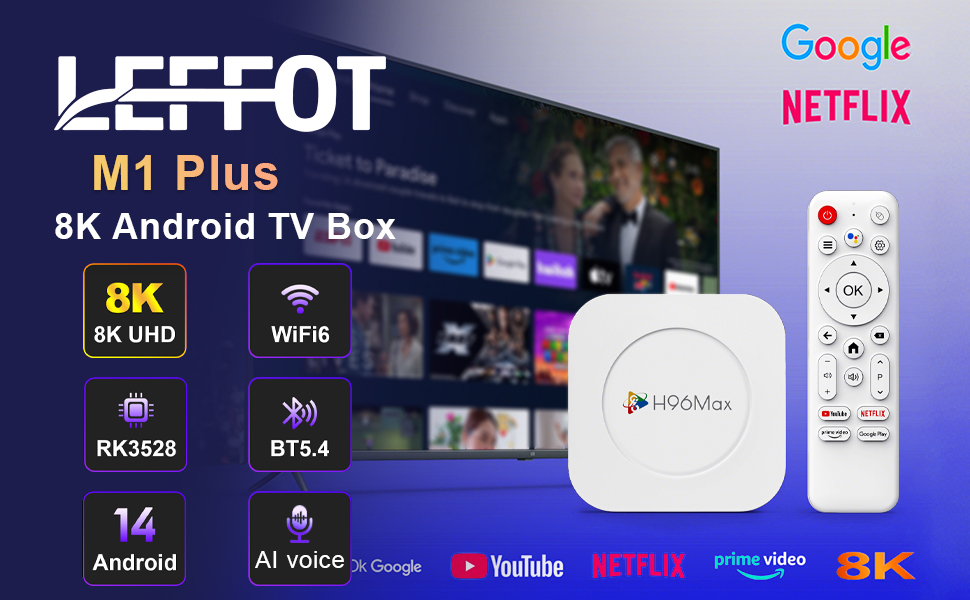
Hình 1.1: Hếtview of the LEFFOT M1 Plus Android TV Box highlighting its core features like 8K UHD, WiFi 6, BT 5.4, Android 14, and AI voice control.
2. Thông tin an toàn
Vui lòng đọc kỹ tất cả hướng dẫn an toàn trước khi sử dụng thiết bị. Việc không tuân thủ các hướng dẫn này có thể dẫn đến điện giật, hỏa hoạn hoặc hư hỏng thiết bị.
- Chỉ sử dụng bộ đổi nguồn được cung cấp.
- Không để thiết bị tiếp xúc với nước, hơi ẩm hoặc nhiệt độ khắc nghiệt.
- Đảm bảo thông gió thích hợp xung quanh thiết bị để tránh quá nóng.
- Không nên tự ý tháo rời hoặc sửa chữa thiết bị. Hãy liên hệ với nhân viên dịch vụ có chuyên môn.
- Để thiết bị tránh ánh nắng trực tiếp và các nguồn nhiệt.
3. Nội dung gói hàng
Xác minh rằng tất cả các mục đều có trong gói hàng:
- LEFFOT M1 Plus Android TV Box
- Điều khiển từ xa
- Cáp HDMI
- Bộ đổi nguồn
- Hướng dẫn sử dụng (tài liệu này)
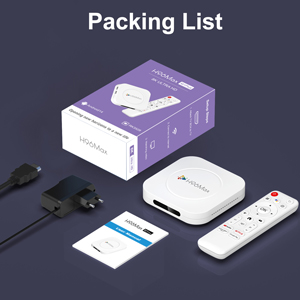
Image 3.1: The package contents including the TV box, remote control, power adapter, and HDMI cable.
4. Sản phẩm hếtview
Familiarize yourself with the components and ports of your LEFFOT M1 Plus TV Box.
4.1. Device and Remote

Image 4.1: The LEFFOT M1 Plus TV Box (left) and its accompanying remote control (right).
4.2. Cổng và giao diện
The TV box features various ports for connectivity:
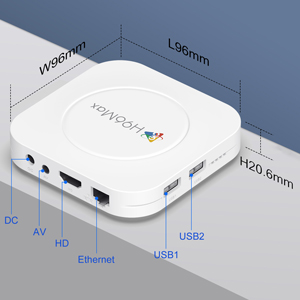
Hình ảnh 4.2: Chi tiết view of the TV box's ports: DC (power), AV (audio/video out), HD (HDMI), Ethernet, USB1, and USB2.
- DC: Cổng đầu vào nguồn.
- CỦA: Analog audio/video output (for older TVs).
- Độ phân giải: HDMI output for connecting to your TV.
- Mạng Ethernet: RJ-45 port for wired network connection.
- USB1 & USB2: USB ports for connecting external devices like USB drives, keyboards, or mice.
5. Thiết lập
Follow these steps to set up your LEFFOT M1 Plus TV Box:
- Kết nối với TV: Connect one end of the provided HDMI cable to the "HD" port on the TV box and the other end to an HDMI input port on your television. Note the HDMI input number (e.g., HDMI 1, HDMI 2) on your TV.
- Kết nối nguồn: Plug the power adapter into the "DC" port on the TV box, then plug the adapter into a wall outlet.
- Bật nguồn: The TV box should automatically power on. If not, press the power button on the remote control.
- Chọn đầu vào TV: On your TV, use the remote control to select the corresponding HDMI input source you connected the TV box to.
- Trình hướng dẫn thiết lập ban đầu: Hãy làm theo hướng dẫn trên màn hình để hoàn tất thiết lập ban đầu, bao gồm chọn ngôn ngữ, múi giờ và kết nối mạng.
6. Hướng dẫn vận hành
Navigate and use your TV box effectively.
6.1. Điều hướng cơ bản
- Use the directional (Lên, Xuống, Trái, Phải) buttons on the remote to move between menu items and applications.
- Nhấn nút OK Nút này dùng để chọn một mục hoặc xác nhận một hành động.
- Nhấn nút Mặt sau để quay lại màn hình trước đó.
- Nhấn nút Trang chủ button to return to the main home screen.
6.2. Truy cập ứng dụng
From the home screen, you can access pre-installed applications or download new ones from the Google Play Store. Navigate to the desired app icon and press OK để khởi chạy nó.

Image 6.1: The Android 14.0 TV Box home screen displaying popular streaming applications.
6.3. Điều khiển bằng giọng nói
The LEFFOT M1 Plus supports voice control via Google Assistant. To use this feature:
- Ensure your remote control is paired and has working batteries.
- Nhấn nút Trợ lý giọng nói button (often a microphone icon) on your remote.
- Speak clearly into the remote's microphone. You can ask to open apps, search for content, or control playback.

Image 6.2: Demonstrating the convenient voice control feature using the remote and Google Assistant.
6.4. Media Playback and Display Features
Enjoy high-quality media with advanced features:
- 8K UHD: The device supports up to 8K*4K@23fps and 4Kx2K@60fps resolution with HDR10 for vibrant and detailed visuals.
- Airplay, DLNA, WiFidisplay: Easily cast content from your mobile devices to your TV screen.

Image 6.3: Experience crystal-clear 8K resolution with the LEFFOT M1 Plus.

Image 6.4: The TV box supports various connectivity options and display technologies like Airplay, DLNA, and WiFidisplay.
6.5. Các tình huống sử dụng
The LEFFOT M1 Plus TV Box is versatile for various uses:
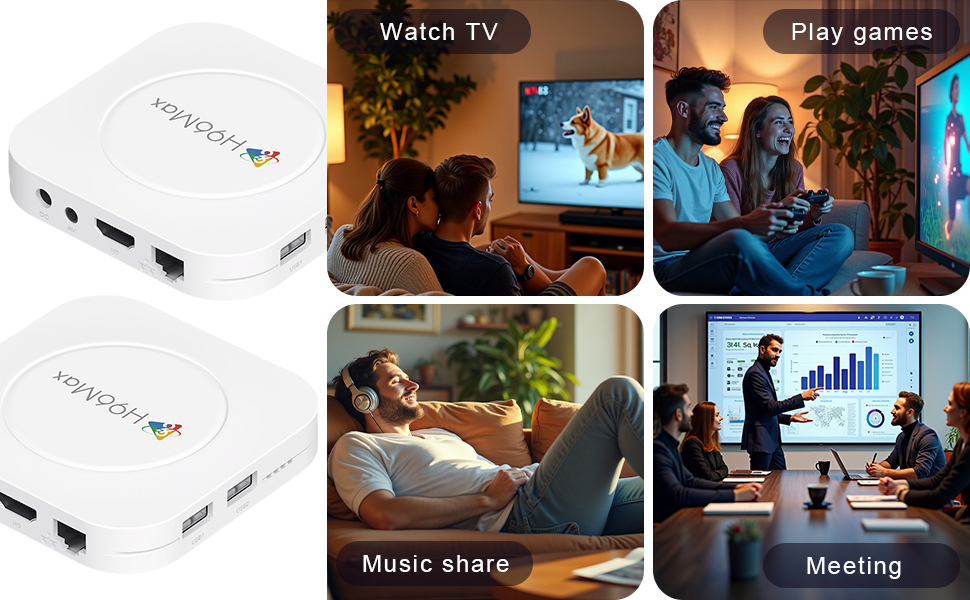
Image 6.5: The TV box can be used for watching TV, playing games, sharing music, and even for business presentations.
7. Kết nối
7.1. Kết nối Wi-Fi
The device supports 2.4G & 5G dual-band Wi-Fi 6 for fast and stable wireless internet.
- Đi đến Cài đặt > Mạng & Internet.
- Bật lên Wi-Fi.
- Chọn mạng Wi-Fi của bạn từ danh sách.
- Nhập mật khẩu nếu được yêu cầu và chọn Kết nối.

Image 7.1: The TV box features advanced Wi-Fi 6 technology for faster and more reliable connections.
7.2. Kết nối Ethernet
For a wired connection, plug an Ethernet cable into the "Ethernet" port on the TV box and the other end into your router/modem.
7.3. Kết nối Bluetooth
The device supports Bluetooth 5.4 for connecting peripherals like headphones, game controllers, or speakers.
- Đi đến Cài đặt > Thiết bị được kết nối > Ghép nối thiết bị mới.
- Đặt thiết bị Bluetooth của bạn vào chế độ ghép nối.
- Chọn thiết bị của bạn từ danh sách và làm theo hướng dẫn trên màn hình để ghép nối.
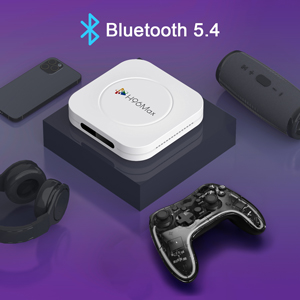
Image 7.2: The TV box supports Bluetooth 5.4 for seamless connection with various external devices.
KHAI THÁC. Xử lý sự cố
Tham khảo phần này để biết các vấn đề thường gặp và giải pháp.
| Vấn đề | Nguyên nhân có thể | Giải pháp |
|---|---|---|
| Không có điện | Bộ đổi nguồn không được kết nối hoặc bị lỗi. | Hãy đảm bảo bộ chuyển đổi nguồn được kết nối chắc chắn với thiết bị và ổ cắm điện hoạt động tốt. Thử cắm vào một ổ cắm khác. |
| Không có tín hiệu trên TV | Chọn sai đầu vào HDMI trên TV; cáp HDMI bị lỏng hoặc bị lỗi. | Verify TV input matches the HDMI port used. Check HDMI cable connections. Try a different HDMI cable or port. |
| Sự cố kết nối Wi-Fi | Mật khẩu không chính xác; bộ định tuyến quá xa; nhiễu sóng. | Re-enter Wi-Fi password. Move device closer to router. Restart router and TV box. |
| Điều khiển từ xa không phản hồi | Pin yếu; điều khiển từ xa chưa được ghép nối. | Replace batteries. Re-pair the remote control if it's a Bluetooth remote (refer to device settings). |
| Ứng dụng bị lỗi hoặc hoạt động chậm | Quá nhiều ứng dụng đang chạy; dung lượng lưu trữ thấp; lỗi phần mềm. | Close background apps. Clear app caches. Restart the TV box. Consider a factory reset if issues persist (data will be lost). |
9. Thông số kỹ thuật
Key technical specifications of the LEFFOT M1 Plus Android TV Box:
- Hệ điều hành: Android 14.0
- Bộ xử lý: RK3528 Quad Core ARM Cortex-A53
- Bộ xử lý đồ họa: MP -NUMX MP -NUMX
- ĐẬP: 4GB
- Bộ nhớ trong: 32GB
- Đầu ra video: Supports 4Kx2K@60fps, 8K*4K@23fps, HDR10
- Wi-Fi: 2.4G & 5G Dual-band Wi-Fi 6
- Mạng Ethernet: 100 triệu
- Bluetooth: BT5.4
- Cổng: HDMI, USB (x2), DC, AV, Ethernet
- Tính năng đặc biệt: Airplay, DLNA, WiFidisplay, Voice Control
- Kích thước: 3.78 x 3.78 x 0.81 inch (96 x 96 x 20.6 mm)
- Cân nặng: 4.3 ounce (khoảng 122g)
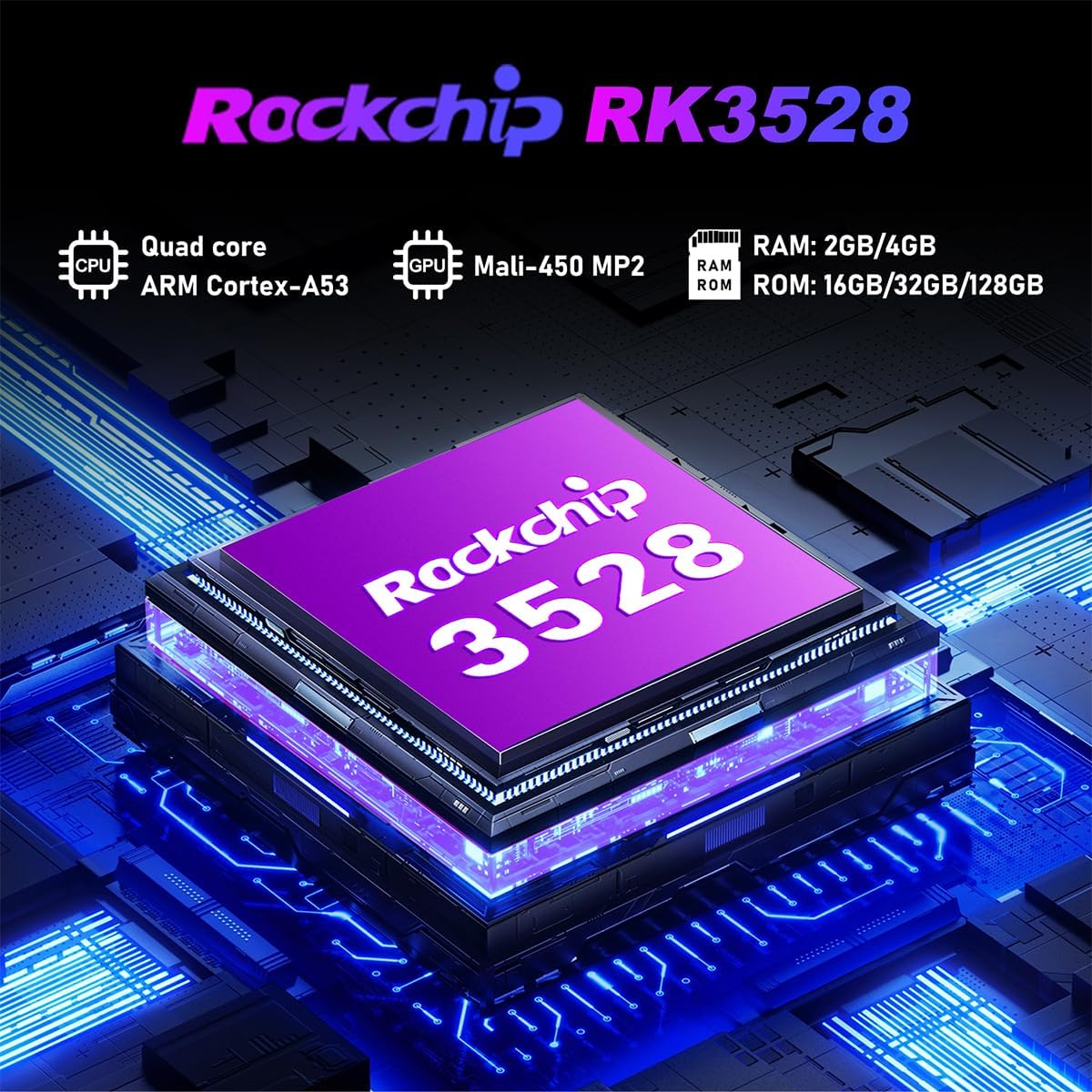
Hình ảnh 9.1: Chi tiết view of the Rockchip RK3528 processor, highlighting its quad-core CPU, Mali-450 MP2 GPU, and memory configurations.
10. Bảo trì
To ensure the longevity and optimal performance of your TV box:
- Vệ sinh: Hãy dùng khăn mềm, khô để lau sạch bên ngoài thiết bị. Không sử dụng chất tẩy rửa dạng lỏng hoặc dạng xịt.
- Thông gió: Ensure the ventilation holes are not blocked. Do not place the device on soft surfaces that may obstruct airflow.
- Kho: Khi không sử dụng trong thời gian dài, hãy ngắt kết nối bộ chuyển đổi nguồn và cất giữ thiết bị ở nơi khô ráo, thoáng mát.
11. Bảo hành và Hỗ trợ
LEFFOT products are designed for reliability and performance. This product comes with a standard manufacturer's warranty. Please refer to the warranty card included in your package for specific terms and conditions.
For technical support, troubleshooting assistance, or warranty claims, please contact LEFFOT customer service through the retailer where you purchased the product or visit the official LEFFOT webtrang web để biết thông tin liên hệ.
Vui lòng giữ lại bằng chứng mua hàng để bảo hành.


