1. Giới thiệu
This manual provides detailed instructions for the installation, operation, and maintenance of your Vueroid S1 4K Infinite 3 Channel Dash Cam. Please read this manual thoroughly before using the product to ensure proper function and safety. Keep this manual for future reference.
2. Thông tin an toàn
- Không được vận hành thiết bị khi đang lái xe. Chỉ điều chỉnh cài đặt khi xe đã đỗ an toàn.
- Ensure the dash cam is securely mounted to prevent obstruction of the driver's view hoặc triển khai túi khí.
- Use only approved power cables and accessories to avoid damage or fire.
- Tránh để thiết bị tiếp xúc với nhiệt độ quá cao, ánh nắng trực tiếp trong thời gian dài hoặc hơi ẩm.
- Không cố gắng tự tháo rời hoặc sửa chữa thiết bị. Liên hệ với bộ phận hỗ trợ khách hàng để được hỗ trợ.
3. Nội dung gói hàng
Xác minh rằng tất cả các mục đều có trong gói hàng của bạn:
- Camera trước
- Rear Camera & Cable (approx. 20ft)
- Hardwire Power Cable 3M
- Cigar Jack Cable
- USB 2.0 C-Type Data Cable
- Cable Clip (6EA)
- Công cụ cắt
- Foam Tape (3EA)
- Hướng dẫn sử dụng
Note: MicroSD card is not included. For optimal performance, we recommend using 128GB, 256GB, or 512GB cards.
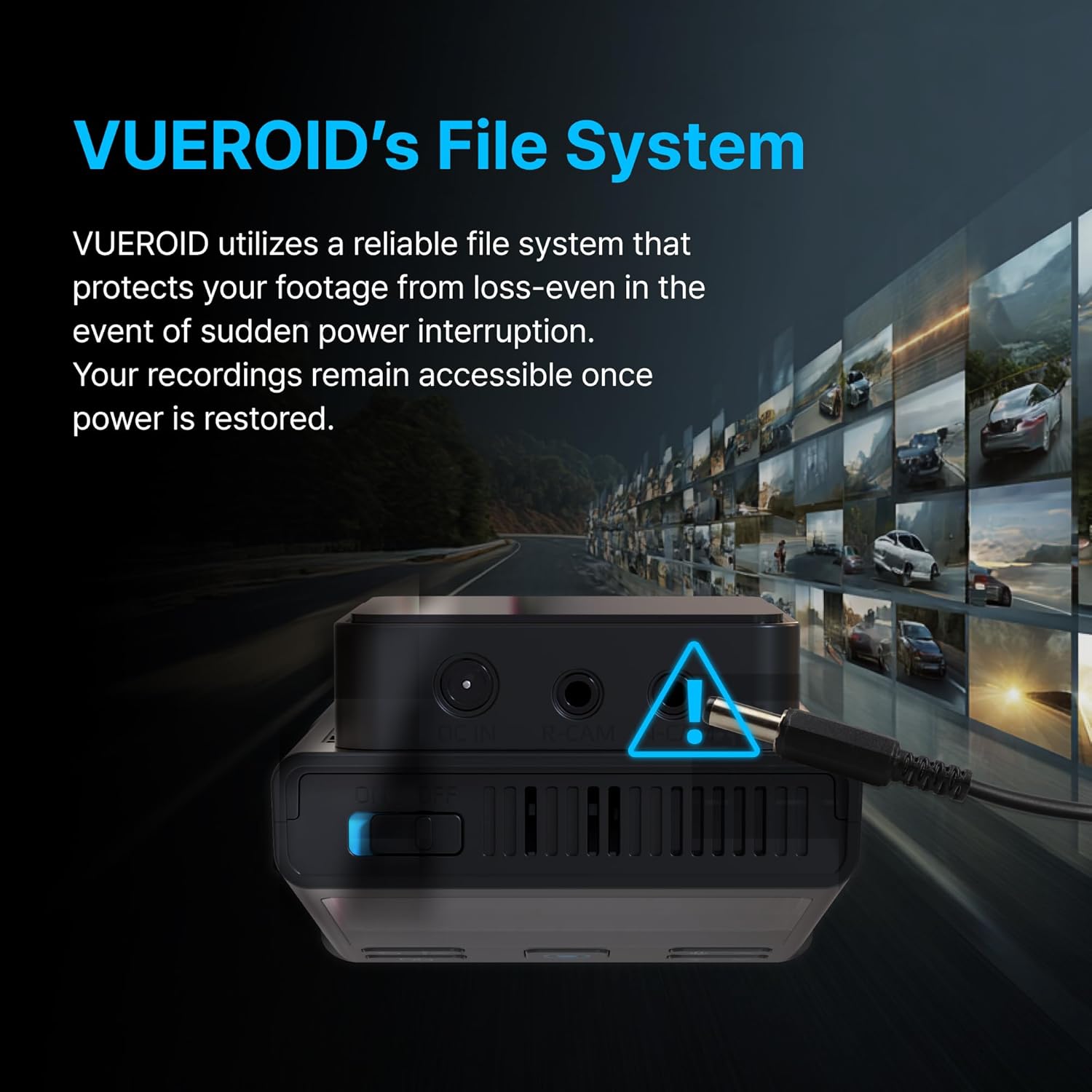
Figure 3.1: Contents of the Vueroid S1 4K Infinite 3 Channel Dash Cam package.
4. Sản phẩm hếtview
The Vueroid S1 4K Infinite is a 3-channel dash cam system designed to record video from the front, interior, and rear of your vehicle. It features a 4K front camera, 2.5K interior camera, and FHD rear camera, utilizing a Sony STARVIS 2 image sensor for enhanced clarity.
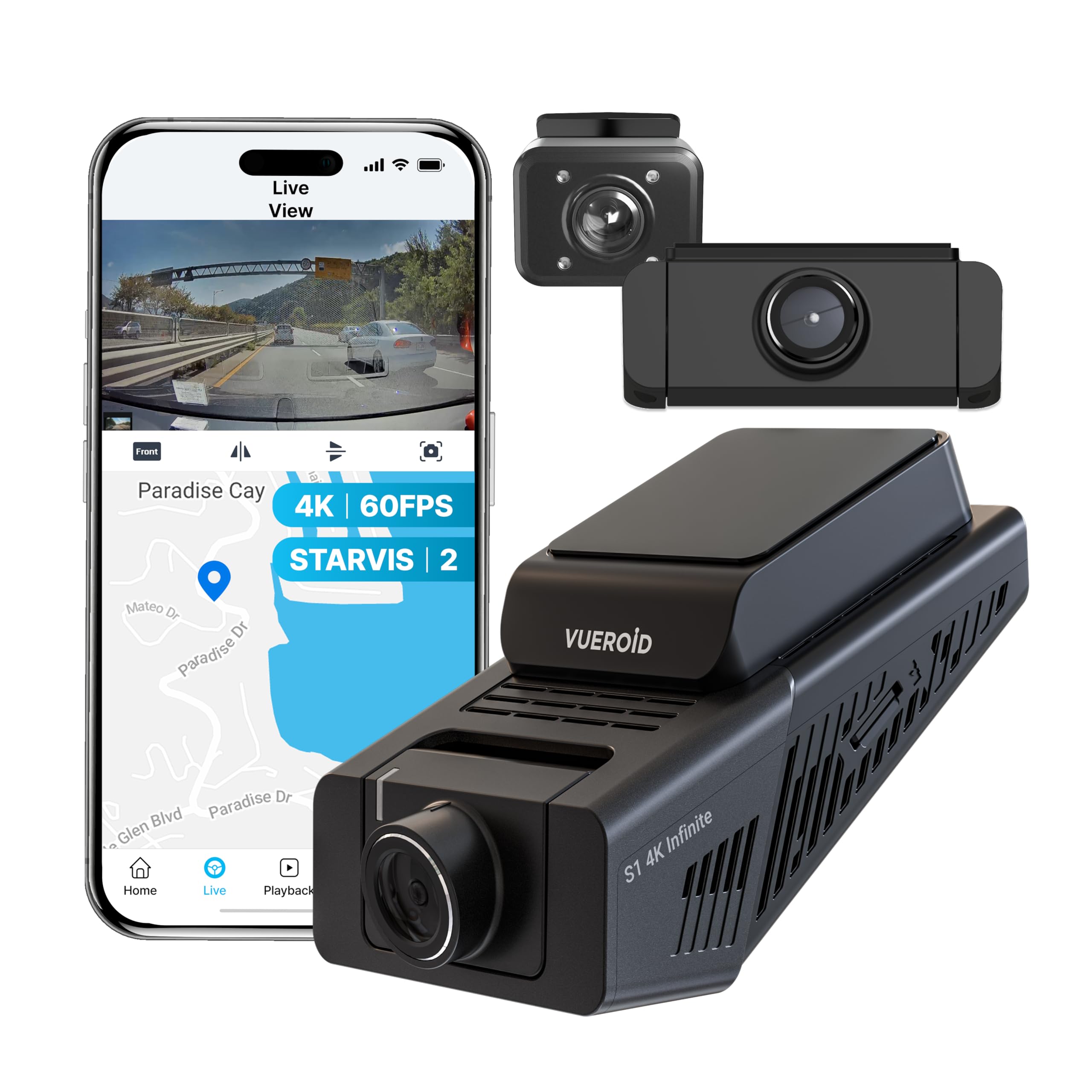
Figure 4.1: Vueroid S1 4K Infinite 3 Channel Dash Cam main unit and cameras.
5. Thiết lập
5.1. Chèn thẻ MicroSD
Before powering on the device, insert the MicroSD card into the designated slot. Push the card in until you hear a 'click' sound, ensuring it is securely in place.
Video 5.1: This video demonstrates the unboxing of the Vueroid S1 4K Infinite, including the insertion of the MicroSD card into the main unit.
5.2. Cấu hình ban đầu
After inserting the MicroSD card and powering on the device, follow the on-screen prompts for initial configuration. Use the navigation buttons (Up, Down, Confirm) on the device to make selections.
- Lựa chọn ngôn ngữ: Chọn ngôn ngữ ưa thích của bạn.
- Định dạng thời gian: Select the desired time format (e.g., YYYY/MM/DD). The date will be automatically set via GPS. Daylight Saving Time settings can be adjusted later.
- Múi giờ: Set the time zone for your current location.
- Tần số hệ thống: Select the system frequency (e.g., 60Hz for NTSC/US) to prevent video flickering.
- Rear Camera Usage: Choose whether to enable or disable the rear camera. This can be changed later in system settings.
- Độ phân giải và tốc độ khung hình: Select your preferred recording resolution and frame rate. Note that for 4K 60fps front recording in 3-channel mode, rear and interior cameras are limited to 15fps.
- Tốc độ bit: Choose the desired bitrate (Low, Mid, High). Higher bitrate results in better quality but larger file sizes, reducing total recording time.
- Memory Allocation: Configure how storage space is allocated for different recording modes (Driving, Parking, Event).
Video 5.2: This video provides a step-by-step guide for the initial setup of the Vueroid S1 4K Infinite Dash Cam, covering language, time, frequency, and recording settings.
5.3. Cài đặt
Mount the front camera on your windshield, ensuring a clear view of the road. Install the interior and rear cameras as per your vehicle's layout. Connect the hardwire power cable to your vehicle's fuse box for continuous power and parking mode functionality. Use the provided cable clips and trim tool to neatly route cables.
6. Hướng dẫn vận hành
6.1. Driving Recording
The Vueroid S1 automatically begins recording when the vehicle starts. It captures footage in Ultra 4K (front), 2.5K (interior), and FHD (rear) resolutions. The Sony STARVIS 2 image sensor and HDR mode ensure clear video quality in various lighting conditions.
Video 6.1: Driving footage captured by the Vueroid S1 4K Infinite main camera, demonstrating video quality during daytime driving.

Figure 6.1: Key features of the Vueroid S1 4K Infinite Dash Cam.
6.2. Parking Mode (24/7 Surveillance)
With the included hardwire kit, the S1 Infinite provides 24/7 parking surveillance. It features DURASHIFT Parking Mode, which prevents overheating by entering a low-power state and records instantly upon impact. The Geofencing System automatically disables parking mode when you enter a specified 'safe' area to prevent battery drain.

Figure 6.2: Extreme Low Power Parking Mode operation.
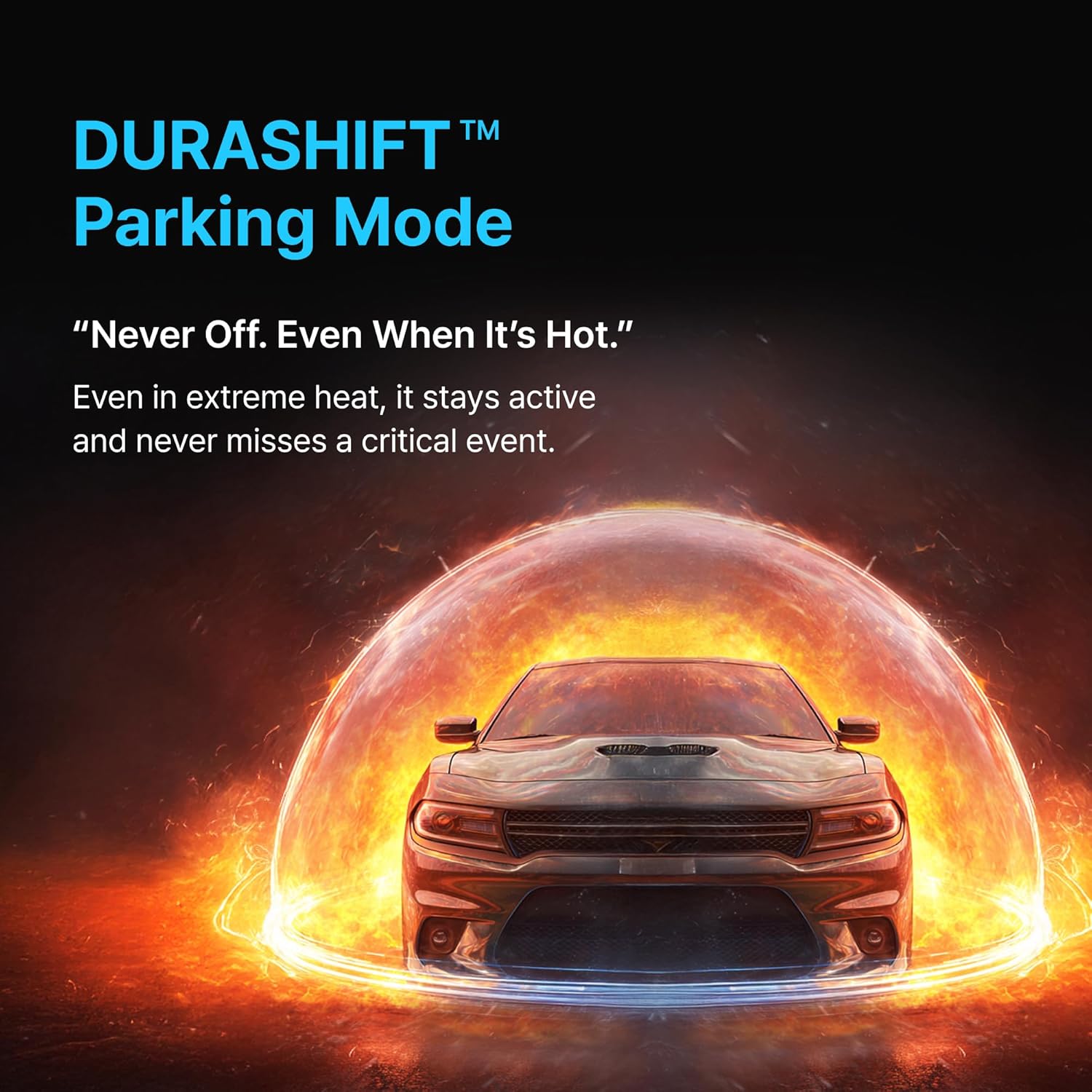
Figure 6.3: DURASHIFT Parking Mode for continuous protection.

Figure 6.4: Auto REC Off Zone functionality.
6.3. Tính năng AI
The S1 Infinite incorporates advanced AI for enhanced footage clarity and privacy.
- AI License Plate Restoration: Enhances blurry license plates in footage, making them clearer for recognition.
- AI Privacy Protection: Automatically blurs personal information, such as license plates and faces, to safeguard privacy.
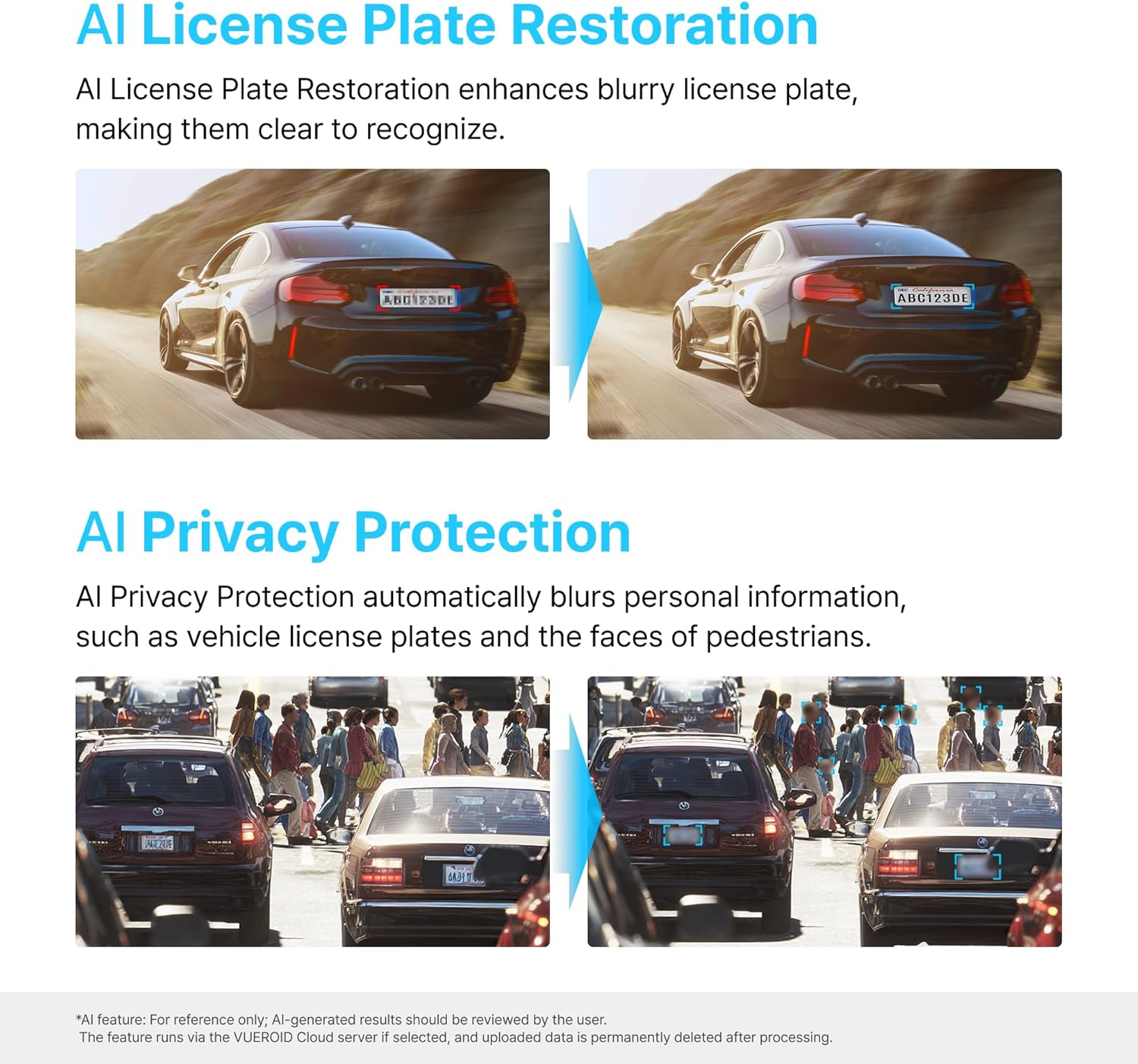
Figure 6.5: AI-powered features for clarity and privacy.
6.4. Vueroid File Hệ thống
The Vueroid S1 utilizes a reliable file system that protects your footage from loss, even in the event of a sudden power interruption. Recordings remain accessible once power is restored.

Figure 6.6: Vueroid's robust file hệ thống.
6.5. Kết nối
The dash cam features built-in 5G WiFi and GPS. Use the dedicated mobile application to easily access, reviewvà chia sẻ foo của bạntage. Firmware updates can also be performed wirelessly via the app.
7. Bảo trì
7.1. Quản lý thẻ nhớ MicroSD
- Regularly format the MicroSD card (e.g., once a month) to maintain optimal performance and prevent data corruption.
- Replace the MicroSD card if you experience frequent errors or reduced recording capacity.
7.2. Vệ sinh
- Wipe the camera lenses with a soft, dry cloth to ensure clear recordings.
- Clean the device exterior with a slightly damp vải. Không sử dụng hóa chất mạnh hoặc chất tẩy rửa mài mòn.
KHAI THÁC. Xử lý sự cố
| Vấn đề | Nguyên nhân có thể | Giải pháp |
|---|---|---|
| Thiết bị không bật nguồn | Không có nguồn điện; Kết nối lỏng lẻo | Check power cable connection; Ensure vehicle ignition is on (if not hardwired). |
| Recording errors | Faulty/full MicroSD card; Incorrect card format | Format MicroSD card; Replace card if necessary; Use recommended card types. |
| Chất lượng video kém | Dirty lens; Incorrect resolution settings | Clean camera lenses; Adjust resolution and bitrate settings. |
| Sự cố kết nối Wi-Fi | Incorrect password; Device out of range | Verify Wi-Fi password; Ensure mobile device is close to the dash cam. |
9. Thông số kỹ thuật
| Tính năng | Chi tiết |
|---|---|
| Kích thước sản phẩm | 1.8 x 2.38 x 4.09 inch |
| Trọng lượng sản phẩm | 2.42 pound |
| Tên mẫu | S1 Infinite 3CH |
| Độ phân giải quay video | 2160p (4K Front) |
| Công nghệ kết nối | Wi-Fi |
| Tính năng đặc biệt | Kiểm soát ứng dụng |
| Kiểu lắp đặt | Bảng điều khiển Mount |
| Lĩnh vực View | 151 độ |
| Các thành phần bao gồm | Bộ Hardwire |
10. Bảo hành và Hỗ trợ
For warranty information, technical support, or service inquiries, please refer to the official Vueroid webhoặc liên hệ trực tiếp với bộ phận chăm sóc khách hàng của họ. Hãy giữ lại hóa đơn mua hàng để làm bằng chứng bảo hành.
Bạn cũng có thể ghé thăm Vueroid Store on Amazon Để biết thêm thông tin về nguồn tài liệu và thông tin liên hệ.


