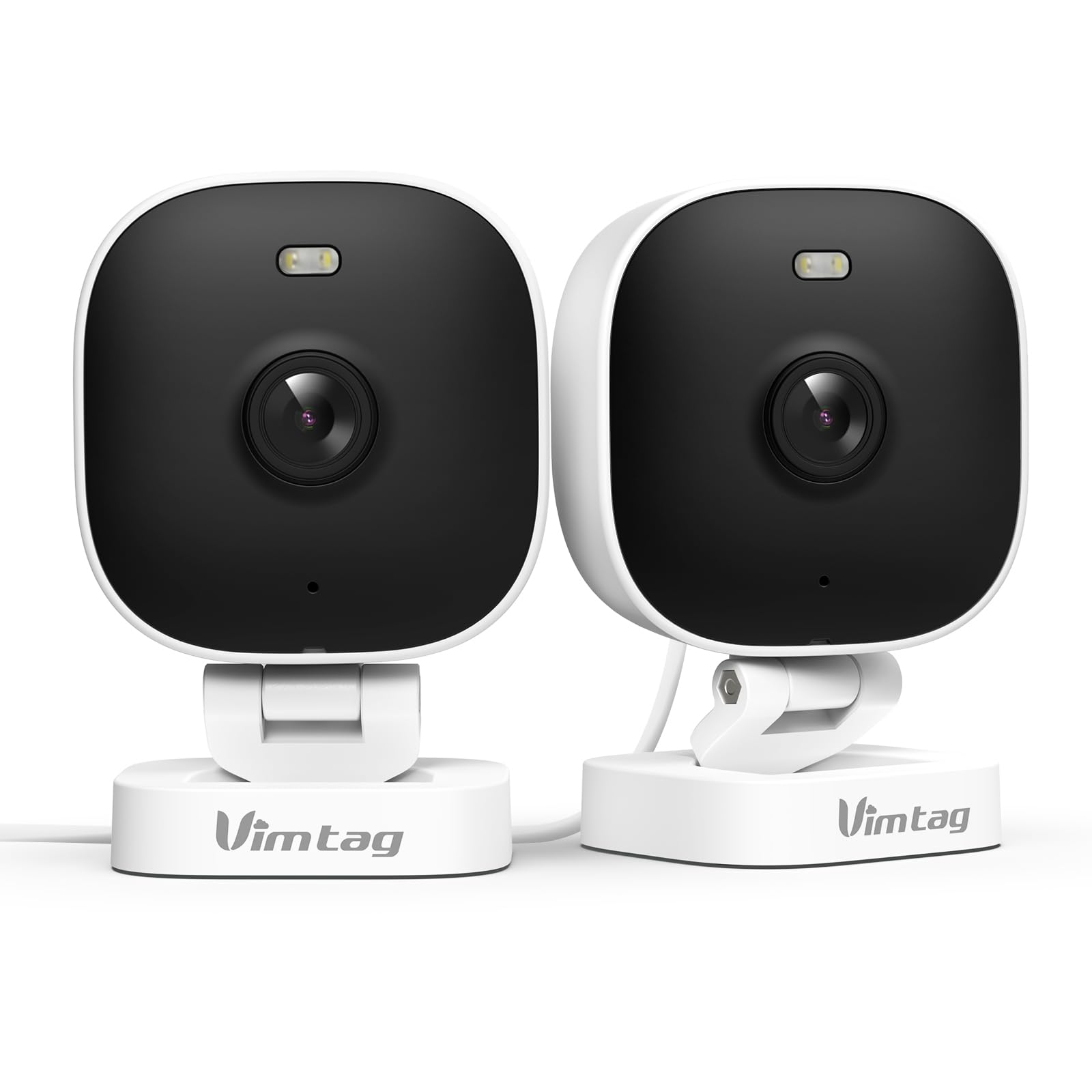
1. Giới thiệu
The VIMTAG 8310 2.5K Security Camera is designed to provide comprehensive surveillance for your home, pets, and loved ones. This manual provides detailed instructions for setting up, operating, and maintaining your camera to ensure optimal performance and security.
Các tính năng chính:
- Hoạt động liên tục: The camera operates 24/7 via a plug-in power cable, eliminating the need for battery charging. It supports 2.4GHz and 5GHz dual-band WiFi, including WiFi 6 technology, for stable connections.
- Video độ phân giải cao: Provides 2.5K resolution for clear day and night visibility. Features full-color night vision, enhanced by a built-in LED light, for detailed monitoring in various indoor and outdoor environments.
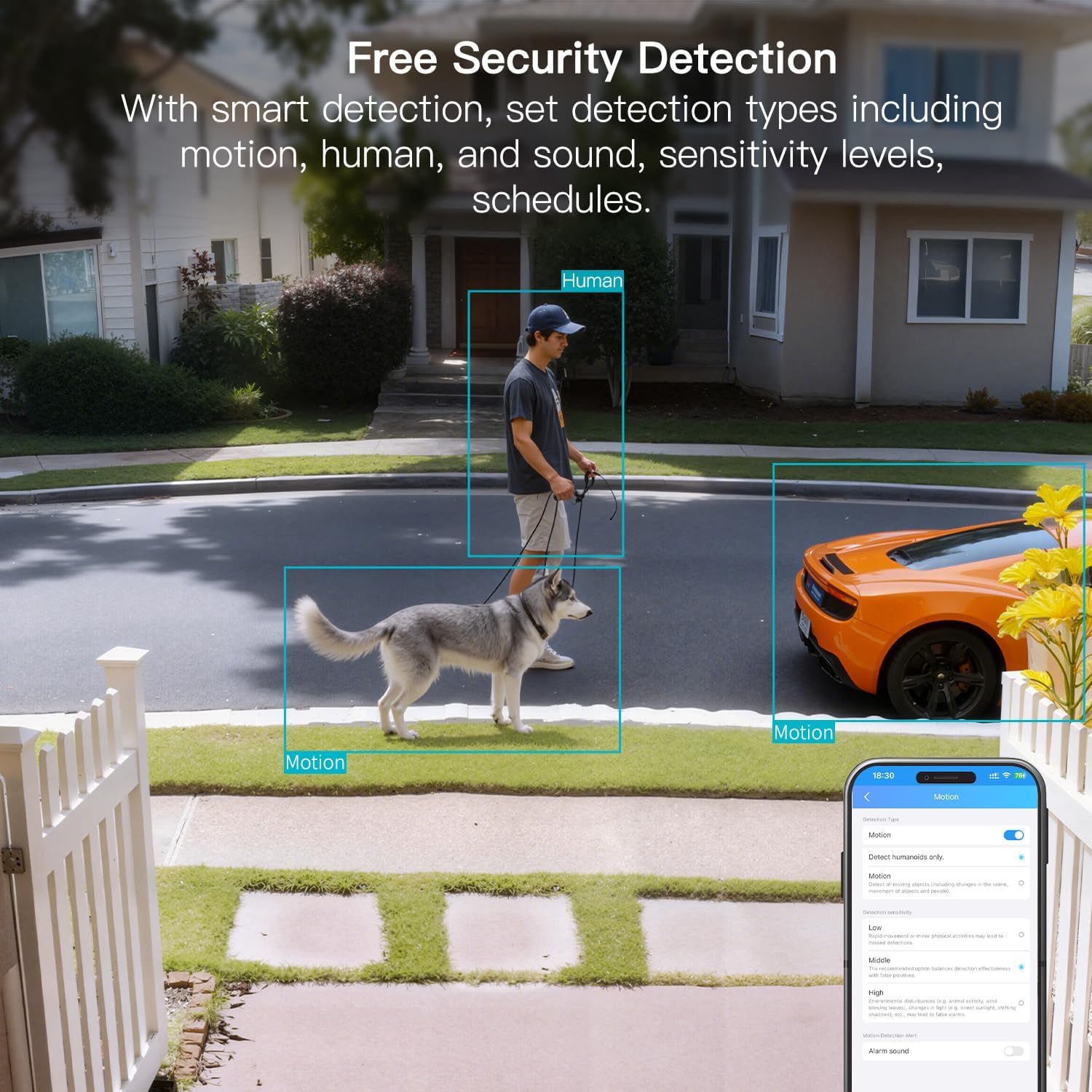
- Phát hiện thông minh: Offers advanced detection capabilities for motion, people, and sound up to 33 feet. Users receive instant alerts for detected activity.
- Khả năng chống chịu thời tiết: Rated IP65, the camera is designed for outdoor use and can withstand rain, snow, heat, and cold, ensuring continuous operation in various weather conditions.
- Remote Access and Two-Way Audio: The mobile app allows remote access to live video footage and recorded content. Built-in two-way audio enables real-time communication through the camera.
- Quản lý tập trung: Up to 32 Vimtag WiFi cameras can be managed within a single application. Features include smart cloud storage (subscription required), motion detection, and event filtering.
2. Có gì trong hộp
Vui lòng kiểm tra nội dung gói hàng để đảm bảo có đầy đủ tất cả các mục:
- Camera with cable
- Vít lắp
- Bộ đổi nguồn
- Hướng dẫn sử dụng (tài liệu này)
3. Thiết lập
3.1 Thiết lập ban đầu và kết nối ứng dụng
- Tải ứng dụng: Tìm kiếm "Canny Cam" in your smartphone's app store (iOS or Android) and download the application.
- Đăng ký tài khoản: Open the Canny Cam app and follow the on-screen instructions to register a new user account.
- Bật nguồn: Connect the camera to the power adapter using the provided cable and plug it into an electrical outlet. The camera will power on automatically.
- Thêm thiết bị: In the Canny Cam app, select the option to add a new device. Enable Bluetooth and Wi-Fi on your smartphone as prompted by the app.
- Làm theo hướng dẫn trong ứng dụng: The app will guide you through the process of connecting the camera to your home Wi-Fi network. Ensure your Wi-Fi network is 2.4GHz or 5GHz compatible.
- Xác nhận kết nối: Once successfully connected, the app will confirm the device has been added.

Image: Visual guide showing the steps to download the Canny Cam app, enable Bluetooth and Wi-Fi, and connect the camera.
3.2 Tùy chọn gắn kết
The VIMTAG 8310 camera offers flexible mounting options to suit various indoor and outdoor locations. Use the provided mounting screws for secure installation.
- Giá treo tường: Securely attach the camera to a wall using the mounting bracket and screws.
- Gắn trần: Install the camera on a ceiling for an overhead view.
- Tabletop Mount/Freestanding: Place the camera on a flat surface such as a table, shelf, or desk.
- Door Mount/Window Mount: Position the camera near doors or windows for specific entry point monitoring.

Image: A hand using a screwdriver to mount the VIMTAG camera to a surface.
Hình ảnh: Examples of various mounting positions for the camera, including freestanding, wall-mounted, and ceiling-mounted.
4. Vận hành máy ảnh
4.1 Trực tiếp View và Ghi âm
Access the live video feed and recorded footage through the Canny Cam app on your smartphone or tablet.

Image: A comparison demonstrating the enhanced detail of 2.5K QHD resolution compared to 1080p.
4.2 Tầm nhìn ban đêm có màu
The camera features full-color night vision, providing clear and detailed images even in low-light conditions, unlike traditional black-and-white night vision.

Image: A visual comparison illustrating the difference between color night vision and traditional night vision.
4.3 Kết nối Wi-Fi băng tần kép
The camera supports both 2.4GHz and 5GHz Wi-Fi bands, offering flexibility for network connection. 2.4GHz provides a stable connection over longer distances, while 5GHz offers faster speeds for shorter ranges.

Image: Explanation of 2.4GHz and 5GHz Wi-Fi benefits for the camera's connectivity.
4.4 Phát hiện và cảnh báo thông minh
Configure motion, human, and sound detection settings within the Canny Cam app. The camera can trigger a smart sound and light alarm and send instant notifications to your smartphone upon detecting activity.

Image: Depiction of the smart sound and light alarm feature in action.

Image: App interface showing options for setting detection types and sensitivity levels.
4.5 Âm thanh hai chiều
Utilize the built-in microphone and speaker for two-way communication. This allows you to speak to visitors, deter intruders, or comfort pets remotely.
Hình ảnh: Example of using two-way audio to communicate through the camera.
4.6 Tùy chọn lưu trữ
The camera supports local storage via a MicroSD card (up to 512GB, sold separately) for continuous or event-triggered recording. Cloud storage is also available through a subscription service, offering event recording and multi-device playback.

Image: The camera's recording capabilities to a TF card or cloud storage.

Hình ảnh: Trênview of Canny Cam app features, including those available with and without a cloud subscription.
4.7 Tích hợp Alexa
The VIMTAG 8310 camera is compatible with Alexa, allowing for hands-free control and live streaming to compatible Alexa-enabled devices.

Hình ảnh: Example of using Alexa to view nguồn cấp dữ liệu máy ảnh.
5. Bảo trì
To ensure the longevity and optimal performance of your VIMTAG 8310 camera, follow these maintenance guidelines:
- Vệ sinh: Thường xuyên lau ống kính và thân máy ảnh bằng vải mềm, khô để loại bỏ bụi bẩn và vết bám. Tránh sử dụng hóa chất mạnh hoặc vật liệu mài mòn.
- Cập nhật chương trình cơ sở: Check the Canny Cam app periodically for available firmware updates. Keeping your camera's firmware up-to-date ensures you have the latest features and security enhancements.
- Nguồn điện: Ensure the camera is connected to a stable power source. Avoid using damaged cables or adapters.
- Bảo vệ môi trường: While the camera is IP65-rated for weather resistance, avoid direct exposure to extreme conditions or prolonged submersion in water.
KHAI THÁC. Xử lý sự cố
If you encounter any issues with your VIMTAG 8310 camera, please refer to the following common troubleshooting tips or contact support:
- Không có điện: Hãy đảm bảo bộ chuyển đổi nguồn được kết nối chắc chắn với cả máy ảnh và ổ cắm điện đang hoạt động.
- Sự cố kết nối Wi-Fi: Verify your Wi-Fi network is active and the camera is within range. Try restarting your router and the camera. Ensure you are connecting to the correct 2.4GHz or 5GHz network as supported by your router and camera settings.
- Sự cố kết nối ứng dụng: Check if your smartphone has a stable internet connection. Ensure the Canny Cam app is updated to the latest version. Try restarting the app or your phone.
- Chất lượng video kém: Check your internet speed. A slow connection can affect streaming quality. Ensure the camera lens is clean.
- Phát hiện chuyển động không hoạt động: Review the motion detection settings in the Canny Cam app to ensure they are configured correctly and sensitivity levels are appropriate.
Note: No relevant product videos with 'creator_type: Seller' were found in the provided data to include in this section.
7. Thông số kỹ thuật
| Tính năng | Chi tiết |
|---|---|
| Sử dụng trong nhà/ngoài trời | Trong nhà, Ngoài trời |
| Thiết bị tương thích | Smartphone, iPhone, iPad, Android Phone, Android Pad |
| Nguồn điện | Điện có dây |
| Giao thức kết nối | Wi-Fi |
| Loại bộ điều khiển | ỨNG DỤNG |
| Kiểu lắp đặt | Wall mount, Ceiling mount, Tabletop Mount, Freestanding, Door mount, Window mount |
| Độ phân giải quay video | 1440p (2.5K) |
| Màu sắc | Trắng |
| Số lượng mặt hàng | 2 |
| Số lượng kênh | 2 |
| Công nghệ truyền thông không dây | Wi-Fi |
| Yếu tố hình thức | Hình khối |
| Độ phân giải video hiệu quả | 4MP |
| Viewgóc ing | 130 Độ |
| Tầm nhìn ban đêm | 33 feet |
| Tốc độ khung hình | 25 khung hình mỗi giây |
| Vật liệu | Nhựa |
| Tậptage | 5 vôn |
| Cái gì?tage | 5 watt |
| Kích thước sản phẩm D x R x C | 2.28 x 1.85 x 2.8 inch |
| Mức độ chống nước | Không thấm nước (IP65) |
| Cần có pin không? | KHÔNG |
| Loại bộ nhớ flash | Thẻ nhớ MicroSD |
| Trọng lượng sản phẩm | 0.19 kg (6.7 ounce) |
| Mã hóa video | H.264 & H.265 |
| Hình dạng | Hình chữ nhật |
| Loại tiêu điểm | Tự động lấy nét |
| Công nghệ ánh sáng yếu | Màu đêm |
| Loại thu phóng | Zoom kỹ thuật số |
| Tỷ lệ thu phóng | 8 |
| Loại cảnh báo | Âm thanh và chuyển động |
| Loại nguồn sáng | LED, IR |
| Định dạng quay video | MPEG-4 |
| Công nghệ cảm biến ảnh | CMOS |
| Độ phân giải tĩnh hiệu quả | 4MP |
| Bảo vệ quốc tế Rating | IP66 |
| Tối đa WebĐộ phân giải hình ảnh cam | 4MP |
| Phương pháp kiểm soát | Ứng dụng, Điều khiển từ xa |
| Số lượng đèn LED hồng ngoại | 2 |
| Bộ nhớ Flash được hỗ trợ Kích thước tối đa | 512GB |
| Cấp độ sản phẩm | Khu dân cư |
| Khả năng tương thích của nhà thông minh | Tương thích với nhà thông minh |
| Công nghệ di động | 2.4G 5G |
| Khả năng ghi âm và ghi hình | Audio, Still Image, Video |
| Lớp băng tần | Băng tần kép |

Image: Product dimensions of the VIMTAG 8310 camera.
8. Bảo hành và Hỗ trợ
For expert support with setting up and optimizing your VIMTAG cameras, please contact our support team:
- Hỗ trợ qua điện thoại: +1 (978) 437-5767
- Khả dụng: Monday to Friday, 9:00 AM - 6:00 PM (ET)
VIMTAG is committed to providing lifetime technical support for its products. For any inquiries or assistance, please reach out to our dedicated support channels.

Image: VIMTAG Free Expert Support contact information.


