1. Sản phẩm hếtview
The Macap MI40 Touch Instant Burr Coffee Grinder is a high-performance appliance designed for precise and consistent coffee grinding. Featuring 65mm flat burrs, a responsive 3.5-inch touchscreen, and multiple operating modes, it is suitable for various brewing methods from espresso to cold brew. Its robust construction ensures quiet operation and stability.
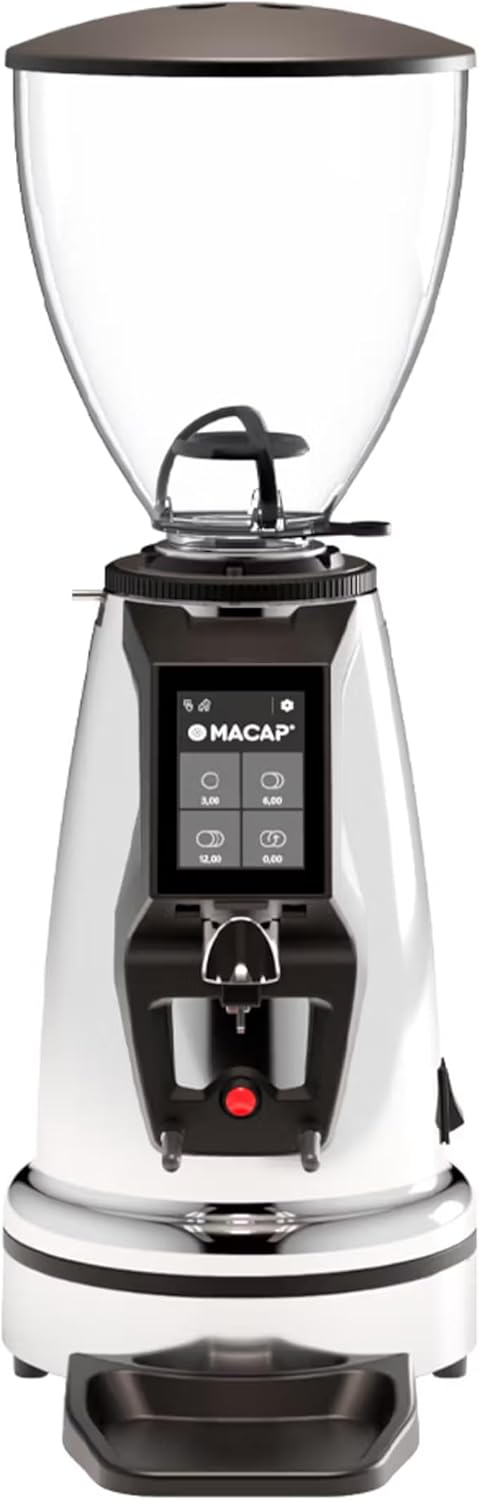
Đằng trước view of the Macap MI40 Touch Instant Burr Coffee Grinder, showcasing its sleek chrome finish and integrated touchscreen display.
2. Thông tin an toàn
Please read all safety instructions carefully before operating the grinder to prevent injury or damage.
- Always unplug the grinder from the power outlet before cleaning, maintenance, or if it will be left unattended.
- Do not immerse the grinder, power cord, or plug in water or any other liquid.
- Keep hands and utensils out of the bean hopper and grind chute during operation.
- Ensure the bean hopper lid is securely in place before grinding.
- This appliance is intended for grinding whole roasted coffee beans only. Do not grind other substances.
- Không được vận hành máy xay nếu dây hoặc phích cắm bị hỏng, hoặc nếu thiết bị bị trục trặc hoặc bị hư hại dưới bất kỳ hình thức nào.
- Để thiết bị xa tầm tay trẻ em.
XUẤT KHẨU. Các thành phần
Familiarize yourself with the main components of your MI40 Touch coffee grinder:
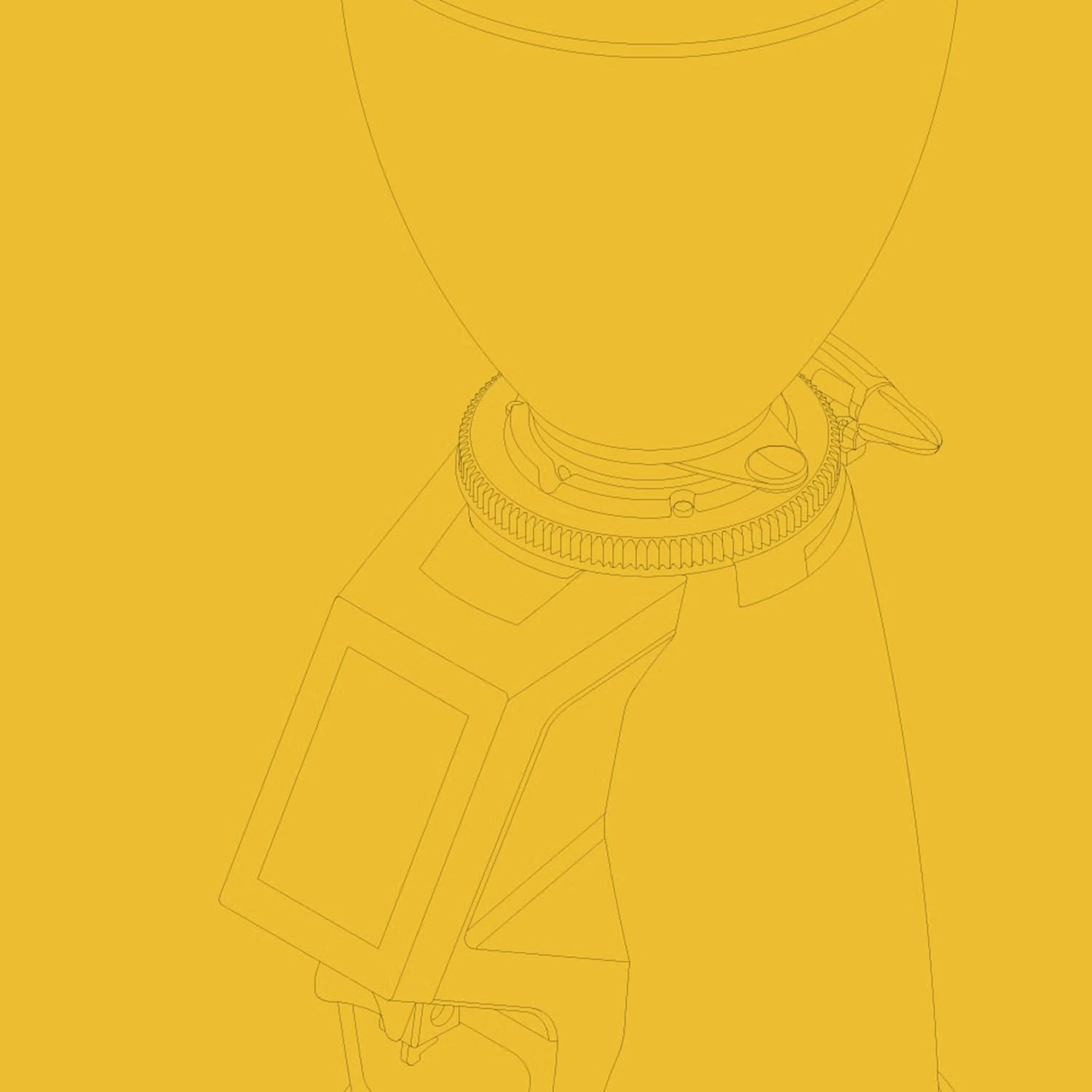
Phễu đậu: Transparent container for holding whole coffee beans. Capacity: 1.2 Kilograms.

3.5'' Touchscreen Display: Intuitive interface for controlling grind settings, dose programming, and operating modes.

Grind Adjustment Collar: Stepless micrometric adjustment for precise control over grind particle size.

Portafilter Fork & Drip Tray: Adjustable fork to hold your portafilter for hands-free grinding, with a removable drip tray for easy cleaning.
4. Thiết lập
Follow these steps to set up your Macap MI40 Touch grinder:
- Tháo hộp: Carefully remove the grinder and all accessories from the packaging. Retain the packaging for future transport or storage.
- Vị trí: Đặt máy xay trên bề mặt phẳng, chắc chắn và khô ráo. Đảm bảo thông gió đầy đủ xung quanh máy.
- Lắp đặt phễu: Place the bean hopper onto the grinder body, aligning the tabs. Rotate the hopper clockwise until it locks securely into place.
- Lắp đặt khay hứng nước: Slide the removable drip tray into its designated slot at the base of the grinder.
- Kết nối nguồn điện: Cắm dây nguồn vào ổ cắm điện có nối đất.
- Làm sạch ban đầu: Trước khi sử dụng lần đầu, hãy lau sạch bề ngoài bằng dung dịch chuyên dụng.amp cloth. Ensure the burrs and grind chute are free of any packing debris.

Bên view of the Macap MI40 Touch grinder, illustrating its compact design and the placement of the bean hopper and drip tray.
5. Hướng dẫn vận hành
5.1. Điều chỉnh độ xay
The MI40 Touch features stepless micrometric grind adjustment, allowing for precise control over particle size. To adjust the grind:
- Ensure the grinder is off or not actively grinding.
- Rotate the grind adjustment collar located below the bean hopper.
- Quay theo chiều kim đồng hồ for a finer grind (e.g., for espresso).
- Quay ngược chiều kim đồng hồ for a coarser grind (e.g., for drip, French press, or cold brew).
- Make small adjustments and test the grind to achieve the desired consistency for your brewing method.
Cận cảnh view of the grind adjustment collar, showing the numerical markings for reference.
5.2. Giao diện màn hình cảm ứng
The 3.5-inch touchscreen allows for intuitive control and customization of your grinding experience. It features four programmable dose buttons and various settings.
The 3.5-inch touchscreen display showing the main interface with programmable dose buttons.
For a detailed demonstration of the touchscreen interface and its functionalities, please refer to the official video below:
This video demonstrates the various features and customization options of the 3.5-inch touchscreen interface on the Macap MI Series coffee grinders, including dose programming, color customization, and different operating modes.
5.3. Chế độ hoạt động
The MI40 Touch offers three primary operating modes:
- Chế độ chuẩn: Allows you to select a pre-programmed dose by pressing the corresponding button on the touchscreen. The grinder will dispense the set amount of coffee.
- Chế độ đẩy và xay: Grinding starts when the portafilter activates the button on the fork and stops when the portafilter is removed. This mode is ideal for manual control.
- Barista Hands-Free Mode: Similar to Push and Grind, but designed for continuous grinding as long as the portafilter is in place, allowing baristas to multitask.
6. Bảo trì và vệ sinh
Regular cleaning and maintenance will ensure optimal performance and longevity of your grinder.
6.1. Vệ sinh hàng ngày
- Ống nghiền: Use a brush or vacuum to clear any residual coffee grounds from the grind chute after each use.
- Khay ướt: Remove and empty the drip tray regularly. Wipe it clean with a damp vải và lau khô hoàn toàn.
- Bên ngoài: Lau sạch bên ngoài máy xay bằng vải mềm,amp vải. Không sử dụng chất tẩy rửa có tính mài mòn hoặc dung môi.

The removable drip tray and portafilter fork area, designed for easy cleaning.
6.2. Deep Cleaning (Weekly/Bi-Weekly)
- Rút phích cắm của máy mài.
- Loại bỏ phễu đậu: Empty any remaining beans. Rotate the hopper counter-clockwise to unlock and remove it.
- Làm sạch lưỡi dao: Use a stiff brush or a specialized grinder brush to remove accumulated coffee oils and grounds from the burrs. You may need to remove the upper burr for thorough cleaning (refer to specific instructions in the full manual for burr removal).
- Clean Grind Chamber: Use a vacuum cleaner with a narrow attachment to remove grounds from the grind chamber.
- Lắp ráp lại: Reinstall the burrs (if removed) and the bean hopper securely.
KHAI THÁC. Xử lý sự cố
If you encounter issues with your MI40 Touch grinder, refer to the table below for common problems and solutions.
| Vấn đề | Nguyên nhân có thể | Giải pháp |
|---|---|---|
| Máy xay không bật. | Không cắm điện; tắt nguồn; cầu dao điện bị ngắt. | Check power connection; ensure power switch is on; reset circuit breaker. |
| Không có cà phê. | Hopper empty; grind chute clogged; burrs jammed. | Fill hopper; clean grind chute; clear any foreign objects from burrs (unplug first). |
| Quá trình xay không đồng đều. | Burrs dirty or worn; grind setting too coarse/fine. | Vệ sinh lưỡi xay thật kỹ; điều chỉnh độ mịn xay từng chút một. Cân nhắc thay thế lưỡi xay nếu bị mòn. |
| Grinder is excessively noisy. | Vật lạ trong các mảnh vỡ; các bộ phận rời rạc. | Unplug and inspect burrs for foreign objects; check for loose parts. If noise persists, contact support. |
| Màn hình cảm ứng không phản hồi. | Temporary software glitch; power issue. | Unplug the grinder for 30 seconds, then plug back in. If issue persists, contact support. |
8. Thông số kỹ thuật
Key technical specifications for the Macap MI40 Touch Instant Burr Coffee Grinder:
| Tính năng | Đặc điểm kỹ thuật |
|---|---|
| Người mẫu | MI40 Touch |
| Loại Burr | Flat Burrs |
| Burr Diameter | 65mm |
| Công suất động cơ | 480W |
| Sức chứa phễu | 1.2 Kilôgam |
| Điều chỉnh mài | Điều chỉnh vi mô vô cấp |
| Trưng bày | 3.5'' Touchscreen |
| Kích thước sản phẩm (D x R x C) | 12" x 7.63" x 22" |
| Trọng lượng sản phẩm | 19.58 pound |
| Nước xuất xứ | Ý |
9. Bảo hành và Hỗ trợ
Macap products are manufactured to high standards and undergo rigorous quality control. For warranty information, technical support, or service inquiries, please refer to the warranty card included with your product or visit the official Macap website. Please have your model number (MI40 Touch) and purchase date available when contacting support.


