1. Giới thiệu
This manual provides detailed instructions for the safe and efficient use of your Baseus Picogo 5000mAh MagSafe Portable Charger. Please read this manual thoroughly before using the product and retain it for future reference.
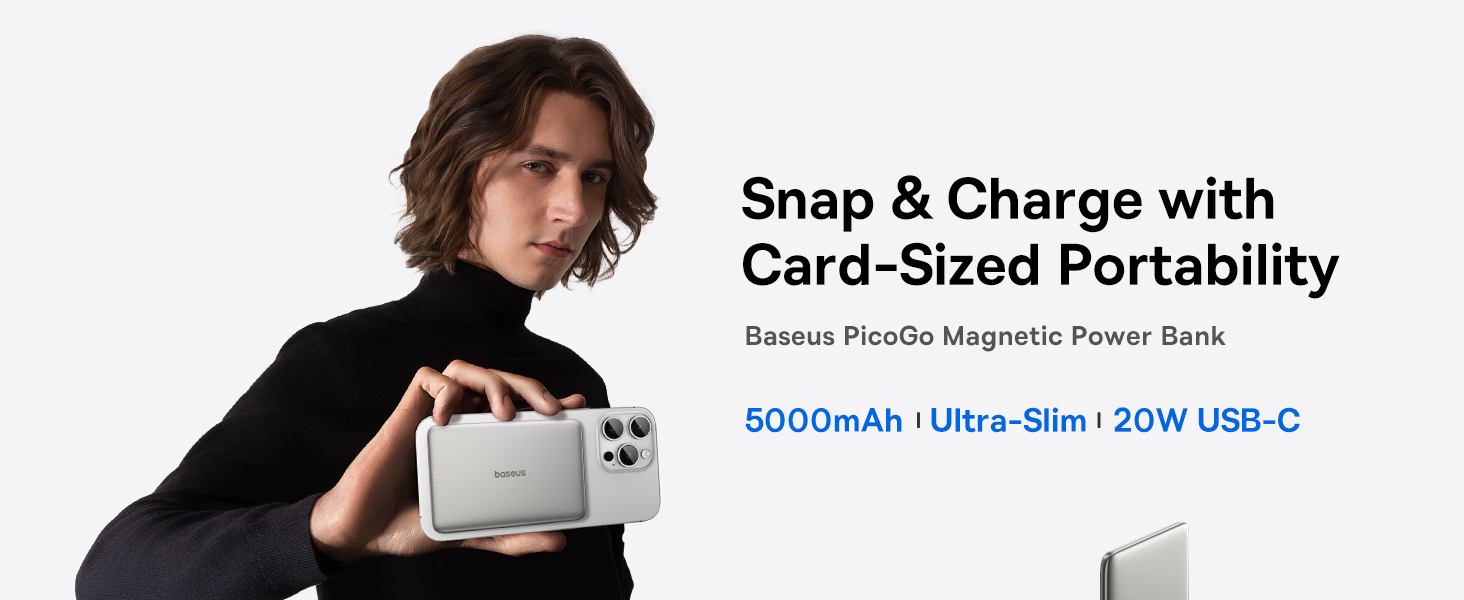
Image: The Baseus Picogo Power Bank magnetically attached to the back of a smartphone, highlighting its compact and slim design.
2. Tính năng sản phẩm
- Thiết kế siêu mỏng: Measures 0.3 inches thick and weighs 3.8 ounces for enhanced portability.
- Dung lượng 5000mAh: Provides supplemental power for mobile devices.
- Đính kèm từ tính: Strong 11N magnetic force for secure wireless charging with compatible devices.
- Chế độ sạc kép: Supports 20W USB-C wired output and 7.5W wireless charging.
- Hệ thống làm mát tiên tiến: Features NTC temperature control chip, Graphene material, and aluminum alloy shell for efficient heat dissipation.
- Kết cấu bền bỉ: Aluminum alloy shell and nano-coated silicone surface for scratch resistance and comfortable grip.
- Bảo vệ an toàn: Incorporates 9-layer safety protections for secure operation.
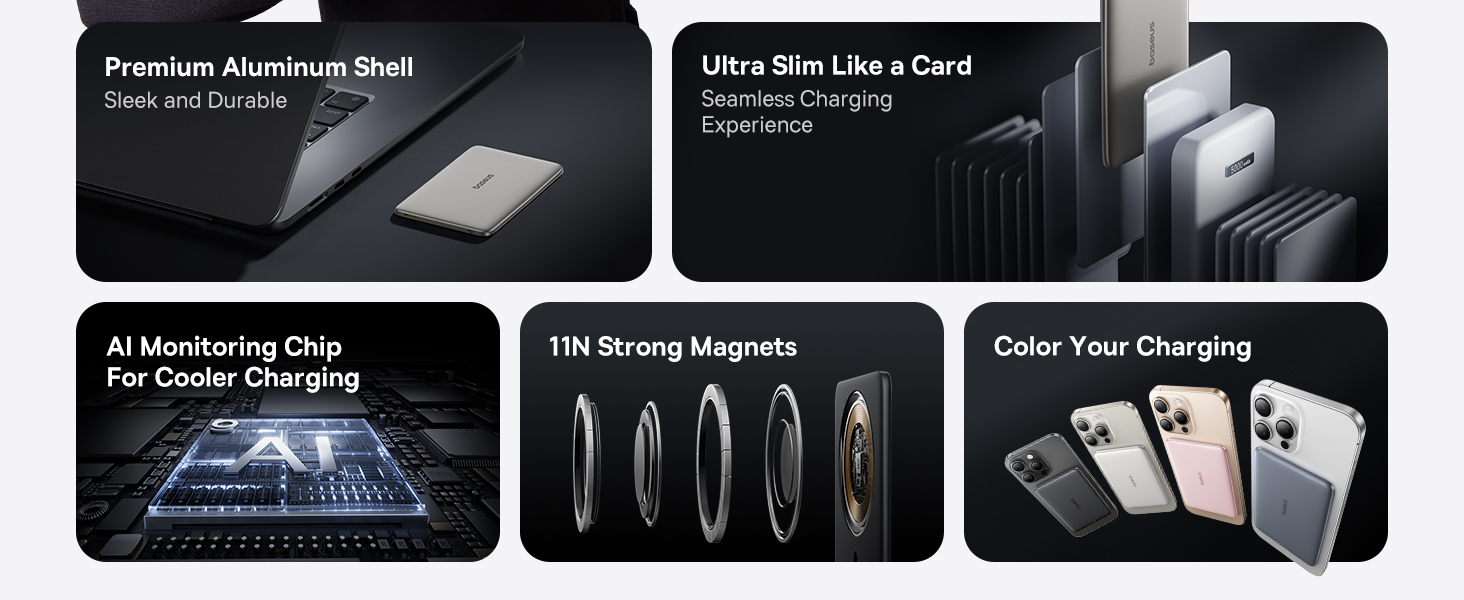
Image: Visual representation of the power bank's ultra-slim profile (0.3 inches) and light weight (3.8 oz), emphasizing its portability and ergonomic design.

Image: A diagram detailing the internal cooling system, including aluminum alloy, AI monitoring chip, and Graphene material, designed to maintain optimal operating temperature.
3. Nội dung gói hàng
Vui lòng kiểm tra nội dung gói hàng khi mở hộp:
- Baseus Picogo 5000mAh MagSafe Portable Charger
- Cáp bện USB-C
- Hướng dẫn sử dụng (tài liệu này)
4. Thiết lập và sử dụng ban đầu
4.1 Sạc pin dự phòng
Trước khi sử dụng lần đầu, hãy sạc đầy pin dự phòng.
- Connect the provided USB-C braided cable to the USB-C port on the power bank.
- Kết nối đầu còn lại của cáp với bộ chuyển đổi nguồn USB tương thích (không bao gồm).
- Các đèn LED trên pin dự phòng sẽ sáng lên để hiển thị trạng thái sạc. Cả bốn đèn LED sẽ sáng liên tục khi pin được sạc đầy.
4.2 Trạng thái chỉ báo LED
The LED indicators provide information about the power bank's battery level and charging status.
- 1 đèn LED: Pin còn lại 0-25%
- 2 đèn LED: Pin còn lại 25-50%
- 3 đèn LED: Pin còn lại 50-75%
- 4 đèn LED: Pin còn lại 75-100%
- During wireless charging, a specific LED indicator will light up to confirm magnetic charging is active.

Image: An illustration detailing how the LED indicators on the power bank function to display battery level and magnetic charging status.
5. Hướng dẫn vận hành
5.1 Sạc không dây (Tương thích MagSafe)
The power bank supports magnetic wireless charging for compatible devices (e.g., iPhone 12-17 series with MagSafe or MagSafe-compatible cases).
- Hãy đảm bảo thiết bị của bạn tương thích với MagSafe hoặc có ốp lưng tương thích với MagSafe.
- Align the power bank with the back of your device. The strong magnets will automatically snap it into place.
- Wireless charging will begin automatically. The LED indicator on the power bank will confirm active charging.

Image: The power bank securely attached to the back of an iPhone, demonstrating the magnetic wireless charging feature.

Image: A user holding a smartphone with the Baseus Picogo Power Bank attached, illustrating the secure magnetic connection during use.
5.2 Sạc có dây (USB-C)
Pin dự phòng này cũng có thể sạc các thiết bị thông qua cổng USB-C của nó.
- Connect one end of the USB-C braided cable to the USB-C port on the power bank.
- Kết nối đầu còn lại của cáp với cổng sạc của thiết bị.
- Quá trình sạc sẽ tự động bắt đầu.

Image: The power bank connected to an iPhone via a USB-C cable, demonstrating wired charging capability.
5.3 Simultaneous Charging (Pass-through Charging)
The power bank supports pass-through charging, allowing it to be recharged while simultaneously charging a device.
- Connect the power bank to a power adapter using the USB-C cable to recharge it.
- While the power bank is recharging, connect your device for wired or wireless charging.
- Cả pin dự phòng và thiết bị của bạn sẽ được sạc cùng lúc.

Image: The power bank connected to a wall adapter and an iPhone, illustrating the pass-through charging feature where both devices charge simultaneously.
6. Khả năng tương thích
The Baseus Picogo Power Bank is designed for broad compatibility:
- Đầu ra không dây: Compatible with iPhone 12-17 Series, AirPods 4/3/Pro 2/Pro, and devices with MagSafe phone cases.
- Đầu ra USB-C: Compatible with iPad Mini/Air/Pro, Android Phones, and other USB-C powered devices.
Ghi chú: Wireless charging is not compatible with non-MagSafe phones or phone cases.

Image: A visual guide illustrating the compatibility of the power bank with various devices, including iPhones, AirPods, iPads, and Android phones, for both wireless and wired charging.
7. Thông số kỹ thuật
| Tổng công suất | 5,000mAh |
| Lực từ | 11N |
| Vật liệu | Silicone, Aluminum Alloy |
| Đầu vào USB-C | 5V=3A/9V=1.67A |
| Đầu ra USB-C | 5V=2.4A / 9V=2.22A / 12V=1.5A |
| Đầu ra không dây | 5W / 7.5W / 15W |
| Tổng sản lượng | 5V=2.4A |
| Kích thước | 3.9 x 2.6 x 0.3 inch |
| Cân nặng | Khoảng 3.8 oz |
| Số hiệu mẫu | PPKPC-0520 |

Image: The product packaging alongside a detailed list of technical specifications for the Baseus Picogo Power Bank.
8. Bảo trì và chăm sóc
- Hãy tránh để pin dự phòng tiếp xúc với nước, hơi ẩm và nhiệt độ quá cao hoặc quá thấp.
- Tránh làm rơi hoặc khiến sạc dự phòng chịu tác động mạnh.
- Lau sạch bề mặt bằng khăn mềm, khô. Không sử dụng hóa chất mạnh hoặc vật liệu mài mòn.
- Bảo quản ở nơi khô ráo, thoáng mát khi không sử dụng.
- Recharge the power bank at least once every three months to maintain battery health if stored for extended periods.
KHAI THÁC. Xử lý sự cố
9.1 Thiết bị không sạc được
- Kiểm tra dung lượng pin dự phòng: Ensure the power bank itself is sufficiently charged (check LED indicators).
- Kết nối cáp: For wired charging, ensure the USB-C cable is securely connected to both the power bank and your device. Try a different cable if available.
- Wireless Alignment: For wireless charging, ensure the power bank is correctly aligned with your device's charging coil. Remove any thick or non-MagSafe compatible cases.
- Khả năng tương thích của thiết bị: Verify your device is compatible with the power bank's charging methods (MagSafe for wireless, USB-C for wired).
9.2 Sạc chậm
- Chất lượng cáp: Use the provided USB-C braided cable or a high-quality, certified charging cable.
- Bộ đổi nguồn: For recharging the power bank, use a compatible power adapter that supports the input specifications.
- Nhiệt độ thiết bị: If your device or the power bank becomes too warm, charging speed may reduce to protect the battery. Move to a cooler environment.

Image: An explanation regarding potential charging slowdowns at 80% battery, often due to thermal management protocols in devices like iPhones.
10. Thông tin an toàn
- Không tự tháo rời, sửa đổi hoặc sửa chữa sản phẩm.
- Do not expose the product to fire, water, or corrosive liquids.
- Avoid using the product in environments with high temperatures or humidity.
- Để xa tầm tay trẻ em.
- Hãy vứt bỏ sản phẩm theo quy định của địa phương về rác thải điện tử.
11. Bảo hành và Hỗ trợ
The Baseus Picogo Power Bank comes with a Bảo hành 24 tháng. This warranty covers manufacturing defects and ensures free returns or replacements.
For technical support, warranty claims, or any inquiries, please contact Baseus customer service. Lifelong 24/7 professional support is available.
You can find contact information on the official Baseus webtrang web hoặc thông qua nền tảng mua hàng của bạn.


