1. Giới thiệu
This manual provides essential instructions for the safe operation, setup, maintenance, and troubleshooting of your ARRIS WPL C24-1 RC Rock Crawler. Please read this manual thoroughly before using the product to ensure proper function and longevity.

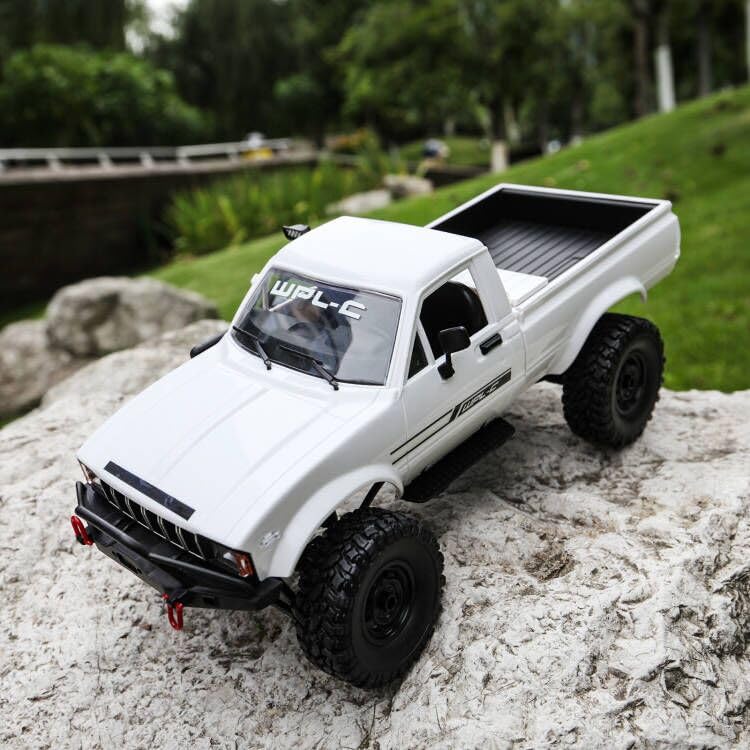
Image: The ARRIS WPL C24-1 RC Rock Crawler, showcasing its detailed design and robust tires.
2. Thông tin an toàn
Always operate the RC vehicle in a safe and responsible manner. Failure to follow these safety guidelines may result in injury or damage to the product or property.
- Giữ tay, tóc và quần áo rộng rãi tránh xa các bộ phận chuyển động.
- Không vận hành thiết bị gần người, vật nuôi hoặc vật cản.
- Avoid operating in wet conditions or near water unless the product is specifically designed for it.
- Hãy đảm bảo pin được sạc đúng cách và sử dụng cẩn thận.
- Người dùng dưới 15 tuổi nên có sự giám sát của người lớn.
3. Nội dung gói hàng
Xác minh rằng tất cả các mục được liệt kê dưới đây đều có trong gói hàng của bạn:
- ARRIS WPL C24-1 RC Rock Crawler (1 unit)
- Remote Control Transmitter (1 unit)
- Rechargeable Battery (1 unit, 7.4V 500mAh)
- Cáp sạc (1 cái)
- Hướng dẫn sử dụng (tài liệu này)
4. Hướng dẫn cài đặt
4.1. Sạc pin xe
The vehicle battery (7.4V 500mAh) requires charging before first use. A full charge takes approximately 2 hours and provides about 30 minutes of operation.
- Locate the battery compartment on the underside of the RC crawler.
- Connect the rechargeable battery to the provided charging cable.
- Plug the charging cable into a suitable USB power source (e.g., computer USB port, USB wall adapter).
- The indicator light on the charging cable will show the charging status (refer to charger instructions for specific light patterns).
- Once fully charged, disconnect the battery from the charger and install it into the vehicle's battery compartment.
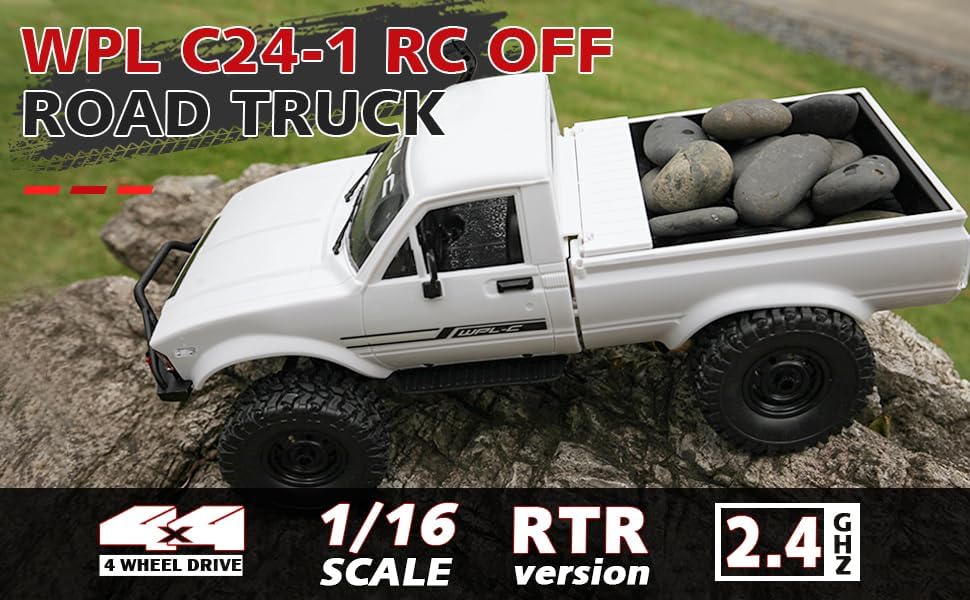
Image: Underside of the RC crawler, highlighting the battery and chassis components.
4.2. Lắp pin điều khiển từ xa
The remote control requires 1 C battery (included). Ensure correct polarity when installing.
- Mở nắp pin ở mặt sau của điều khiển từ xa.
- Insert the C battery according to the polarity markings (+/-).
- Đóng chặt nắp pin.
4.3. Ghép nối điều khiển từ xa
The RC crawler and remote control are typically pre-paired. If re-pairing is necessary:
- Turn on the RC crawler using the switch located on the chassis.
- Bật điều khiển từ xa.
- The indicator light on the remote control should stop flashing and remain solid, indicating a successful connection.
- If the connection fails, turn both devices off and repeat the process.
5. Hướng dẫn vận hành
5.1. Điều khiển cơ bản
- Kích hoạt bướm ga: Kéo để tiến lên, đẩy để phanh/lùi lại.
- Vô lăng: Rẽ trái để lái sang trái, rẽ phải để lái sang phải.
- Điều chỉnh độ nghiêng: Use the trim dials on the remote to fine-tune steering and throttle if the vehicle pulls to one side or moves without input.
5.2. Mẹo lái xe
The ARRIS WPL C24-1 is designed for off-road crawling. Its 4WD system and independent suspension allow it to navigate various terrains.
- For optimal crawling, use slow and controlled throttle inputs.
- Experiment with steering angles to overcome obstacles.
- The vehicle features highlight LED lights for improved visibility in low-light conditions.

Image: The RC crawler navigating a challenging rocky path, demonstrating its off-road capabilities.

Image: The RC crawler traversing sandy terrain, showcasing its 4WD design.
6. Bảo trì
6.1. Vệ sinh
After each use, especially in dusty or dirty conditions:
- Use a soft brush or compressed air to remove dirt and debris from the chassis, wheels, and suspension.
- Lau sạch cơ thể bằng quảng cáoamp vải. Không sử dụng hóa chất mạnh.
- Ensure no moisture enters electronic components.
6.2. Chăm sóc và bảo quản pin
- Luôn ngắt kết nối ắc quy khỏi xe khi không sử dụng.
- Bảo quản pin ở nơi khô ráo, thoáng mát, tránh ánh nắng trực tiếp và nhiệt độ cao.
- Không sạc quá mức hoặc xả pin quá mức.
6.3. Kiểm tra linh kiện
Regularly inspect the following components for wear or damage:
- Wheels and tires for damage or excessive wear.
- Suspension components (shocks, springs, linkages).
- Steering mechanism for smooth operation.
- All screws and fasteners for tightness.
KHAI THÁC. Xử lý sự cố
| Vấn đề | Nguyên nhân có thể | Giải pháp |
|---|---|---|
| Xe không phản hồi. | Low vehicle battery; Low remote control battery; Not paired. | Charge vehicle battery; Replace remote control battery; Re-pair remote control. |
| Xe di chuyển chậm hoặc không đều. | Low vehicle battery; Obstruction in drivetrain; Motor issue. | Charge vehicle battery; Clear obstructions; Contact support if motor issue persists. |
| Hệ thống lái hoạt động thất thường hoặc không phản hồi. | Steering trim incorrect; Damaged servo; Obstruction. | Adjust steering trim; Inspect servo for damage; Clear obstructions. |
| Phạm vi hoạt động ngắn. | Interference; Low remote control battery. | Move to an area with less interference; Replace remote control battery. |
8. Thông số kỹ thuật sản phẩm
| Tính năng | Chi tiết |
|---|---|
| Số hiệu mẫu | WPL C24-1 |
| Thương hiệu | ARRIS |
| Tỉ lệ | 1:16 |
| Kích thước sản phẩm | 12.2 x 5.78 x 4.44 inch |
| Trọng lượng sản phẩm | 2.4 pound |
| Vật liệu | ABS + Kim loại |
| Động cơ | Động cơ chổi than 180 |
| Ắc quy (Xe) | 7.4V 500mAh (included) |
| Thời gian sạc | Xấp xỉ 2 giờ |
| Thời gian hoạt động | Khoảng 30 phút |
| Tần số điều khiển từ xa | 2.4 GHz |
| Khoảng cách điều khiển | Trên 35 mét |
| Tốc độ tối đa | 20 km/giờ |
| Độ tuổi khuyến nghị | 15 tuổi trở lên |
Hình ảnh: Bên view of the RC crawler with key dimensions indicated.

Hình ảnh: Chi tiết view of the RC crawler's chassis, showing components like the motor, suspension, and drive shafts.
9. Bảo hành và Hỗ trợ
ARRIS products are manufactured to high-quality standards. For warranty information or technical support, please refer to the official ARRIS webtrang web hoặc liên hệ với dịch vụ khách hàng thông qua nền tảng mua hàng của bạn.
Giữ lại biên lai mua hàng làm bằng chứng mua hàng cho bất kỳ yêu cầu bảo hành nào.
Để được hỗ trợ thêm, vui lòng truy cập ARRIS Store on Amazon.


