1. Giới thiệu
This manual provides essential information for the setup, operation, and maintenance of your VIMTAG 8310 5G/2.4G 4MP Camera. Please read thoroughly before use to ensure proper functionality and safety.

Figure 1: VIMTAG 8310 5G/2.4G 4MP Camera
2. Có gì trong hộp
Xác minh rằng tất cả các mục đều có trong gói hàng:
- Camera Body with power cable
- Hướng dẫn sử dụng
- Vít lắp
- Bộ đổi nguồn
3. Sản phẩm hếtview
The VIMTAG 8310 camera features a compact design suitable for both indoor and outdoor use. Key components include:
- Ống kính: Captures 2.5K (4MP) video.
- Infrared & White Light: Có khả năng nhìn đêm.
- Micrô: Dùng để giao tiếp âm thanh hai chiều.
- Người nói: Dùng để liên lạc âm thanh hai chiều và gửi cảnh báo.
- Khe cắm thẻ SD: Supports Micro SD cards up to 512GB for local storage.
- Nút Đặt lại: Để khôi phục cài đặt gốc.
- Cổng điện: Micro USB for continuous power supply.

Figure 2: Camera features overview
4. Thiết lập và Cài đặt
4.1 Tải ứng dụng và đăng ký tài khoản
- Download the 'Canny Cam' app from your device's app store (iOS/Android).
- Register a new account using your email address and follow the on-screen instructions.
- Đăng nhập vào tài khoản vừa tạo của bạn.

Figure 3: App download and registration process
4.2 Powering On and Device Connection
- Connect the camera to the power adapter using the provided USB cable and plug it into a power outlet.
- Open the 'Canny Cam' app and tap the '+' icon to add a new device.
- Follow the in-app instructions to connect the camera to your 5G/2.4G Wi-Fi network. This typically involves scanning a QR code displayed on your phone with the camera lens.
- Sau khi kết nối, bạn có thể đặt tên cho camera và chỉ định nó cho một phòng cụ thể.
Video 1: Why choose Vimtag Mini G3 Outdoor Security Camera? (Seller)
4.3 Gắn máy ảnh
The camera comes with a versatile stand that allows for various mounting options:
- Tabletop/Free Standing: Place the camera on any flat surface. The stand has padded feet for stability.
- Giá treo tường/trần: The base of the stand can be detached and screwed into a wall or ceiling using the provided mounting screws. The camera then easily attaches to the mounted base.

Figure 4: Easy setup and mounting options

Figure 5: Mounting the camera to a wall
5. Vận hành máy ảnh
5.1 Trực tiếp View và âm thanh hai chiều
Access the live video feed anytime, anywhere through the Canny Cam app. Use the built-in microphone and speaker for two-way communication.

Hình 6: Âm thanh hai chiều đang hoạt động
5.2 Chế độ nhìn ban đêm
The camera offers full-color night vision, enhanced by a built-in LED light, and traditional infrared night vision. Switch between modes via the app settings.

Figure 7: Comparison of Color and Infrared Night Vision
Video 2: How to set full-color night vision of Vimtag Mini G3 (Seller)
5.3 Phát hiện và cảnh báo thông minh
Configure motion, human, and sound detection settings within the app. Receive instant alerts on your mobile device when activity is detected.
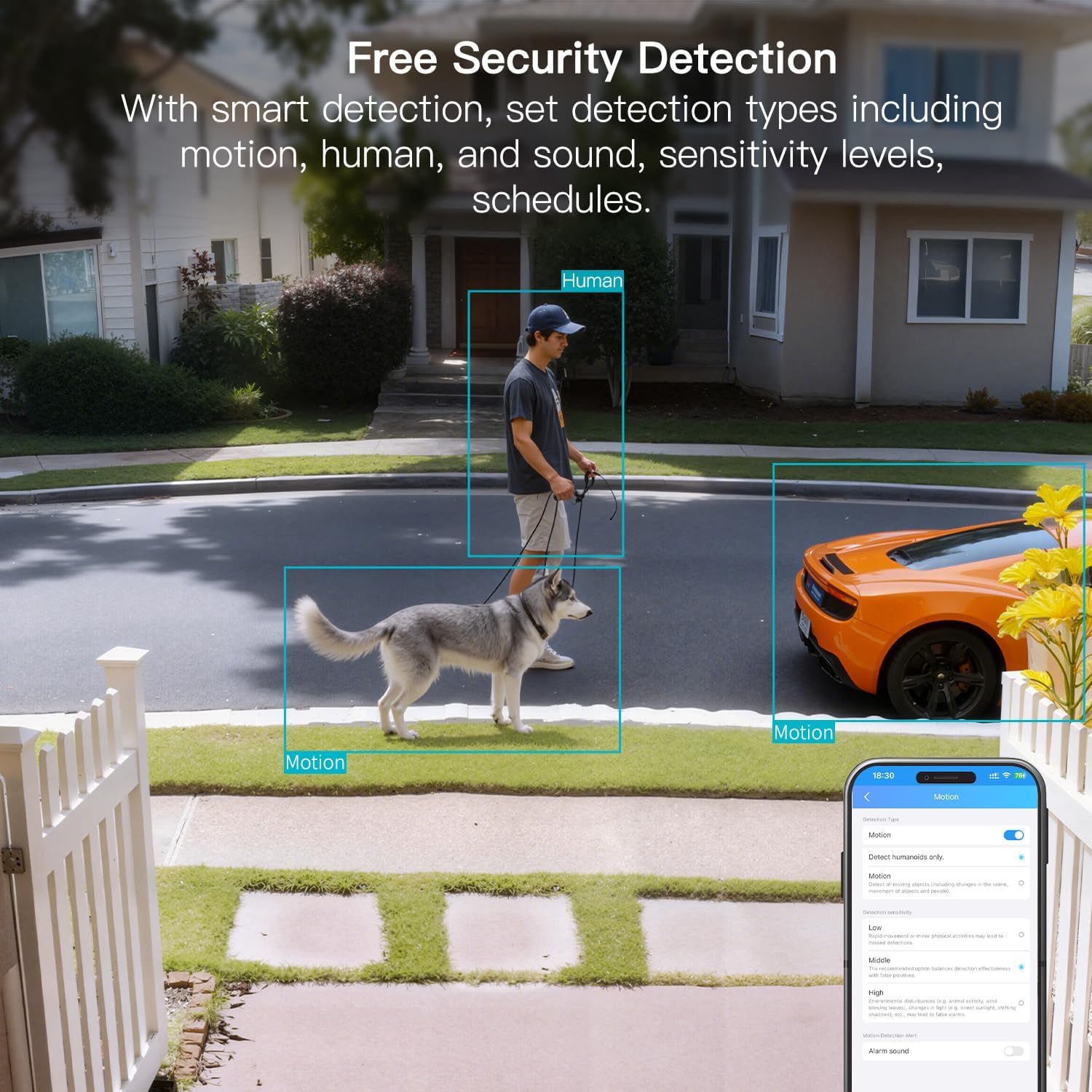
Figure 8: AI Detection capabilities

Figure 9: Smart alarm modes with sound and light
5.4 Tùy chọn lưu trữ
The camera supports continuous 24/7 recording to a Micro SD card (up to 512GB, sold separately) or secure Cloud storage (subscription required).

Figure 10: Local and Cloud storage options
6. Thông số kỹ thuật
| Tính năng | Chi tiết |
|---|---|
| Tên mẫu | 8310 |
| Sử dụng trong nhà/ngoài trời | Outdoor (IP65 Weatherproof) |
| Độ phân giải quay video | 2.5K (1440p) |
| Độ phân giải tĩnh hiệu quả | 4MP |
| Công nghệ kết nối | Wi-Fi (2.4 & 5G Hz, Dual Band, Wi-Fi 6) |
| Tính năng đặc biệt | 2-Way Audio, HD Resolution, Motion Sensor, Color Night Vision, AI Detection, Alexa Support |
| Viewgóc ing | 130 Độ |
| Tầm nhìn ban đêm | 33 feet |
| Nguồn điện | Dùng điện có dây (5 Volts, 5 Watts) |
| Bộ nhớ Flash tối đa được hỗ trợ | 512 GB (Thẻ Micro SD) |
| Kích thước sản phẩm | 1.57 x 2.28 x 2.76 inch |
7. Bảo trì
- Vệ sinh: Use a soft, dry cloth to clean the camera lens and body. Avoid harsh chemicals.
- Cập nhật chương trình cơ sở: Regularly check the Canny Cam app for firmware updates to ensure optimal performance and security.
- Quản lý thẻ SD: If using a Micro SD card, periodically check its status and format it via the app to maintain recording quality.
KHAI THÁC. Xử lý sự cố
- Các vấn đề kết nối: Ensure the camera is within range of your Wi-Fi router. Verify Wi-Fi password and network stability. The camera supports both 2.4GHz and 5GHz bands.
- Sự cố ghi âm: Check if the Micro SD card is inserted correctly and has sufficient space. If using Cloud storage, verify your subscription status.
- Không có cảnh báo: Confirm motion/human/sound detection is enabled in the app settings and notification permissions are granted for the Canny Cam app on your phone.
- Chất lượng hình ảnh kém: Ensure the lens is clean. Check network stability for optimal streaming resolution.
- Đặt lại thiết bị: If issues persist, use the reset button on the camera to restore factory settings. You will need to reconfigure the device after a reset.
9. Bảo hành và Hỗ trợ
VIMTAG offers a 2-year warranty and lifetime technical support for this product. For assistance, please contact VIMTAG hỗ trợ khách hàng:
- E-mail: Customer@vimtag.com
- Hỗ trợ trong ứng dụng: Access the 'Message Center' within the Canny Cam app for direct support.
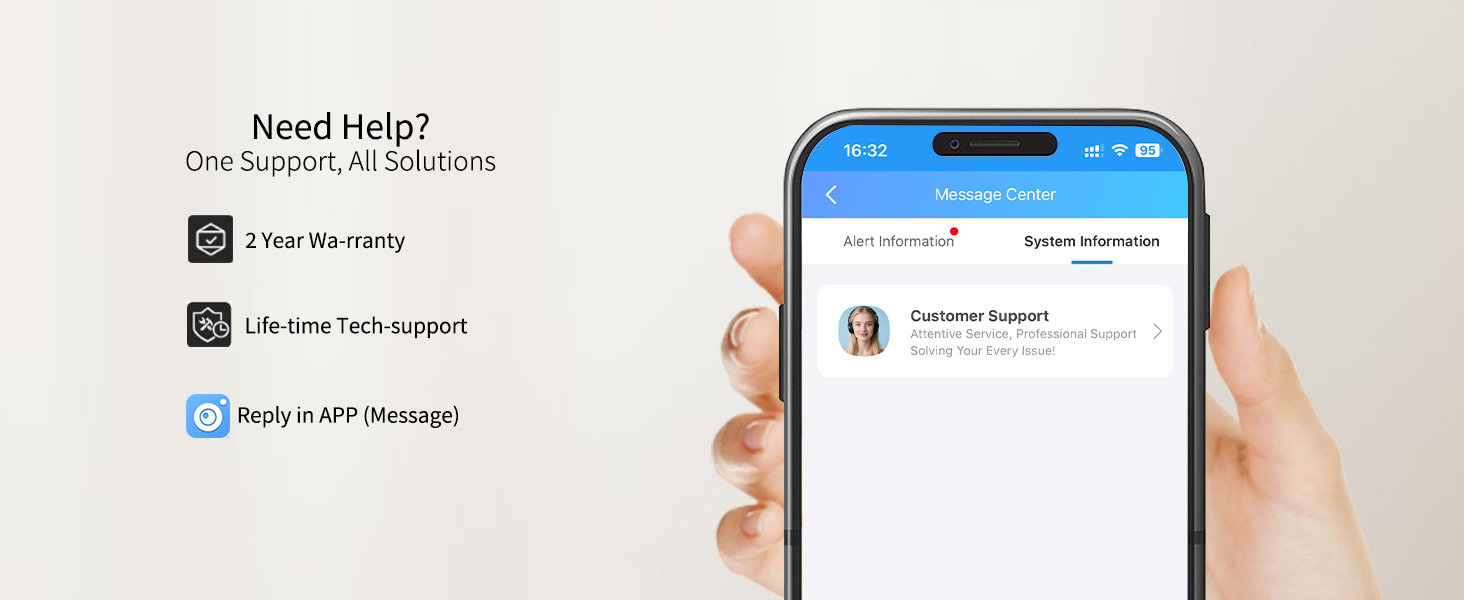
Figure 11: VIMTAG Hỗ trợ khách hàng


