Giới thiệu
The Samsers KF06X Foldable Bluetooth Keyboard is a full-size wireless keyboard designed for portability and multi-device compatibility. It features a numeric keypad, adjustable 7-color backlight, and supports connection to up to three devices simultaneously. This manual provides essential information for setting up, operating, maintaining, and troubleshooting your keyboard.
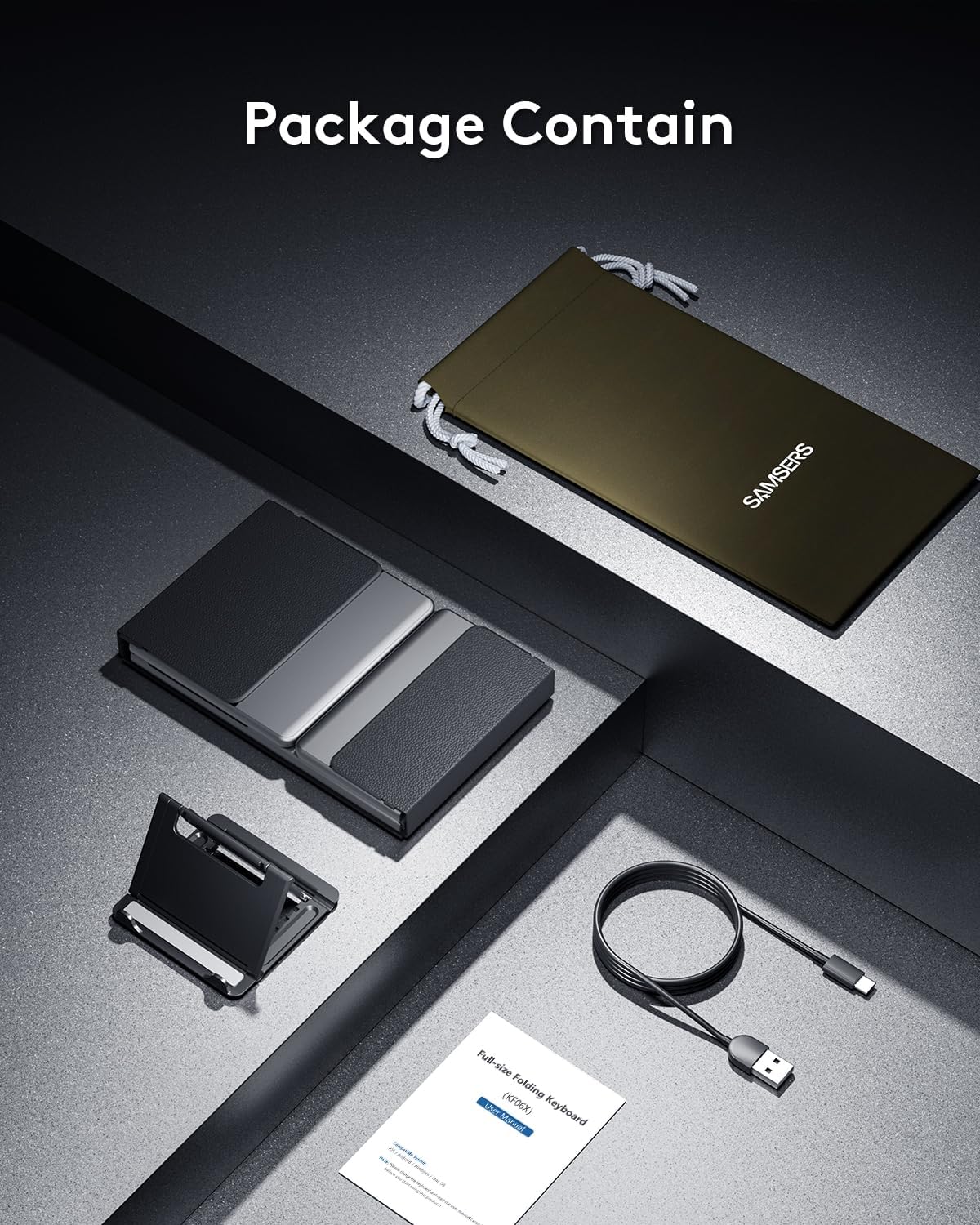
Nội dung gói
Vui lòng kiểm tra xem tất cả các mục có trong gói hàng không:
- 1 Bàn phím gập có đèn nền
- 1 x Cáp sạc Type-C
- 1 x Đế điện thoại
- 1 x Túi đựng nhung
- 1 x Hướng dẫn sử dụng
Cài đặt
1. Sạc ban đầu
Before first use, fully charge the keyboard for 2-3 hours using the provided Type-C cable. A low battery may affect keyboard functionality.

2. Bật/Tắt nguồn
To power on the keyboard, unfold it completely. The keyboard will automatically power on. To power off, fold the keyboard. It will automatically power off to conserve battery.
3. Ghép nối Bluetooth
The Samsers KF06X keyboard supports pairing with up to three devices. Follow these steps to pair your device:
- Mở bàn phím ra để bật nguồn.
- Nhấn nút BT1, BT2, hoặc BT3 key once to select the desired Bluetooth channel.
- Nhấn và giữ vào mục đã chọn BT key (e.g., BT1) for 5 seconds until its indicator light starts flashing blue. This indicates the keyboard is in pairing mode.
- Trên thiết bị của bạn (điện thoại thông minh, máy tính bảng, máy tính xách tay), hãy vào cài đặt Bluetooth và bật Bluetooth.
- Tìm kiếm available devices. The keyboard will appear as Samsers KF06X.
- Lựa chọn Samsers KF06X to connect. The indicator light will stop flashing and remain solid blue once connected.
- Repeat these steps for other devices using BT2 and BT3 channels.
Hướng dẫn sử dụng
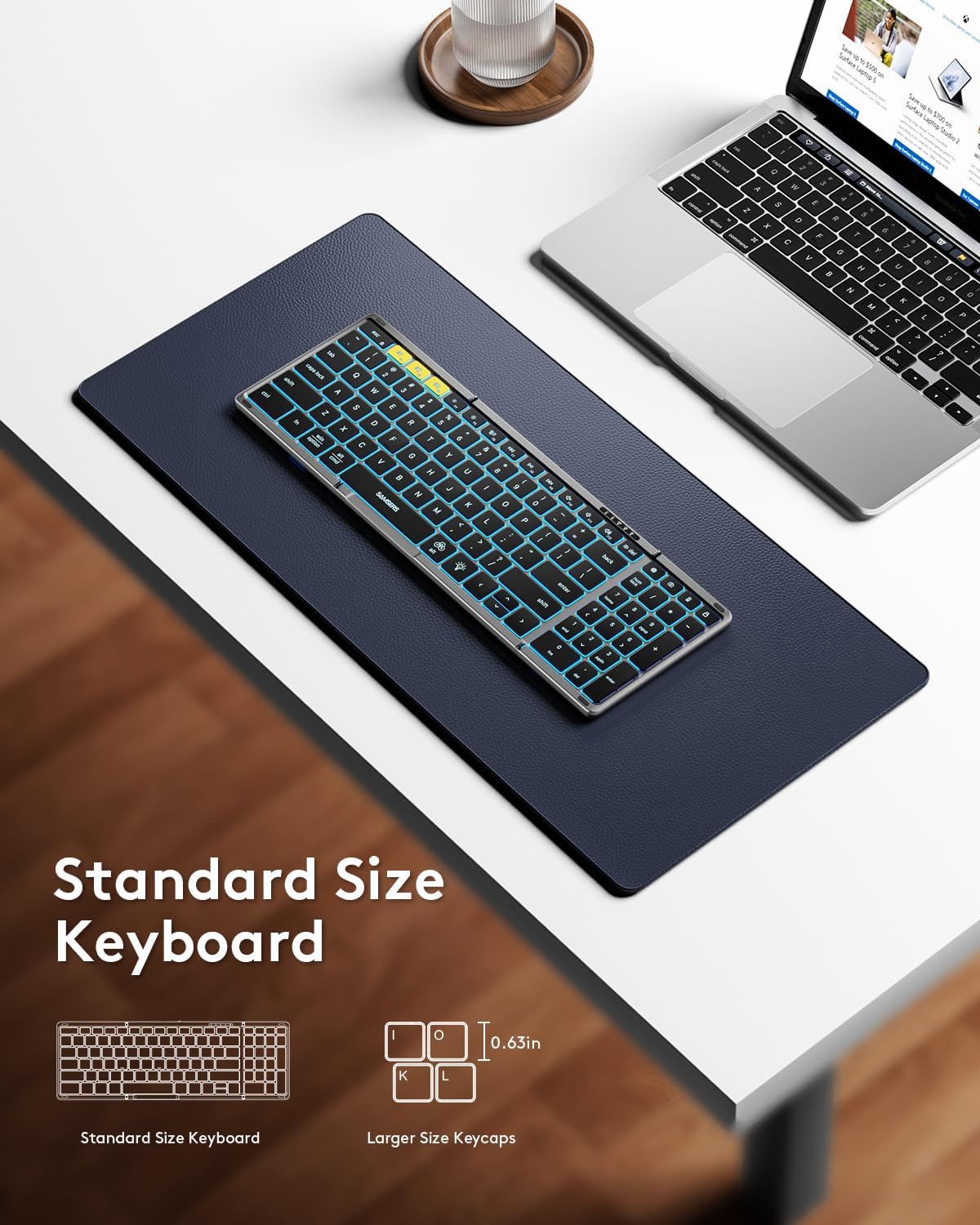
1. Typing and Layout
The keyboard features a full-size layout with standard 0.63-inch keys and a dedicated numeric keypad for efficient data entry. The scissor-switch keys provide a quiet and comfortable typing experience.

2. Điều khiển đèn nền
The keyboard features an adjustable backlight with 7 colors and 4 brightness levels:
- Điều chỉnh độ sáng: Nhấn nút Chú thích biểu tượng bóng đèn (usually F4 or a dedicated key) to cycle through 4 brightness levels (High-Medium-Low-Off).
- Thay đổi màu sắc: Nhấn fn+alt to cycle through 7 available backlight colors (Green, Purple, Blue, Yellow, White, Cyan, Red).

3. Chức năng đa phương tiện
Access multimedia shortcuts and other functions by pressing the Fn key in combination with the corresponding F-keys (F1-F12) or other designated keys. Refer to the key legends for specific functions.
4. Device Switching
Để chuyển đổi giữa các thiết bị đã ghép nối, chỉ cần nhấn nút tương ứng. BT1, BT2, hoặc BT3 key once. The keyboard will seamlessly switch its connection to the selected device.
BẢO TRÌ
To ensure the longevity and optimal performance of your Samsers KF06X keyboard, follow these maintenance guidelines:
- Keep the keyboard clean by wiping it with a soft, dry cloth. Avoid abrasive cleaners or solvents.
- Protect the keyboard from extreme temperatures, direct sunlight, and moisture.
- Store the keyboard in its velvet storage bag when not in use to prevent scratches and dust accumulation.
- Handle the folding mechanism gently to avoid damage to the seamless metal hinge.
Xử lý sự cố
Nếu bạn gặp sự cố với bàn phím Samsers KF06X, hãy tham khảo các giải pháp phổ biến sau:
- Bàn phím không kết nối/ghép nối: Ensure the keyboard is fully charged. On your device, delete/remove/forget any previous pairing records for the keyboard before attempting to re-pair. Make sure Bluetooth is enabled on your device and the keyboard is in pairing mode (flashing blue indicator).
- Typing lag or unresponsiveness: Check the keyboard's battery level and recharge if necessary. Ensure there are no other strong wireless signals or devices interfering with the Bluetooth connection. Try disconnecting and reconnecting the keyboard.
- Đèn nền không hoạt động: Press the Light Bulb icon key to cycle through brightness levels. Ensure the keyboard is powered on.
- Numeric keypad not functioning: Ensure the 'Num Lock' function is activated if required by your operating system.
Thông số kỹ thuật
| Số hiệu mẫu | KF06X |
| Kích thước sản phẩm (Mở ra) | 13.5 x 4.5 x 0.35 inch |
| Trọng lượng sản phẩm | 11 ounce |
| Công nghệ kết nối | Bluetooth 5.1 |
| Thiết bị tương thích | Máy tính xách tay, máy tính để bàn, điện thoại thông minh, máy tính bảng (iOS, Android, Windows, Mac OS) |
| Tính năng đặc biệt | Backlit (7 colors, 4 brightness levels), Foldable, Lightweight, Numeric Keypad, Rechargeable |
| Ắc quy | Pin Lithium Ion 500 mAh (đã bao gồm) |
| Battery Life (no backlight) | Lên đến 150 giờ |
| Thời gian chờ | Tối đa 300 ngày |
Bảo hành và Hỗ trợ
Samsers cung cấp những điều sau đây cho sản phẩm của bạn:
- Bảo hành 1 năm: Your keyboard is covered by a 1-year guarantee for quality and guidance.
- Chính sách đổi trả miễn phí trong 30 ngày: If you are not satisfied with your purchase, you may return or replace it within 30 days.
- Dịch vụ trọn đời: Samsers offers technical service and support for the lifetime of the product.
For further assistance, please contact Samsers customer support.


