1. Giới thiệu
The Audizio Avola is a comprehensive audio system designed to provide a wide range of listening options. It integrates Internet Radio, DAB+, FM radio, a CD player, and Bluetooth connectivity into a single, elegant unit. This manual will guide you through the setup, operation, and maintenance of your Avola system, ensuring you can fully utilize its features for an optimal audio experience.
2. Hướng dẫn an toàn
- Nguồn điện: Chỉ sử dụng bộ chuyển đổi nguồn được cung cấp. Đảm bảo âm lượngtage phù hợp với yêu cầu của khu vực của bạn.
- Nước và độ ẩm: Không để thiết bị tiếp xúc với mưa, hơi ẩm hoặc chất lỏng. Tránh đặt các vật chứa chất lỏng, chẳng hạn như bình hoa, lên thiết bị.
- Thông gió: Đảm bảo thông gió đầy đủ xung quanh thiết bị. Không được chặn các lỗ thông gió.
- Nguồn nhiệt: Đặt thiết bị tránh xa các nguồn nhiệt như lò sưởi, lỗ thông hơi, bếp hoặc các thiết bị khác sinh nhiệt.
- Vệ sinh: Disconnect the unit from the power supply before cleaning. Use a soft, dry cloth. Do not use liquid cleaners or aerosol cleaners.
- Bảo dưỡng: Không tự ý bảo dưỡng thiết bị. Hãy liên hệ với nhân viên bảo dưỡng có trình độ để được hỗ trợ.
- Máy nghe đĩa CD: Do not insert foreign objects into the CD tray. Handle CDs by their edges to avoid scratches.
3. Nội dung gói hàng
Xác minh rằng tất cả các mặt hàng đều có trong bao bì:
- 1x Audizio Avola Internet Radio
- 1x Điều khiển từ xa
- 1x Bộ đổi nguồn
- 1 cuốn sách hướng dẫn sử dụng (hướng dẫn nhanh)

Image: Audizio Avola unit shown with its remote control and power adapter.
4. Sản phẩm hếtview
4.1 Bảng điều khiển phía trước

Hình ảnh: Mặt trước view of the Audizio Avola with the CD tray closed.
The front panel features the main display, control buttons, a CD tray, and input ports.
- Trưng bày: Color display for navigation and information.
- Các nút điều khiển: MENU, INFO, REC/DEL, PRESET/REPEAT, STANDBY, I/R, Play/Pause, Stop, Skip/Fast Forward/Rewind.
- Khay CD: Để chèn đĩa CD âm thanh.
- Núm điều chỉnh/chọn: Rotate to navigate menus, press to select.
- Núm VOLUME: Điều chỉnh mức đầu ra âm thanh.
- Cổng USB: Để kết nối các thiết bị lưu trữ USB.
- Khe cắm thẻ SD: Dùng để lắp thẻ nhớ SD.
- Đầu vào AUX: Giắc cắm 3.5mm dành cho các nguồn âm thanh bên ngoài.
- Giắc cắm tai nghe: Giắc cắm 3.5mm để nghe riêng tư.

Image: Close-up of the Audizio Avola front panel showing USB, SD, AUX, and headphone ports.
4.2 Bảng điều khiển phía sau
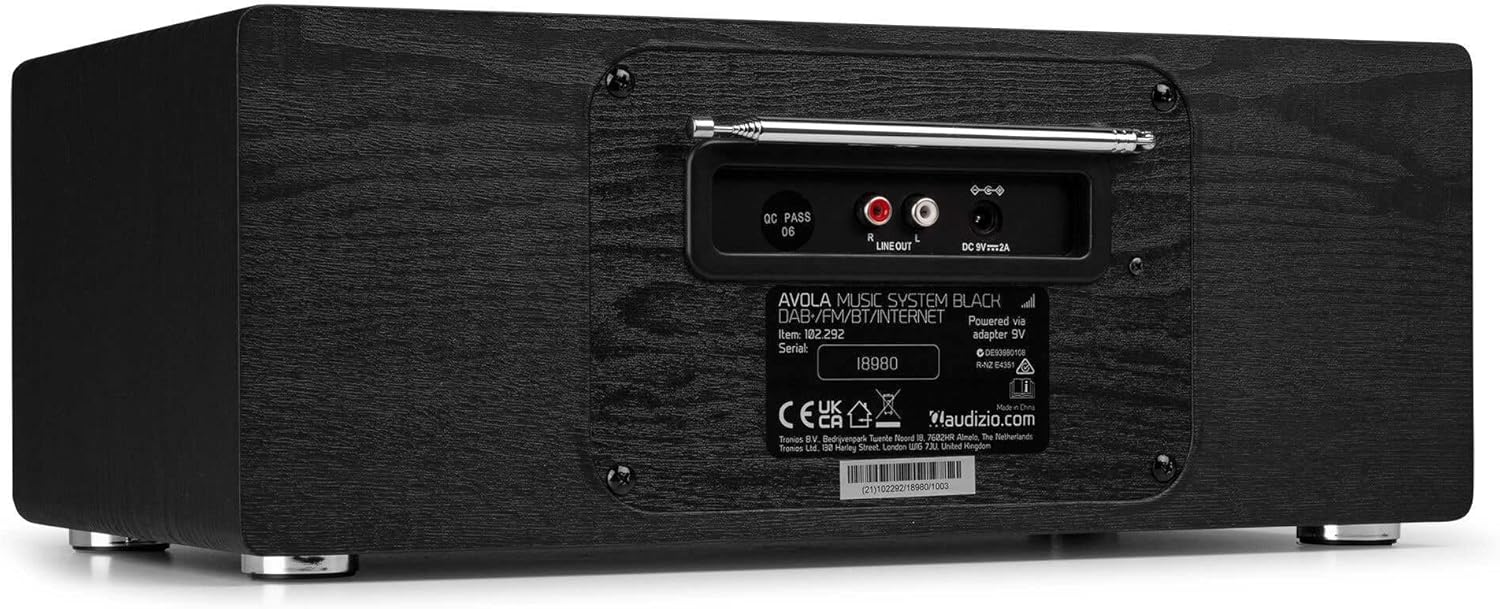
Hình ảnh: Phía sau view of the Audizio Avola, highlighting the antenna and connection ports.
The rear panel houses essential connections:
- Ăng-ten kính thiên văn: For DAB+ and FM radio reception. Extend fully for best signal.
- ĐẦU RA DÒNG (RCA): Để kết nối với bên ngoài ampmáy khuếch đại hoặc loa.
- DC 9V 2A Power Input: Để kết nối bộ đổi nguồn.
5. Thiết lập
5.1 kết nối nguồn
- Connect the power adapter to the DC 9V 2A input on the rear of the Avola unit.
- Cắm bộ đổi nguồn vào ổ cắm điện phù hợp.
- The unit will enter standby mode. Press the STANDBY button on the unit or remote control to power on.
5.2 Cài đặt ăng-ten
For optimal DAB+ and FM radio reception, fully extend the telescopic antenna located on the rear panel. Adjust its position for the best signal quality.
5.3 Initial Setup (WLAN Connection)
To access Internet Radio features, the Avola must be connected to a Wi-Fi network.
- Upon first power-on, the unit may prompt you to set up the network connection. If not, press MENU, navigate to 'System Settings' and then 'Network'.
- Select 'Wi-Fi Network' and choose 'Scan' to find available networks.
- Chọn mạng Wi-Fi của bạn từ danh sách.
- Enter your Wi-Fi password using the TUNE/SELECT knob to navigate characters and press to confirm each character.
- Once connected, the display will show a Wi-Fi icon.
6. Chế độ hoạt động
6.1 Đài phát thanh Internet
Access thousands of radio stations worldwide via your Wi-Fi connection.
- Press the MENU button and select 'Internet Radio'.
- Bạn có thể duyệt các đài theo vị trí, thể loại hoặc tìm kiếm các đài cụ thể.
- Use the TUNE/SELECT knob to navigate and select.
- To save a station as a preset, press and hold the PRESET/REPEAT button until the preset menu appears, then select a preset number.

Image: The Audizio Avola display showing the Internet Radio interface.
Đài phát thanh DAB+ 6.2
Digital Audio Broadcasting Plus offers high-quality digital radio.
- Press the MENU button and select 'DAB Radio'.
- The unit will automatically scan for available DAB+ stations.
- Use the TUNE/SELECT knob to browse and select stations.
- Save presets as described for Internet Radio.
6.3 Đài FM
Listen to traditional analog FM radio broadcasts.
- Press the MENU button and select 'FM Radio'.
- Use the TUNE/SELECT knob to manually tune or press and hold to auto-scan for stations.
- Save presets as described for Internet Radio.
6.4 Đầu CD
Play your favorite audio CDs.
- Press the MENU button and select 'CD Player'.
- Press the 'Open' button next to the CD tray to open it.
- Carefully place an audio CD onto the tray with the label side facing up.
- Press the 'Open' button again to close the tray. The unit will begin playing the CD automatically.
- Use the Play/Pause, Stop, and Skip buttons for playback control.
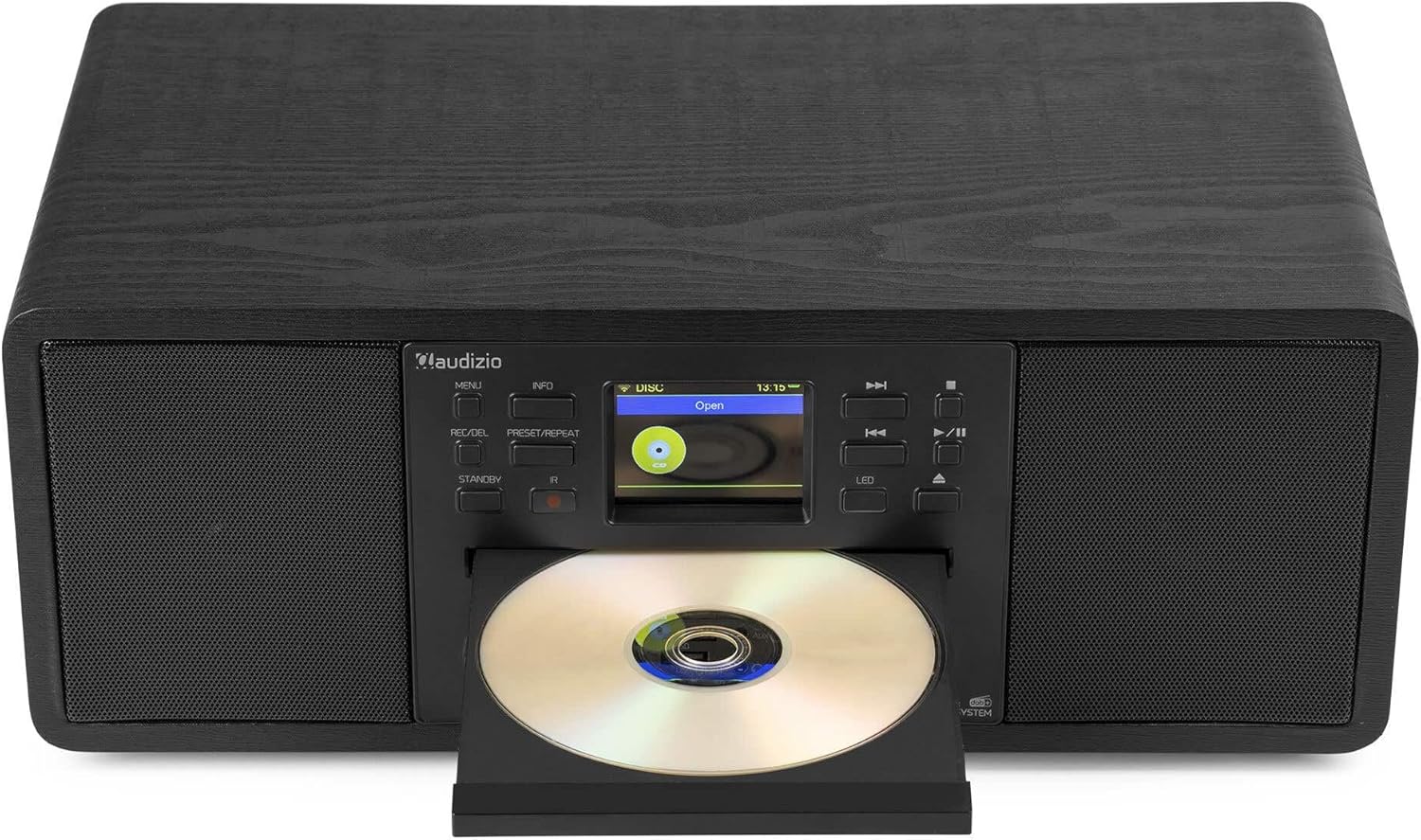
Image: The Audizio Avola with its CD tray open, ready for disc insertion.
6.5 Kết nối Bluetooth
Phát âm thanh không dây từ điện thoại thông minh, máy tính bảng hoặc các thiết bị hỗ trợ Bluetooth khác.
- Press the MENU button and select 'Bluetooth'.
- The Avola will enter pairing mode and become discoverable.
- On your Bluetooth device, search for 'Audizio Avola' in the Bluetooth settings and select it to pair.
- Once connected, the display will show 'BT Connected'. You can now play audio from your device through the Avola.

Image: The Audizio Avola display indicating a successful Bluetooth connection.
6.6 Phát lại USB/SD
Phát âm thanh filetừ ổ USB hoặc thẻ SD.
- Insert a USB drive into the USB port or an SD card into the SD card slot on the front panel.
- Press the MENU button and select 'USB' or 'SD' (the unit may automatically switch to the correct mode).
- Điều hướng qua files and folders using the TUNE/SELECT knob.
- Press the TUNE/SELECT knob to play a selected track.
7. Bảo trì
- Vệ sinh thiết bị: Hãy dùng khăn mềm, khô, không xơ để lau sạch bên ngoài thiết bị. Không sử dụng chất tẩy rửa có tính mài mòn, sáp hoặc dung môi.
- Vệ sinh ống kính CD: If CD playback becomes erratic, use a commercially available CD lens cleaner disc to clean the laser lens.
- Kho: Nếu cất giữ thiết bị trong thời gian dài, hãy ngắt kết nối thiết bị khỏi nguồn điện và bảo quản ở nơi khô ráo, thoáng mát.
KHAI THÁC. Xử lý sự cố
| Vấn đề | Nguyên nhân có thể | Giải pháp |
|---|---|---|
| Không có điện | Bộ chuyển đổi nguồn không được kết nối hoặc ổ cắm bị lỗi. | Kiểm tra kết nối nguồn điện. Thử ổ cắm khác. |
| Không có âm thanh | Volume too low, mute activated, or incorrect source selected. | Increase volume. Check if mute is active. Ensure correct input source is selected. |
| Đài phát thanh Internet không kết nối được | Mật khẩu Wi-Fi không đúng, tín hiệu yếu hoặc sự cố mạng. | Re-enter Wi-Fi password. Move unit closer to router. Check router status. |
| Khả năng thu sóng DAB+/FM kém | Ăng-ten không mở rộng hoặc vùng tín hiệu kém. | Kéo dài hết cỡ và điều chỉnh ăng-ten dạng ống lồng. Thử đặt lại vị trí của thiết bị. |
| CD không phát | CD inserted incorrectly, dirty/scratched CD, or unsupported format. | Ensure CD is inserted label-side up. Clean or replace CD. Verify CD format (supports CD-DA, MP3). |
| Bluetooth không ghép nối | Device not in pairing mode, or Avola not discoverable. | Ensure both devices are in pairing mode. Check Bluetooth settings on your device. |
9. Thông số kỹ thuật
| Tính năng | Đặc điểm kỹ thuật |
|---|---|
| Tên mẫu | Avola |
| Số mục | 102.292 |
| Kích thước (DxRxC) | 45.8 x 25.8 x 19.7cm |
| Cân nặng | 4kg |
| Đầu vào nguồn điện | 220 Volt (via power adapter) |
| Speaker Output Power (Max) | 60Watt |
| Chế độ đầu ra âm thanh | Âm thanh nổi |
| Định dạng âm thanh được hỗ trợ | CD-DA, MP3 |
| Công nghệ kết nối | WLAN, Bluetooth, AUX, RCA |
| Thiết bị tương thích | MP3 Player, PC, Smartphone, Tablet |
| Màu sắc | Đen |
10. Bảo hành và Hỗ trợ
Audizio products are designed and manufactured to the highest standards. In the unlikely event of a problem with your product, please contact your retailer for assistance. Keep your proof of purchase for warranty claims. For further support or inquiries, please refer to the official Audizio webtrang web hoặc liên hệ với dịch vụ khách hàng của họ.


