1. Giới thiệu
This manual provides essential information for the proper installation, operation, and maintenance of your LaView 2K Solar Camera Outdoor Wireless Security System. Please read this manual thoroughly before using the product to ensure optimal performance and safety. This system includes four (4) 2K QHD wireless cameras with integrated solar panels for continuous power.
2. Sản phẩm hếtview
các LaView 2K Solar Camera is a high-performance outdoor security solution designed for ease of use and comprehensive surveillance. Key features include:
- 2K QHD & Color Night Vision: Captures ultra-clear color images day and night.
- 100% Wireless & Solar-Powered: Eliminates wiring and manual recharging.
- Quay ngang 360° và nghiêng 120°: Provides full coverage with no blind spots.
- Smart PIR Detection: Reduces false alarms by accurately detecting people, vehicles, and pets.
- Âm thanh hai chiều: Enables communication with visitors or deterring intruders.
- Chống chịu thời tiết IP65: Designed to withstand harsh outdoor conditions.
- Chia sẻ nhiều người dùng: Hỗ trợ tối đa 20 người dùng đồng thời. viewer.
- Khả năng tương thích với nhà thông minh: Hoạt động với Amazon Alexa và Trợ lý Google.

Figure 1: LaView 2K Solar Camera Outdoor Wireless Security System (4 Pack)
3. Có gì trong hộp
La của bạnView 2K Solar Camera system includes the following components:
- 4 x LaView 2K Solar Camera Bodies
- 4 x Solar Panels (integrated or separate, depending on model variant)
- Phụ kiện lắp đặt (ốc vít, neo, giá đỡ)
- Cáp sạc USB-C
- Hướng dẫn bắt đầu nhanh / Hướng dẫn sử dụng

Figure 2: Typical box contents for LaView 2K Solar Camera.
4. Thiết lập
4.1 Thiết lập máy ảnh ban đầu
- Sạc máy ảnh: Fully charge the camera battery using the provided USB-C cable before installation.
- Tải ứng dụng: Tải xuống và cài đặt "Wans"View Cloud" app from your smartphone's app store (available for Android and iOS).
- Bật nguồn: Open the waterproof cover on the bottom of the camera. Press and hold the power button for approximately 5 seconds until you hear a chime and the camera begins its self-test rotation.
- Ghép nối: Mở WansView Cloud app, create an account, and log in. Tap the "+" or "Add Device" button. The app should automatically detect nearby devices via Bluetooth. Follow the in-app instructions to complete the pairing process. Ensure your smartphone is connected to a 2.4GHz Wi-Fi network.
4.2 Cài đặt vật lý
- Chọn vị trí: Select an outdoor location with good Wi-Fi signal strength and sufficient sunlight exposure for the solar panel. The camera is IP65 weatherproof.
- Gắn máy ảnh: Use the provided mounting template to mark drill holes on your wall. Drill holes, insert anchors, and secure the camera's mounting bracket with screws. Attach the camera body to the bracket.
- Gắn bảng điều khiển năng lượng mặt trời: If the solar panel is separate, mount it in a location that receives maximum direct sunlight throughout the day. Connect the solar panel cable to the camera's 5V charging port.
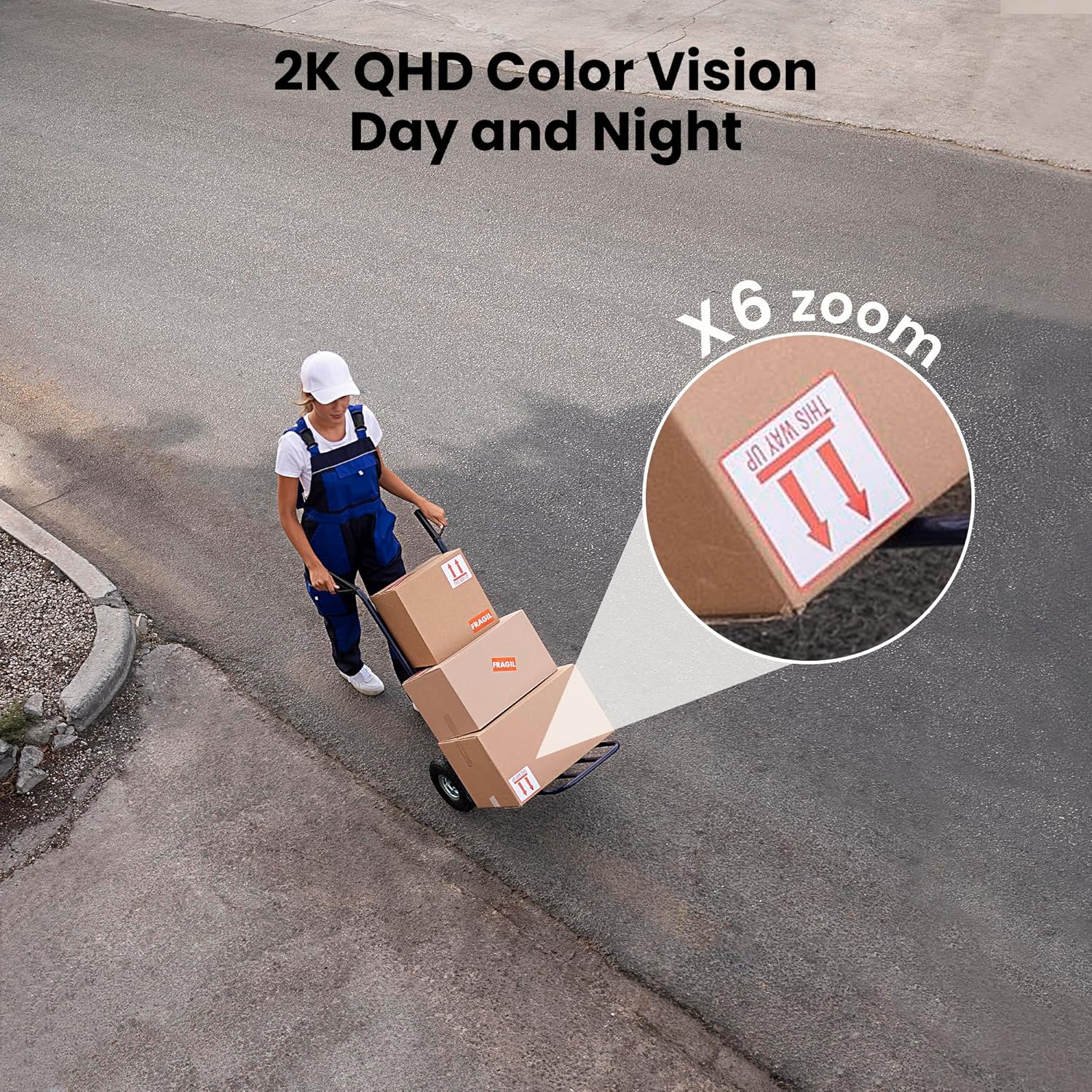
Figure 3: Flexible installation options for the LaView 2K Solar Camera.
5. Hướng dẫn vận hành
5.1 Trực tiếp View and Camera Control
- Mở WansView Cloud app to access the live feed from your camera.
- Use the on-screen controls to pan the camera 360° horizontally and tilt it 120° vertically for full coverage.
- Sử dụng tính năng thu phóng kỹ thuật số 6X để view details in the 2K QHD resolution.

Figure 4: Control 360° pan and 120° tilt directly from your phone.
5.2 Chất lượng video và tầm nhìn ban đêm
- The camera provides 2K QHD video resolution for clear images.
- Màu sắc nhìn ban đêm: With an F/1.6 aperture, the camera captures clear color images even in low-light conditions.
- Tầm nhìn ban đêm hồng ngoại: For complete darkness, the camera automatically switches to infrared mode for black and white video.
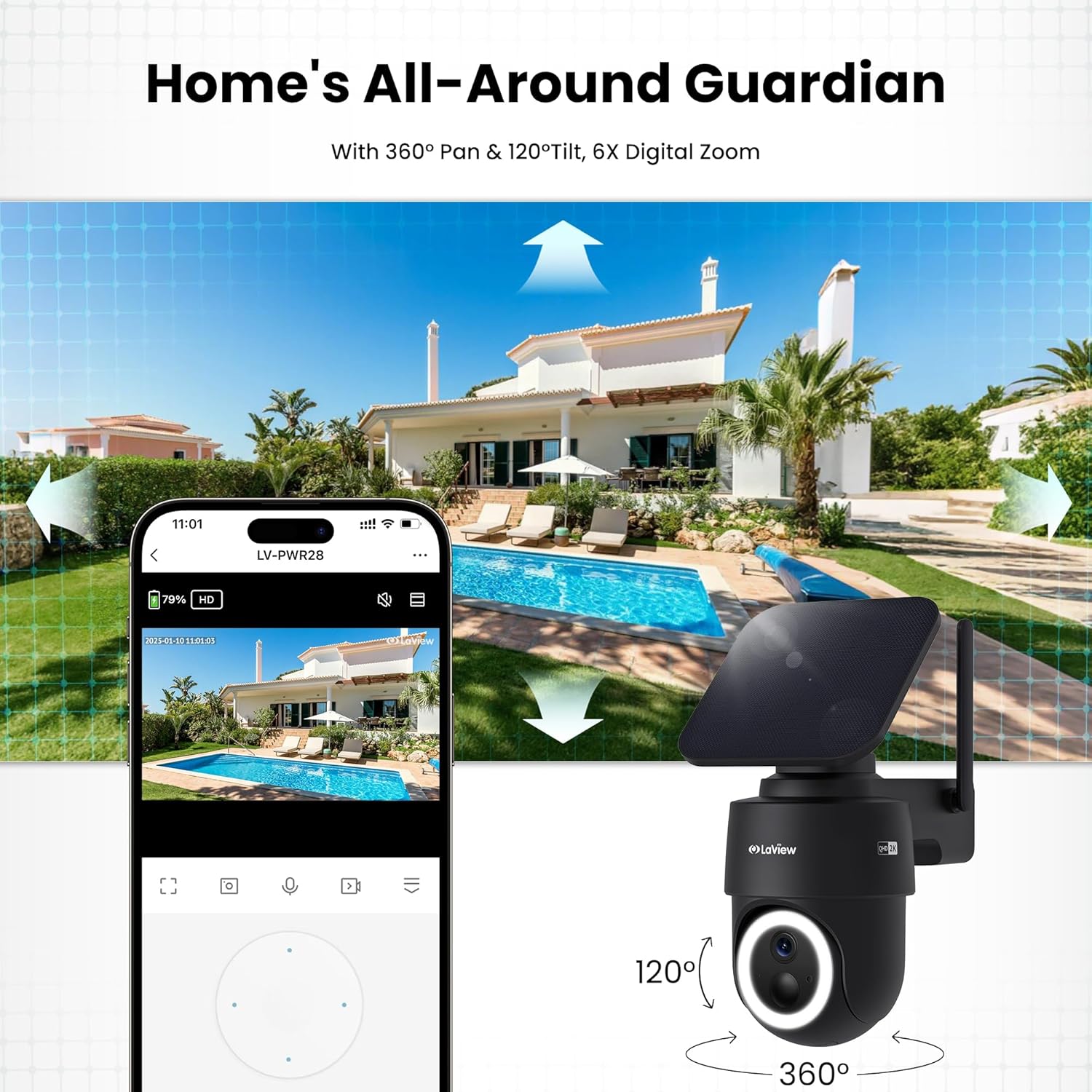
Figure 5: Experience 2K QHD color vision day and night with 6X zoom.
5.3 Phát hiện chuyển động và cảnh báo
- Phát hiện PIR: The advanced PIR sensor and intelligent algorithms accurately detect human, vehicle, and pet motion, reducing false alarms.
- Các khu vực có thể tùy chỉnh: Set specific detection sensitivity and zones within the app.
- Cảnh báo tức thời: Nhận thông báo đẩy trên điện thoại thông minh khi phát hiện chuyển động.
- Còi báo động và đèn pha: Configure the camera to trigger a siren and spotlight upon motion detection for deterrence.

Figure 6: Auto-record on motion detection, capturing movement paths for clear activity tracking.
5.4 Âm thanh hai chiều
- Use the microphone and speaker in the app to communicate with anyone near the camera.

Figure 7: Stay connected with two-way talk functionality.
5.5 Tùy chọn lưu trữ
- Thẻ micro SD: Insert a Micro SD card (up to 256GB, not included) into the designated slot for local storage of recordings.
- Lưu trữ đám mây: Optional cloud storage is available with a 30-day free trial. A subscription is required for continued cloud service.

Figure 8: Dual storage options: Micro SD card and Cloud Storage.
5.6 Tích hợp nhà thông minh
- The camera is compatible with Amazon Alexa and Google Assistant. Follow the instructions in your smart home app to connect the camera.

Figure 9: Works with smart home devices like Amazon Alexa and Google Assistant.
6. Bảo trì
6.1 Sạc pin
- The integrated solar panel continuously charges the camera's rechargeable battery. Ensure the solar panel is clean and free from obstructions for optimal charging.
- If necessary, the camera can also be charged directly via the USB-C port using the provided cable.
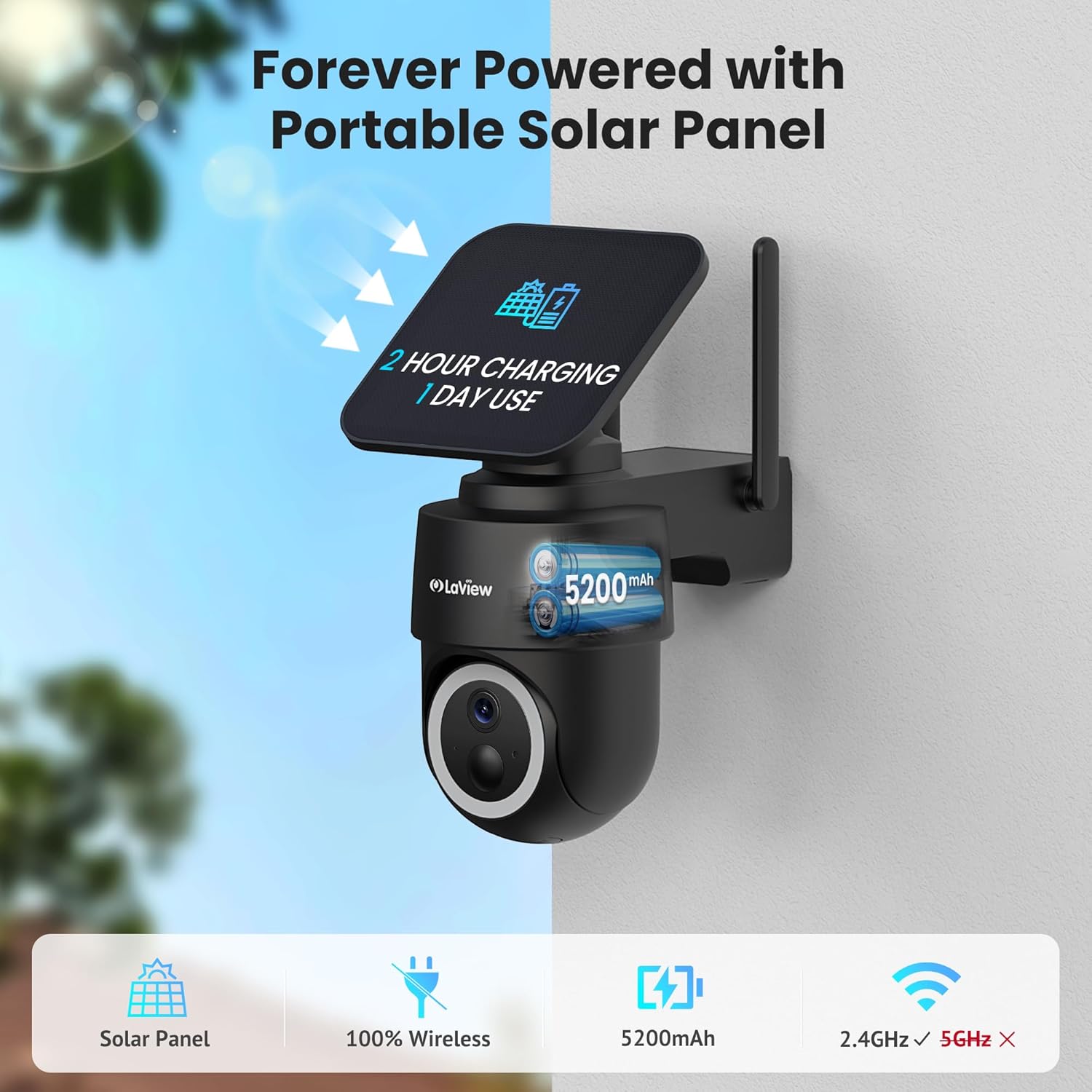
Figure 10: Forever powered with portable solar panel.
6.2 Khả năng chống chịu thời tiết
- The camera has an IP65 weatherproof rating, protecting it from dust and water jets. It operates in temperatures from 14°F to 122°F (-10°C to 50°C).

Figure 11: IP65 Weatherproof design for all conditions.
6.3 Vệ sinh
- Thường xuyên lau sạch ống kính máy ảnh và tấm pin mặt trời bằng khăn mềm.amp cloth to ensure clear image quality and efficient charging.
KHAI THÁC. Xử lý sự cố
- Camera không kết nối được Wi-Fi: Ensure your Wi-Fi network is 2.4GHz. Reboot your router and smartphone. Reset the camera by holding the reset button for 5 seconds until you hear a chime, then attempt pairing again.
- Các báo động giả thường xuyên: Adjust the PIR detection sensitivity and customize detection zones within the app to minimize unwanted alerts from non-relevant motion sources.
- Chất lượng hình ảnh kém: Ensure the camera lens is clean and free from obstructions. Check Wi-Fi signal strength.
- Pin không sạc: Verify the solar panel is receiving direct sunlight and is free from dirt or obstructions. Ensure the solar panel cable is securely connected to the camera.
8. Thông số kỹ thuật
| Tên mẫu | LV-PWR28Q-B-4PK |
| Sử dụng trong nhà/ngoài trời | Ngoài trời |
| Nguồn điện | Năng lượng mặt trời |
| Giao thức kết nối | Wi-Fi (chỉ 2.4 GHz) |
| Độ phân giải quay video | 2K QHD (3K mentioned in specs, but 2K QHD in features) |
| Loại bộ điều khiển | Amazon Alexa |
| Kiểu lắp đặt | Treo tường |
| Xếp hạng thời tiết | IP65 |
| Nhiệt độ hoạt động | 14°F đến 122°F (-10°C đến 50°C) |
| Kích thước sản phẩm (L x W x H) | 10 x 13 x 9 inch |
| Trọng lượng sản phẩm | 7.88 pound |
| Mã số UPC | 192728016859 |
9. Bảo hành & Hỗ trợ
- Bảo hành thay thế 1 năm: La của bạnView 2K Solar Camera system is covered by a 1-year replacement warranty.
- Hỗ trợ kỹ thuật trọn đời: LaView offers lifetime technical support via phone for prompt and reliable solutions.
- 1-on-1 Customer Service: Dedicated customer service is available for personalized assistance.

Figure 12: LaView provides comprehensive after-sales support.


