1. Giới thiệu
The MERCUSYS MA530 is a compact Bluetooth 5.3 Nano Adapter designed to provide wireless connectivity for your PC or laptop. This adapter enables communication with various Bluetooth-enabled devices such as headphones, speakers, keyboards, mice, and more. Featuring Bluetooth 5.3 technology, it offers improved speed, coverage, security, and reliability compared to previous Bluetooth versions. Its ultra-small size ensures convenient portability and discreet integration into your device.

Image 1.1: The MERCUSYS MA530 Bluetooth 5.3 Nano Adapter. This image shows the compact design of the adapter, highlighting its small form factor suitable for discreet use with laptops or desktop computers.
2. Hướng dẫn thiết lập
Follow these steps to set up your MERCUSYS MA530 Bluetooth Nano Adapter:
- Lắp Bộ chuyển đổi: Plug the MA530 adapter into an available USB port on your PC or laptop.
- Cài đặt trình điều khiển (Windows 11/10/8.1): For most Windows 11, Windows 10, and Windows 8.1 systems, the adapter is plug-and-play. The operating system should automatically detect the device and install the necessary drivers. Wait for a notification indicating that the device is ready for use.
- Driver Installation (Windows 7): For Windows 7, manual driver installation may be required.
- If the adapter is not automatically recognized, visit the official MERCUSYS support webđịa điểm.
- Navigate to the support page for the MA530 model.
- Download the appropriate driver package for Windows 7 (e.g., "Win_7_Win8.1- Modifications and Bug Fixes").
- Giải nén tệp ZIP đã tải xuống file and run the setup application.
- Làm theo hướng dẫn trên màn hình để hoàn tất cài đặt trình điều khiển.
- Nếu được yêu cầu, hãy khởi động lại máy tính sau khi cài đặt xong.
- Xác minh cài đặt: After installation, check your computer's Device Manager to ensure the Bluetooth adapter is listed and functioning correctly.

Image 2.1: The MERCUSYS MA530 adapter shown next to a laptop, illustrating its nano-size and how it discreetly fits into a USB port. This image emphasizes the adapter's portability and minimal protrusion when connected.
3. Hướng dẫn vận hành
Once the MA530 adapter is installed, you can connect your Bluetooth devices:
- Bật Bluetooth: Ensure Bluetooth is enabled on your computer. You can usually find this option in your operating system's settings (e.g., Windows Settings > Devices > Bluetooth & other devices).
- Đặt thiết bị ở chế độ ghép nối: Place your Bluetooth device (headphones, speaker, mouse, etc.) into pairing mode. Refer to your device's manual for specific instructions on how to do this.
- Add a Bluetooth Device: On your computer, go to Bluetooth settings and click "Add Bluetooth or other device." Select "Bluetooth" from the options.
- Chọn và Kết nối: Your computer will scan for nearby Bluetooth devices. Select your device from the list and follow any on-screen prompts to complete the pairing process. You may need to enter a PIN if required by your device.
- Using Connected Devices: Once paired, your Bluetooth device should connect automatically when in range and Bluetooth is enabled on both ends.
The MA530 supports stable connections for multiple devices simultaneously, offering a reliable wireless experience with extended range.
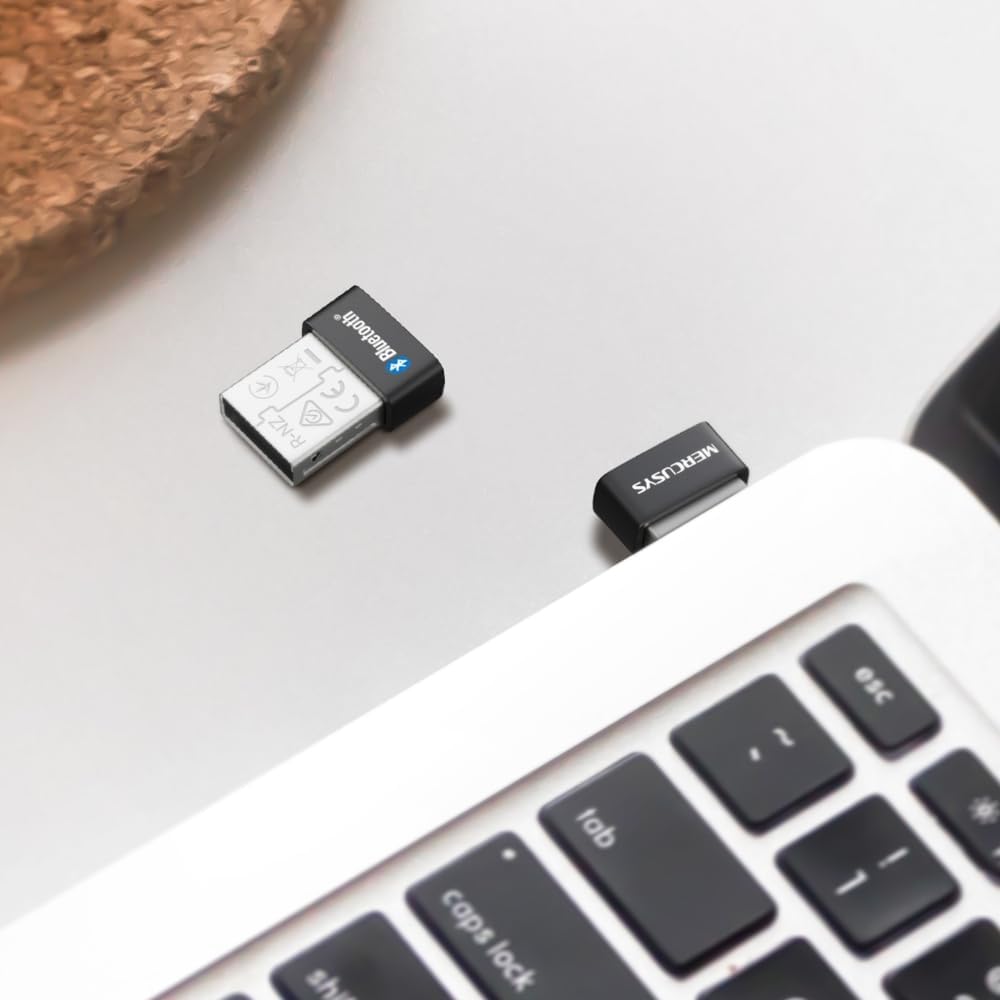
Image 3.1: The MERCUSYS MA530 adapter plugged into a laptop, with a visual representation of a Bluetooth signal emanating from it. This illustrates the active wireless connectivity provided by the adapter.
4. Bảo trì
The MERCUSYS MA530 adapter requires minimal maintenance. To ensure optimal performance and longevity:
- Giữ bộ chuyển đổi sạch sẽ và không bám bụi. Dùng khăn mềm, khô để lau nếu cần.
- Tránh để bộ chuyển đổi ở nơi có nhiệt độ, độ ẩm quá cao hoặc ánh nắng trực tiếp.
- Không được tự ý tháo rời hoặc sửa chữa bộ chuyển đổi vì điều này sẽ làm mất hiệu lực bảo hành.
- When not in use for extended periods, you may remove the adapter from the USB port, though its nano-size allows it to remain plugged in discreetly.
KHAI THÁC. Xử lý sự cố
If you encounter issues with your MERCUSYS MA530 adapter, consider the following troubleshooting steps:
- Bộ chuyển đổi không được phát hiện:
- Hãy thử cắm bộ chuyển đổi vào một cổng USB khác.
- Ensure the USB port is functional.
- Khởi động lại máy tính của bạn.
- Check Device Manager for any unknown devices or errors related to USB controllers.
- Bluetooth Not Functioning (Windows 11/10/8.1):
- Verify that Bluetooth is enabled in your Windows settings.
- Go to Device Manager, locate the Bluetooth adapter, right-click, and select "Update driver." If issues persist, try "Uninstall device" and then restart your computer to allow Windows to reinstall the driver.
- Bluetooth Not Functioning (Windows 7):
- Ensure you have installed the correct Windows 7 driver from the MERCUSYS support website as described in the Setup section.
- If the driver was installed, try reinstalling it.
- Cannot Pair/Connect Devices:
- Đảm bảo thiết bị Bluetooth của bạn đang ở chế độ ghép nối.
- Hãy đảm bảo thiết bị nằm trong phạm vi kết nối với bộ chuyển đổi.
- Xóa mọi thiết bị đã được ghép nối trước đó khỏi cài đặt Bluetooth trên máy tính và thử ghép nối lại.
- Try pairing the device with another Bluetooth-enabled computer or phone to confirm the device itself is working.
- Poor Connection/Range:
- Ensure there are no physical obstructions (e.g., metal objects, thick walls) between the adapter and your Bluetooth device.
- Move the adapter to a different USB port, preferably one with a clear line of sight to your device.
- Minimize interference from other wireless devices (Wi-Fi routers, cordless phones, microwaves).
If these steps do not resolve the issue, please contact MERCUSYS Technical Support for further assistance.
6. Thông số kỹ thuật
| Tính năng | Chi tiết |
|---|---|
| Người mẫu | MA530 |
| Phiên bản Bluetooth | Bluetooth 5.3 (BLE Technology) |
| Giao diện phần cứng | USB 2.0 |
| Giao thức liên kết dữ liệu | Bluetooth, USB |
| Tốc độ truyền dữ liệu | 2480MHz |
| Hệ điều hành tương thích | Windows 11, Windows 10, Windows 8.1, Windows 7 |
| Thiết bị tương thích | Máy tính để bàn, Máy tính xách tay |
| Kích thước (D x R x C) | 1.49 x 1.92 x 0.72 cm (0.59 x 0.76 x 0.28 inch) |
| Cân nặng | 2 gram |
| Nhà sản xuất | TP-Link |
7. Thông tin bảo hành
MERCUSYS products are typically covered by a limited warranty. The specific terms and duration of the warranty for your MA530 adapter may vary by region and retailer. Please retain your proof of purchase for warranty claims.
For detailed warranty information, including coverage, limitations, and the process for making a claim, please refer to the official MERCUSYS webtrang web hoặc liên hệ trực tiếp với bộ phận hỗ trợ khách hàng của họ.
8. Hỗ trợ kỹ thuật
If you require further assistance or have questions not covered in this manual, please contact MERCUSYS Technical Support:
- Webđịa điểm: Hãy truy cập trang web chính thức của MERCUSYS. webTrang web cung cấp các câu hỏi thường gặp, tải xuống trình điều khiển và tài nguyên hỗ trợ.
- Liên hệ: Look for contact information (phone, email, live chat) on the MERCUSYS support page specific to your region.
When contacting support, please have your product model (MA530) and a description of your issue ready.


