1. Giới thiệu
The LAUNCH CRP123I V3.0 Elite OBD2 Scanner is a professional diagnostic tool designed for comprehensive vehicle system analysis. This upgraded version features enhanced hardware and software, offering extensive diagnostic capabilities and special reset functions for various vehicle makes and models. It provides accurate and real-time data to assist in identifying and resolving vehicle issues efficiently.

Figure 1: LAUNCH CRP123I V3.0 Elite OBD2 Scanner
2. Có gì trong hộp
The LAUNCH CRP123I V3.0 Elite package includes the following items:
- LAUNCH CRP123I V3.0 Elite Main Unit
- Cáp chẩn đoán OBDII
- Cáp sạc Type-C
- Hướng dẫn sử dụng
- Hướng dẫn bắt đầu nhanh
- Carry Bag

Hình 2: Nội dung gói hàng
Video 1: Unboxing the CRP129I V2.0 (similar model, contents may vary slightly)
3. Thiết lập
To begin using your LAUNCH CRP123I V3.0 Elite scanner, follow these steps:
- Bật nguồn: The device is battery-powered. Press the power button to turn it on.
- Kết nối với xe: Locate your vehicle's OBDII port, typically under the dashboard on the driver's side. Connect the OBDII diagnostic cable from the scanner to the vehicle's OBDII port.
- Đánh lửa xe: Turn your vehicle's ignition to the 'ON' position (engine off) or start the engine if required for specific tests.
- Thiết lập ban đầu: The scanner will automatically detect the vehicle's VIN or prompt you to select the vehicle make/model. Follow the on-screen instructions to confirm vehicle information.
- Kết nối Wi-Fi: For software updates and online features, connect the device to a stable Wi-Fi network via the 'Settings' menu.
Video 2: Introduction to Launch 123I V2.0 (similar model, setup process is comparable)
4. Hướng dẫn vận hành
4.1 Automatic VIN Detection
The scanner features automatic VIN technology to quickly identify the vehicle without manual input. Once connected to the vehicle, select 'AutoDetect' from the main menu. The device will read the VIN and display vehicle information for confirmation.

Figure 3: Auto VIN & Scan
Video 3: AutoVIN Technology in CRP123 V2.0 PLUS (similar model)
4.2 Multi-System Diagnostics
The CRP123I V3.0 supports diagnostics for four major systems: Engine, Transmission, ABS (Anti-lock Braking System), and SRS (Supplemental Restraint System). This allows for a quick and deep scan to precisely read and retrieve Diagnostic Trouble Codes (DTCs) and display live data.

Figure 4: Multi-System Diagnostics
Video 4: Launch CRP129X Diagnostic Video (similar model, demonstrates diagnostic process)
4.3 Chức năng OBDII đầy đủ
The scanner supports all 10 OBDII functions, enabling comprehensive troubleshooting for engine-related malfunctions. These functions include reading codes, clearing codes, viewing freeze frame data, O2 sensor tests, I/M readiness status, and more.

Figure 5: Full OBD2 Mode Functions
4.4 Chức năng đặt lại đặc biệt
The CRP123I V3.0 includes 7 newly added reset functions to maintain your vehicle system safely and efficiently:
- Điều chỉnh bướm ga: Resets the throttle actuator to learn new values.
- Đặt lại dầu: Khôi phục hệ thống theo dõi tuổi thọ dầu động cơ sau khi thay dầu.
- Đặt lại SAS: Đặt lại cảm biến góc lái.
- Chảy máu ABS: Performs ABS brake bleeding to restore ABS brake sensitivity.
- Đặt lại BMS: Đăng ký pin mới sau khi thay thế.
- Đặt lại EPB: Resets the electronic parking brake after replacement.
- Tái tạo DPF: Loại bỏ các hạt vật chất khỏi bộ lọc DPF.

Figure 6: 7 Special Reset Functions
Video 5: Reset E46 BMW ABS Warning Symbols by Launch CRP123 (demonstrates ABS reset)
4.5 Phân tích luồng dữ liệu trực tiếp
View real-time live data in text or 4-in-1 merged waveform graphs. This feature allows for detailed analysis of various sensor readings, helping to pinpoint intermittent issues. Data can be saved, shared, printed, or emailed for further review.
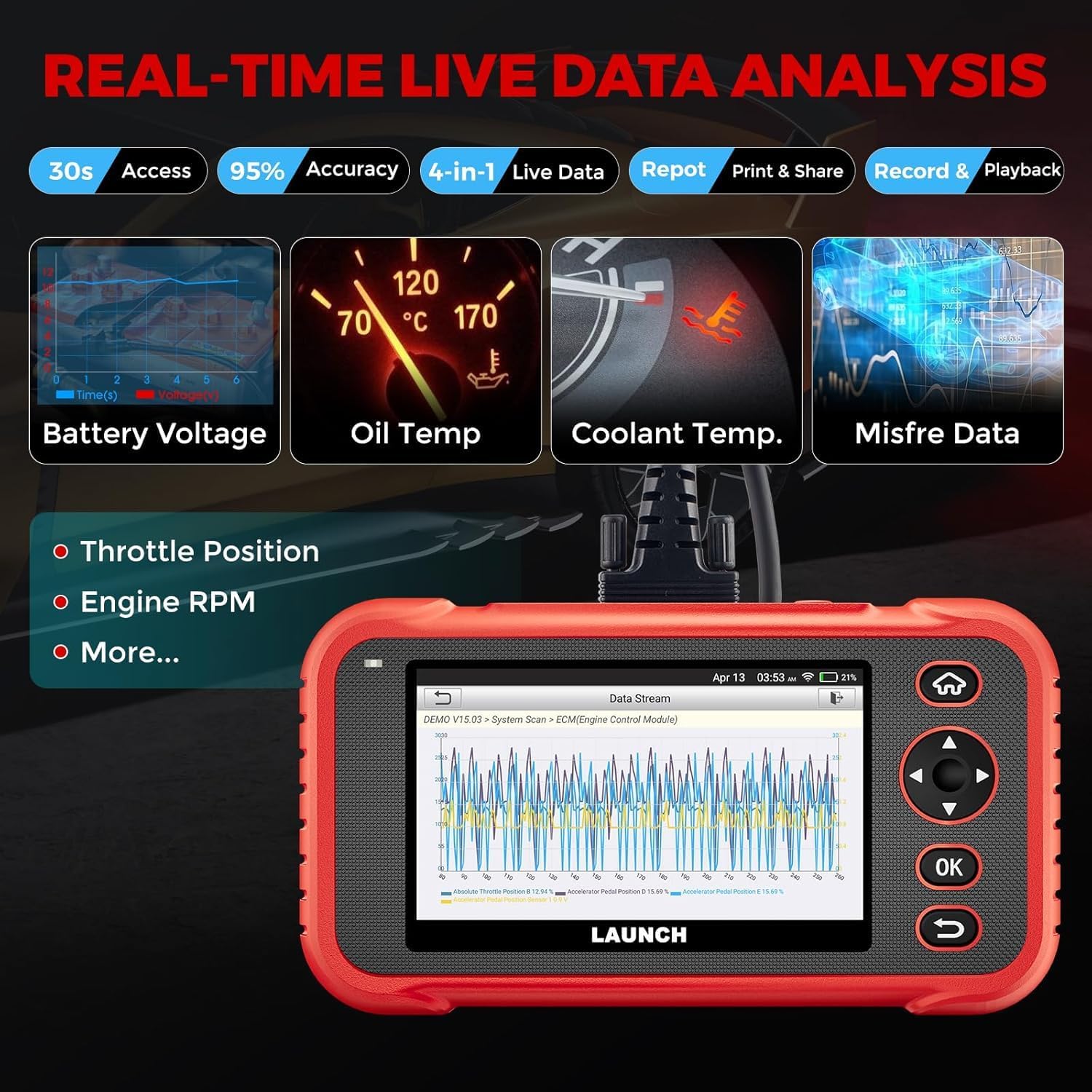
Figure 7: Real-Time Live Data Analysis
4.6 pin Voltage Kiểm tra
Monitor the real-time battery voltage to check the health and performance of your vehicle's battery system. This provides an intuitive way to assess battery status.
4.7 Cập nhật phần mềm
The device supports one-touch lifetime free updates via 2.4GHz & 5GHz dual WiFi. This ensures your scanner always has the latest bug fixes, new vehicle coverage, newly added parameters, and functionality. No registration is required, making updates fast and easy.

Figure 8: Lifetime Free Update via WiFi
KHAI THÁC. Xử lý sự cố
The CRP123I V3.0 includes several features to assist with troubleshooting:
- Thư viện tra cứu DTC: A built-in library provides definitions for Diagnostic Trouble Codes.
- DTC Google Search: Allows online searching for code definitions, repair videos, and analysis.
- Feedback Module: Provides customized repair suggestions from professionals.
- Repair Case & How-to Videos: Access to a database of repair cases and instructional videos.
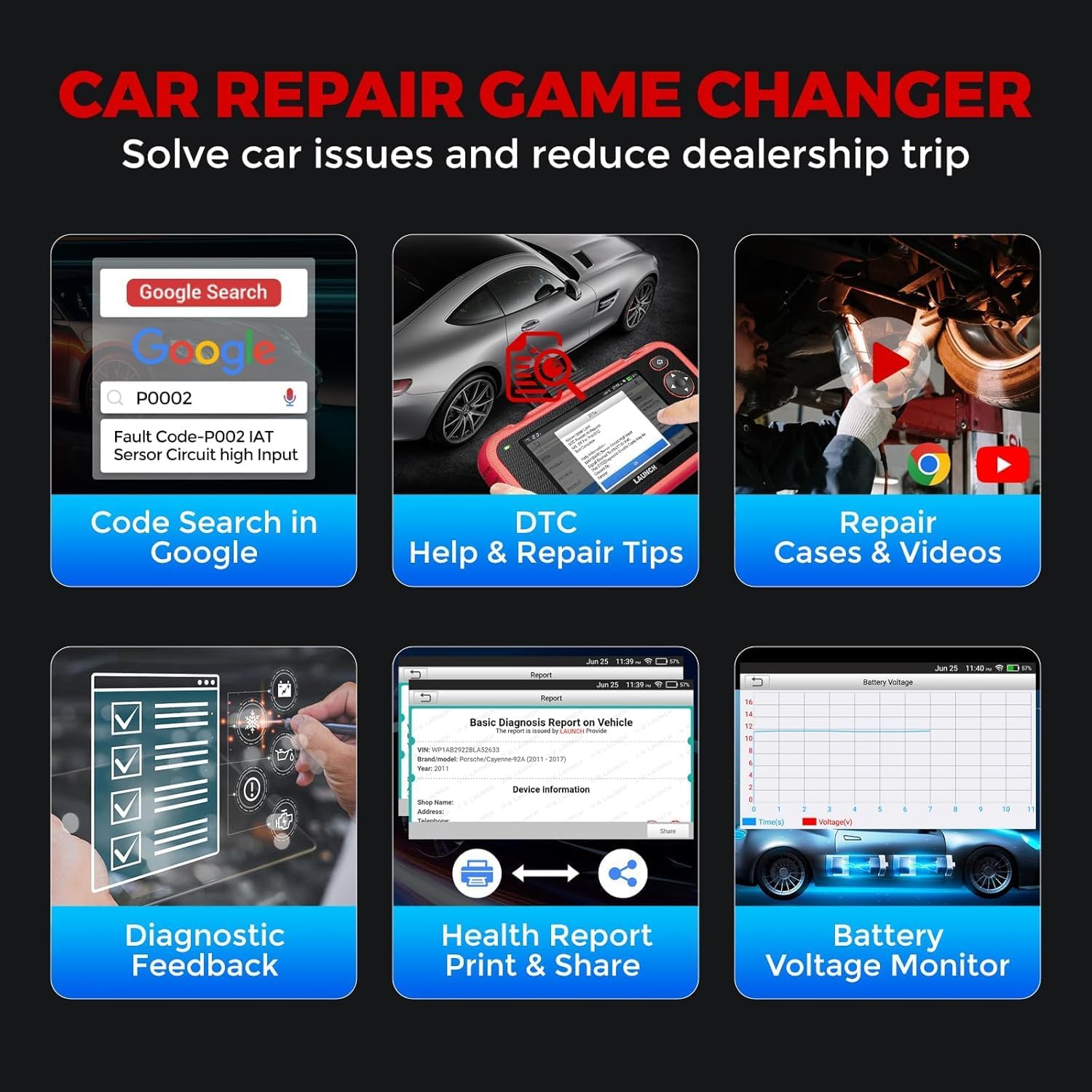
Figure 9: Car Repair Game Changer - Troubleshooting Tools
6. Thông số kỹ thuật
| Tính năng | Đặc điểm kỹ thuật |
|---|---|
| Hệ điều hành | Android 8.1 |
| Kích thước màn hình | 5 Inches (720P Touchscreen) |
| Ký ức | RAM 2GB + ROM 32GB |
| Ắc quy | Pin Lithium Ion 6100mAh (có thể sạc lại, kèm theo) |
| Nguồn điện | Pin chạy bằng |
| Kết nối | 2.4 & 5GHz Dual WiFi, OBDII Cable, Type-C Charging Port |
| Giao thức được hỗ trợ | CANFD & DOIP |
| Bảo hiểm xe cộ | 99% of vehicles from 1996 to 2026 (12V Diesel/Gasoline, Passenger Cars, Pickups, Light-Duty Trucks, SUVs, Minivans) |
| Chức năng đặc biệt | 7 Reset Functions (Throttle, Oil, SAS, ABS Bleeding, BMS, EPB, DPF) |
| Mô-đun mở rộng | Supports BST360 Battery Tester & i-TPMS Tire Pressure Detector Tool |
| Ngôn ngữ | 11 Languages Supported |
| Trọng lượng sản phẩm | 1.09kg |
| Số hiệu sản phẩm của nhà sản xuất | LAUNCH CRP123I V3.0 ELITE NEW |
| Mã số UPC | 884508000546 |
7. Bảo hành và Hỗ trợ
The LAUNCH CRP123I V3.0 Elite comes with a 5-year warranty. Additionally, a 60-day no-reason-asked return policy for refunds is provided. Technical support is available 24/7/365. For any compatibility issues or technical assistance, please contact the manufacturer's support team.


