Giới thiệu
Thank you for choosing the Aigostar Wireless Doorbell. This manual provides detailed instructions for the installation, operation, and maintenance of your new doorbell system. Please read this manual carefully before use and retain it for future reference.
This wireless doorbell system offers convenience and reliability with its IP55 waterproof rating, a wide operating range of up to 150 meters, 60 selectable melodies, and 5 adjustable volume levels. It is designed to ensure you never miss a visitor.
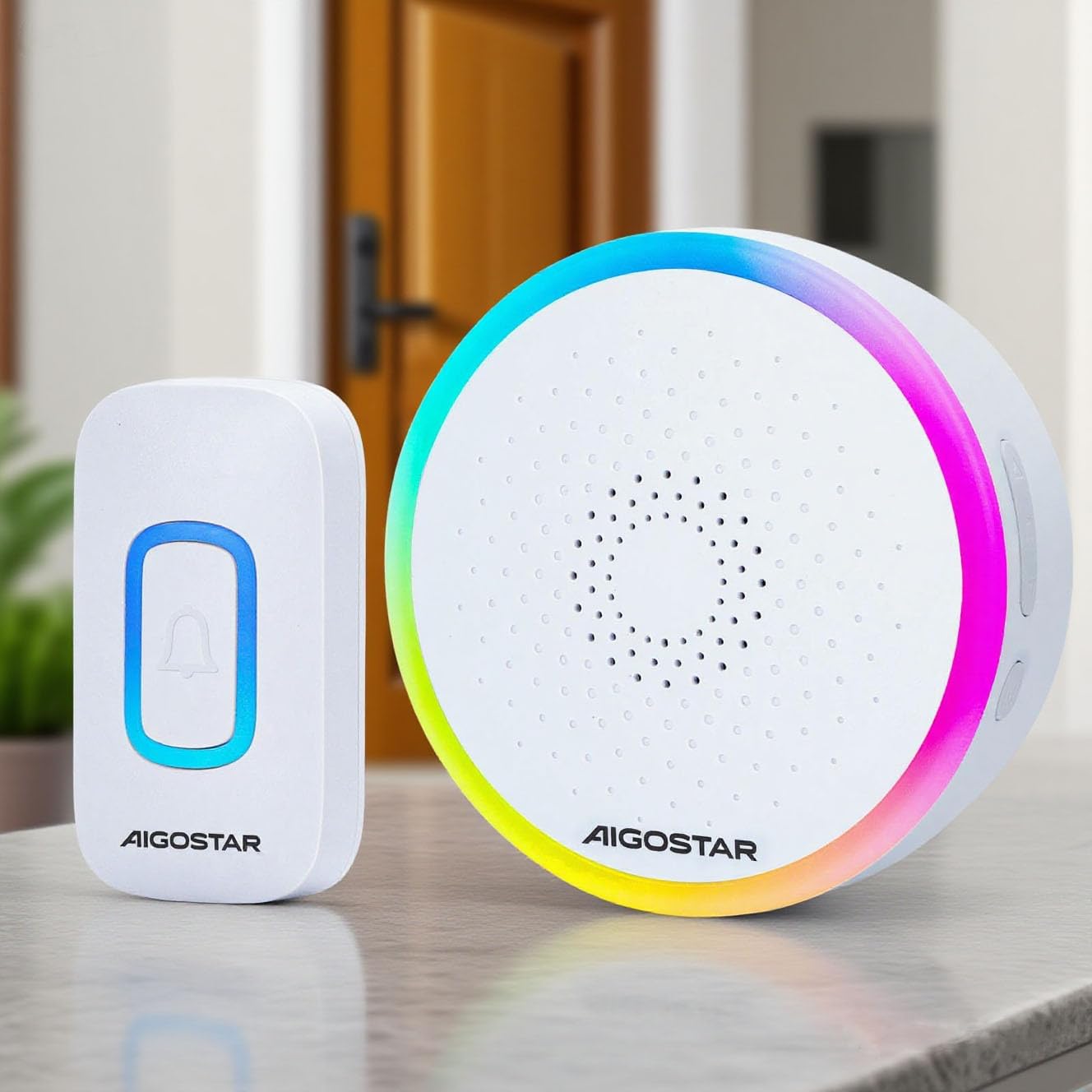
The Aigostar Wireless Doorbell set, featuring a white transmitter and receiver unit.
Sản phẩm trênview và các thành phần
The Aigostar Wireless Doorbell system includes the following components:
- 1x Wireless Transmitter (Push Button) - Battery Included
- 1x Wireless Receiver (Chime Unit) - Requires 3x AA batteries (not included)
- 1x Hướng dẫn sử dụng
- Vít lắp và phích cắm tường
- Băng dính hai mặt

A visual representation of all items included in the product package: the wireless transmitter, the receiver, a user manual, mounting screws, and double-sided adhesive tape.
Thông số kỹ thuật
| Thương hiệu | Aigostar |
| Người mẫu | B0D37B45P2 |
| Màu sắc | Trắng |
| Xếp hạng chống thấm nước | IP55 |
| Wireless Dải | Lên đến 150 mét (500 feet) |
| Giai điệu | 60 giai điệu có thể lựa chọn |
| Mức âm lượng | 5 levels (up to 120 dB) |
| Công suất máy phát | Hoạt động bằng pin (bao gồm) |
| Nguồn thu | 3x pin AA (không bao gồm) |
| Nhiệt độ hoạt động | -10°C đến 50°C (14°F đến 122°F) |
Thiết lập và cài đặt
1. Install Receiver Batteries
- Open the battery compartment on the back of the receiver unit.
- Lắp 3 pin AA, đảm bảo đúng cực (+/-).
- Đóng chặt ngăn chứa pin.
2. Mount the Transmitter
The transmitter can be mounted using either screws or double-sided adhesive tape.
Phương pháp 1: Lắp đặt bằng vít
- Separate the back plate from the transmitter unit.
- Mark the desired mounting location on your wall.
- Drill two holes at the marked spots and insert the wall plugs.
- Cố định tấm ốp lưng vào tường bằng các vít được cung cấp.
- Attach the transmitter unit to the secured back plate.
Method 2: Adhesive Tape Mounting
- Lau sạch bề mặt lắp đặt để đảm bảo khô ráo và không bám bụi.
- Peel off one side of the double-sided adhesive tape and attach it to the back of the transmitter unit.
- Peel off the other side of the tape and firmly press the transmitter onto the desired location for at least 30 seconds.

This image displays two installation options for the doorbell transmitter: using screws for a permanent fixture or double-sided adhesive tape for easier placement.
3. Pairing (Code-Learning)
The doorbell units are pre-paired from the factory. If re-pairing is needed or you add additional transmitters/receivers:
- Press and hold the 'Next/Code-learning' button on the receiver for 3 seconds until the LED indicator flashes.
- Nhấn ngay nút trên bộ phát. Bộ thu sẽ phát ra tiếng chuông, báo hiệu quá trình ghép nối thành công.
- Lặp lại thao tác này cho bất kỳ bộ phát nào khác.
Hướng dẫn sử dụng
1. Lựa chọn giai điệu
Thiết bị thu tín hiệu này cung cấp 60 giai điệu khác nhau. Để thay đổi giai điệu:
- Press the 'Previous/Mode Switching' button to cycle through the available melodies.
- Press the 'Next/Code-learning' button to cycle through the available melodies.
- The selected melody will be saved automatically.
2. Điều chỉnh âm lượng
There are 5 adjustable volume levels. To adjust the volume:
- Press the 'Volume/Code-clearing' button repeatedly to cycle through the 5 volume levels (Mute, Low, Medium, High, Max).
- Mức âm lượng đã chọn sẽ được lưu tự động.
3. Mute Mode / RGB Only Mode
The doorbell supports flexible modes:
- RGB Only Mode: The receiver will only flash its RGB light without producing sound. This is ideal for quiet environments or for individuals with hearing impairments.
- RGB + Ringtone Mode: The receiver will flash its RGB light and play the selected melody.
To switch between modes, use the 'Previous/Mode Switching' button. Your last settings are saved for continuous convenience.

This image demonstrates the doorbell's mute mode, where the light flashes without sound, ideal for not disturbing sleep.
BẢO TRÌ
1. Vệ sinh
Lau sạch các bộ phận chuông cửa bằng vải mềm, khô. Không sử dụng chất tẩy rửa có tính ăn mòn hoặc dung môi.
2. Thay thế pin
When the receiver's volume becomes low or the LED indicator on the transmitter shows low voltage, it's time to replace the batteries.
- Máy phát: The transmitter comes with a pre-installed battery. When replacement is needed, open the transmitter casing carefully and replace the battery with a new one of the same type.
- Người nhận: Open the battery compartment on the back of the receiver and replace the 3x AA batteries with new ones, observing polarity.
3. Xếp hạng chống nước IP55
The transmitter is IP55 dustproof and waterproof, designed to withstand rain and varying temperatures. However, avoid submerging it in water or exposing it to extreme weather conditions for prolonged periods.
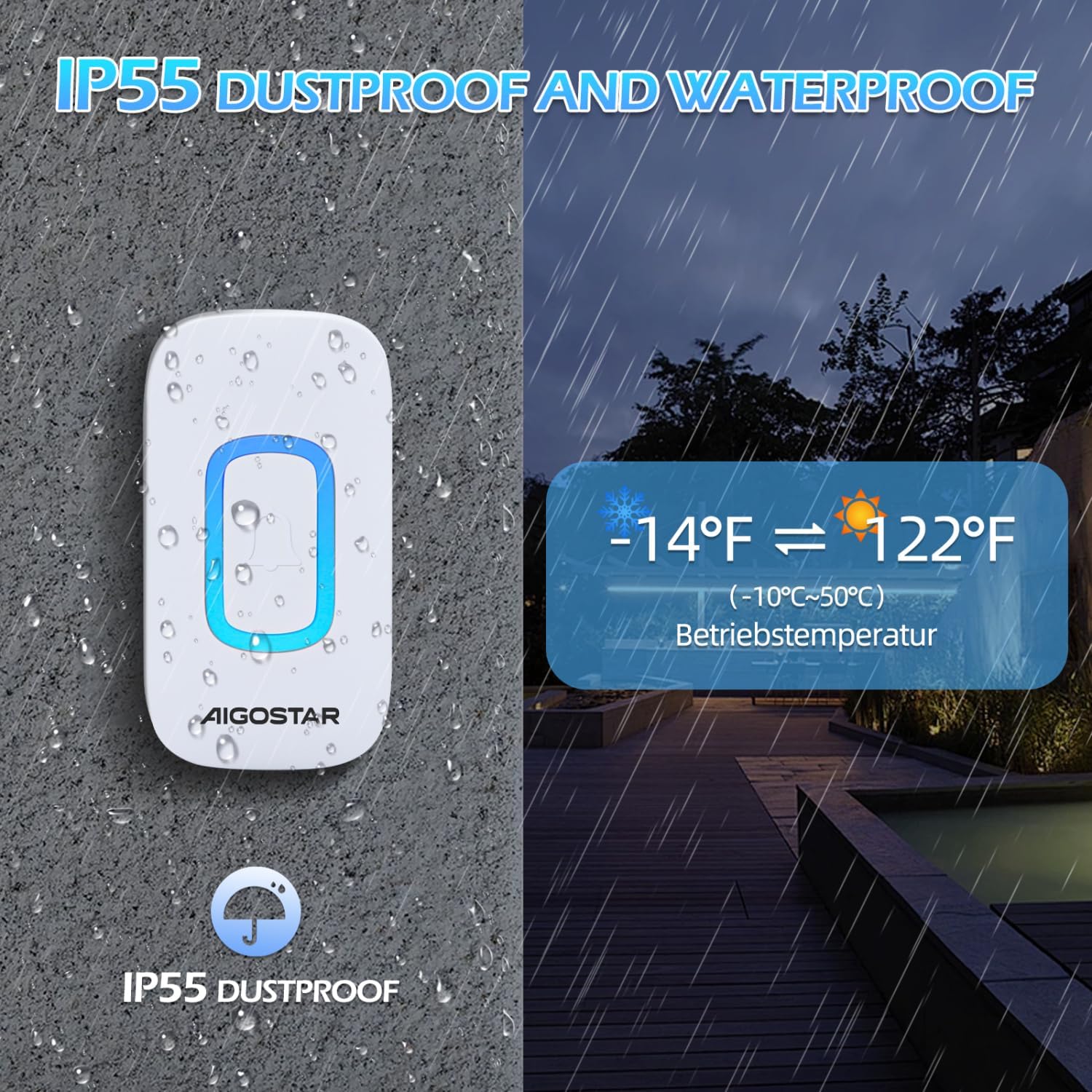
The doorbell transmitter is shown enduring rain, emphasizing its IP55 dustproof and waterproof capabilities, and its operational temperature range of -10°C to 50°C (14°F to 122°F).
Xử lý sự cố
| Vấn đề | Nguyên nhân có thể | Giải pháp |
|---|---|---|
| Chuông cửa không reo. | Low or dead batteries in receiver or transmitter. | Thay pin cho cả hai thiết bị. |
| Doorbell rings intermittently. | Sự can thiệp từ các thiết bị không dây khác hoặc chướng ngại vật. | Relocate the receiver or transmitter to minimize interference. Ensure no large metal objects are between units. |
| Phạm vi truyền tín hiệu ngắn. | Thick walls, metal structures, or other electronic devices. | Ensure the receiver is centrally located and not obstructed. Avoid mounting near large metal objects. |
| Đèn LED trên bộ thu nhấp nháy nhưng không có âm thanh. | Chế độ im lặng đã được kích hoạt. | Press the 'Volume/Code-clearing' button to increase the volume or switch to RGB + Ringtone mode. |
Bảo hành và Hỗ trợ
Aigostar products are designed and manufactured to the highest quality standards. This product is covered by a standard manufacturer's warranty against defects in materials and workmanship from the date of purchase. Please refer to your purchase documentation for specific warranty terms and conditions.
For technical support, troubleshooting assistance, or warranty claims, please contact Aigostar customer service through the retailer where you purchased the product or visit the official Aigostar webtrang web để biết thông tin liên hệ.


