1. Giới thiệu
Welcome to the user manual for your Jooeniok L81 Smart Watch. This guide provides detailed instructions on how to set up, operate, and maintain your device, ensuring you get the most out of its features. The Jooeniok L81 is designed to enhance your daily life with its communication, fitness tracking, and health monitoring capabilities.
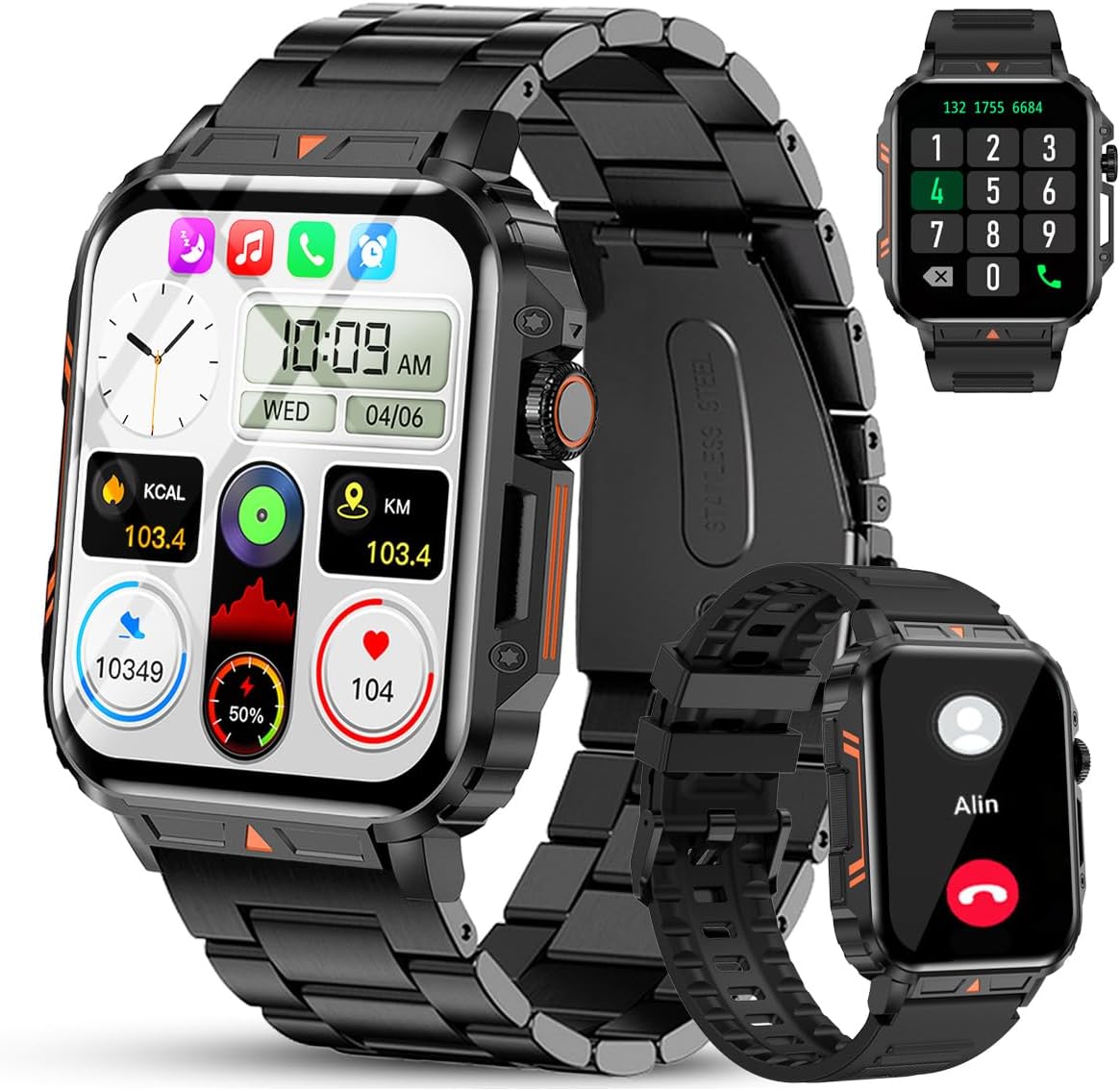
Image 1.1: The Jooeniok L81 Smart Watch, showcasing its main display and interchangeable straps.
2. Các tính năng chính
- Bluetooth Calling & Message Alerts: Make and receive calls, read messages, and receive notifications from various apps directly on your watch.
- 1.95'' HD Touch Screen & DIY Dial: Enjoy a clear display and personalize your watch face.
- Hơn 112 chế độ thể thao: Track a wide range of activities including running, cycling, badminton, and hiking.
- Chống nước IP68: Suitable for daily use, hand washing, and outdoor activities in rain. (Note: Not recommended for diving, showering, or sauna.)
- Theo dõi sức khỏe: Monitor heart rate, blood oxygen (SpO2), blood pressure, and sleep patterns.
- Pin sử dụng lâu dài: Được trang bị pin 340mAh cho thời gian sử dụng kéo dài.
- Đa chức năng: Includes features like timer, alarm, stopwatch, weather, calendar, water reminder, sedentary reminder, and remote photo control.
3. Hướng dẫn cài đặt
3.1. Sạc đồng hồ thông minh
Before initial use, fully charge your Jooeniok L81 Smart Watch. Connect the magnetic charging cable to the charging contacts on the back of the watch and plug the USB end into a standard USB power adapter (not included) or a computer's USB port. The watch display will indicate charging status.

Image 3.1: Illustration of the watch dimensions and the location of the charging contacts.
3.2. Cài đặt và ghép nối ứng dụng
- Tải ứng dụng: Scan the QR code provided in the watch's quick start guide or search for the official companion app (e.g., "FitCloudPro" or similar, check packaging for exact name) in the Apple App Store (for iOS) or Google Play Store (for Android).
- Bật Bluetooth: Đảm bảo Bluetooth được bật trên điện thoại thông minh của bạn.
- Mở ứng dụng: Khởi chạy ứng dụng đã cài đặt và làm theo hướng dẫn trên màn hình để tạo tài khoản hoặc đăng nhập.
- Thêm thiết bị: Within the app, navigate to the "Device" or "Add Device" section. The app will search for available Bluetooth devices. Select "L81" or the corresponding device name when it appears.
- Xác nhận ghép nối: Yêu cầu ghép nối có thể xuất hiện trên đồng hồ và điện thoại của bạn. Hãy xác nhận việc ghép nối trên cả hai thiết bị.
- Cấp quyền: Cho phép các quyền cần thiết (ví dụ: thông báo, vị trí, danh bạ) để ứng dụng hoạt động chính xác.
The watch is compatible with Android 5.1 and above, and iOS 10.0 and above.
3.3. Initial Settings and Language
After successful pairing, the watch should automatically synchronize time and language settings with your phone. If the watch displays an incorrect language, navigate to the watch's settings menu (usually by swiping down from the main screen or pressing the side button to access the app list, then finding the 'Settings' icon). Look for 'Language' or 'System' settings to change it to English or your preferred language.
4. Hướng dẫn vận hành
4.1. Điều hướng cơ bản
- Màn hình cảm ứng: Vuốt sang trái/phải, lên/xuống để điều hướng qua menu và tính năng. Chạm để chọn.
- Nút bên: Press to return to the main screen or access the app list. Long press for power options.
- Crown Button (if present): Rotate to scroll through lists or adjust settings, press to select.
4.2. Gọi điện và thông báo qua Bluetooth
Once paired, your watch can handle calls and display notifications. Ensure Bluetooth is connected and the companion app has the necessary permissions.
- Gọi điện: Truy cập bàn phím số hoặc danh bạ trên đồng hồ của bạn để thực hiện cuộc gọi.
- Nhận cuộc gọi: Khi có cuộc gọi đến, bạn có thể trả lời hoặc từ chối trực tiếp từ đồng hồ.
- Thông báo: Swipe down from the main screen or access the notification center to view incoming messages from SMS, WhatsApp, Facebook, and other apps.
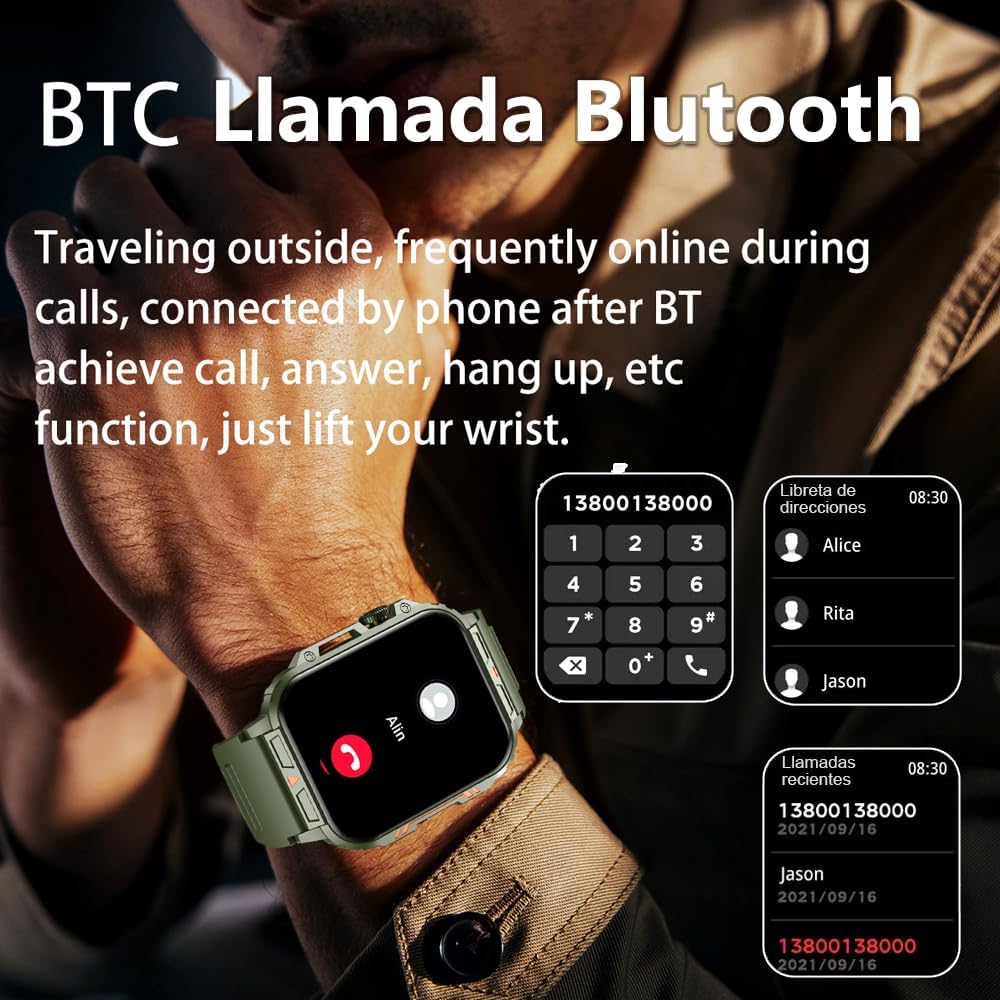
Image 4.1: The watch screen showing an incoming call and the dial pad for making calls.

Image 4.2: The watch displaying notifications from various social media and messaging applications.
4.3. Chế độ thể thao
The watch supports over 112 sports modes. To access them, navigate to the 'Sports' or 'Workout' section on your watch. Select your desired activity to start tracking. The watch will record steps, distance, and calories.

Hình 4.3: Các biểu tượng thể hiện các chế độ thể thao khác nhau có sẵn trên đồng hồ.
4.4. Theo dõi sức khỏe
The Jooeniok L81 provides continuous monitoring of several health metrics. Access these features through the watch's menu or the companion app.
- Nhịp tim: The watch uses an optical sensor to monitor your heart rate. View dữ liệu thời gian thực trên đồng hồ hoặc xu hướng chi tiết trong ứng dụng.
- Nồng độ oxy trong máu (SpO2) và huyết áp: Initiate a measurement from the watch. Results are displayed on the screen and recorded in the app for historical analysis.
- Theo dõi giấc ngủ: Wear the watch to bed for automatic sleep tracking. It analyzes deep sleep, light sleep, and awake times, providing a comprehensive sleep quality report in the app.
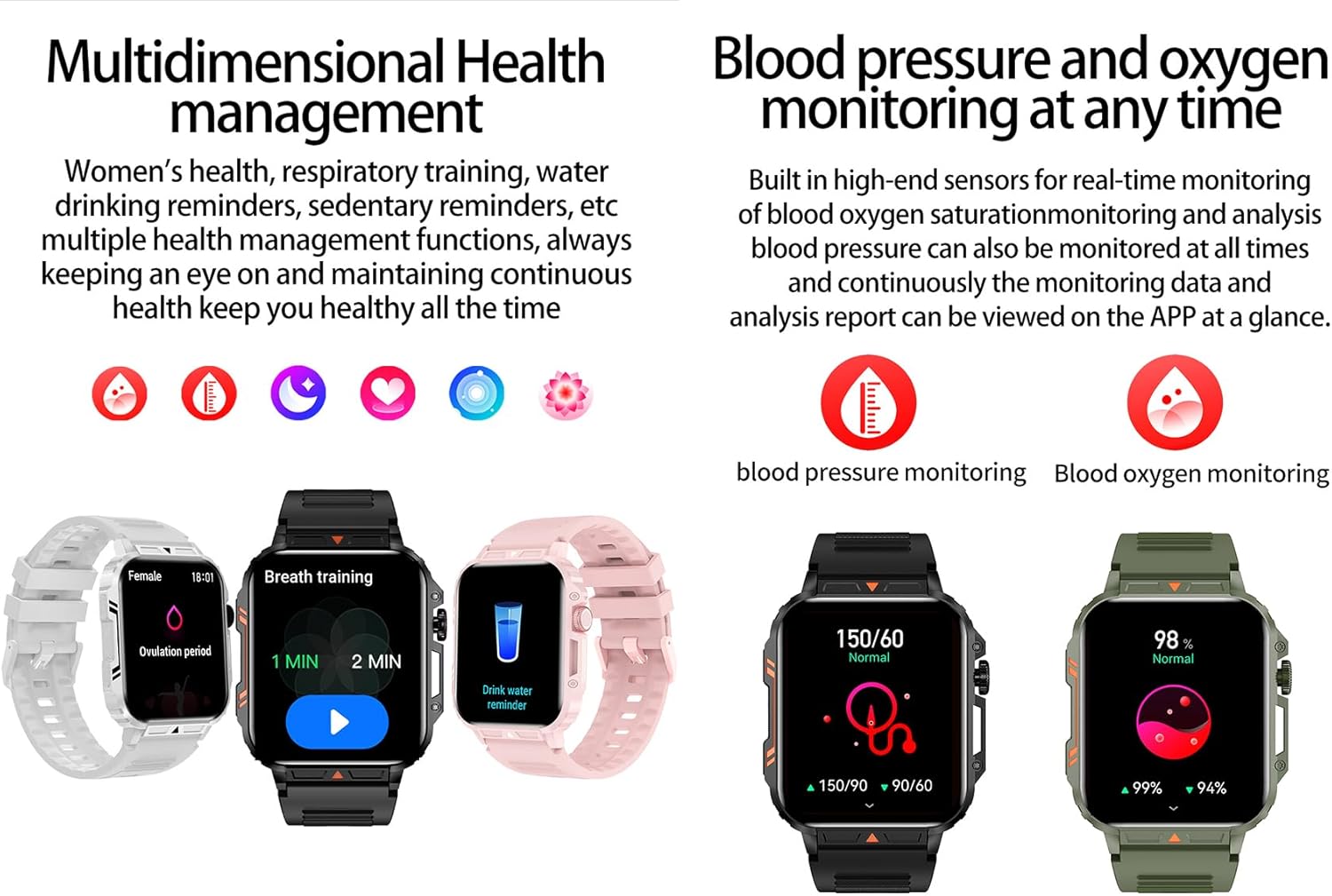
Image 4.4: Watch screens showing blood pressure and blood oxygen monitoring results.

Image 4.5: Watch screens showing real-time heart rate and a summary of sleep data.
4.5. AI Intelligent Voice Function
After connecting the watch to your phone via Bluetooth, activate the voice function on the watch. This allows you to use voice commands to open applications, check weather, make calls, or navigate, offering a hands-free experience.
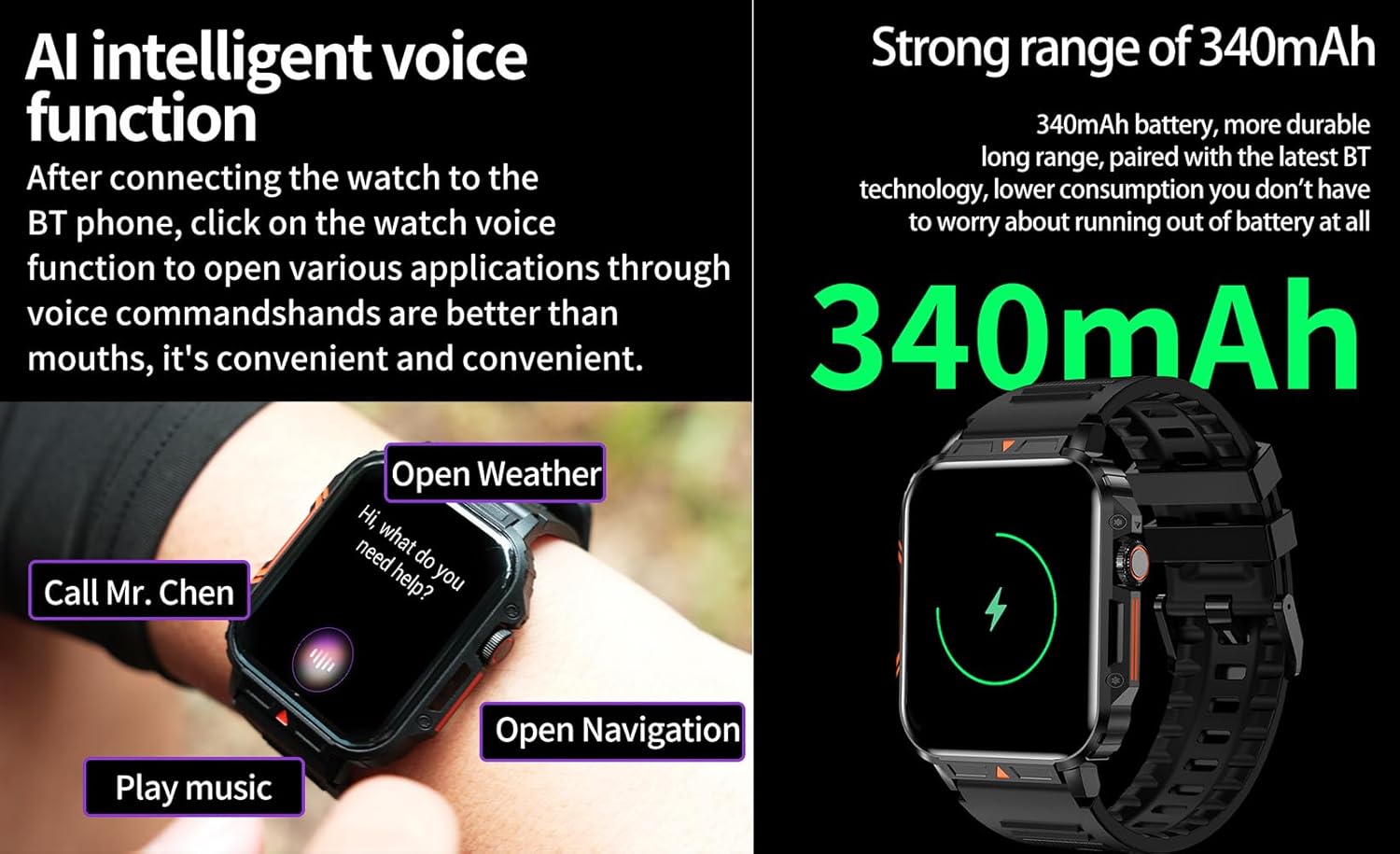
Image 4.6: The watch screen illustrating the AI voice assistant interface with examplệnh le.
4.6. DIY Dial
Personalize your watch face by using the DIY dial feature within the companion app. You can often upload custom images or choose from a variety of pre-designed watch faces.
5. Bảo trì
5.1. Khả năng chống nước
The Jooeniok L81 Smart Watch is IP68 waterproof and dustproof. This means it is resistant to dust and can withstand immersion in water up to 1.5 meters for up to 30 minutes. It is suitable for daily use, hand washing, and light rain.
Quan trọng: Đồng hồ là không recommended for diving, hot showers, or saunas, as steam and high water pressure can compromise the seals and cause damage.

Image 5.1: The watch shown with water splashes, indicating its water resistance.
5.2. Vệ sinh
Thường xuyên vệ sinh đồng hồ và dây đeo để tránh kích ứng da và duy trì chức năng. Sử dụng khăn mềm,amp cloth to wipe the screen and body. For the strap, follow the manufacturer's recommendations for the specific material (e.g., silicone, metal).
- Tránh sử dụng hóa chất mạnh hoặc vật liệu mài mòn.
- Đảm bảo đồng hồ khô hoàn toàn trước khi sạc hoặc sử dụng trong thời gian dài.
5.3. Chăm sóc pin
Để kéo dài tuổi thọ pin:
- Tránh nhiệt độ quá cao.
- Không nên để pin cạn kiệt thường xuyên.
- Sạc đồng hồ bằng cáp đi kèm.
Image 5.2: The watch screen highlighting its 340mAh battery capacity.
KHAI THÁC. Xử lý sự cố
| Vấn đề | Giải pháp khả thi |
|---|---|
| Đồng hồ không bật được. | Đảm bảo đồng hồ đã được sạc đầy. Kết nối đồng hồ với bộ sạc trong ít nhất 30 phút. |
| Không thể ghép nối với điện thoại thông minh. |
|
| Incorrect language displayed. | Navigate to the watch's settings menu, find 'Language' or 'System' settings, and select your preferred language. If paired, the app might also have a language setting. |
| Touch screen unresponsive or intermittent. |
|
| Không nhận được thông báo. |
|
| Health monitoring data seems inaccurate. |
|
7. Thông số kỹ thuật
| Tính năng | Chi tiết |
|---|---|
| Tên mẫu | L81 |
| Thương hiệu | Jooeniok |
| Kích thước màn hình | 1.95 inch |
| Công nghệ kết nối | Bluetooth |
| Tiêu chuẩn giao tiếp không dây | Bluetooth |
| Hệ điều hành | Android (tương thích với Android 5.1 trở lên và iOS 10.0 trở lên) |
| Dung lượng lưu trữ bộ nhớ | 128MB |
| Ắc quy | 1 pin Lithium Polymer (340mAh, đã bao gồm) |
| Chống nước | IP68 |
| Tính năng đặc biệt | Activity Tracker, Notifications, Phone Call, Time Display, Heart Rate Monitor, Blood Oxygen Monitor, Sleep Monitor, 112+ Sports Modes, AI Voice Function |
| Kích thước (xấp xỉ) | Watch face: 44mm (width) x 52mm (height); Thickness: 12mm; Strap length: 260mm |
8. Bảo hành & Hỗ trợ
The Jooeniok L81 Smart Watch is backed by a Bảo hành 365 ngày kể từ ngày mua. Bảo hành này bao gồm các lỗi sản xuất và trục trặc trong quá trình sử dụng bình thường.
For technical support, warranty claims, or any questions regarding your product, please contact Jooeniok customer service through the retailer's platform or the contact information provided on the product packaging or official webđịa điểm.
Vui lòng giữ lại hóa đơn mua hàng để xác nhận bảo hành.


