Giới thiệu
This manual provides comprehensive instructions for the setup, operation, and maintenance of your Ceybo RC813 FMB1 Voice Remote Control. This remote is designed to work seamlessly with a wide range of TCL QLED Smart TVs, offering convenient control and voice assistant capabilities.

Hình 1: Mặt trước và mặt sau view of the Ceybo RC813 FMB1 Voice Remote Control. The front features various buttons including navigation, volume, channel, and dedicated app shortcuts. The back is smooth and ergonomic.
Cài đặt
1. Lắp đặt pin
The RC813 FMB1 remote control requires two (2) AAA batteries (not included) for operation. Follow these steps to install the batteries:
- Xác định vị trí nắp ngăn chứa pin ở mặt sau của điều khiển từ xa.
- Trượt nắp xuống hoặc nhấn chốt để mở ngăn.
- Lắp hai pin AAA, đảm bảo cực dương (+) và cực âm (-) thẳng hàng với đèn báo bên trong ngăn chứa.
- Đậy nắp ngăn chứa pin lại bằng cách trượt nó trở lại vị trí cũ cho đến khi nghe thấy tiếng tách.

Hình 2: Illustration of the battery compartment and proper insertion of AAA batteries.
2. Ghép nối điều khiển từ xa
To ensure full functionality, including voice control, the remote must be paired with your TCL Smart TV. Follow these steps:
- Ensure your TCL Smart TV is powered on.
- Hướng điều khiển từ xa về phía TV.
- Nhấn và giữ đồng thời "ĐƯỢC RỒI" button (center of the navigation pad) and the "Home" button (house icon) for approximately 2 seconds.
- Một thông báo xác nhận ghép nối sẽ xuất hiện trên màn hình TV của bạn, cho biết quá trình ghép nối đã thành công.
- Nếu quá trình ghép nối thất bại, hãy đảm bảo pin đã được lắp đúng cách và thử lại. Nếu cần, hãy tiến lại gần TV hơn.
Vận hành điều khiển từ xa
Nút chức năng kết thúcview
The RC813 FMB1 remote control features a variety of buttons for intuitive navigation and control of your TCL Smart TV. Refer to the image below for button layout.
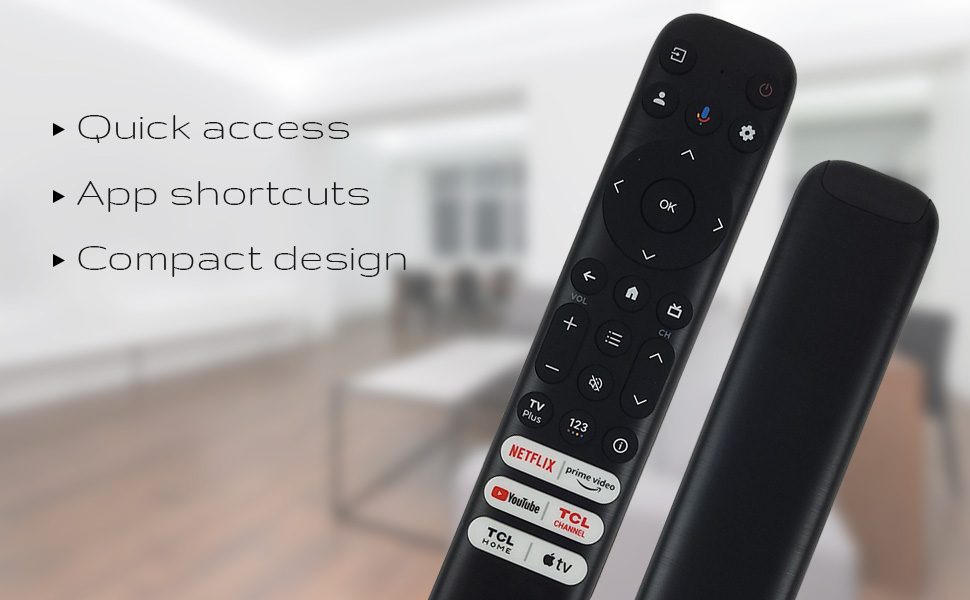
Hình 3: The remote's design emphasizes quick access, app shortcuts, and a compact form factor for ease of use.
- Nút nguồn (⏻): Bật hoặc tắt TV.
- Phím điều hướng (Lên, Xuống, Trái, Phải): Được sử dụng để điều hướng menu và chọn tùy chọn.
- Nút OK: Confirms selections or opens items.
- Nút Quay lại: Quay lại màn hình hoặc menu trước đó.
- Nút Trang chủ (Biểu tượng ngôi nhà): Trở lại màn hình chính của TV.
- Tăng/Giảm âm lượng: Điều chỉnh mức âm lượng của TV.
- Lên/Xuống kênh: Thay đổi kênh truyền hình.
- Nút Cài đặt (biểu tượng bánh răng): Truy cập cài đặt TV.
- Nút đầu vào: Changes the TV's input source.
Chức năng trợ lý giọng nói
The remote features a dedicated button for Google Assistant, allowing you to control your TV and search for content using voice commands.
- Google Assistant Button (Microphone Icon): Press and hold this button, then speak your command clearly into the remote. Release the button when you are finished speaking.
- ExampCác dòng lệnh bao gồm: "Mở Netflix," "Tìm kiếm action movies," "What's the weather like?", "Turn up the volume."
Dedicated Shortcut Buttons
Quickly access your favorite streaming services and TCL features with the dedicated shortcut buttons located at the bottom of the remote.

Hình 4: Dedicated shortcut buttons for popular streaming services and TCL applications.
- Netflix: Direct access to the Netflix streaming service.
- Video chính: Direct access to Amazon Prime Video.
- YouTube: Direct access to YouTube.
- TCL Channel: Truy cập trực tiếp vào Kênh TCL.
- Trang chủ TCL: Direct access to TCL Home features.
- Apple TV: Direct access to Apple TV.
Khả năng tương thích
The Ceybo RC813 FMB1 Voice Remote Control is compatible with a wide range of TCL QLED Smart TV models, including those with Google TV functionality. Below is a list of some compatible models:
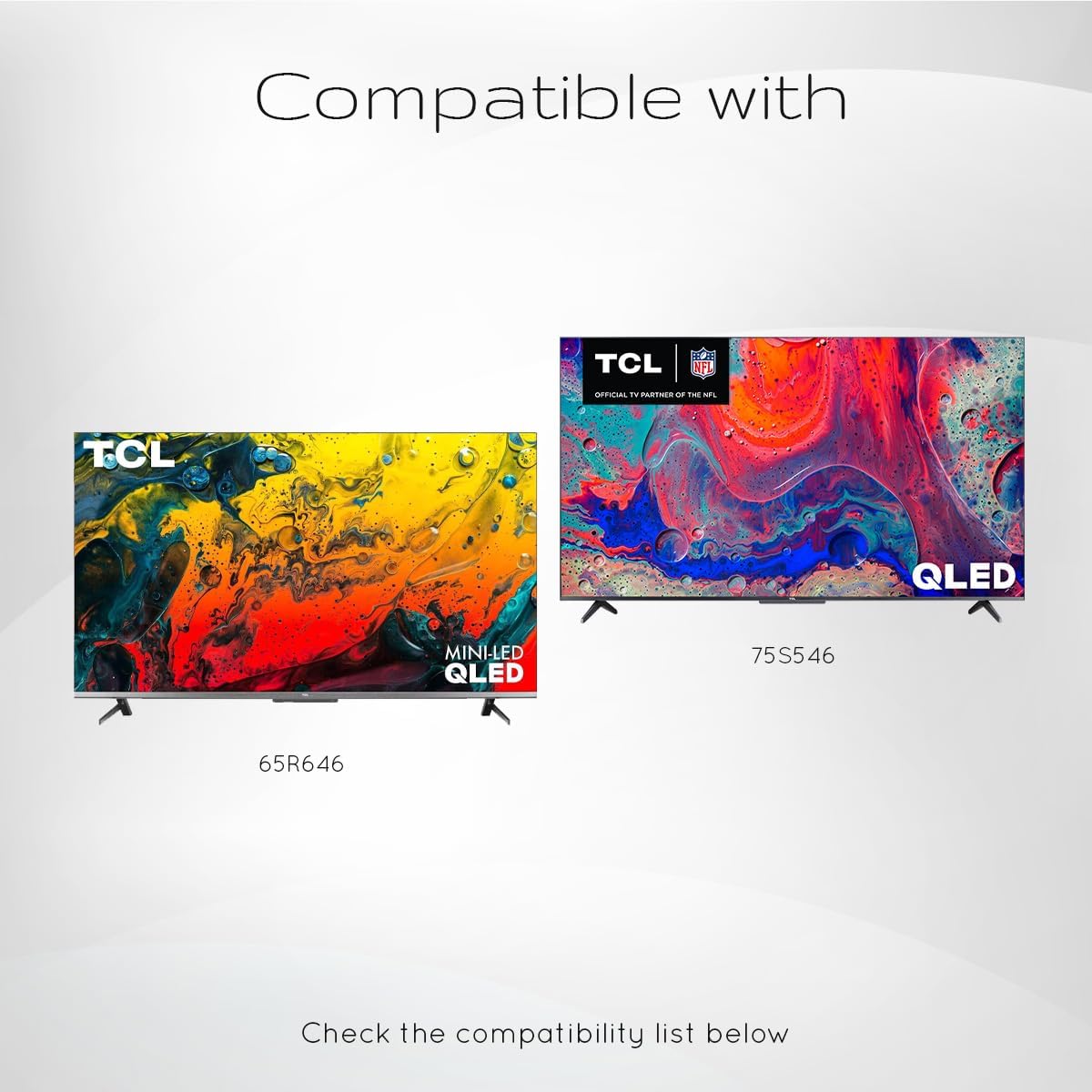
Hình 5: Examples of compatible TCL QLED TV models.
- Google TV 65Q750G
- Google TV 55Q750G
- Google TV 75Q750G
- Google TV 50Q750G
- Google TV 43Q750G
- Google TV 58Q750G
- 65QM850G
- 55QM850G
- 75QM850G
- 58QM850G
- And many more TCL QLED Smart TV models.
Note: Always verify compatibility with your specific TV model before use.
BẢO TRÌ
Thay thế pin
When the remote control's performance degrades or it stops responding, it is likely time to replace the batteries. Follow the battery installation steps outlined in the "Setup" section.
- Always replace both AAA batteries at the same time.
- Không trộn lẫn pin cũ và pin mới, hoặc các loại pin khác nhau.
- Vứt bỏ pin đã qua sử dụng một cách có trách nhiệm theo quy định của địa phương.
Vệ sinh điều khiển từ xa
To maintain the remote control's appearance and functionality, clean it periodically.
- Hãy dùng một miếng vải mềm, khô để lau bề mặt của điều khiển từ xa.
- Đối với vết bẩn cứng đầu, hãy chà nhẹampLau vải bằng nước hoặc chất tẩy rửa nhẹ, không gây mài mòn. Tránh để vải ẩm quá mức.
- Do not use harsh chemicals, solvents, or abrasive cleaning materials, as these can damage the remote's finish or internal components.
Xử lý sự cố
If you encounter issues with your Ceybo RC813 FMB1 remote control, refer to the following common problems and their solutions:
| Vấn đề | Nguyên nhân có thể / Giải pháp |
|---|---|
| Điều khiển từ xa không phản hồi. |
|
| Chức năng điều khiển bằng giọng nói không hoạt động. |
|
| Shortcut buttons are not working. |
|
Thông số kỹ thuật
| Tính năng | Chi tiết |
|---|---|
| Số hiệu mẫu | RC813 FMB1 |
| Thương hiệu | đảo Ceybo |
| Công nghệ kết nối | Bluetooth |
| Thiết bị tương thích | TCL QLED Smart Televisions |
| Tính năng đặc biệt | Tìm kiếm bằng giọng nói (Trợ lý Google) |
| Nguồn điện | 2 x Pin AAA (không bao gồm) |
| Trọng lượng sản phẩm | 3.2 ounce (khoảng 90.7 gram) |
| Kích thước gói hàng | 8 x 2 x 0.5 inch (khoảng 20.3 x 5.1 x 1.3 cm) |


