1. Giới thiệu
This manual provides detailed instructions for the installation, setup, operation, and maintenance of your Intelbras MFR 7000 Smart Embedded Deadbolt with Handleset. Please read this manual thoroughly before installation and use to ensure proper function and safety. Keep this manual for future reference.
2. Thông tin an toàn
- Hãy đảm bảo tất cả các bộ phận đều đầy đủ và không bị hư hỏng trước khi lắp đặt.
- Không được tháo rời hoặc sửa chữa khóa. Việc này có thể làm mất hiệu lực bảo hành và ảnh hưởng đến độ an toàn.
- Chỉ sử dụng pin kiềm AA được chỉ định. Không trộn lẫn pin cũ và pin mới hoặc các loại pin khác nhau.
- Keep physical keys in a secure location outside the property.
- Protect your passwords and biometric data. Do not share them with unauthorized individuals.
- This lock is designed for indoor use or protected outdoor environments. Avoid direct exposure to extreme weather conditions.
3. Nội dung gói hàng
Xác minh rằng tất cả các mục sau đây đều có trong gói hàng của bạn:
- 1 x Digital Lock (MFR 7000 unit)
- 4 x Pin AA
- 1 x Mẫu cài đặt
- 1 x Fixing Kit (screws and mounting hardware)
- 1 x Hướng dẫn sử dụng (tài liệu này)
- 2 chìa khóa vật lý
- 3 x Nhãn dán Tags
- 3 x Proximity Tags
- 1 x Installation Manual (separate guide for physical installation)
4. Sản phẩm hếtview
The Intelbras MFR 7000 is a smart embedded deadbolt with a handleset, offering multiple access methods for enhanced security and convenience. It integrates with the Intelbras Mibo ecosystem for smart home functionalities when paired with a compatible automation hub.
Các tính năng chính:
- Multiple Access Methods: Biometrics (up to 100), Proximity Tags (up to 100), Passwords (up to 15), and Physical Keys.
- Smart Home Integration: Remote access and management via the Mibo app (requires MCA 1001 Automation Hub, sold separately).
- Auto-Lock Function: Automatically locks the door after closing.
- Non-Disturb Function: Prevents external access for privacy.
- Reversible Lever: Adaptable for left or right-handed doors.
- Standard Mortise: Compatible with ABNT 14913 standard mortise for easy replacement.
Thành phần sản phẩm:
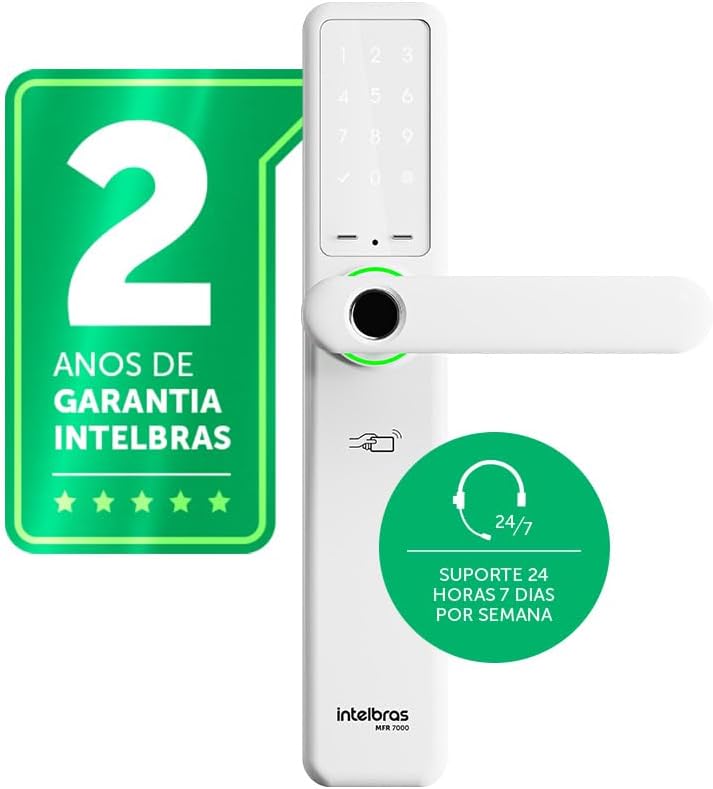
Hình 4.1: Đằng trước view of the Intelbras MFR 7000 Smart Embedded Deadbolt, showing the keypad, fingerprint reader, and handleset.

Hình 4.2: Bên view of the MFR 7000, illustrating its slim profile.

Hình 4.3: Mặt sau view of the MFR 7000, showing the interior handleset and battery compartment.
5. Cài đặt
The MFR 7000 is designed for straightforward installation, compatible with doors from 30mm to 60mm thick and utilizing the ABNT 14913 standard mortise. For detailed physical installation steps, refer to the separate Installation Manual included in your package. Professional installation is recommended.
Các bước cài đặt chung:
- Chuẩn bị cửa: If replacing an existing lock, remove the old lock mechanism. Ensure the door meets the thickness requirements and mortise standard.
- Lắp đặt mộng: Insert the MFR 7000 mortise mechanism into the door edge.
- Mount the Handleset: Attach the exterior and interior handleset components, ensuring proper alignment and cable connections.
- Khóa chặt ổ khóa: Use the provided fixing kit to secure all components firmly.
- Chức năng kiểm tra: After installation, test the mechanical operation of the handleset and deadbolt before proceeding with electronic setup.

Hình 5.1: Diagram illustrating the easy installation process with the ABNT 14913 standard mechanism. This image shows the steps: remove old lock, insert MFR 7000 mechanism, and finalize installation.

Hình 5.2: The MFR 7000 Smart Deadbolt handleset installed on a door, demonstrating its integrated appearance.
6. Setup and User Management
After physical installation, proceed with the electronic setup and user registration.
6.1 Initial Power-Up and Master Code Setup
- Insert the 4 AA batteries into the battery compartment on the interior unit.
- The lock will power on and prompt for initial setup. Follow the voice prompts or display instructions to set a master password. This master password is crucial for managing other users and settings.
6.2 Registering Users
The MFR 7000 supports up to 100 biometrics, 100 proximity tags, and 15 passwords.
- Biometric Registration: Access the user management menu using your master password. Select the option to add a new biometric user. Follow the on-screen prompts to scan the fingerprint multiple times for accurate registration.
- Sự gần gũi Tag Sự đăng ký: In the user management menu, select to add a new tag. Present the sticker tag or proximity tag to the designated reader area on the lock.
- Đăng ký mật khẩu: From the user management menu, choose to add a new password. Enter a 6-10 digit password and confirm it.
Quan trọng: For remote access, user management, and smart home integration features, you must purchase and connect the MCA 1001 Automation Hub (sold separately) and use the Intelbras Mibo app.
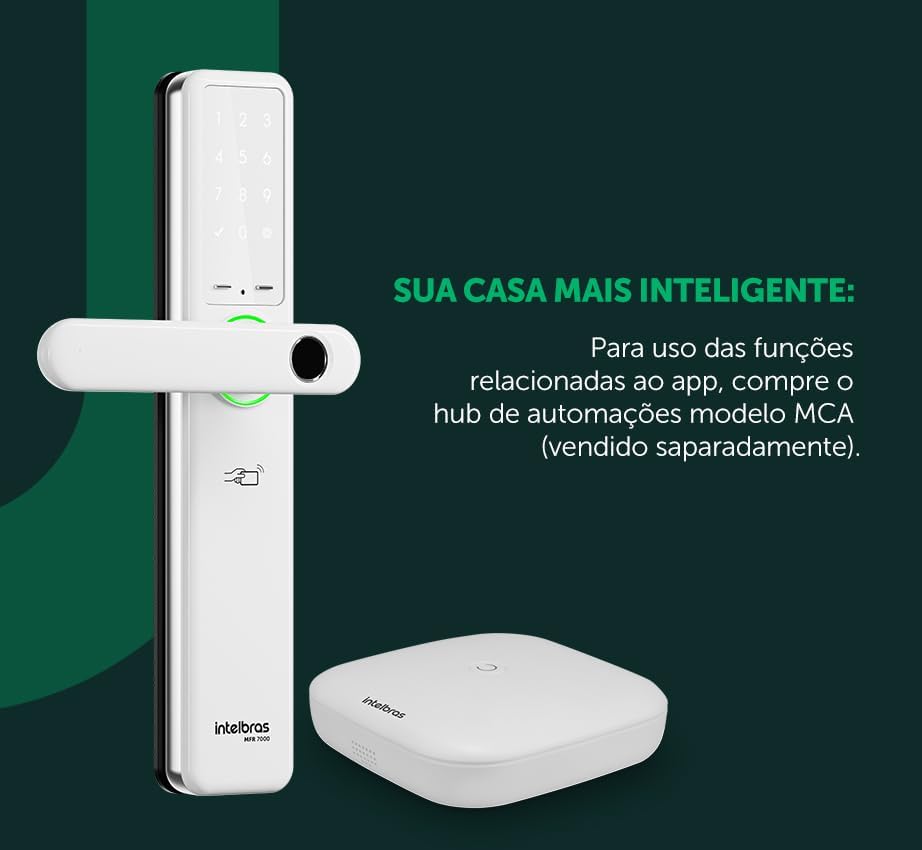
Hình 6.1: The MFR 7000 Smart Deadbolt shown alongside the Mibo Automation Hub, which is required for app-related smart functions.
7. Hướng dẫn vận hành
7.1 Mở khóa cửa
- Using Biometrics: Place your registered finger on the fingerprint reader. The lock will unlock if the fingerprint is recognized.
- Using Proximity Tags: Present a registered proximity tag đến tag reader area on the lock. The lock will unlock.
- Sử dụng mật khẩu: Enter your registered password on the keypad, then press the '#' or 'Enter' key. The lock will unlock.
- Using Physical Keys: In case of battery depletion or electronic malfunction, insert the physical key into the keyhole and turn to unlock.
- Remote Unlocking (with Mibo Hub): Open the Intelbras Mibo app on your smartphone and select the MFR 7000 lock to remotely unlock it.
7.2 Khóa cửa
- Khóa tự động: The MFR 7000 features an auto-lock function that engages the deadbolt automatically a few seconds after the door is closed.
- Khóa thủ công: From the exterior, press the '#' key on the keypad. From the interior, turn the thumb-turn or lift the handleset (if applicable for manual deadbolt engagement).
- Remote Locking (with Mibo Hub): Use the Intelbras Mibo app to remotely lock the door.
7.3 Non-Disturb Function
Activate the non-disturb function from the interior unit to prevent external access, even with valid credentials. This provides enhanced privacy and security when inside.
8. Bảo trì
8.1 Thay thế pin
- The lock is powered by 4 AA alkaline batteries, providing an average duration of 10 months (based on 10 daily accesses).
- The lock will provide a low battery warning when replacement is needed.
- To replace, open the battery compartment on the interior unit, remove old batteries, and insert new ones, ensuring correct polarity.
8.2 Vệ sinh
- Lau sạch bề mặt bên ngoài của khóa bằng một miếng vải mềm, khô.
- Không sử dụng chất tẩy rửa có tính mài mòn, dung môi hoặc các loại thuốc xịt hóa học, vì chúng có thể làm hỏng lớp phủ và các linh kiện điện tử.
- Giữ cho cảm biến vân tay và bàn phím luôn sạch sẽ để đạt hiệu suất tối ưu.
KHAI THÁC. Xử lý sự cố
| Vấn đề | Nguyên nhân có thể | Giải pháp |
|---|---|---|
| Khóa không hoạt động / Không có nguồn điện. | Pin chết hoặc lắp không đúng cách. | Replace all 4 AA batteries, ensuring correct polarity. |
| Dấu vân tay không được nhận dạng. | Finger is wet, dirty, or improperly placed; fingerprint not registered; sensor is dirty. | Ensure finger is clean and dry. Place the entire pad of the registered finger firmly on the sensor. Clean the sensor. Re-register fingerprint if issues persist. |
| Mật khẩu không được chấp nhận. | Incorrect password entered; password not registered. | Verify the password and re-enter. Ensure the password has been correctly registered. |
| Sự gần gũi tag không hoạt động. | Tag not registered; tag Bị hư hại. | Đảm bảo tag is registered. Try another registered tag. If still not working, the tag có thể bị hư hỏng. |
| Chức năng khóa tự động không hoạt động. | Door not fully closed; auto-lock feature disabled. | Ensure the door is completely closed. Check lock settings to confirm auto-lock is enabled. |
| Remote functions not working. | MCA 1001 Automation Hub not connected or configured; network issues. | Ensure the MCA 1001 Hub is properly installed and connected to your network. Verify the Mibo app is updated and connected to the hub. |
10. Thông số kỹ thuật
| Tính năng | Chi tiết |
|---|---|
| Người mẫu | MFR 7000 |
| Thương hiệu | Intelbras |
| Phương pháp truy cập | Biometrics (up to 100), Proximity Tags (up to 100), Passwords (up to 15), Physical Keys |
| Nguồn điện | 4 x Pin kiềm AA |
| Tuổi thọ pin | Approx. 10 months (based on 10 daily accesses) |
| Khả năng tương thích độ dày cửa | 30mm đến 60mm |
| Mortise Standard | ABNT 14913 |
| Kích thước (Sản phẩm) | 8 x 5 x 27cm |
| Trọng lượng (Mặt hàng) | 2.89 Kilôgam |
| Màu sắc | Trắng |
| Tính năng đặc biệt | MCA 1001 Automation Hub Required (Sold Separately) for smart functions, Reversible Lever |
11. Bảo hành và Hỗ trợ
- Bảo hành: The Intelbras MFR 7000 Smart Embedded Deadbolt comes with a 2-year Intelbras warranty. Vui lòng giữ lại bằng chứng mua hàng để yêu cầu bảo hành.
- Hỗ trợ kỹ thuật: Intelbras offers Hỗ trợ kỹ thuật 24/7 for its products. For assistance, please refer to the contact information provided on the Intelbras official website or your regional support channels.
- Tài nguyên trực tuyến: Visit the official Intelbras website for updated manuals, FAQs, and additional support resources.


