1. Sản phẩm hếtview
The Electro-Harmonix Pico Triboro Bridge is a versatile multi-mode drive pedal designed to provide a wide range of tonal possibilities. It features three distinct modes: Overdrive, Distortion, and Fuzz, allowing musicians to bridge any gap in their gain requirements. With its powerful EQ capabilities, input contouring, and compact pico-sized footprint, the Triboro Bridge can serve as a foundational element for your tone or offer a fresh alternative to your existing drive pedals.
Các tính năng chính:
- Wide range of saturation with Overdrive, Distortion, and Fuzz modes.
- Treble control boosts or cuts high end in Overdrive and Distortion modes.
- Bass control boosts or cuts low end in Overdrive and Distortion modes.
- Fuzz mode features a dedicated Gate control and a Low Pass Filter.
- Includes a power adapter for immediate use.

Hình ảnh: Góc cạnh view of the Electro-Harmonix Pico Triboro Bridge pedal, highlighting its compact size and control knobs.
2. Thiết lập và kết nối
Follow these steps to connect your Pico Triboro Bridge pedal to your audio setup:
- Kết nối nguồn điện: Connect the included 9V DC power adapter to the power jack on the top of the pedal. Ensure the power supply meets the pedal's specifications (9V DC, center-negative).
- Kết nối đầu vào: Connect your instrument (guitar, bass, etc.) to the INPUT jack on the right side of the pedal using a standard 1/4-inch instrument cable.
- Kết nối đầu ra: Kết nối giắc OUTPUT ở phía bên trái của bàn đạp với ampKết nối ampli hoặc bàn đạp tiếp theo trong chuỗi tín hiệu của bạn bằng cáp nhạc cụ tiêu chuẩn 1/4 inch.
- Bật nguồn: Once all connections are secure, plug the power adapter into a wall outlet. The pedal's LED will illuminate when active.
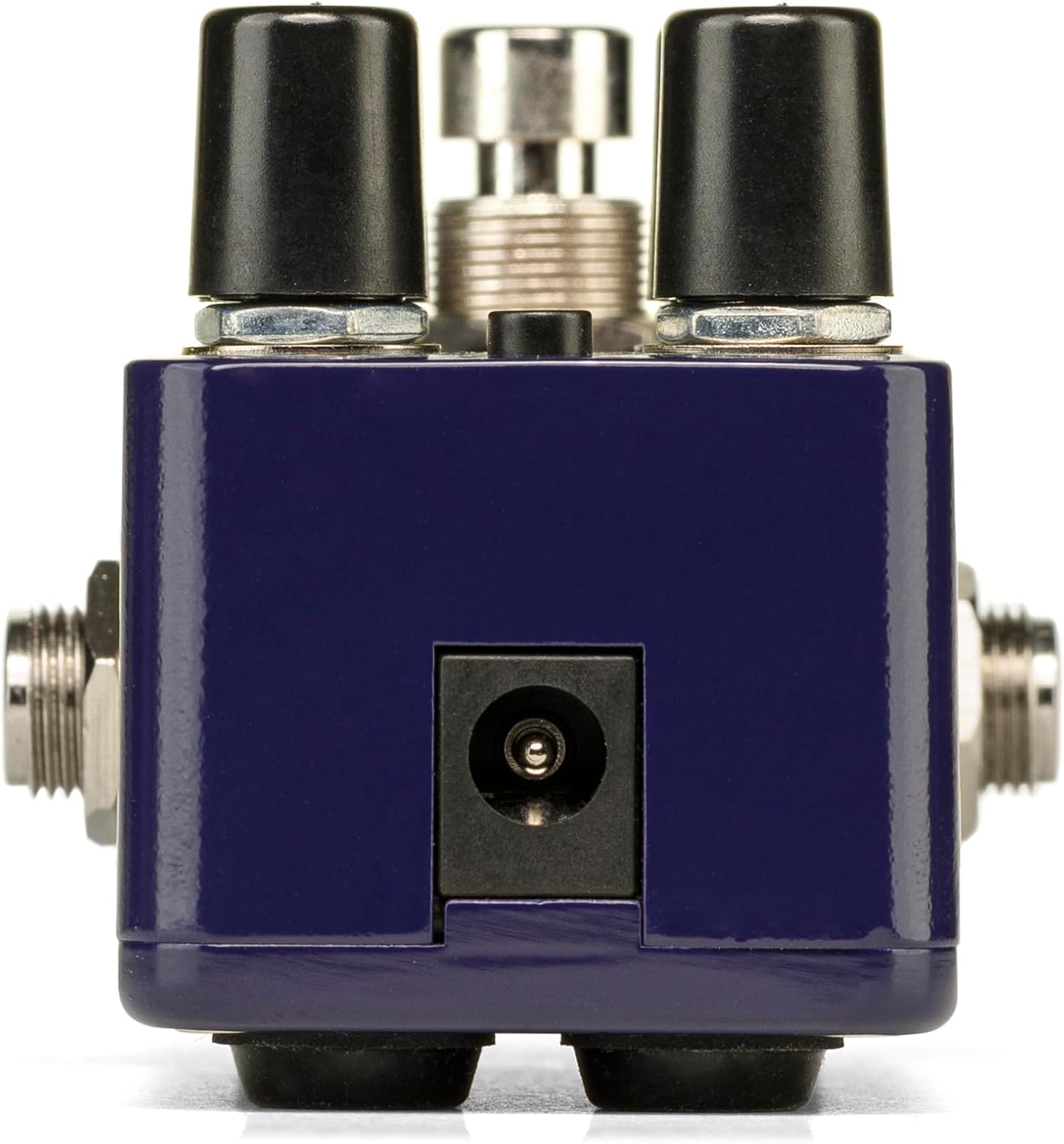
Hình ảnh: Phía sau view of the Pico Triboro Bridge pedal, showing the power input jack for connecting the power adapter.
3. Kiểm soát và vận hành
The Pico Triboro Bridge features intuitive controls for shaping your desired drive tone. Understanding each knob and button is key to unlocking its full potential.
Kiểm soát Knobs:
- VOL (Âm lượng): Controls the overall output level of the pedal. Adjust this to balance the effect's volume with your bypassed signal or other effects.
- THU ĐƯỢC: Controls the intensity of the drive, distortion, or fuzz effect. Higher settings result in more saturation and sustain.
- BASS / GATE:
- In Overdrive and Distortion modes, this knob functions as a TRẦM control, allowing you to boost or cut low frequencies.
- In Fuzz mode, this knob functions as a CỔNG control, adjusting the noise gate threshold to eliminate unwanted noise and feedback.
- TREBLE / TONE:
- In Overdrive and Distortion modes, this knob functions as a TÂM control, allowing you to boost or cut high frequencies.
- In Fuzz mode, this knob functions as a GIỌNG ĐIỆU control, specifically a Low Pass Filter, for extreme tonal variations and shaping the fuzz character.
TYPE Button:
The small button labeled "TYPE" at the top of the pedal is used to select between the three primary drive modes and to engage the Input Contour Mode.
- Lựa chọn chế độ: Pressing the TYPE button cycles through the Overdrive (green LED), Distortion (orange LED), and Fuzz (red LED) modes.
- Input Contour Mode: Press and hold the TYPE button to enable or disable the Input Contouring EQ. When active, this mode applies a specific EQ to the input signal for a tighter, more modern character across all drive modes.

Hình ảnh: Trên cùng view of the Pico Triboro Bridge pedal, illustrating the layout of the VOL, GAIN, BASS/GATE, TREBLE/TONE knobs, and the TYPE button.
4. Drive Modes Explained
The Pico Triboro Bridge offers three distinct drive modes, each with its unique sonic characteristics:
- Overdrive Mode (Green LED): This mode provides a gain spectrum ranging from low to mid-level saturation with an open voicing. It is ideal for use as a subtle "always-on" drive, adding warmth and grit, or as a solo boost to push your ampchất lót.
- Distortion Mode (Orange LED): Engaging this mode provides additional gain-staging, delivering tones from crunchy rhythms to fully saturated leads. It offers a more aggressive and compressed sound compared to the Overdrive mode.
- Fuzz Mode (Red LED): This mode transforms the pedal into a high-gain fuzz effect with over-the-top saturation. The BASS knob becomes a GATE control, and the TREBLE knob becomes a Low Pass Filter, allowing for unique and extreme tonal variations specific to fuzz.
Video: Official demonstration of the Electro-Harmonix Pico Triboro Bridge pedal, showcasing its Overdrive, Distortion, and Fuzz modes, along with an overview of its controls and input contouring feature. This video highlights the tonal versatility of the pedal for both guitar and bass.
5. Thông số kỹ thuật
| Tính năng | Đặc điểm kỹ thuật |
|---|---|
| Trọng lượng sản phẩm | 1.21 pound (0.55 kg) |
| Kích thước sản phẩm | 3.65"D x 2"R x 2"C (3.65 x 2 x 2 inch) |
| Số hiệu mẫu sản phẩm | PICO TRIBORO |
| Vật liệu thân máy | Nhựa, Kim loại |
| Màu sắc | Màu xanh da trời |
| Loại đầu nối | Power Adapter (1/4-inch Audio Hardware Interface) |
| Định dạng tín hiệu | Tương tự |
| Nguồn điện | Điện có dây |
| Tậptage | 9 vôn |
6. Bảo trì
To ensure the longevity and optimal performance of your Pico Triboro Bridge pedal, follow these maintenance guidelines:
- Vệ sinh: Use a soft, dry cloth to clean the pedal's exterior. Avoid abrasive cleaners, solvents, or excessive moisture, as these can damage the finish or internal components.
- Kho: Store the pedal in a cool, dry place away from direct sunlight, extreme temperatures, and high humidity when not in use.
- Kết nối: Kiểm tra định kỳ tất cả các kết nối cáp xem có bị mòn và rách không. Đảm bảo các giắc cắm không có bụi và mảnh vụn.
- Nguồn điện: Always use the recommended 9V DC center-negative power adapter. Using an incorrect power supply can damage the unit and void the warranty.
KHAI THÁC. Xử lý sự cố
If you encounter issues with your Pico Triboro Bridge pedal, refer to the following common troubleshooting steps:
- Không có âm thanh:
- Check all cable connections (instrument to input, output to amp).
- Hãy đảm bảo bộ chuyển đổi nguồn được kết nối đúng cách và hoạt động bình thường.
- Hãy kiểm tra xem thiết bị của bạn và amplifier đang hoạt động chính xác.
- Check the pedal's bypass status; if it's true bypass, sound should pass even if the pedal is off.
- Âm thanh yếu hoặc bị méo (không như mong đợi):
- Check the GAIN and VOL knob settings.
- Ensure the correct drive mode (Overdrive, Distortion, Fuzz) is selected for your desired sound.
- If in Fuzz mode, adjust the GATE and TONE (Low Pass Filter) knobs, as extreme settings can significantly alter the sound.
- Test with different cables and power supplies to rule out faulty accessories.
- Tiếng ồn/Tiếng ù quá mức:
- Hãy đảm bảo bạn đang sử dụng nguồn điện ổn định và cách ly.
- If in Fuzz mode, adjust the GATE knob to reduce unwanted noise.
- Kiểm tra xem có hiện tượng nhiễu vòng nối đất trong hệ thống của bạn hay không.
- Di chuyển bàn đạp ra xa các máy biến áp điện hoặc các nguồn gây nhiễu điện từ khác.
8. Bảo hành và Hỗ trợ
Electro-Harmonix products are designed for reliability and performance. For warranty information, product registration, or technical support, please refer to the official Electro-Harmonix webtrang web hoặc liên hệ với bộ phận chăm sóc khách hàng của họ. Giữ lại hóa đơn mua hàng để làm bằng chứng mua hàng khi yêu cầu bảo hành.
Để được hỗ trợ thêm, vui lòng truy cập: www.ehx.com


