1. Giới thiệu
This manual provides detailed instructions for the operation and maintenance of the LAUNCH CRP129E Plus OBD2 Scanner. Please read this manual thoroughly before using the device to ensure proper and safe operation. The CRP129E Plus is a comprehensive diagnostic tool designed for automotive professionals and enthusiasts, offering full system diagnostics and various service reset functions.
2. Sản phẩm hếtview
2.1. Thành phần thiết bị
The LAUNCH CRP129E Plus features a user-friendly interface with a 5-inch touchscreen and physical buttons for navigation.

Hình ảnh 2.1: The LAUNCH CRP129E Plus OBD2 Scanner and its protective carrying case.
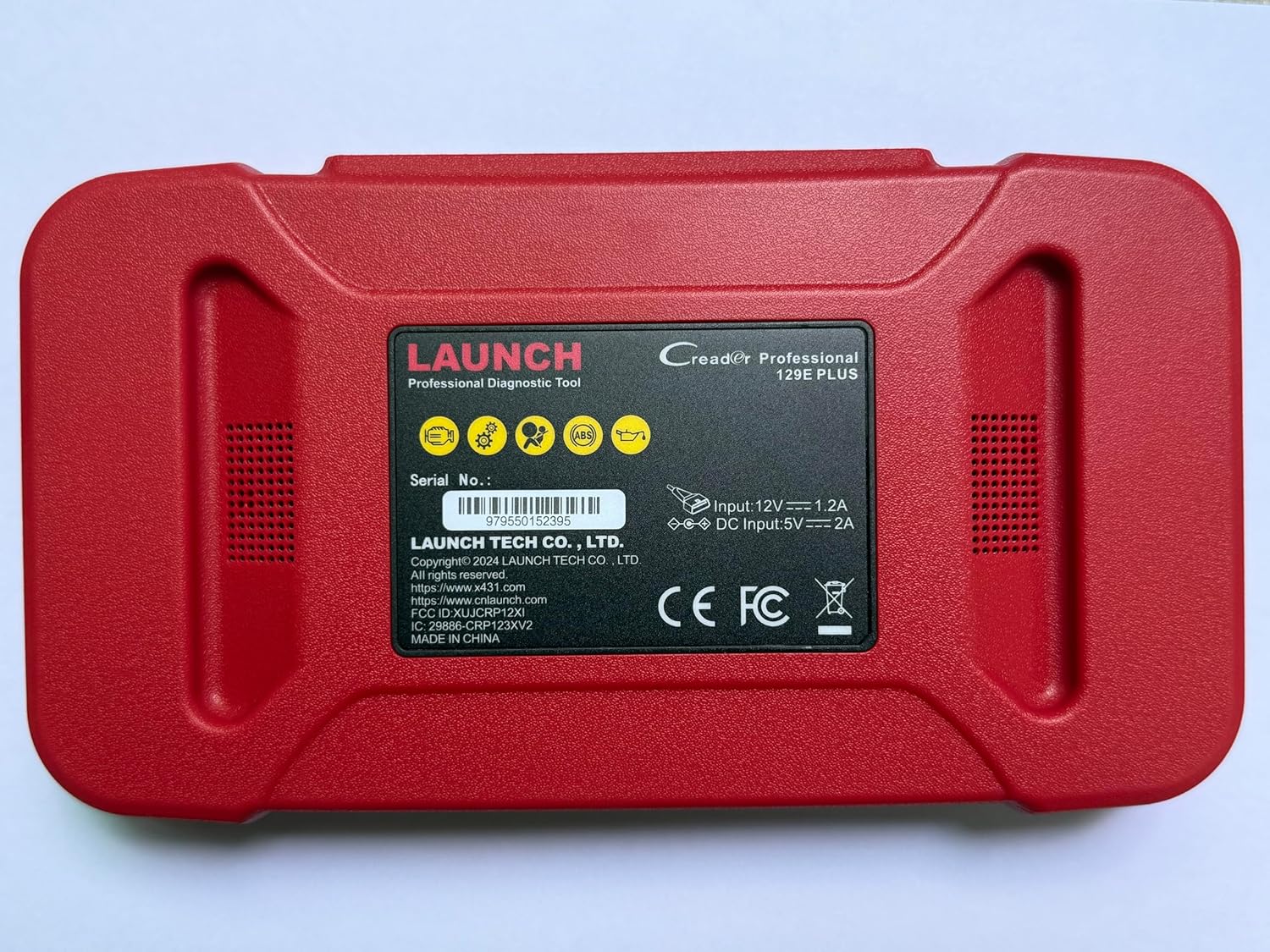
Hình ảnh 2.2: Ở phía sau view of the CRP129E Plus, displaying input voltage, current specifications, and serial number (e.g., 979550152395).
2.2. Nội dung gói hàng
Sau khi mở hộp, hãy kiểm tra xem tất cả các vật dụng được liệt kê bên dưới có đầy đủ hay không:
- CRP129E PLUS OBD2 Scanner (x1)
- OBDII Cable (x1)
- 5V DC Charging Cable (x1)
- Hướng dẫn sử dụng (x1)
- Hướng dẫn Bắt đầu Nhanh (x1)
- Túi đựng (x1)

Hình ảnh 2.3: Visual representation of the CRP129E Plus package contents.
3. Thiết lập và sử dụng ban đầu
3.1. Sạc thiết bị
Before first use, ensure the device is fully charged using the provided 5V DC charging cable. Connect the cable to the device and a suitable power source.
3.2. Bật / Tắt nguồn
- Bật nguồn: Nhấn và giữ nút nguồn cho đến khi màn hình sáng lên.
- Tắt nguồn: Press and hold the power button, then select "Power Off" from the options.
3.3. Kết nối với xe
Locate the vehicle's OBDII port, typically under the dashboard on the driver's side. Connect the provided OBDII cable from the CRP129E Plus to the vehicle's OBDII port. Ensure the vehicle's ignition is in the ON position (engine off or running, depending on the diagnostic task).
3.4. Wi-Fi Connection and Updates
The CRP129E Plus supports one-click Wi-Fi updates. Connect the device to a stable Wi-Fi network to download the latest software and vehicle data. Regular updates ensure compatibility with new vehicle models and improved diagnostic functions.
- Từ menu chính, chạm vào "Cài đặt".
- Select "WLAN" and connect to an available network.
- Return to the main menu and tap "Upgrade".
- Select the desired software updates and tap "Update".

Hình ảnh 3.1: The device interface showing options for updates, DTC lookup, live data stream, and battery test.
4. Hướng dẫn vận hành
4.1. Tự động quét số VIN
The device can automatically identify vehicle information. After connecting to the vehicle, select "Diagnose" and the device will attempt an Auto VIN scan to quickly identify the vehicle's make, model, and year.

Hình ảnh 4.1: Visual representation of the Auto VIN scan process and systems covered by diagnosis.
4.2. Chẩn đoán toàn hệ thống
The CRP129E Plus can access and diagnose all available vehicle systems. This includes, but is not limited to, Engine, ABS, SRS, SAS, TCM, TPMS, Body, Chassis, Powertrain, Fuel System, and Lighting System.
- Từ menu chính, chọn "Chẩn đoán".
- Choose "Health Report" or select specific systems for diagnosis.
- The device will scan for Diagnostic Trouble Codes (DTCs) and display results.
- You can read fault codes, clear fault codes, and view Luồng dữ liệu trực tiếp.

Hình ảnh 4.2: Quaview of the comprehensive system diagnostic capabilities.
4.3. OBD2 Functions
The device supports all 10 modes of OBDII testing for emissions-related issues.
- Đọc/Xóa DTC: Truy xuất và xóa mã lỗi chẩn đoán.
- Luồng dữ liệu trực tiếp: View real-time data from the vehicle's sensors.
- I / M Sẵn sàng: Kiểm tra trạng thái của các thiết bị giám sát liên quan đến khí thải.
- Cố định dữ liệu khung hình: View Ảnh chụp nhanh tình trạng xe khi mã lỗi được thiết lập.
- Kiểm tra cảm biến O2: Lấy kết quả kiểm tra giám sát cảm biến O2.
- Kiểm tra màn hình trên bo mạch: Truy xuất kết quả cho các bộ phận hệ thống truyền động liên quan đến khí thải.
- Kiểm tra hệ thống EVAP: Tiến hành thử nghiệm hệ thống phát thải bay hơi.
- Thông tin xe: Truy xuất số nhận dạng xe (VIN), mã định danh hiệu chuẩn và mã xác minh hiệu chuẩn (CVN).
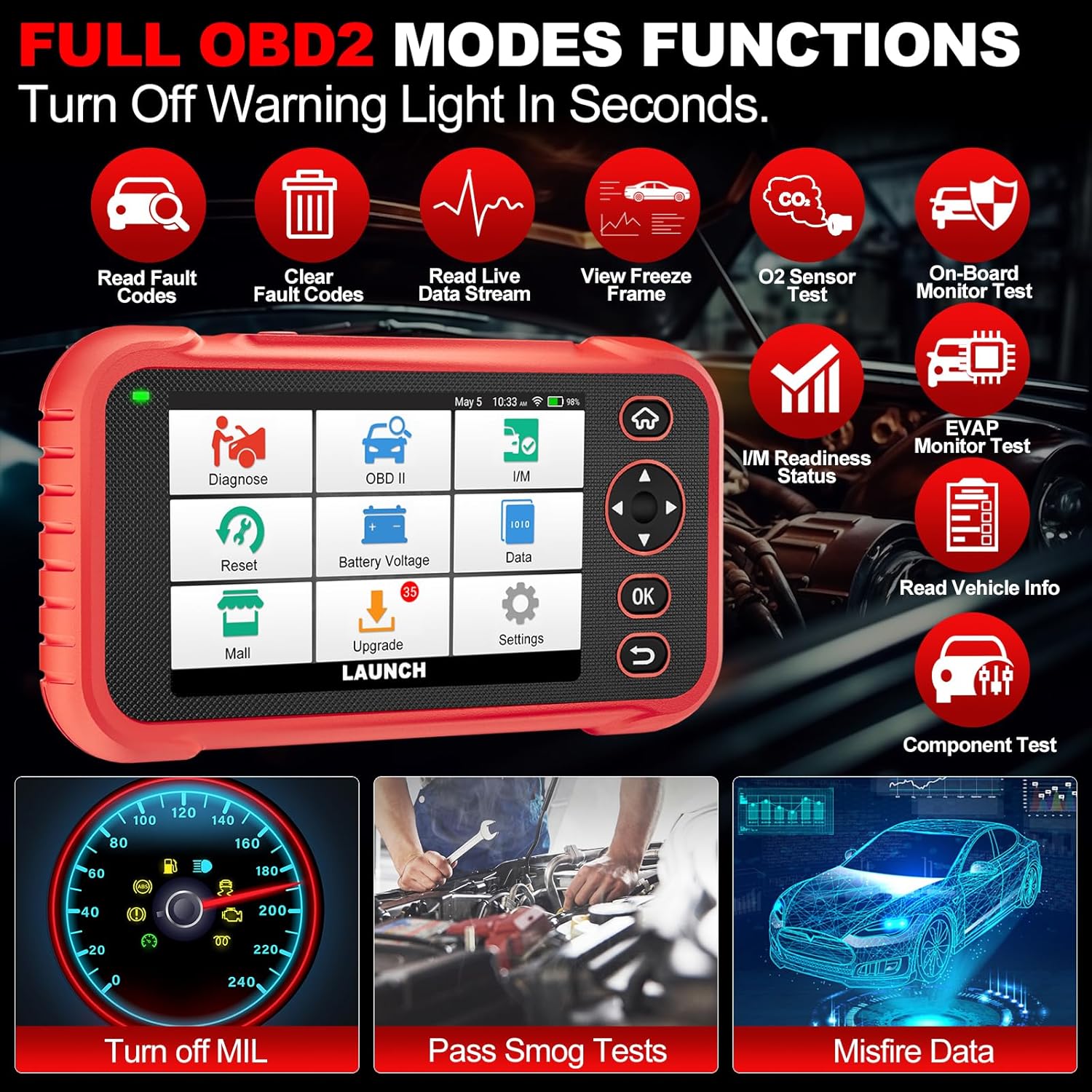
Hình ảnh 4.3: Main menu options for OBD2 functions.
4.4. Service Reset Functions
The CRP129E Plus offers 12+ essential service reset functions for common maintenance tasks.
- Đặt lại dầu: Thiết lập lại hệ thống tuổi thọ dầu sau khi thay dầu.
- Điều chỉnh bướm ga: Khởi tạo bộ truyền động bướm ga về trạng thái mặc định.
- Đặt lại Adblue: Resets the urea after the diesel exhaust fluid (AdBlue) is replaced or refilled.
- cái đầuamp Phù hợp: Calibrates the adaptive front lighting system.
- Đặt lại TPMS: Khôi phục cài đặt gốc cho các cảm biến hệ thống giám sát áp suất lốp.
- Đặt lại SAS: Hiệu chỉnh cảm biến góc lái.
- Ghép nối pin (Khôi phục cài đặt BMS): Đăng ký thay thế pin mới.
- Đặt lại A/F: Điều chỉnh các thông số tỷ lệ không khí/nhiên liệu.
- Tái tạo DPF: Loại bỏ các hạt vật chất khỏi bộ lọc DPF.
- Mã hóa kim phun: Mã hóa số kim phun mới vào ECU.
- Đặt lại EPB: Cài đặt lại má phanh đỗ xe điện tử sau khi thay thế.
- Chảy máu ABS: Performs bleeding of the brake system.

Hình ảnh 4.4: Quaview of available service reset functions.
4.5. Live Data Graphing and Recording
The device can display live data streams in merged quadrant graphs, allowing for comprehensive analysis of up to four parameters simultaneously. Data can also be recorded and played back for further review.

Hình ảnh 4.5: Example of 4-in-1 live data graphing and diagnostic report generation.
4.6. Pin Voltage Kiểm tra
Theo dõi điện áp pin của xetage in real-time to assess its status and identify potential issues.

Hình ảnh 4.6: Pin voltage test interface and other diagnostic support features.
5. Bảo trì
- Vệ sinh: Sử dụng vải mềm, khô để vệ sinh thiết bị. Tránh sử dụng chất tẩy rửa có tính mài mòn hoặc dung môi.
- Kho: Store the device in its carrying case in a cool, dry place when not in use.
- Cập nhật phần mềm: Regularly check for and install software updates via Wi-Fi to ensure optimal performance and vehicle compatibility.
- Chăm sóc pin: Tránh để pin cạn kiệt hoàn toàn thường xuyên. Sạc thiết bị thường xuyên, ngay cả khi không sử dụng, để duy trì tuổi thọ pin.
KHAI THÁC. Xử lý sự cố
| Vấn đề | Nguyên nhân có thể | Giải pháp |
|---|---|---|
| Thiết bị không bật nguồn. | Low battery; faulty power button. | Charge the device for at least 30 minutes. If issue persists, contact support. |
| Lỗi giao tiếp với xe. | Loose OBDII connection; vehicle ignition off; incompatible vehicle protocol. | Ensure cable is securely connected. Turn ignition to ON. Verify vehicle compatibility. |
| Unable to update software. | No Wi-Fi connection; unstable internet; insufficient storage. | Check Wi-Fi connection. Ensure stable internet. Free up storage if necessary. |
| Màn hình không phản hồi. | Lỗi phần mềm; hư hỏng vật lý. | Khởi động lại thiết bị. Nếu sự cố vẫn tiếp diễn, hãy liên hệ với bộ phận hỗ trợ. |
7. Thông số kỹ thuật
- Người mẫu: CRP129E PLUS
- Hệ điều hành: Android 7.0
- Trưng bày: Màn hình cảm ứng 5 inch
- Ký ức: 16GB
- Ắc quy: 6100mAh
- Kết nối: Wi-Fi
- Kích thước: 7.09 x 6.3 x 2.36 inch
- Trọng lượng sản phẩm: 2.27 pound
- Các giao thức được hỗ trợ: OBDII/EOBD
- Bảo hiểm xe: Over 85 brands (1996-2025)
- UPC: 884508007774

Hình ảnh 7.1: Summary of key hardware and software specifications.

Hình ảnh 7.2: Extensive vehicle brand coverage and multi-language support.
8. Bảo hành và Hỗ trợ
The LAUNCH CRP129E Plus comes with a manufacturer's warranty. Please refer to the official LAUNCH webtrang web hoặc tài liệu mua hàng của bạn để biết các điều khoản và điều kiện bảo hành cụ thể.
- Bảo hành: 5 Years (as per product information)
- Return/Replace Policy: 90 Days (as per product information)
- Hỗ trợ kỹ thuật: 24/7 technical support is available. For assistance, please contact LAUNCH customer service.
- Phản hồi trực tuyến: The device supports online feedback for quick resolution of diagnostic issues.
For further assistance or to provide feedback, please visit the official LAUNCH support channels.


